ابزار Xhorse VVDI
Xhose VVDI نرم افزار برنامه نویس اصلی و سخت افزارابزار Xhorse VVDI
Xhose VVDI نرم افزار برنامه نویس اصلی و سخت افزارHow to Rewrite Super Chip with VVDI Mini Key Tool?
How to rewrite VVDI super chip XT27A66 multiple times with Xhorse VVDI Mini Key Tool? Here we go to make a quick demonstration for reference.
Start up Xhorse app, connect it with Mini Key Tool, put xhorse super chip into the coil:
Transponder clone >> Read transponder

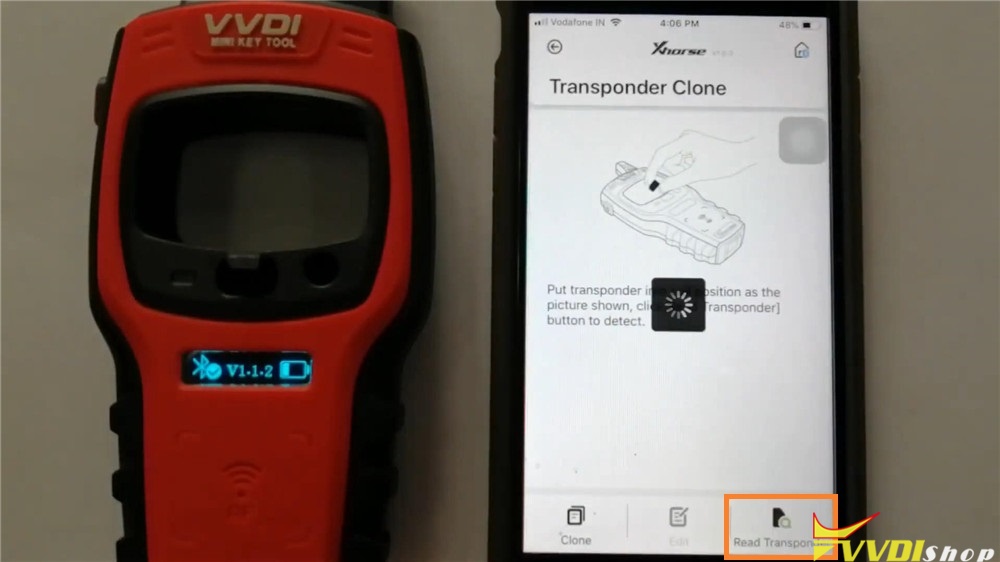
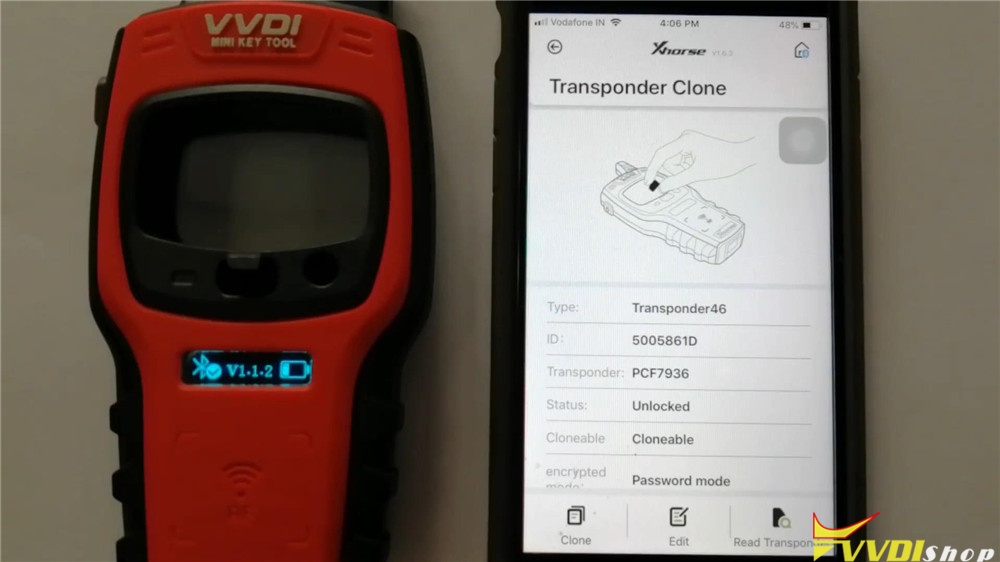
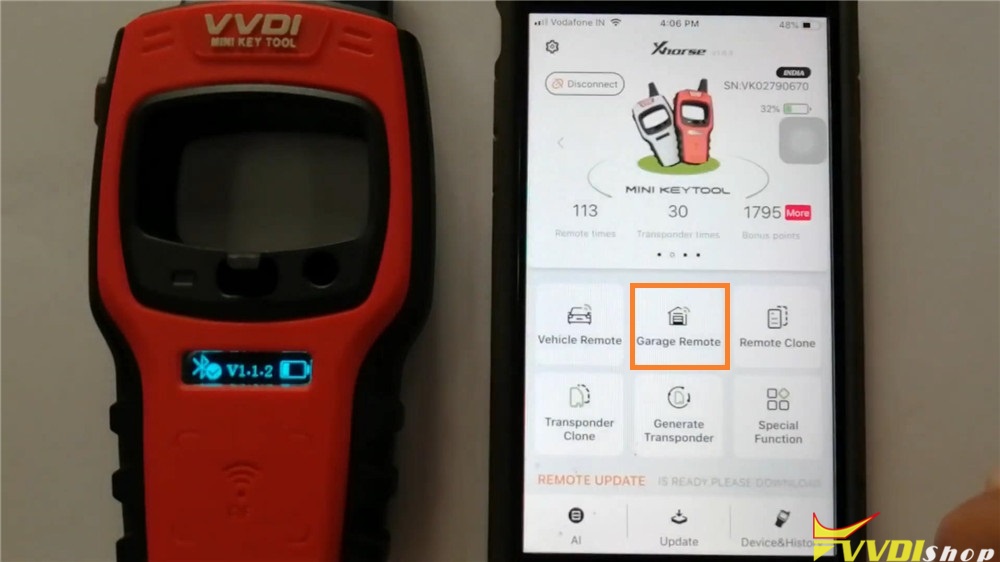
This is original information from XT27A66 chip, let’s go back to main page to rewrite it:
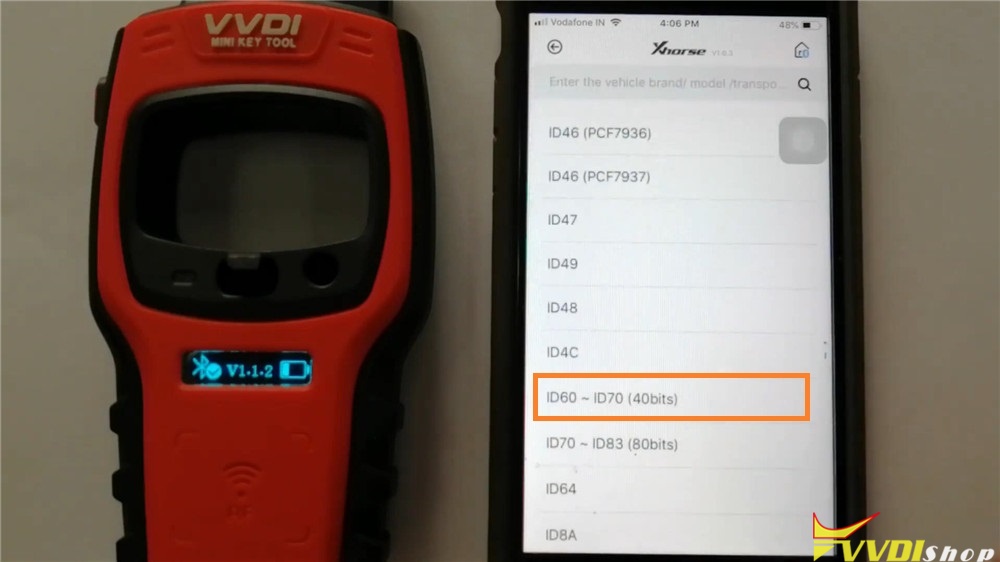
Generate transponder >> ID60~ID70(40bits) >> 65-Suzuki/Subaru >> Generate
Transponder generate success, press “Complete”.
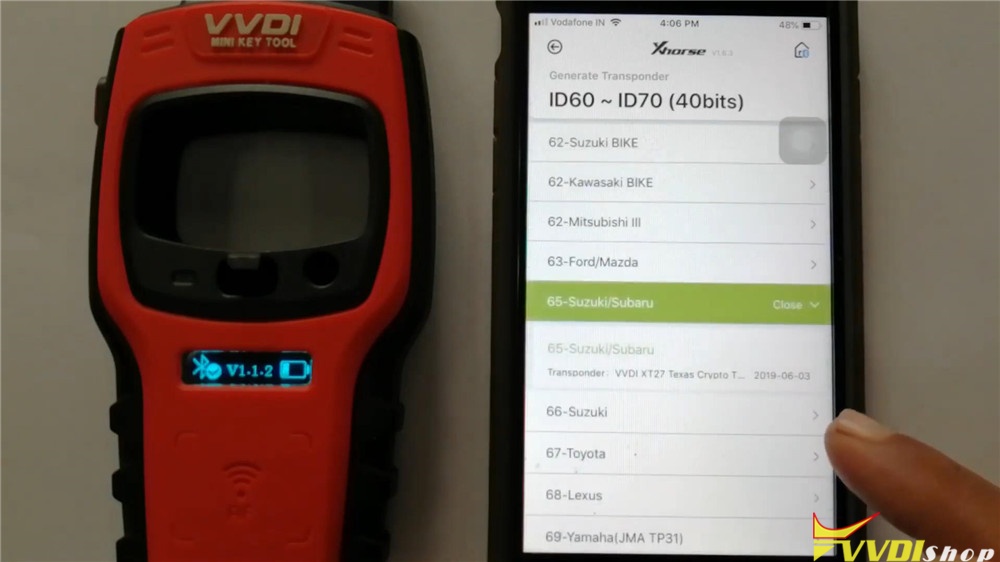
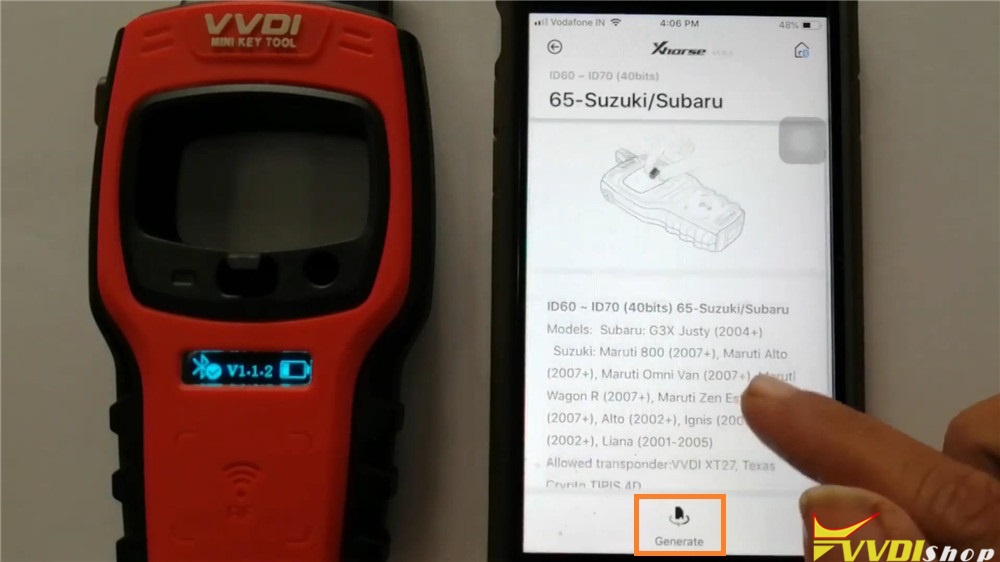
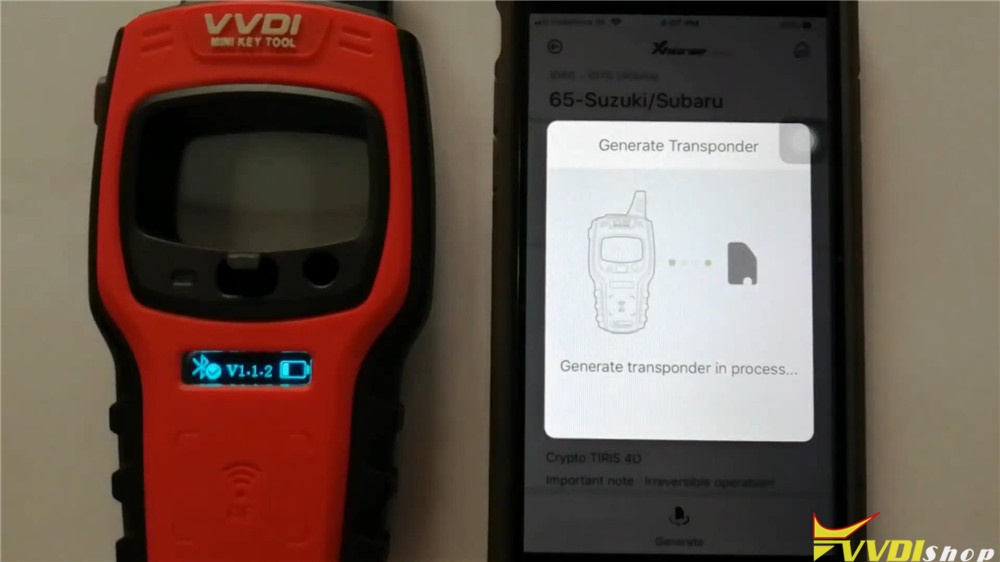
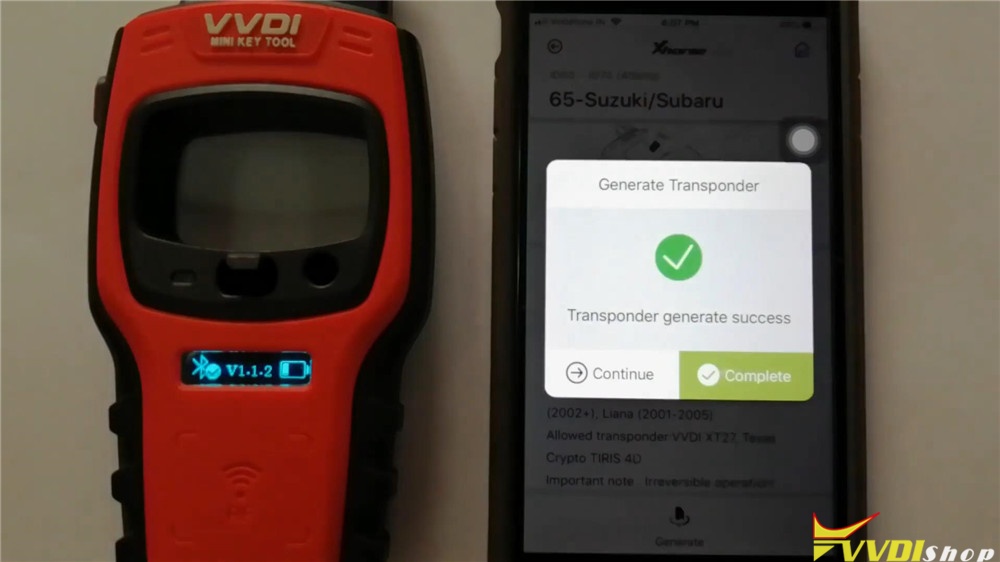
Go back to read the XT27A66 chip again: Transponder clone >> Read transponder
As you seen, the information has been changed.
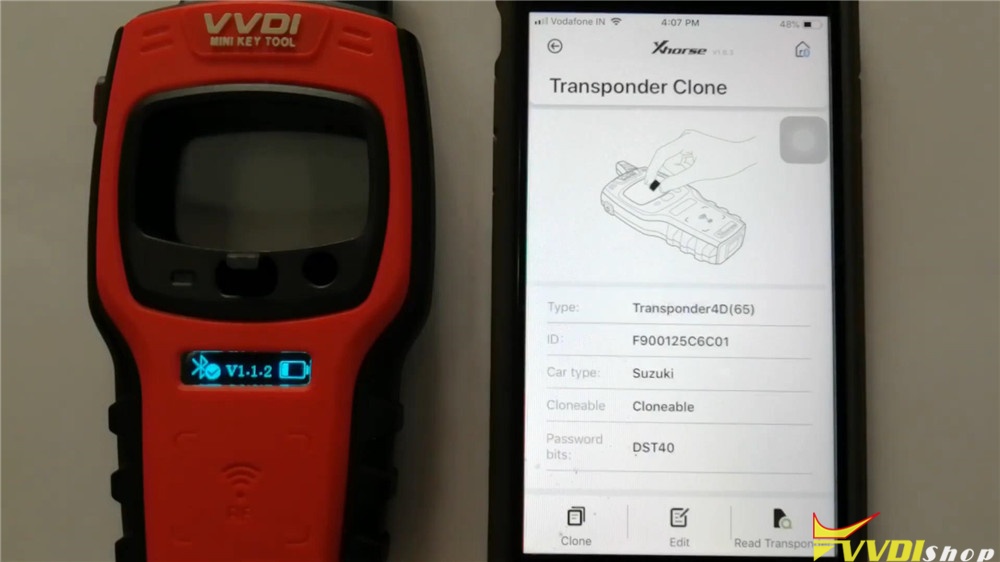
Okay, go back to select another car model to have a try:
Generate transponder >> ID46(PCF7936) >> ID46-Indian cars >> Indian Suzuki >> Generate
Transponder generate success, press “Complete”.
Now let’s read the vvdi super chip again: Transponder clone >> Read transponder
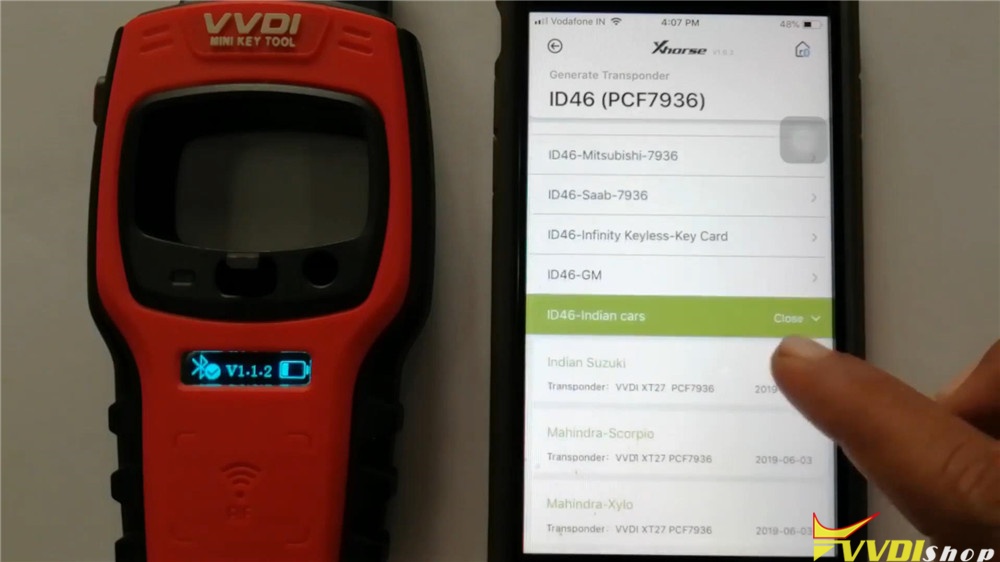
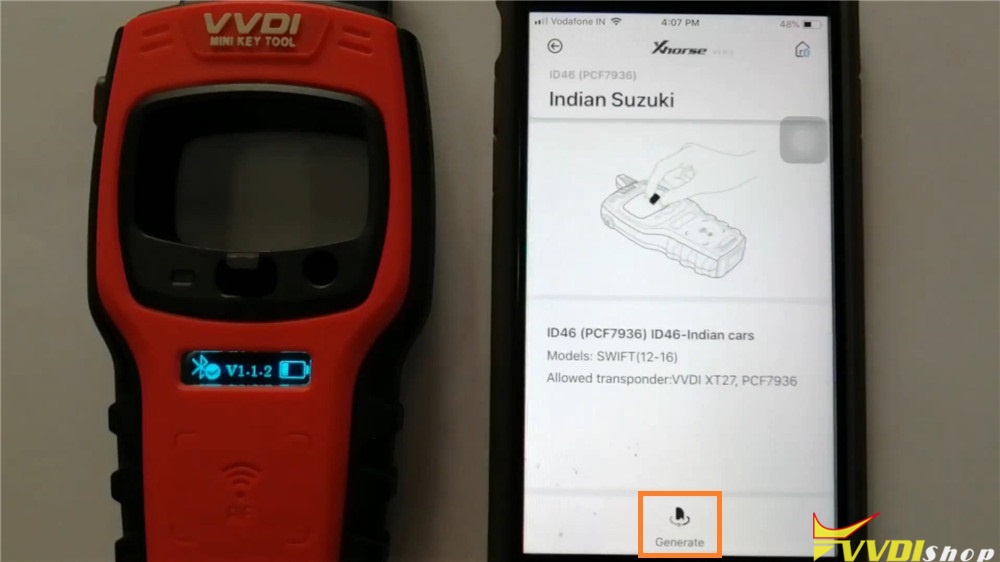
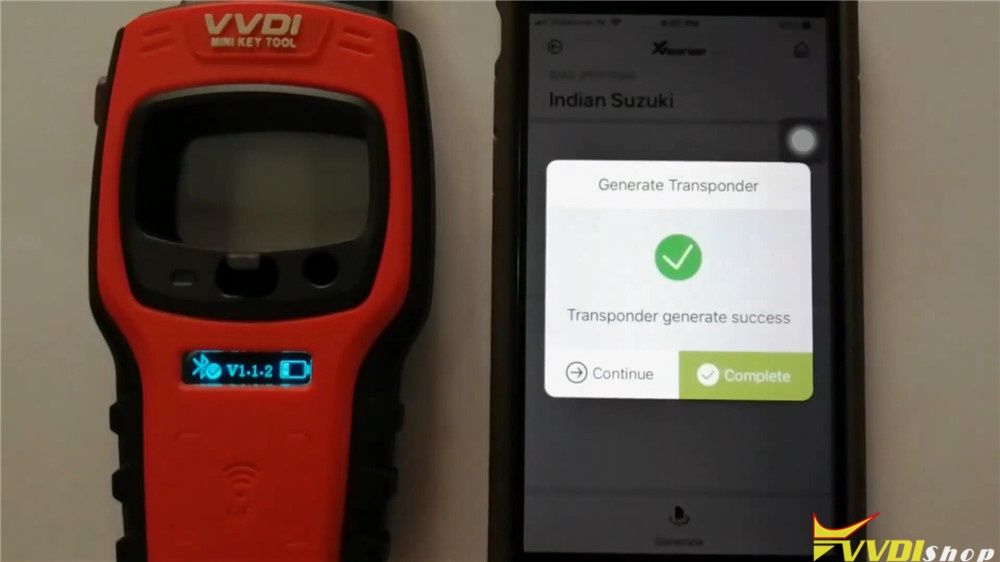
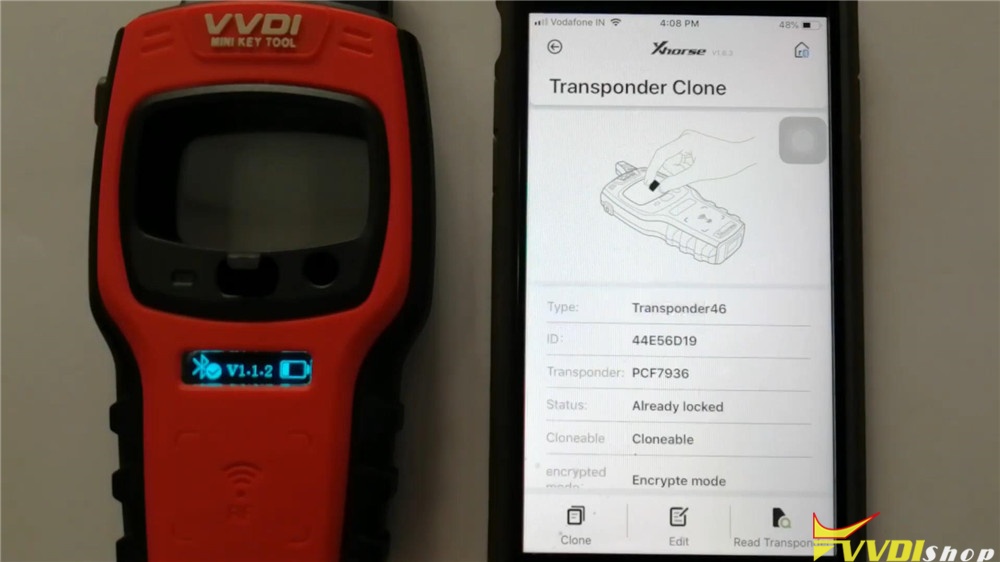
Alright, the information has been changed again. Rewriting XT27A66 super chip is successful!
Xhorse Super Transponder XT27A66 can be reused for several times. Working with VVDI Mini KeyTool is quite easy and efficient.
http://blog.vvdishop.com/rewrite-xt27a66-super-chip-via-vvdi-mini-key-tool/
VVDI Prog Repair BMW E Series FRM XEQ384
Here is the guide of how to repair BMW FRM E series XEQ384 via Xhorse VVDI PROG programmer. It takes an example on VVDI Prog V4.9.4 version software.
Stat up VVDI prog software, select options:
- OTHER type, BMW brand and FRM-E-SERIES-XEQ384-READ chip.
*Click to enlarge all images.
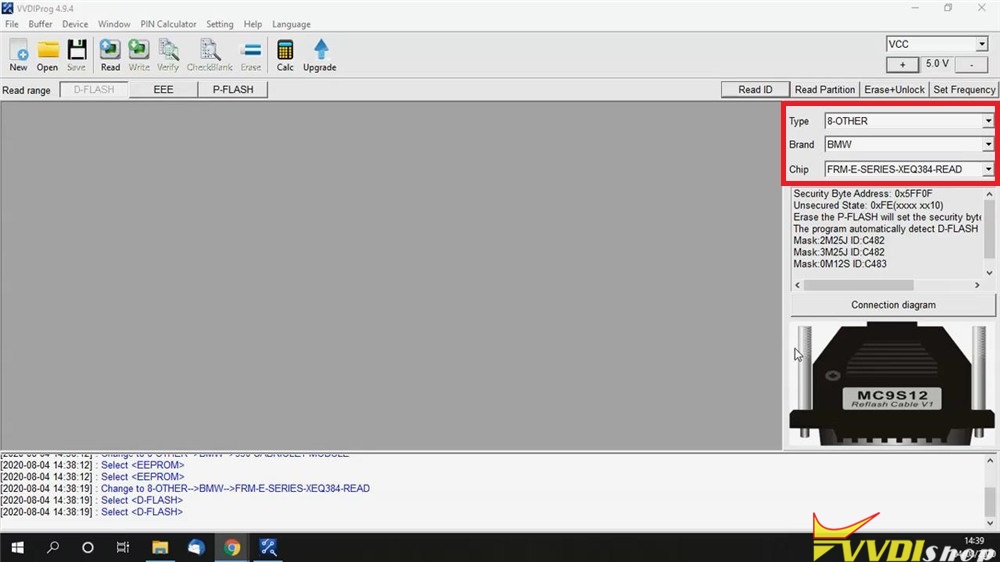
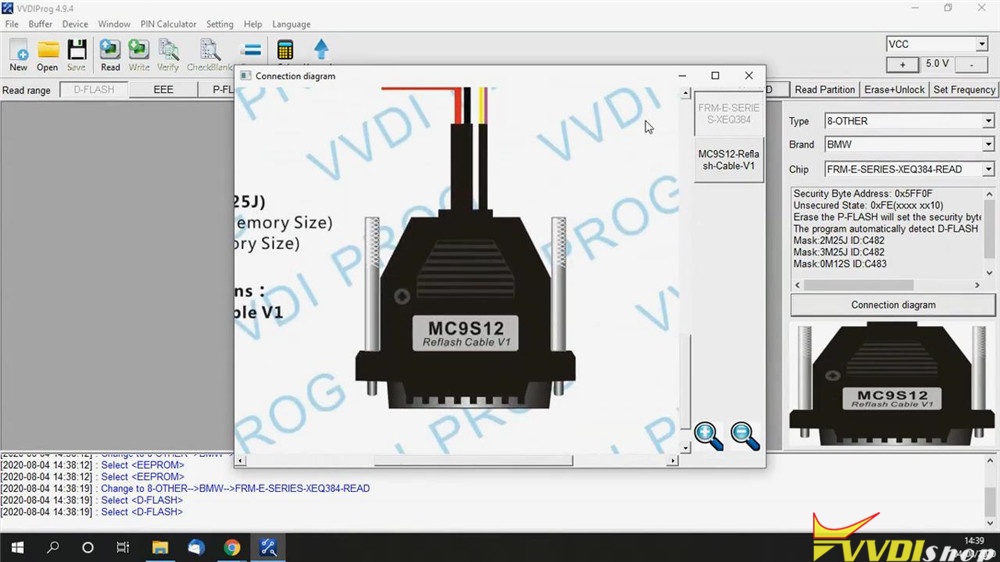
Click “Connection diagram” for a check.
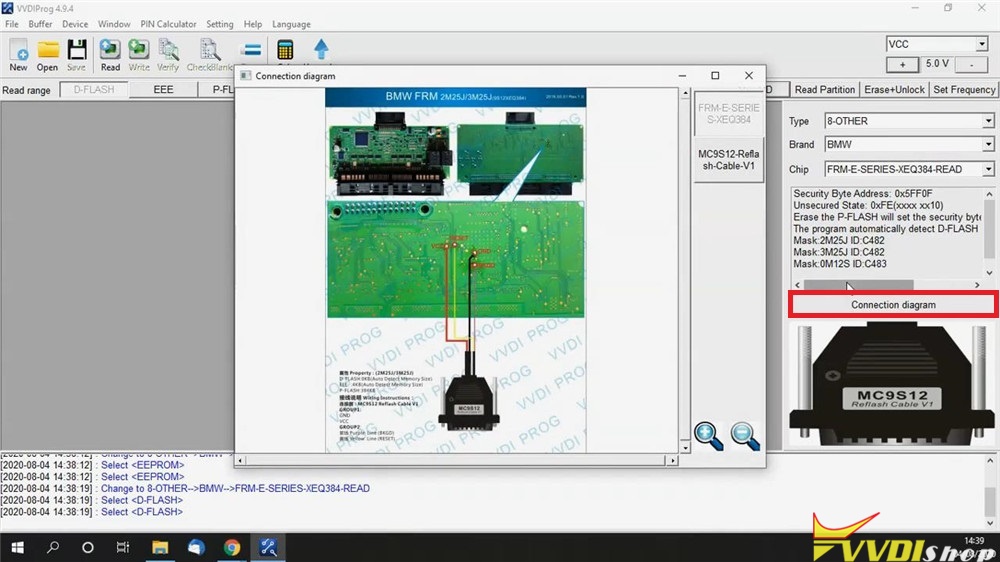
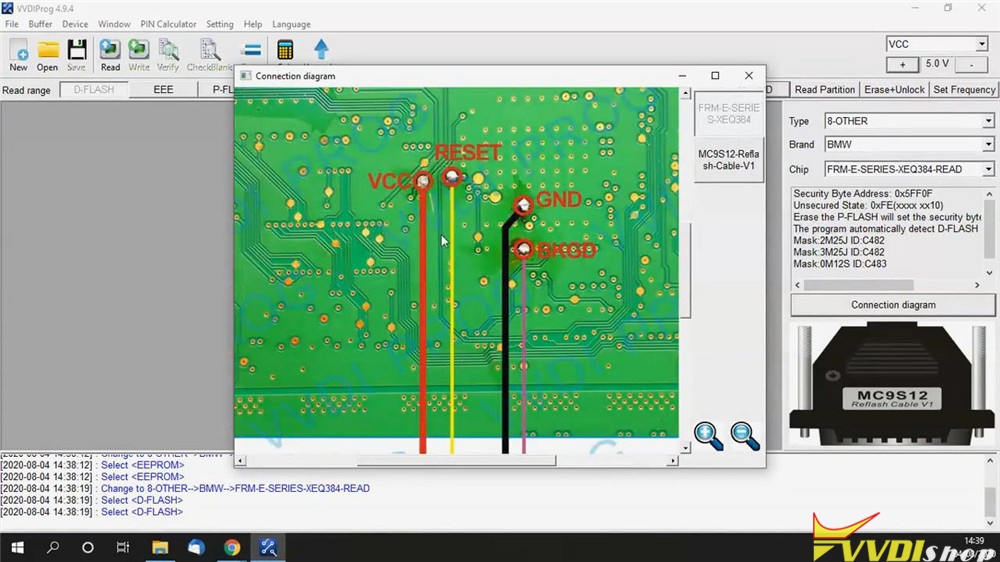
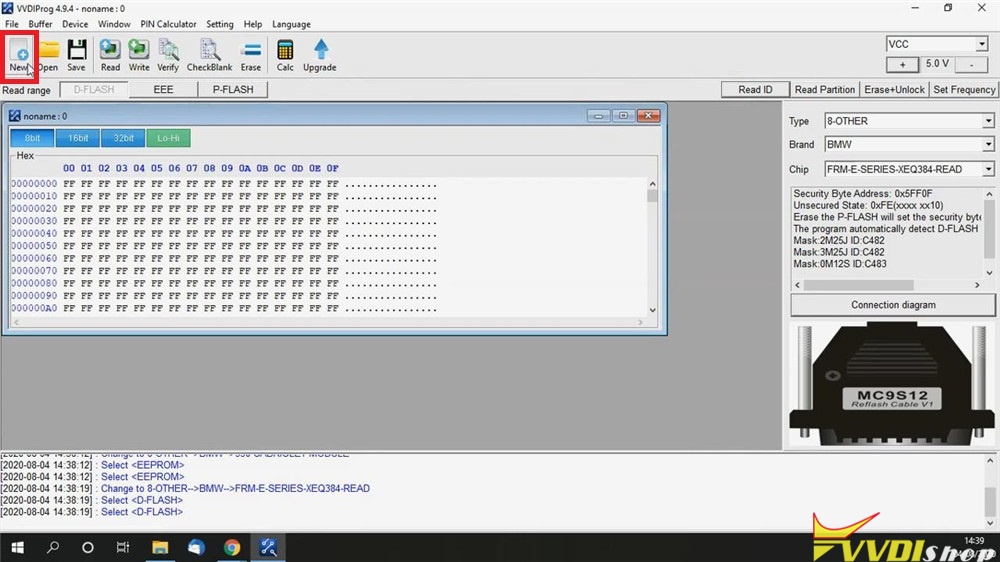
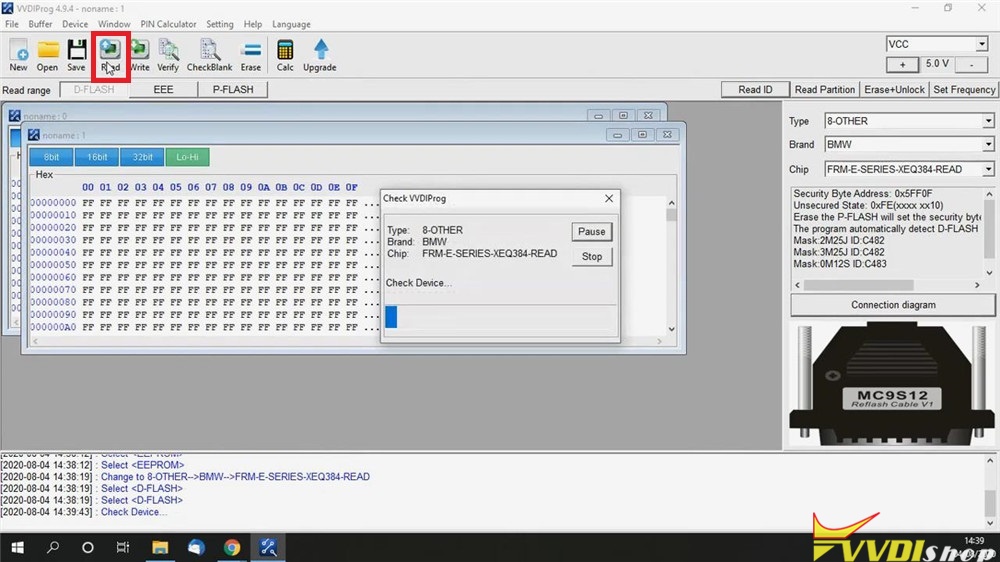
Click “New”, then “Read” button.
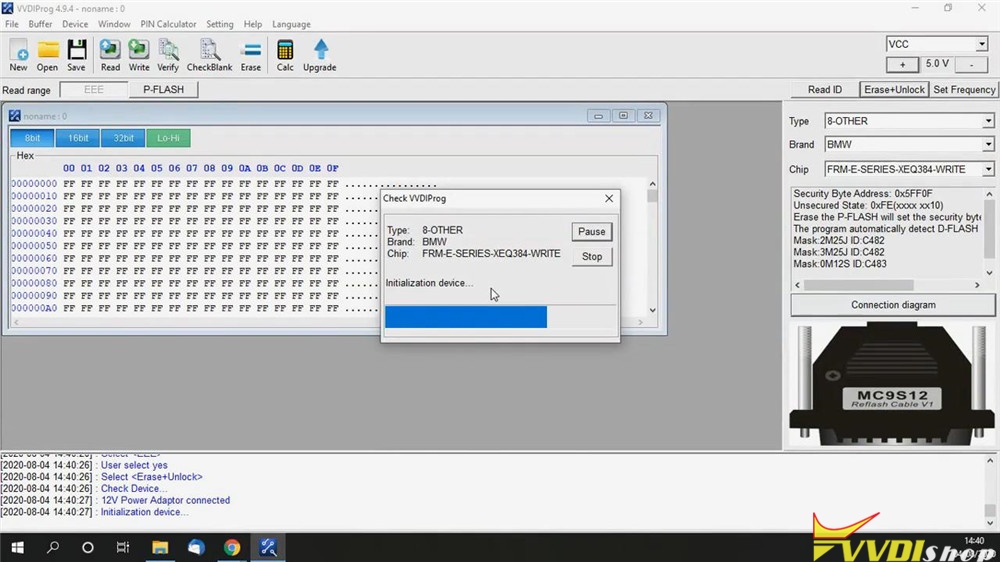
Initialization device…
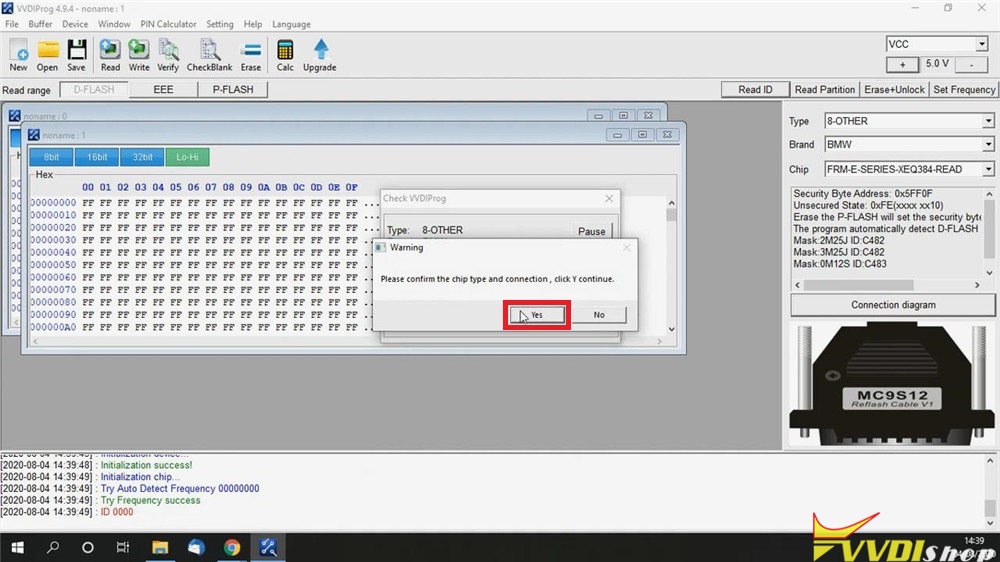
Please confirm the chip type and connection, click “Yes” to continue.
Click “Save” and select “frm 6135 9249083 02 dflash corrut.bin” to replace it.
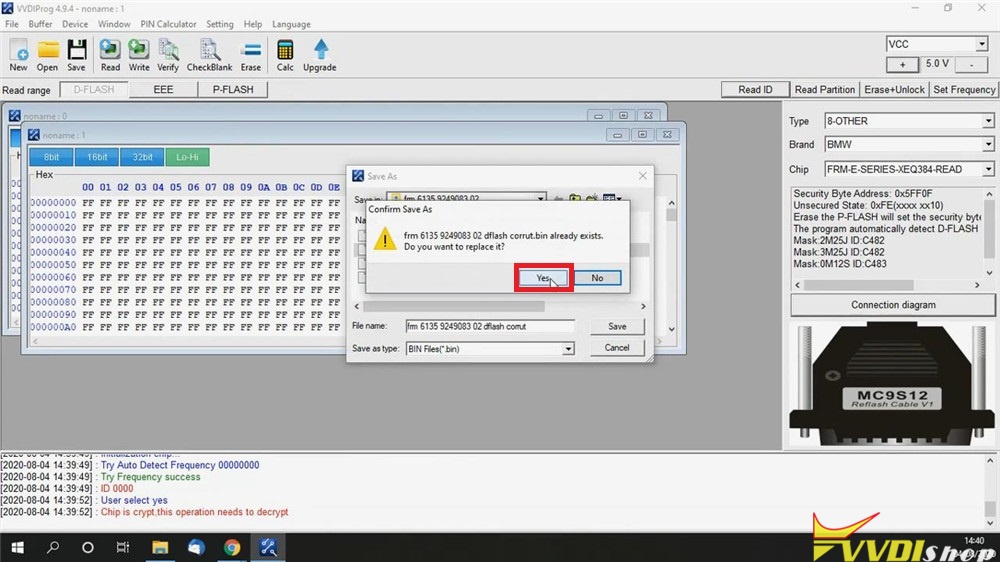
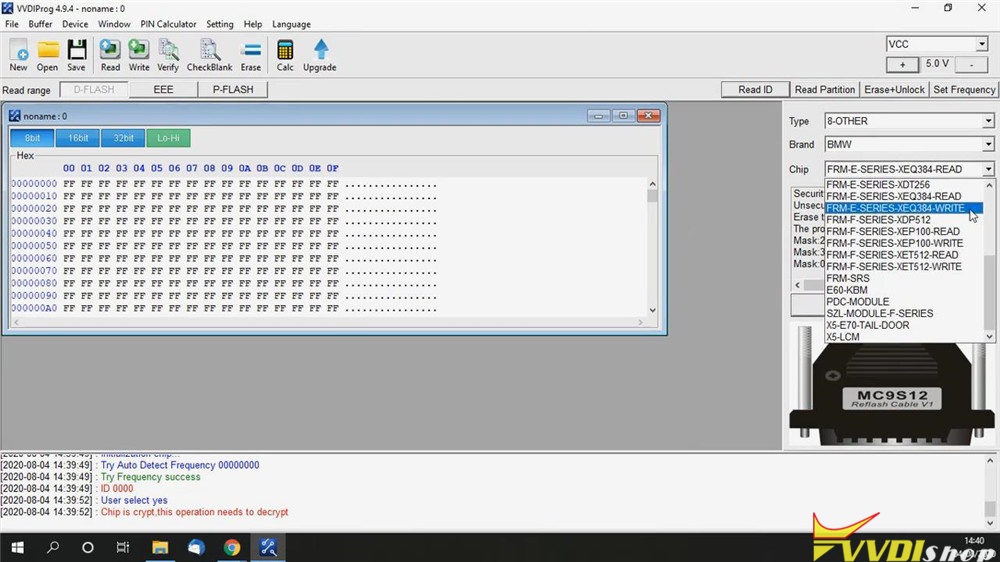
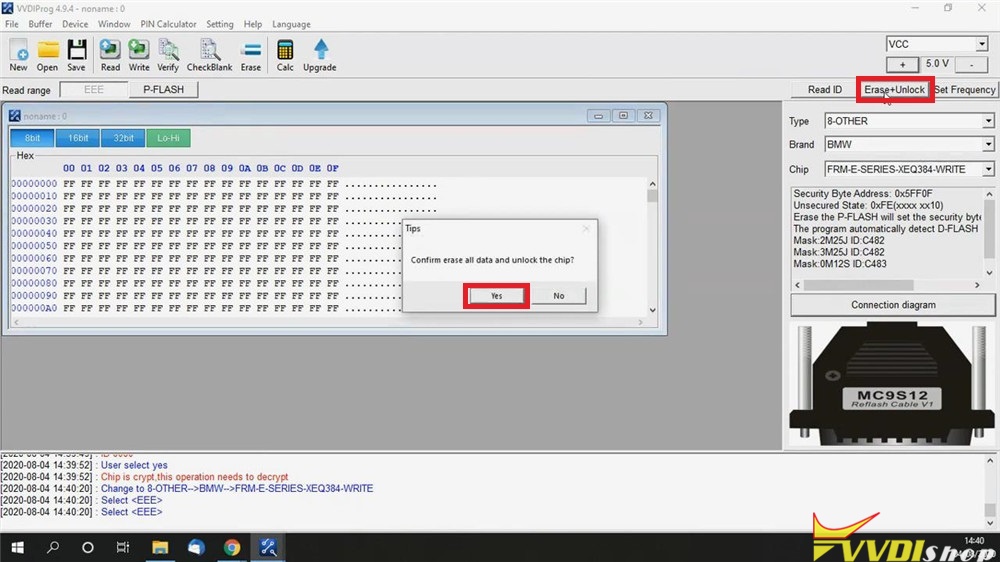
Select the vvdiprog chip option to “FRM-E-SERIES-XEQ384-WRITE”, and click “Erase+Unlock” button on upside.
Confirm erase all data and unlock the chip? Click “Yes”.
Operation success!
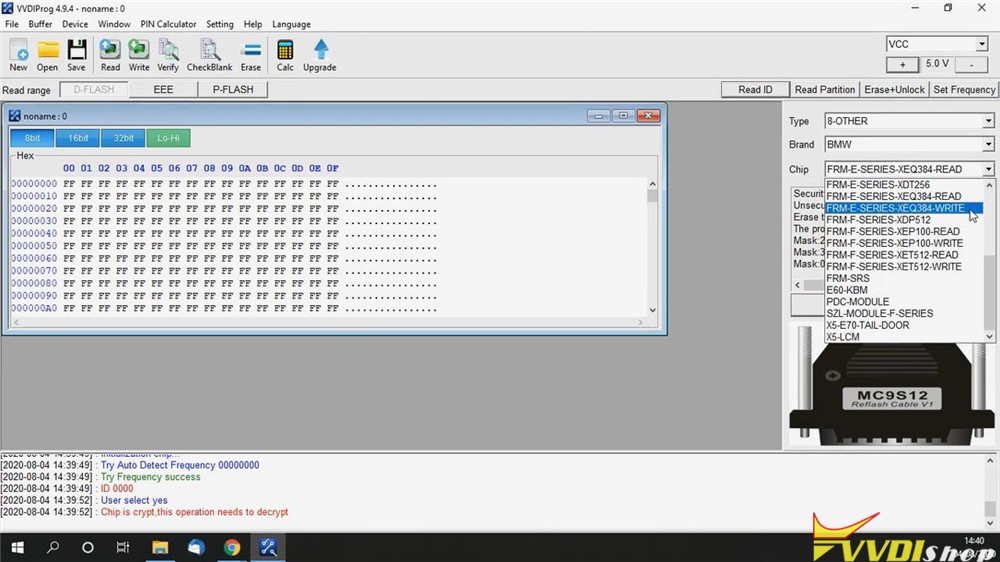
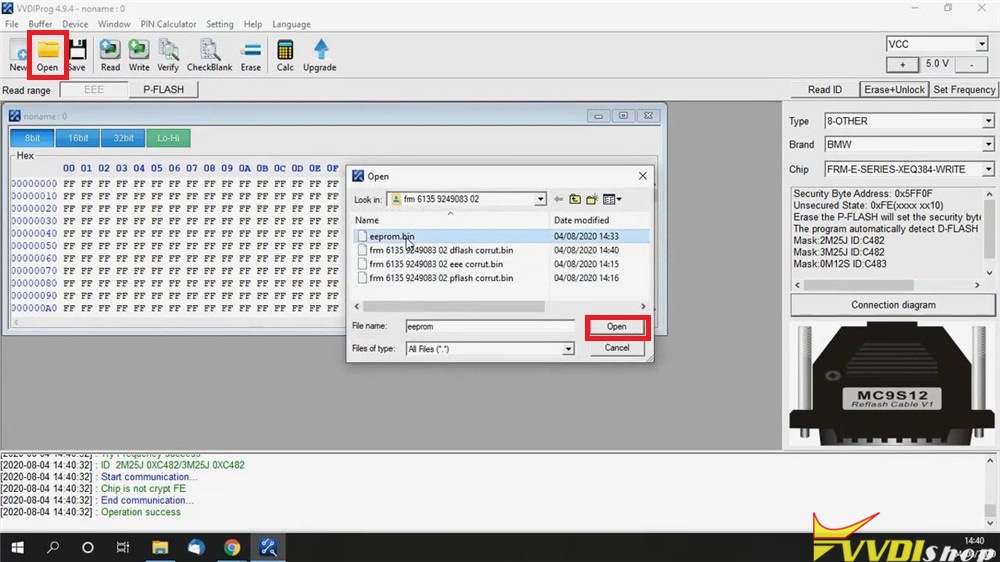
Click “Open” to open “eeprom.bin” file.
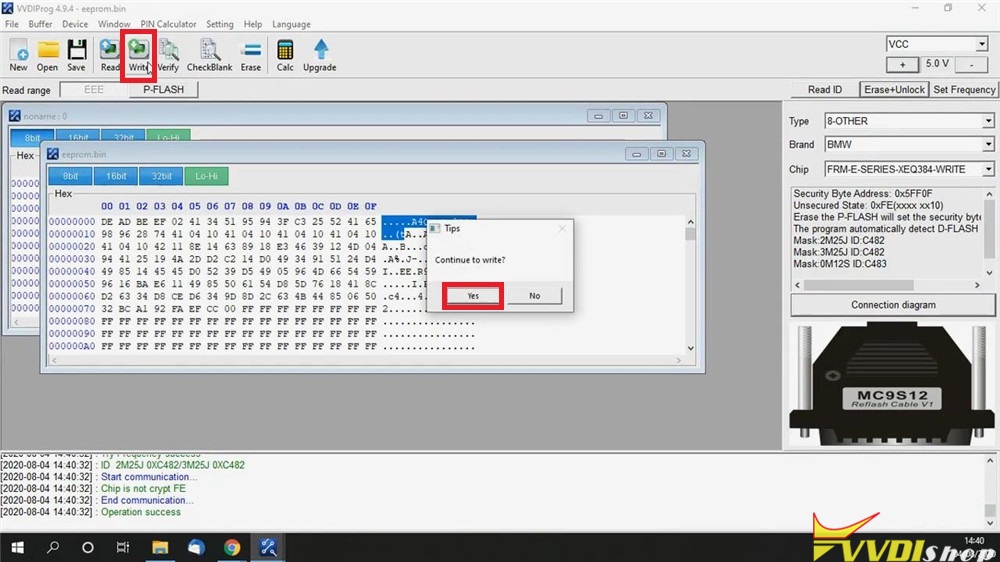
Click “Write” button, continue to write? Click “Yes”.
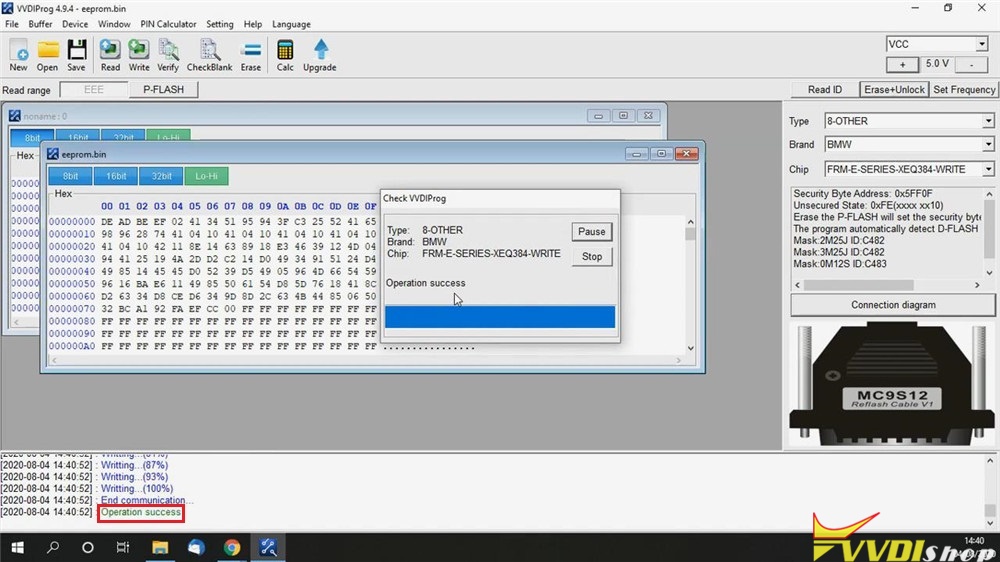
Wait until writing 100%…
Operation success! Job has done.
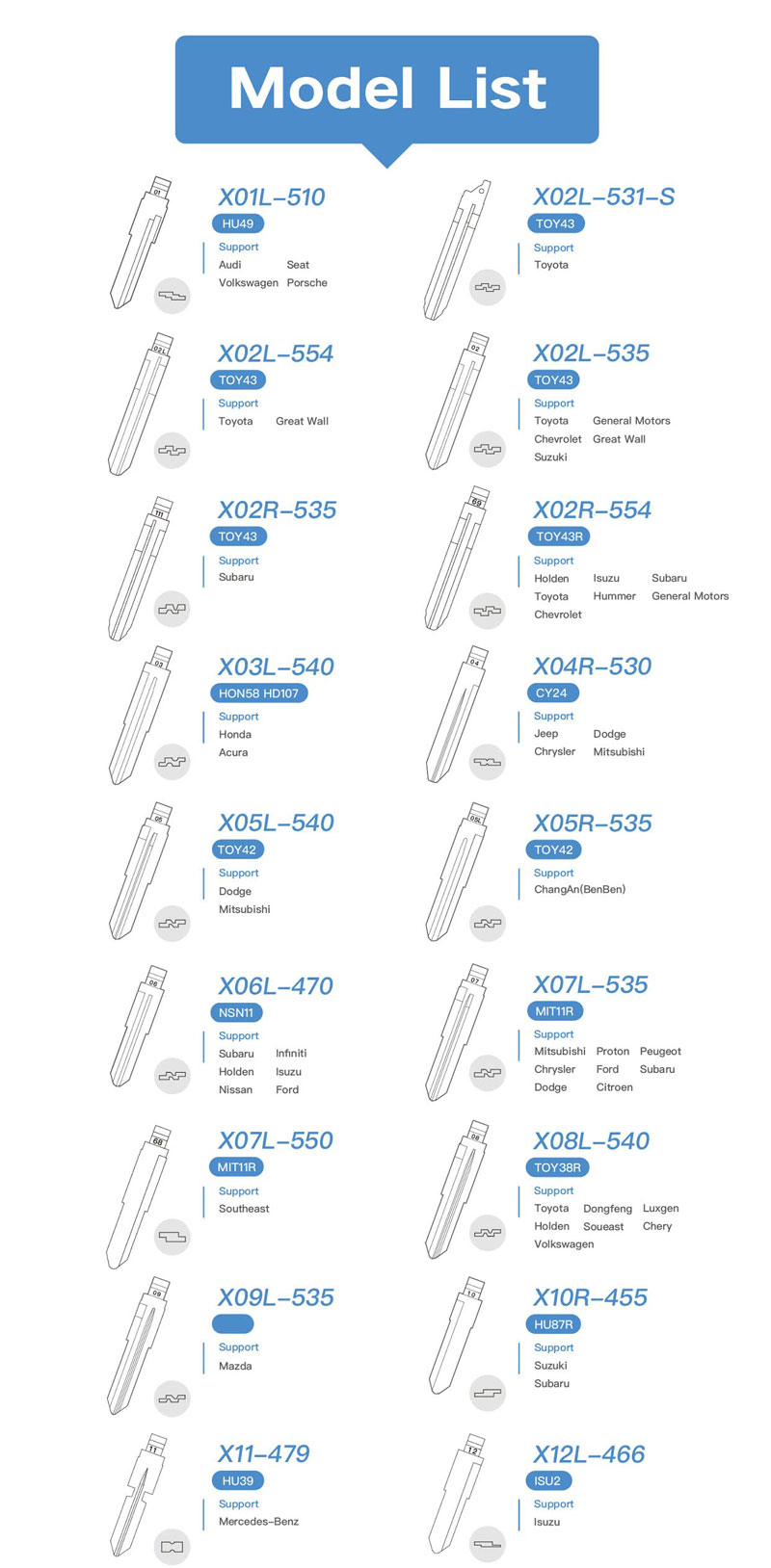
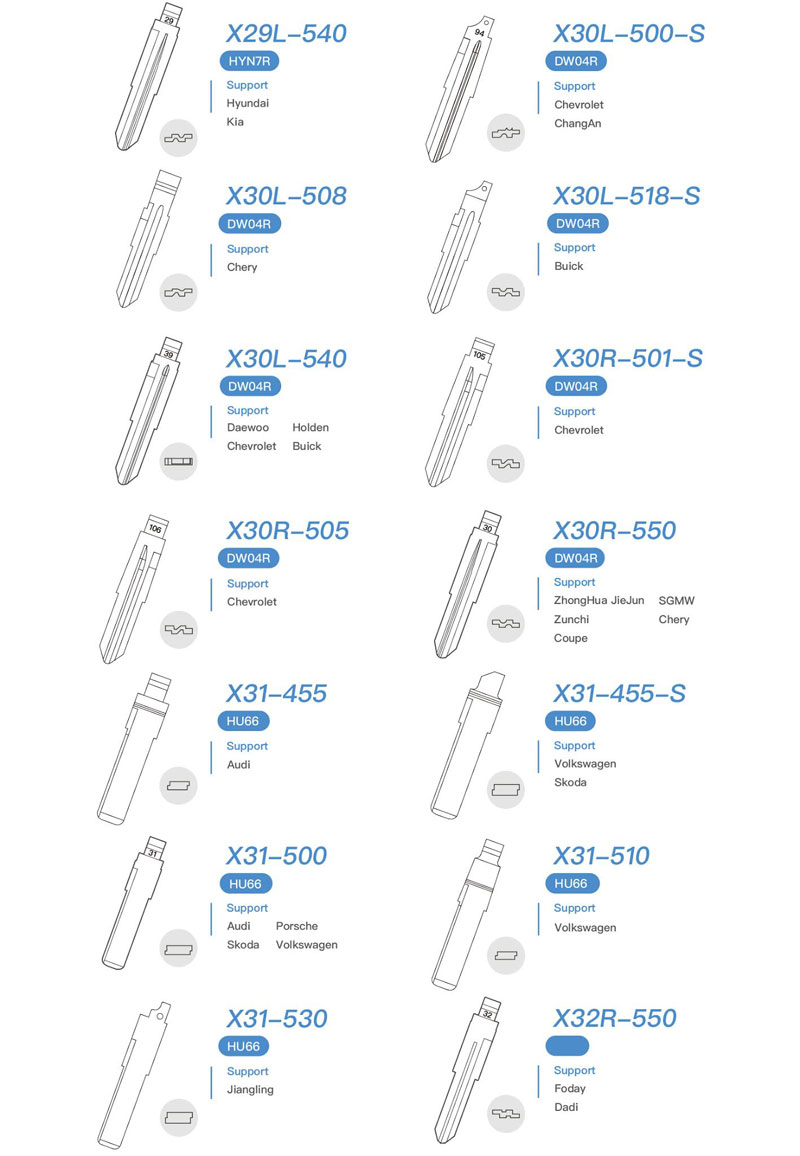
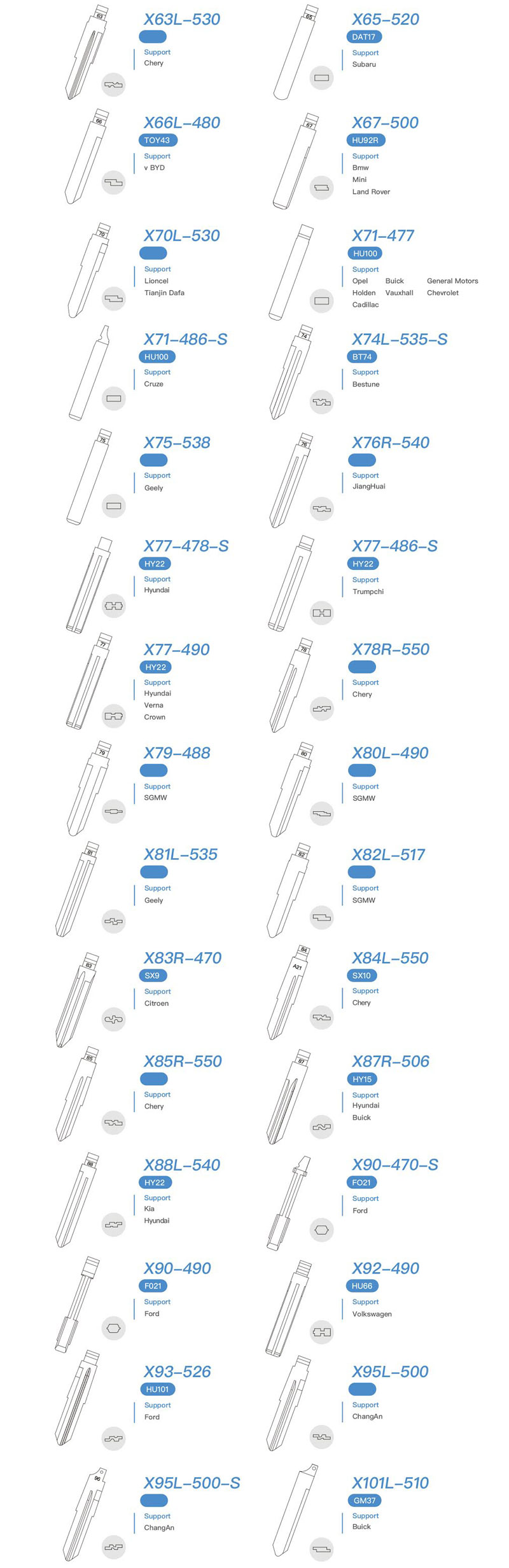
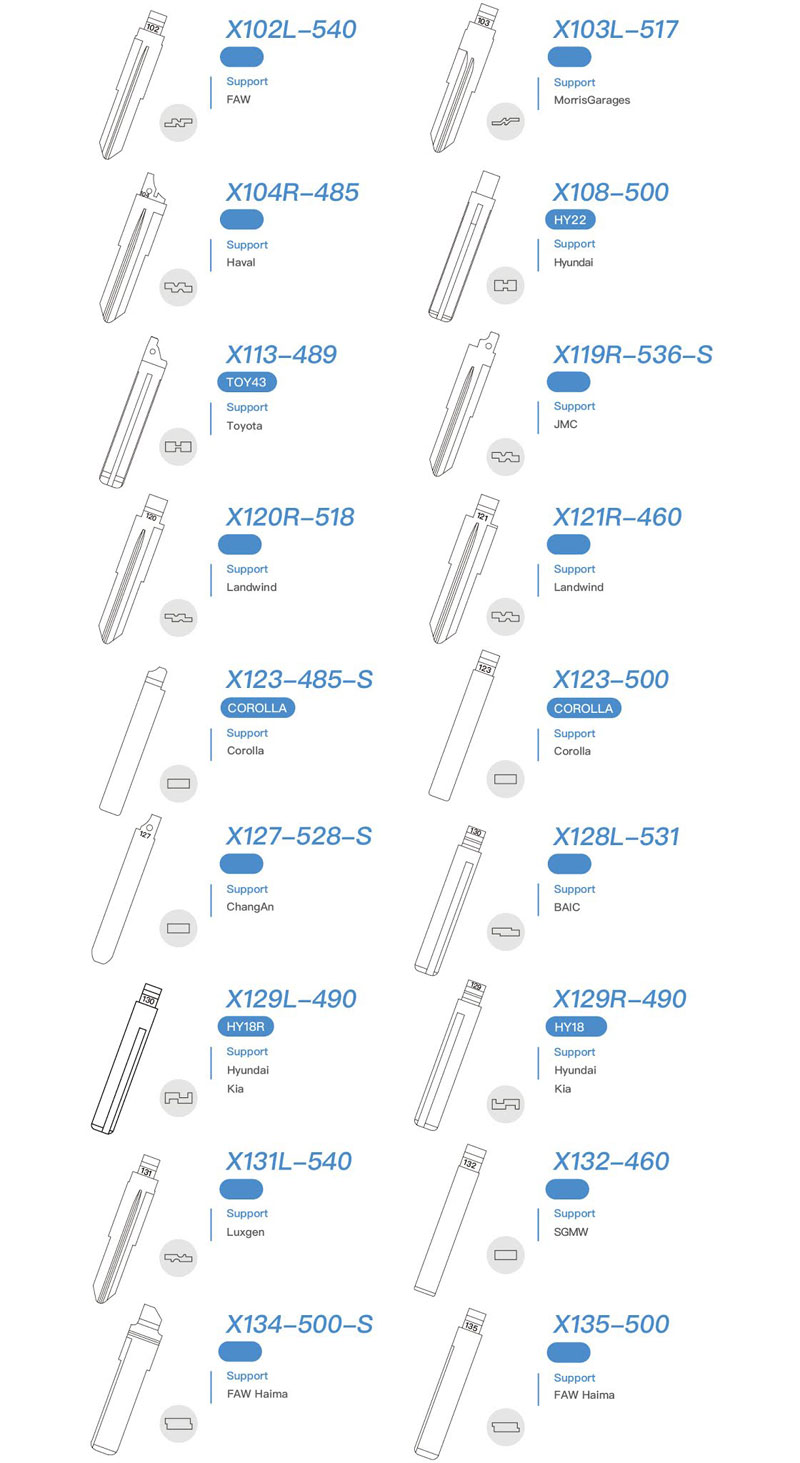
Xhorse Universal Key Blades List
Xhorse Tech released a full range of valuable universal key blanks to better serve locksmith friends in 2020. These metal key blanks are used for automotive and motorcycle applications.

- Specially designed to exceed locksmiths’ requirements and expectations.
- Produced in a nickel-plated finish and are packaged in polybags of 10 units, and 5 polybags of a box. [50pcs/box]
- Applied to cut keys covering over 2,000 models.
Xhorse Key Blanks Top Advantages:
- Excellent utility
- High corrosion resistance
- Nickel plating Shiny appearance
- High corrosion resistance
- Strong abrasion protection
- Strong wear protection
Xhorse key blanks vs. common key blanks






How to Cut a Fiat Ducato 2006- Key with Condor Mini Plus?
What is going on, guys? Today I’m gonna use Xhorse Condor XC-Mini Plus to copy and cut a new key for Fiat Ducato year 2006 up. Here are 2 Fiat keys, the right one is original key, and the left one is new key to be cut.

Follow me, go to the Condor XC-Mini Plus tablet.
Key duplication >> Fiat >> Ducato >> After 2006 >> Confirm


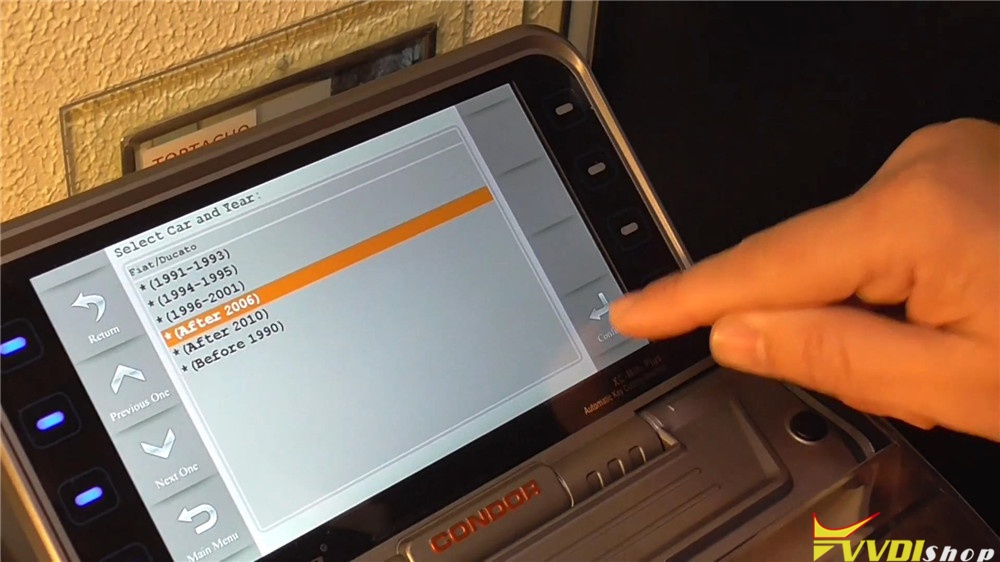

Put the original key flat on M2 clamp, fasten it. Then put down the cover.
Press “Key Decode” to start.
XC-Mini machine starts decoding…
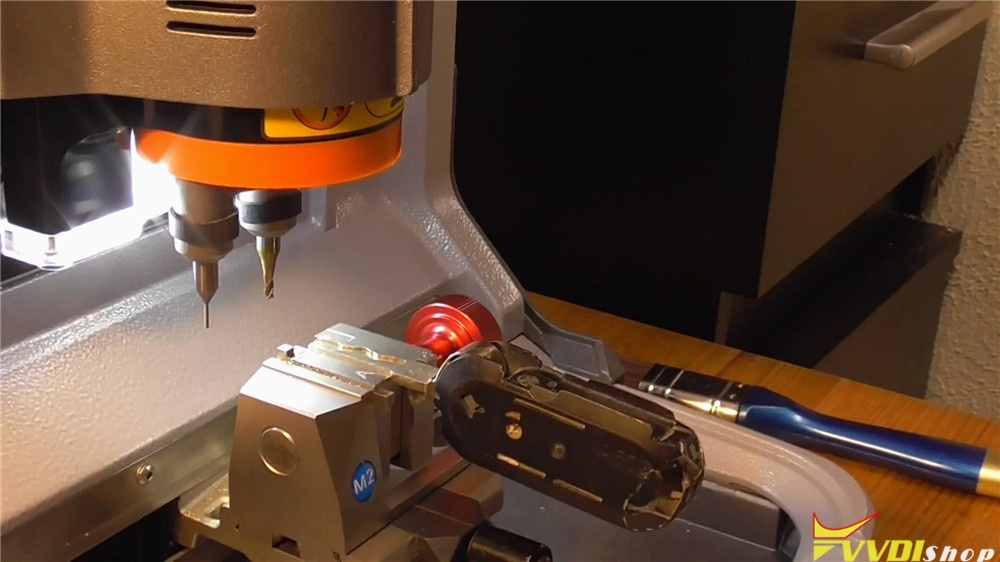
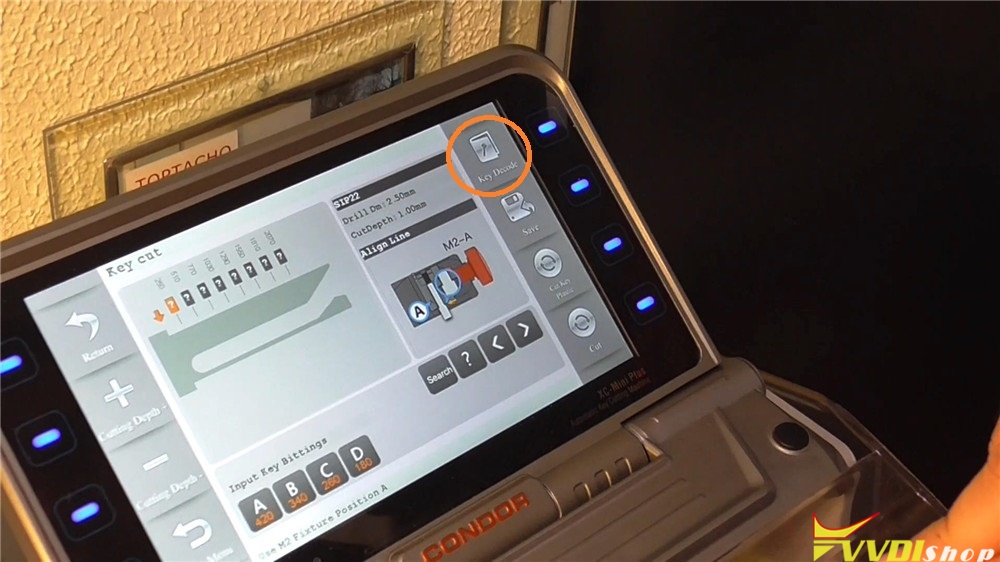
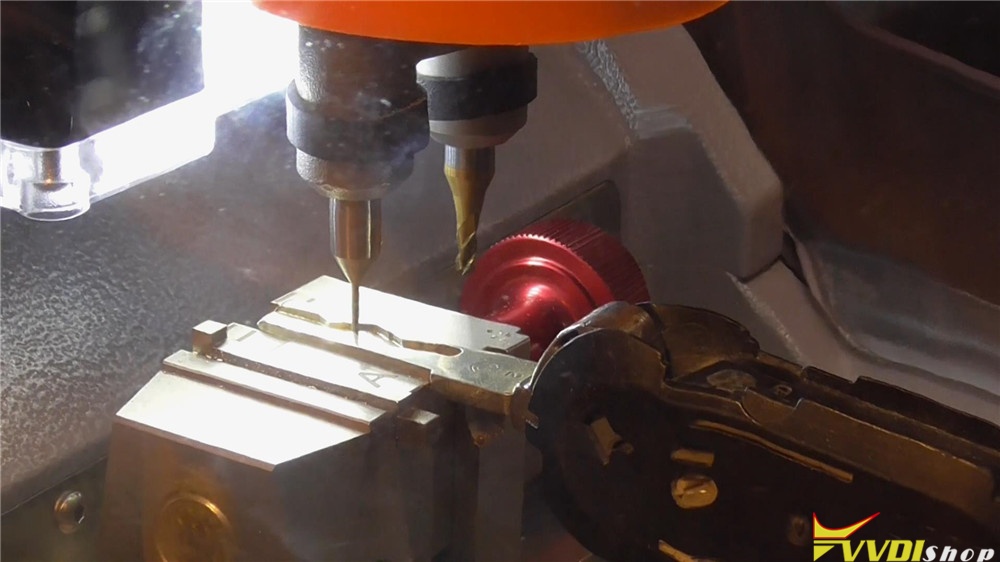
Decode completed.
Put up machine cover to take out the key, change to the new key fixing on.
Press “Cut Key” on tablet.
XC-Mini machine starts cutting…

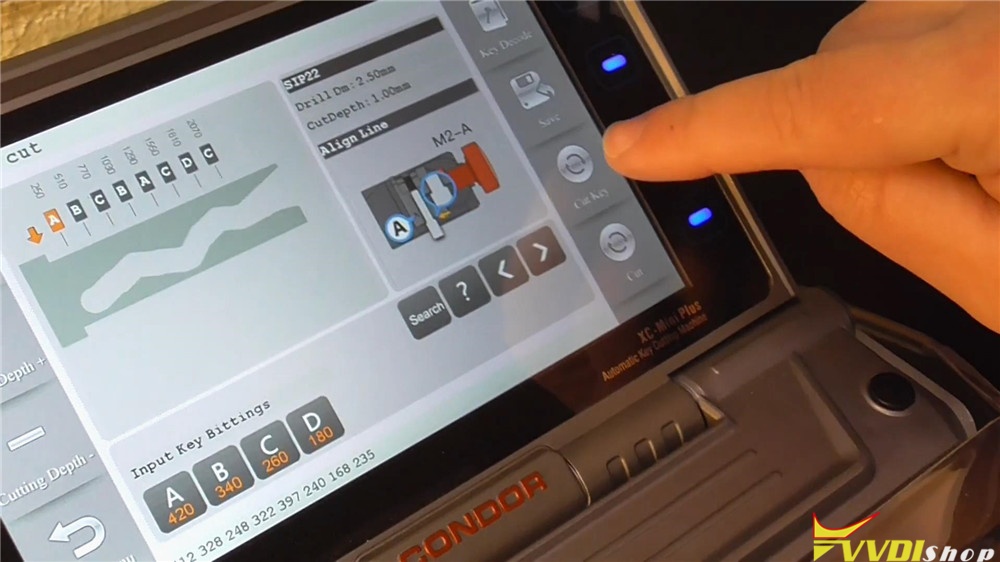
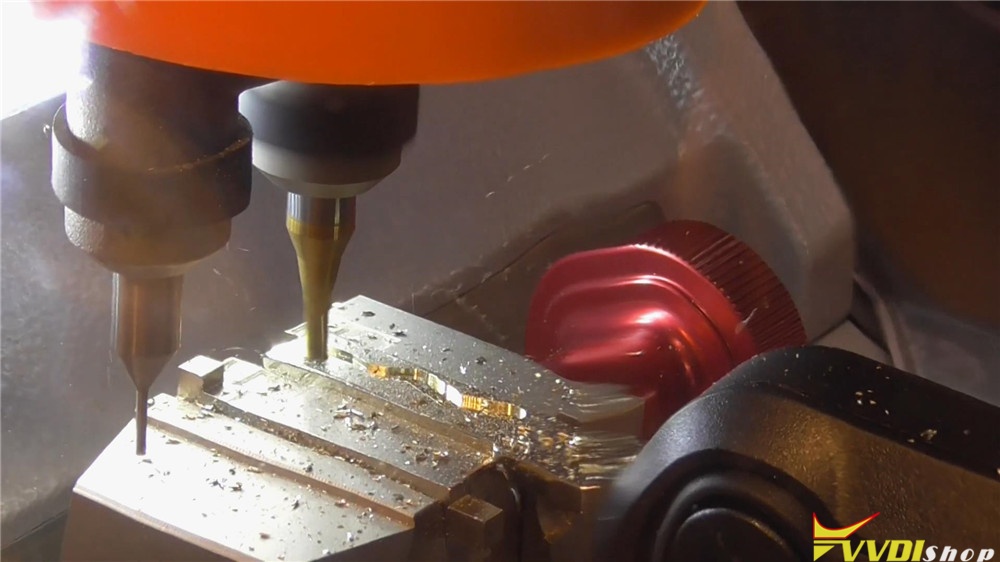
Cutting key one side complete.
Sweep the burrs, take out and turn the key to other side, then fix it on again.
Repeat the operation as previous. Press “Cut Key” to continue.
Condor Mini Plus machine starts cutting again…
Cutting key complete!
Compare to the original key, they are same. Let me try it on the lock, alright it can work well.

This is how to copy and cut a Fiat Ducato key via Condor XC-Mini Plus Key Cutting Machine. It is so smart to automatically finish the job in 5 minutes.
http://blog.vvdishop.com/xhorse-condor-xc-mini-plus-cut-fiat-ducato-2006-key/
VVDI Mini Key Tool Modify Smart Key Button Distance
How to use Xhorse VVDI Mini Key Tool to modify smart key button data? Locksmiths may need the tip when making a smart key. Here is the procedure with VVDI Mini Key Tool, it is suitable for VVDI Key Tool Max as well.
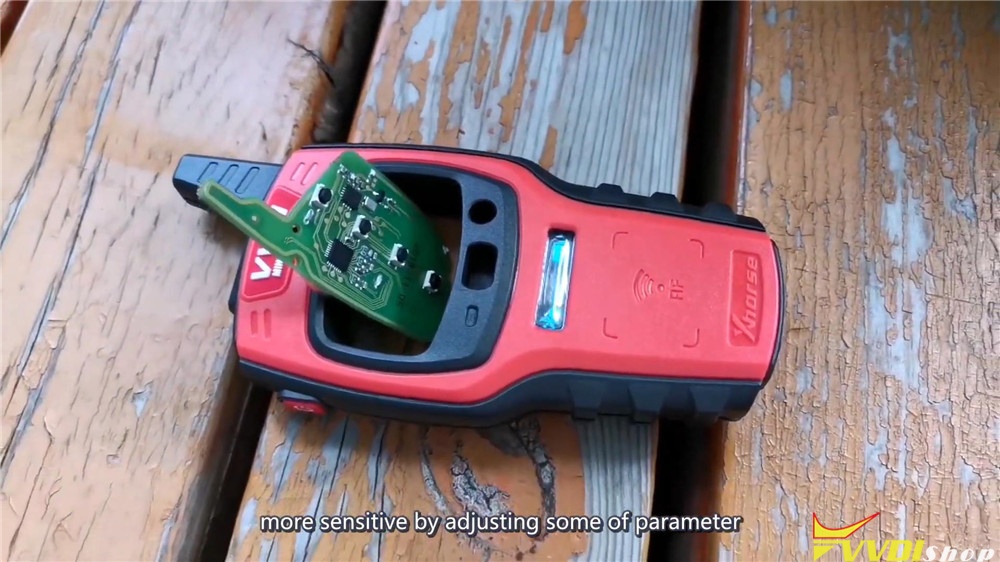
Procedure
- Go to main menu after connecting with VVDI Mini Key Tool.
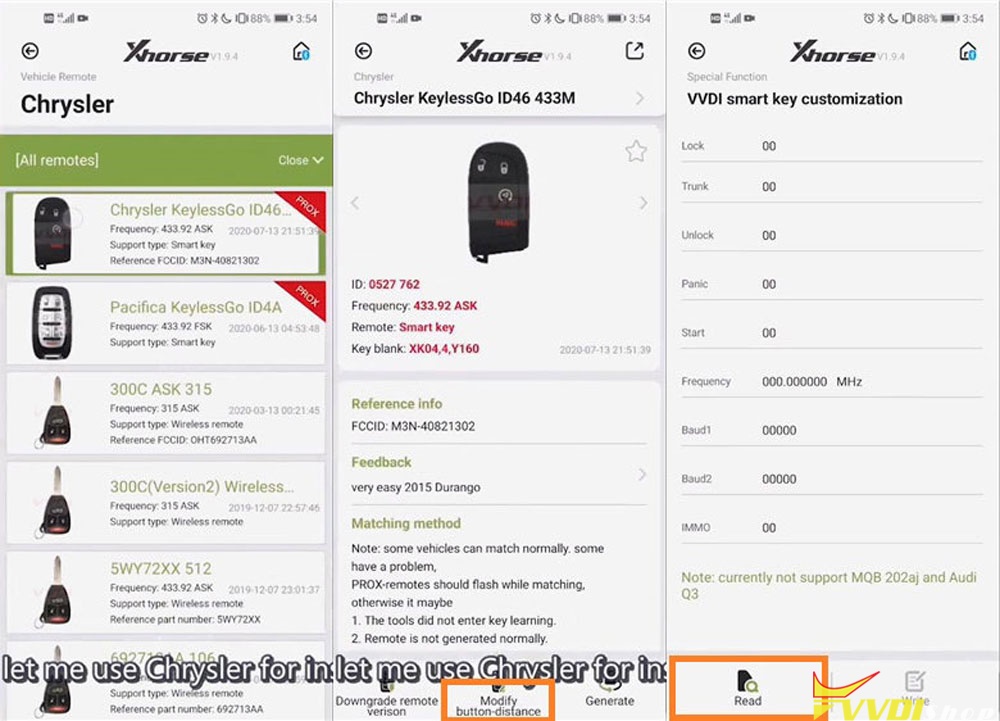
Vehicle remote >> Chrysler >> All remotes >> Chrysler KeylessGo ID46 433M
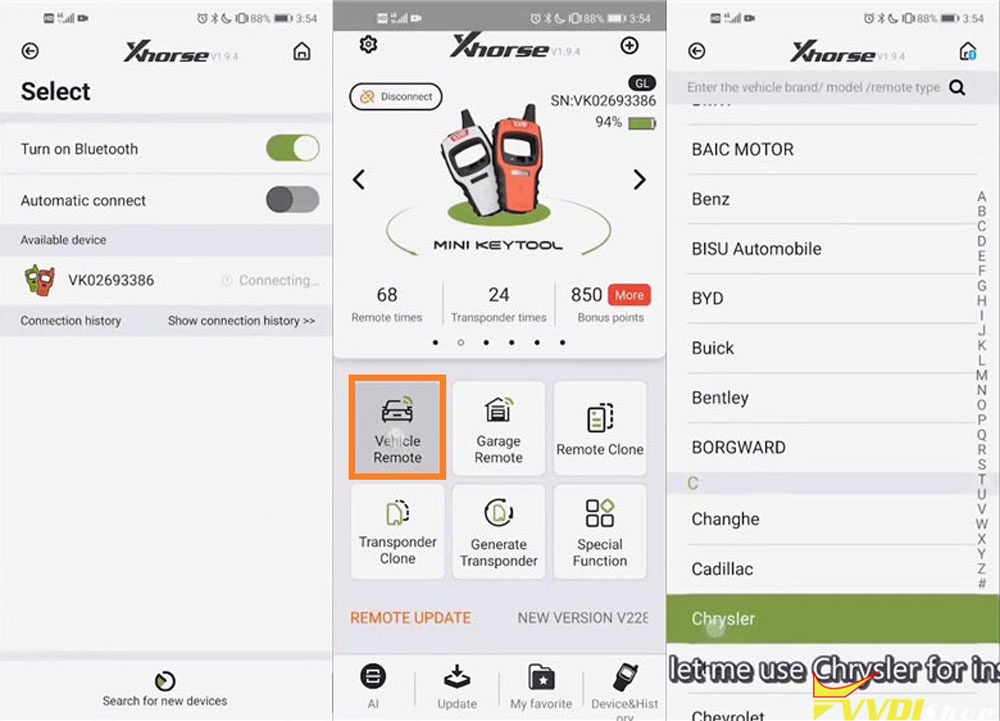
- Modify button-distance >> Read
Smart key data will come out after press “Read”. If we found the “Lock” button is contrary to “Trunk” button, press them to correct the data.
Modify “Lock” button from 2 to 4, press “OK”.
Modify “Trunk” button from 4 to 2, press “OK”.
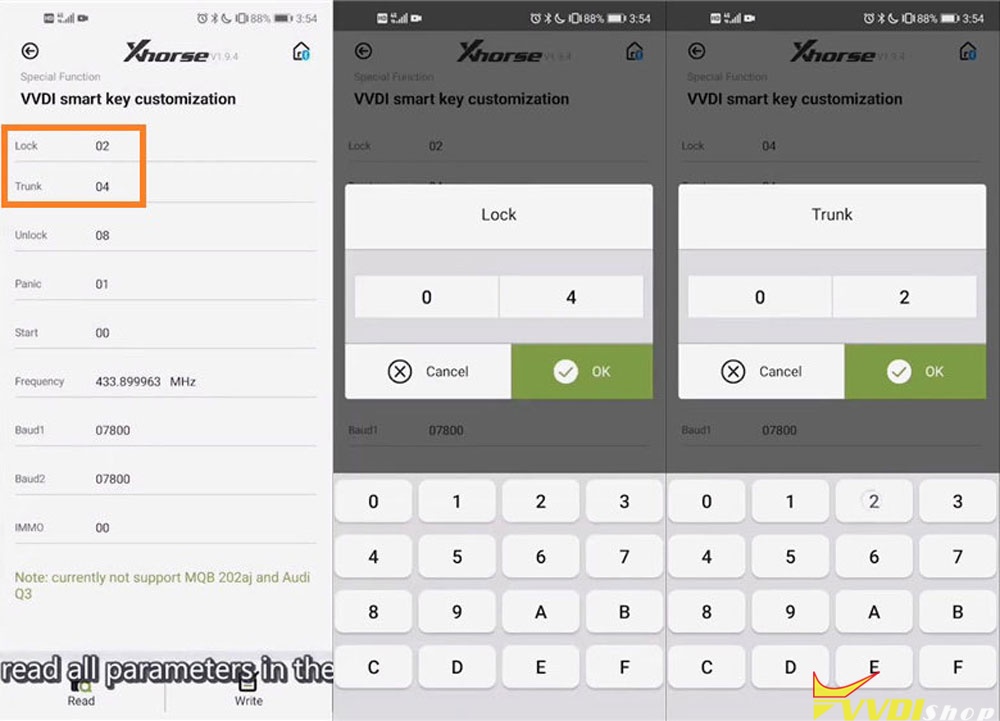
We can also modify the “Frequency” and “Baud1”.
It is benefit for the situation when the remote distance is too short to work well, it would be work. For example, the frequency is 433.899, we edit it from 433.899 to 433.919, and we edit baudi1 from 7800 to 7600. When the keyless go function does not work well, try to adjust baud2 from 7800 to 7700 either.

- Write data to smart key
Press “Write” button to save the new remote control distance and sensing sensitivity data to smart key.
Write OK. It is done, no need to match the vehicle again.

This is a tech tip of fine tuning smart key remote control distance and sensing sensitivity data with VVDI Mini KeyTool.
Good luck!