ابزار Xhorse VVDI
Xhose VVDI نرم افزار برنامه نویس اصلی و سخت افزارابزار Xhorse VVDI
Xhose VVDI نرم افزار برنامه نویس اصلی و سخت افزارVVDI Key Tool Plus Adds a Key for Range Rover Sport 2008
How to use Xhorse VVDI Key Tool Plus Pad to add a remote key for Range Rover Sport 2008? This is an operation guide step by step.
Procedure
Prepare 2 keys: an original key and a new key, this is the new blank key to be programmed.

Connect VVDI Key Tool Plus with OBD2 port of vehicle, let’s start
Agree to enter >> Immo programming >> Europe >> Land Rover >> Range Rover >> Ranger Rover (sport) >> 2005-2009
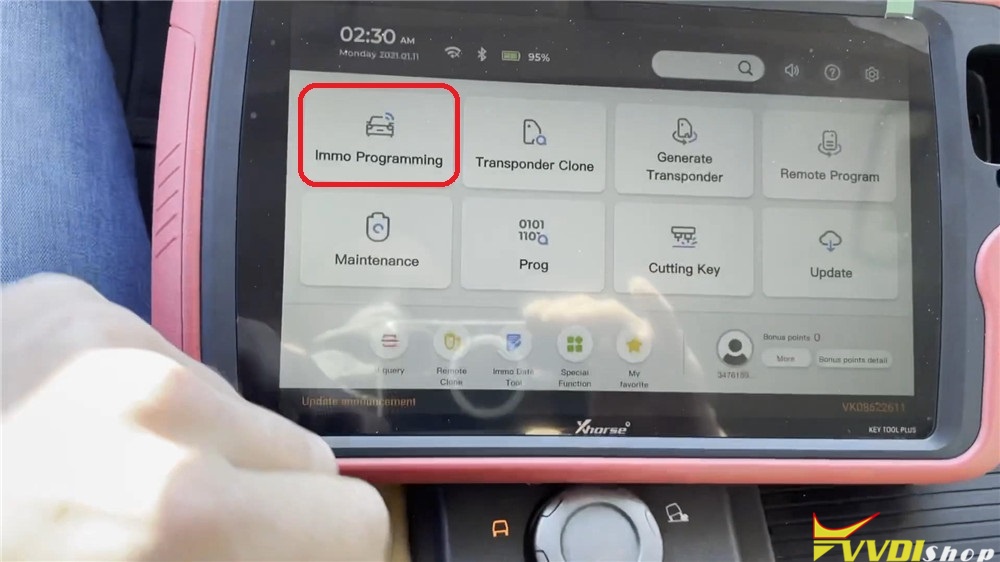


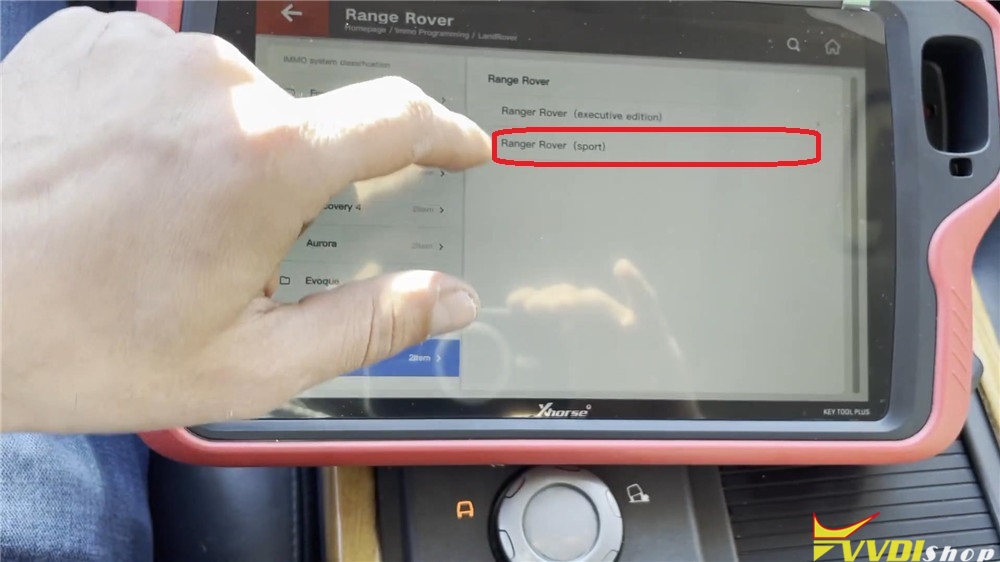
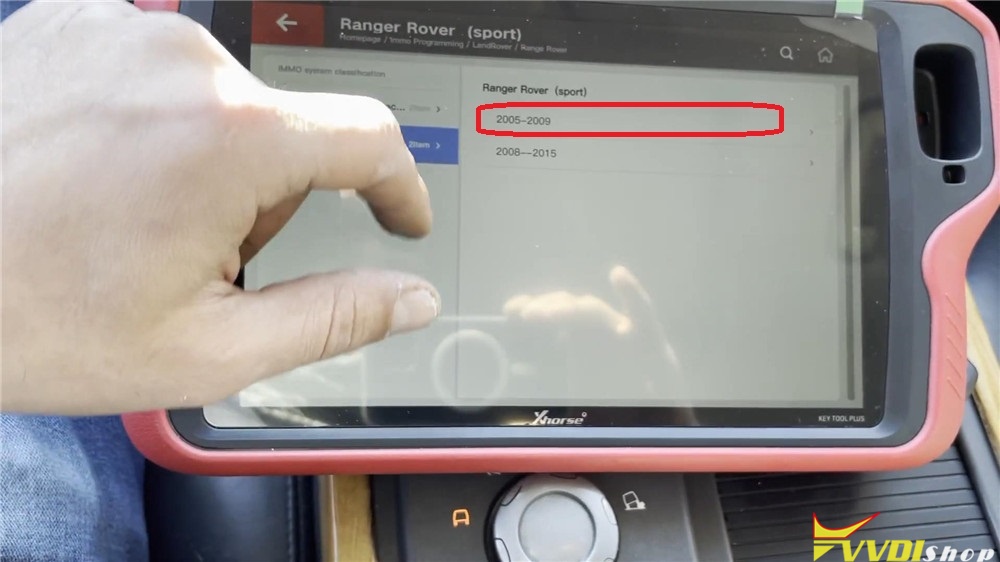
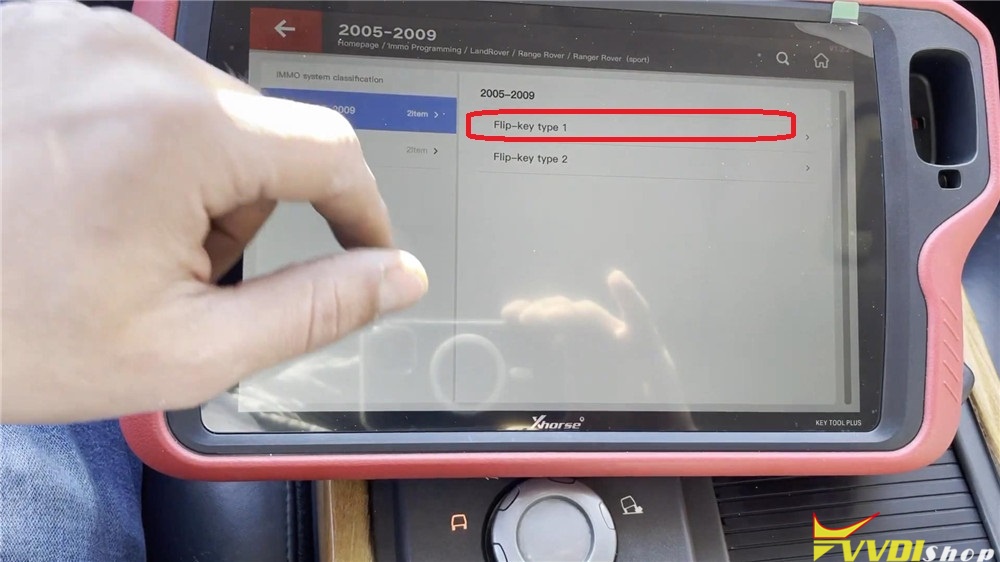
Flip – key type 1 >> Begin >> Program key >> OK
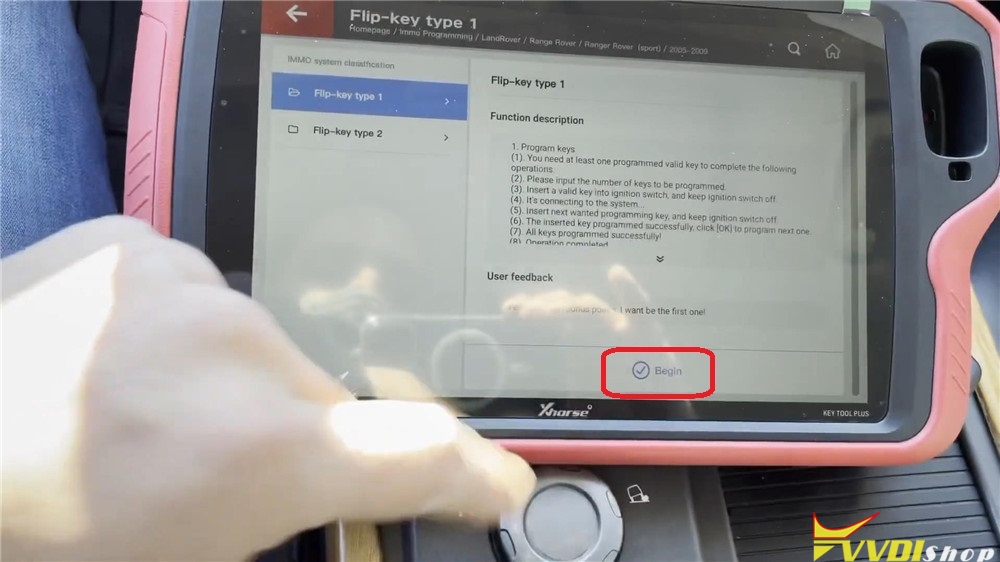
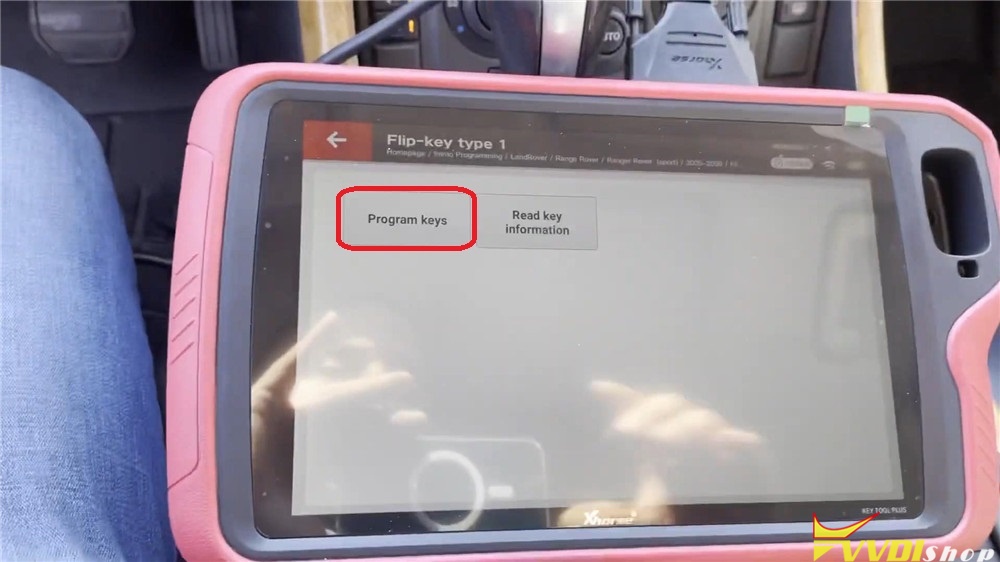

Insert the original key into ignition, keep ignition switch off, press “OK”.
Change to insert the new key, keep ignition switch off, press “OK”.
The inserted key programmed successfully, press “Cancel” to finish.
All keys programmed successfully! Press “OK”.

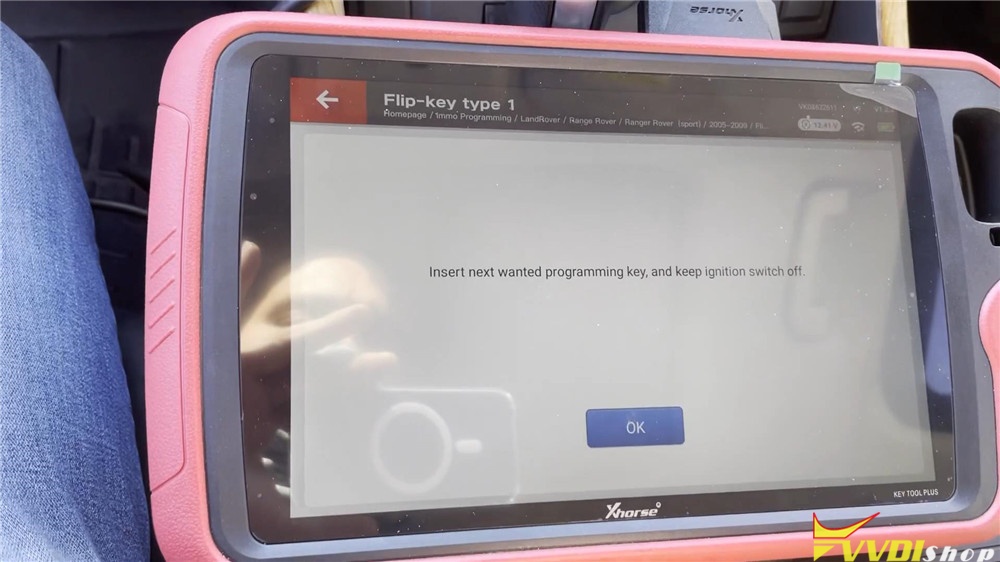


Operation complete!
Let me test the new key, it can normally start the engine and the remote function is also well.
Key programming has done!
This is my first time to program a new key for Range Rover Sport 2008 using with VVDI Key Tool PlusPad tablet. It is actually fast and easy to be done in 2 minutes, without too many steps in processing. Add key to this model is possible, but cannot do all keys lost.
VVDI Key Tool Plus BMW CAS3++ All Keys Lost Procedure
It is recommended to program BMW CAS3++ (ISTAP) CAS4+ all keys lost on bench because it is safer than via OBD. Xhorse VVDI Key Tool Plus pad has the capacity program CAS3++ AKL via OBD and customer have tested it successfully. Check step-by-step guide below. Make sure you have enough power supply.
Vvdi key tool plus bmw cas 3 ++ istap all keys lost all the process:
Connect key tool plus pad with vehicle via OBD socket using main test cable
Select IMMO Programming->Europe->BMW->Automatically diagnose models
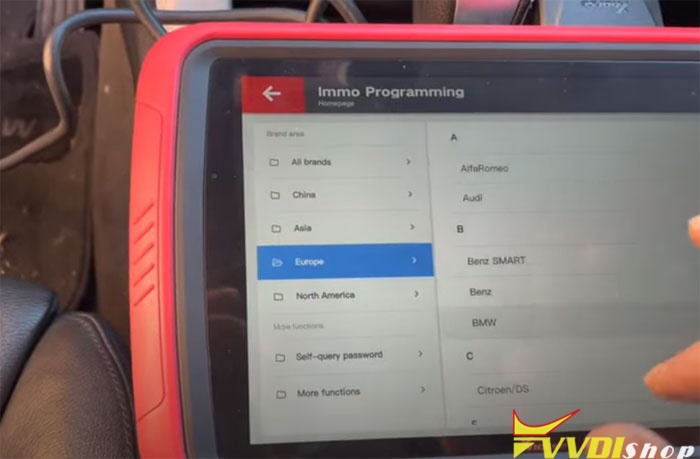

Key Tool plus pad will detect system type: CAS3++ (ISTAP)
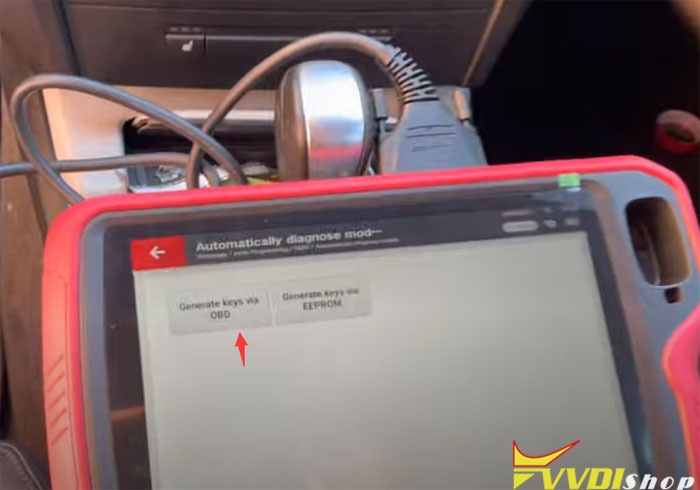

Select Generate keys via OBD->Read Key information

Here all keys are lost, insert a blank key into ignition switch and connect the vehicle and device well
Click “NO” for All keys lost

Reads key info. 2003 315MHz
The dealer key should be taken away from ignition switch
If key is keyless, move it out of car
If there’s no key in ignition, continue anyway
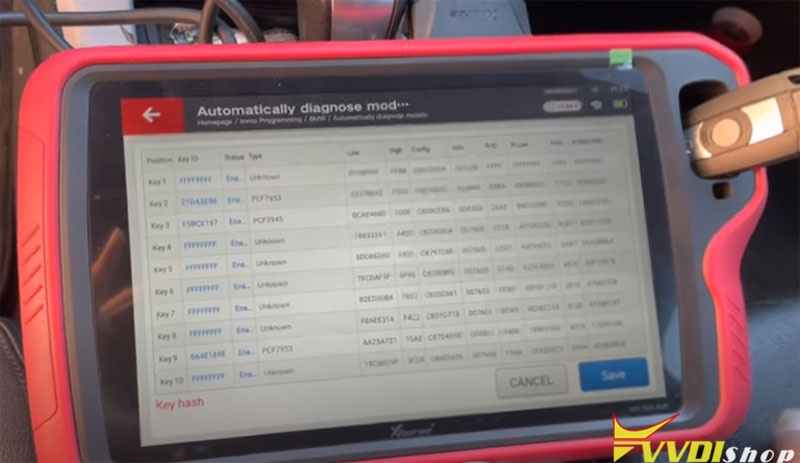
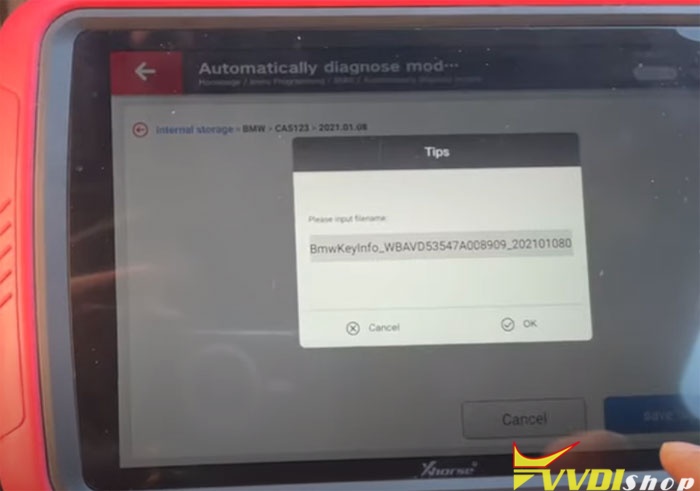
Reading key info (2 keys have been programmed to this car) and save
Select Prepare dealer key with programmer
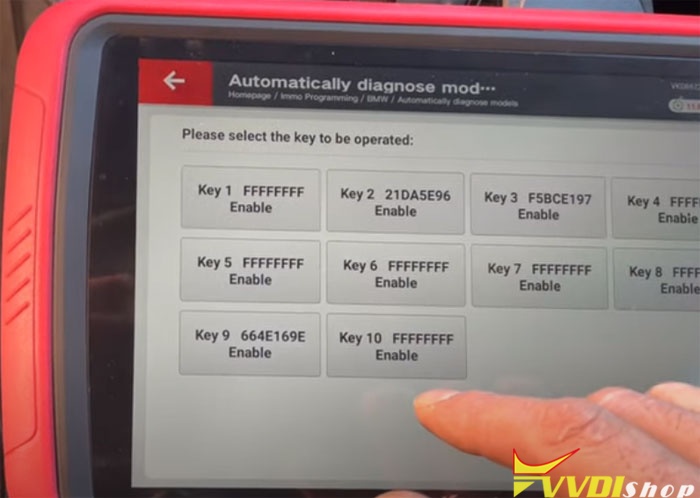
select an unused key position
CAS key data is encrypted. support make dealer key for it.
All keys lost require ECU ISN code
If you have ISN code, enter ISN code and continue
Here we don’t have ISN code, press No
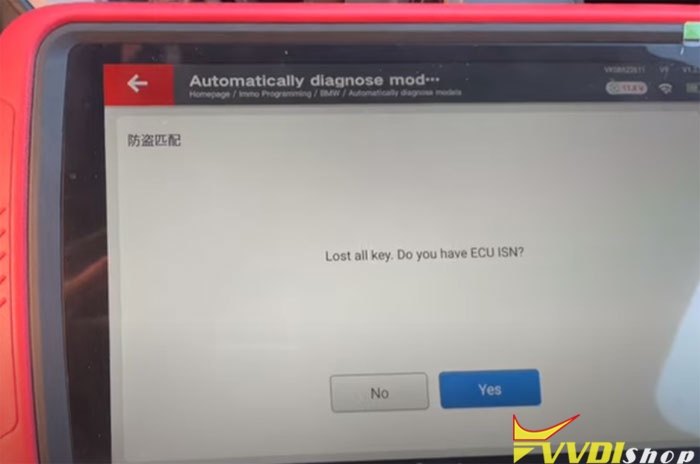
and continue
Lost all working key, press Yes

The dealer key should be taken away from ignition switch
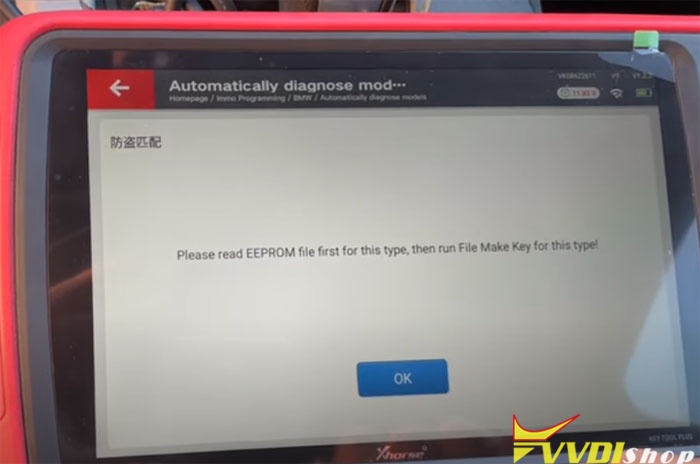
Read EEPROM file first for this type, then run File Make Key for this type

Select eeprom bin file saved on the key tool plus
Select an unused key position
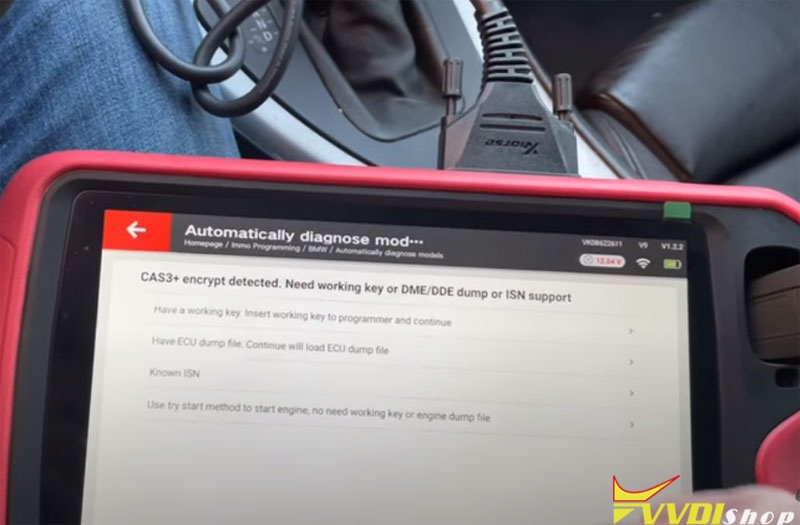
CAS3+ encrypt detected. Need working key or DME/DDE dump or ISN
Here we use try start method to start engine, no need working key or engine dump file
Press Yes to continue

If already made new key (already saved new EEPROM dump), press YES, else No
Select No to continue
The vvdi key tool plus pad will ask the current key is smart key or not, it is not smart key, press NO


Save new EEPROM dump file
Flash the new CAS EEPOM dump into car, then use the new dealer key start engine.
If CAS belong to ISTAP4 version, don’t write new dump back to CAS.
If the car can switch ignition on EVEN it can’t start engine, don’t write new dump back to CAS.
Enter try start procedure click Yes, write eeprom dump click NO

Use the current key to start the engine, if start success press YES, else NO.
If can not start engine, take out the key and insert to programmer before press NO.
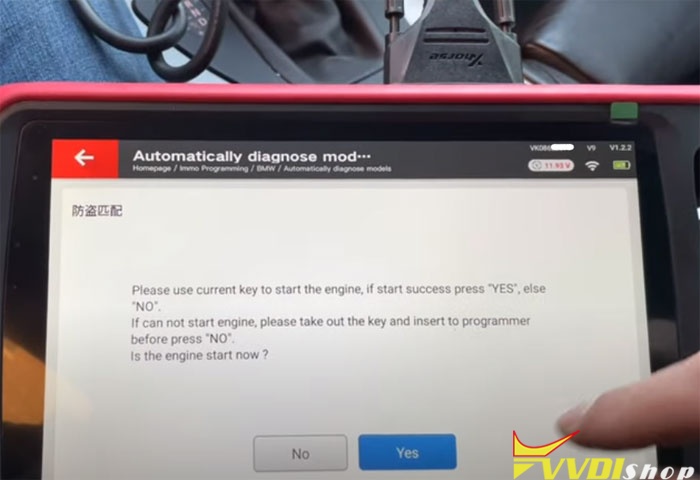
If engine not running, take out the key and insert to the pad, repeat this procedure until engine runs.
You will have 64 attempts.
After repeat this for over 10 times, the engine runs.
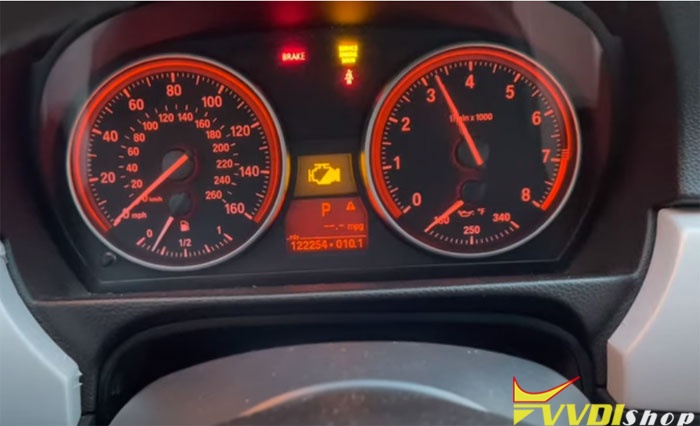
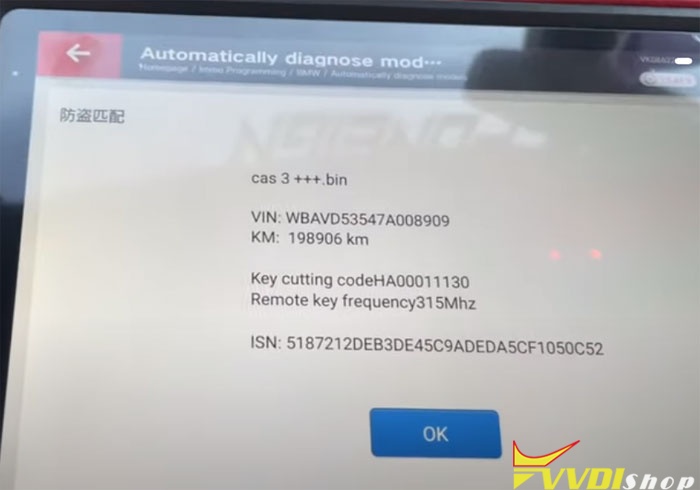
Program a new key success.
http://blog.vvdishop.com/vvdi-key-tool-plus-program-bmw-cas3-istap-all-keys-lost/
VVDI key Tool Plus adds a NEC Key to Benz SL500 2004
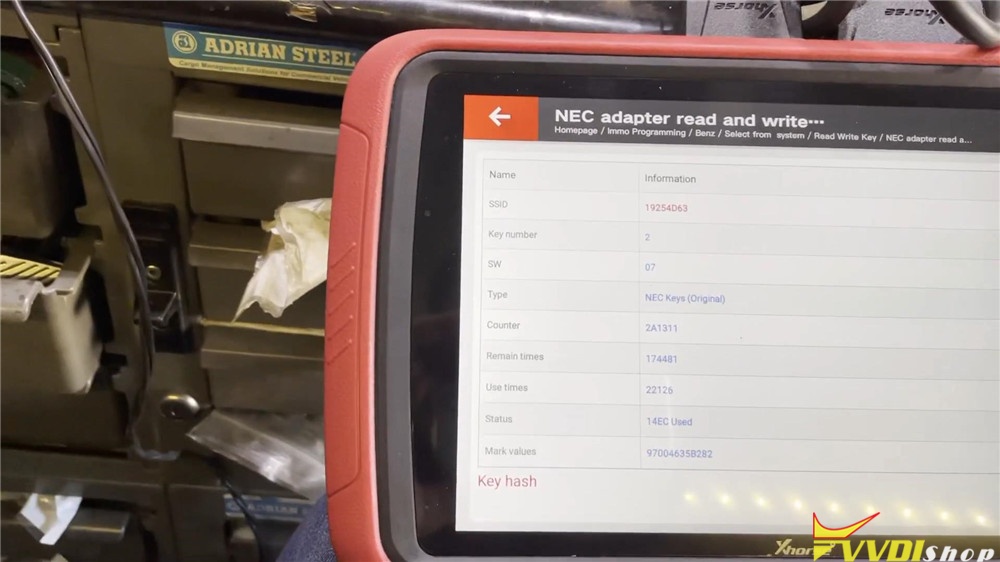
Xhorse VVDI Key Tool Plus Pad new test report: successfully added a new key to a Mercedes Benz SL500 year 2004. R ead & write 2004 NEC key no issue by using NEC adapter.
Procedure:
One customer has a broken Mercedes Benz key, which doesn’t work. I took its NEC chip, and solder it to the NEC adapter.
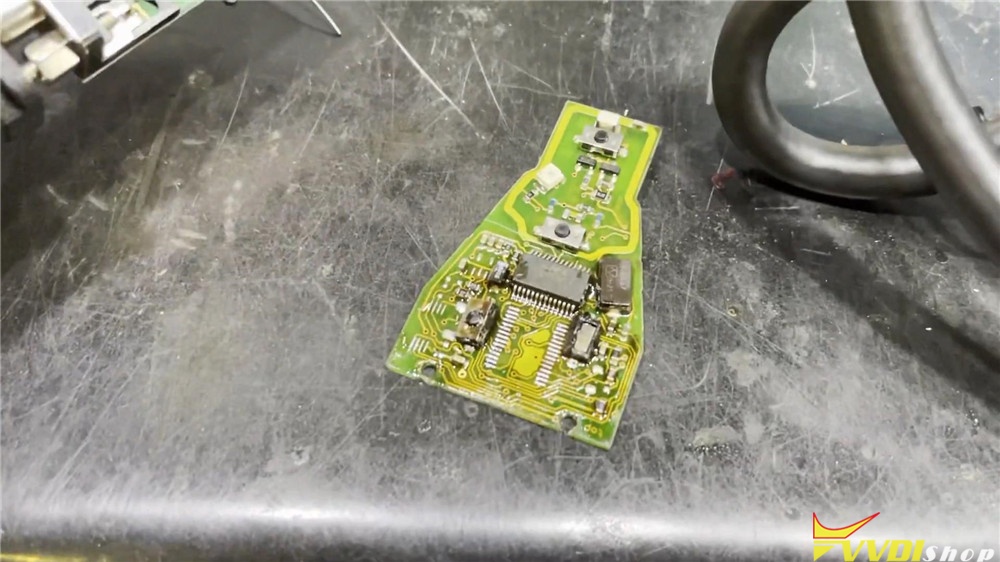
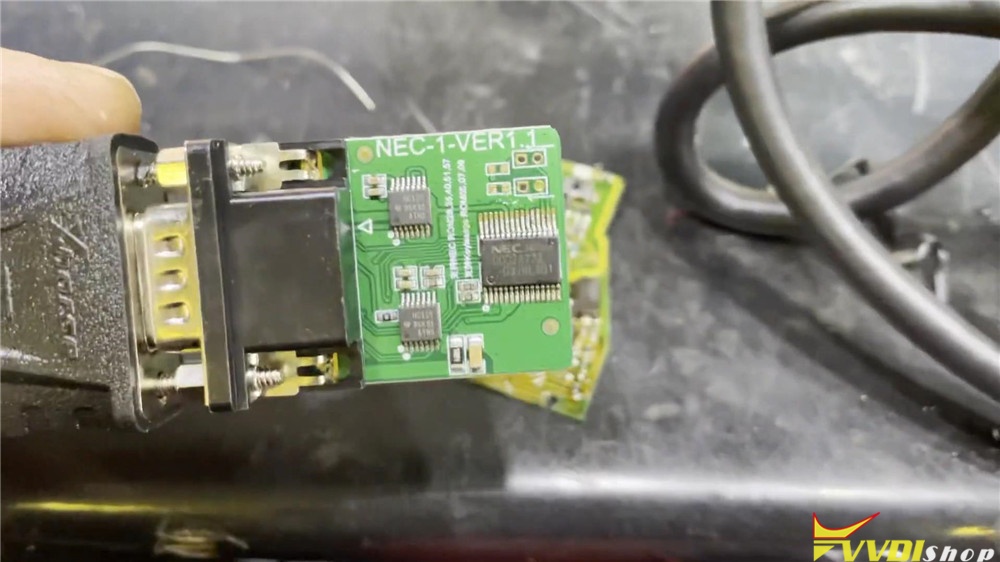
Plug it to the VVDI Key Tool Plus to write key
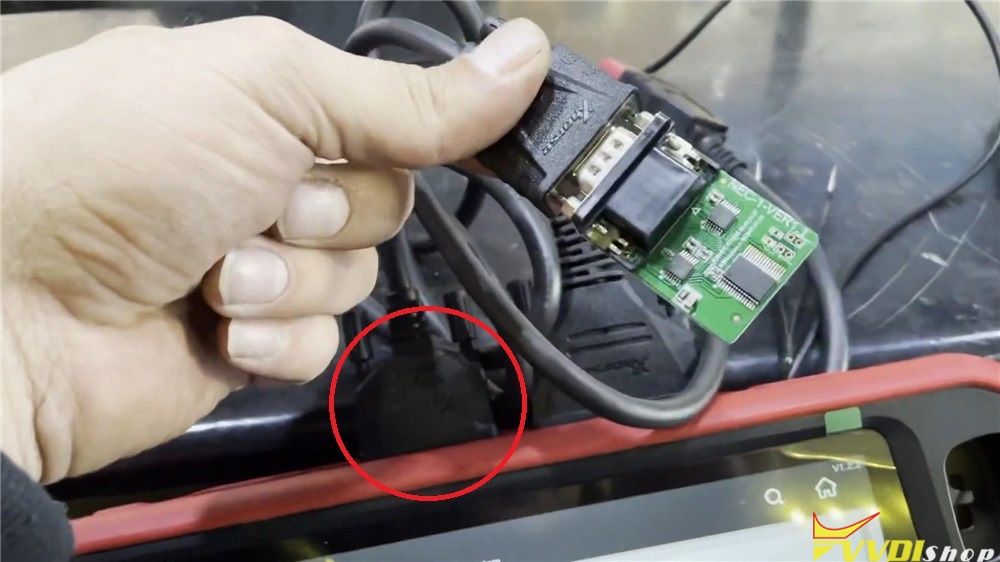
Immo programming >> Benz >> Select from system >> Read write key >> NEC adapter read and write keys >> Begin >> v05, v07, v09 smart key >> NEC identify key information
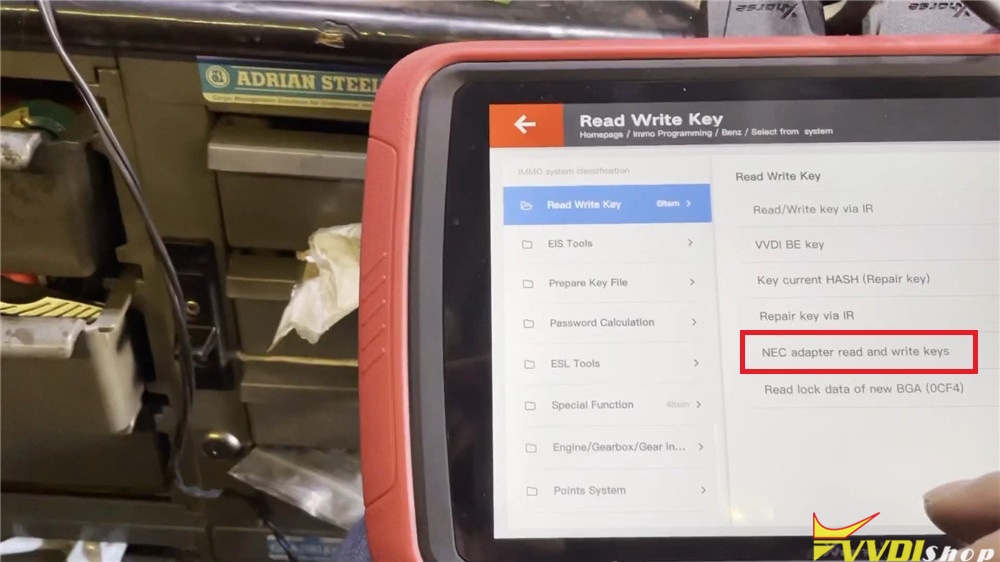
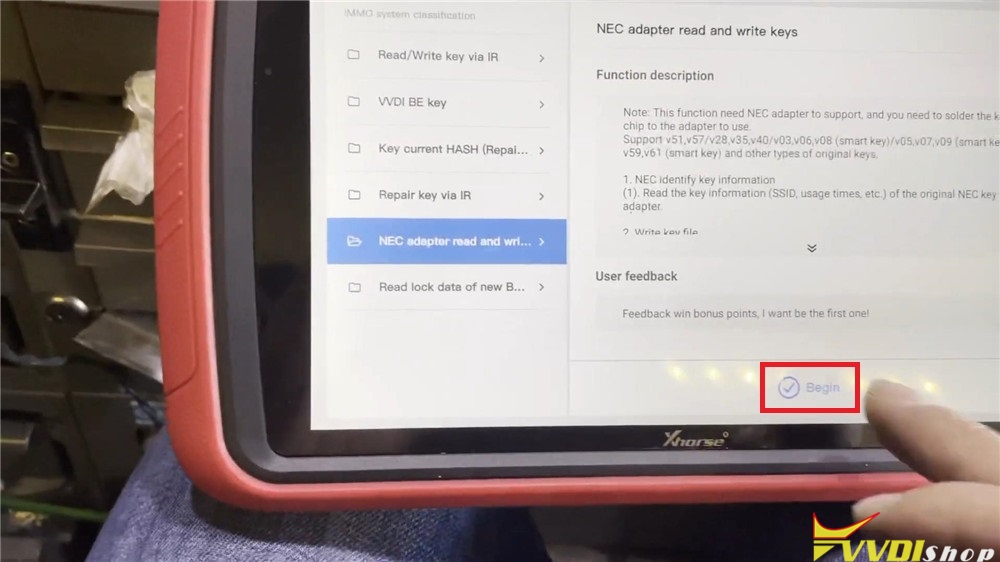
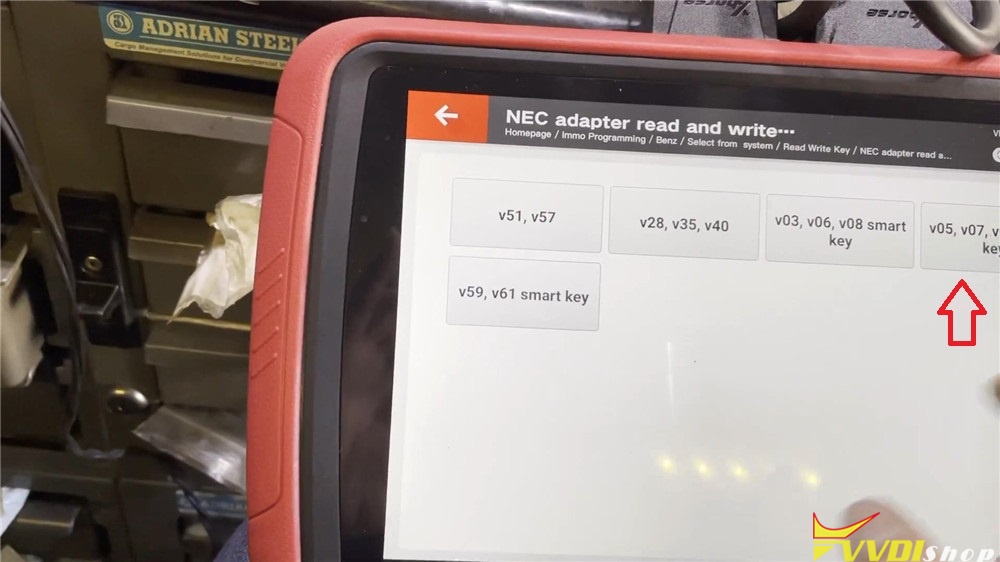
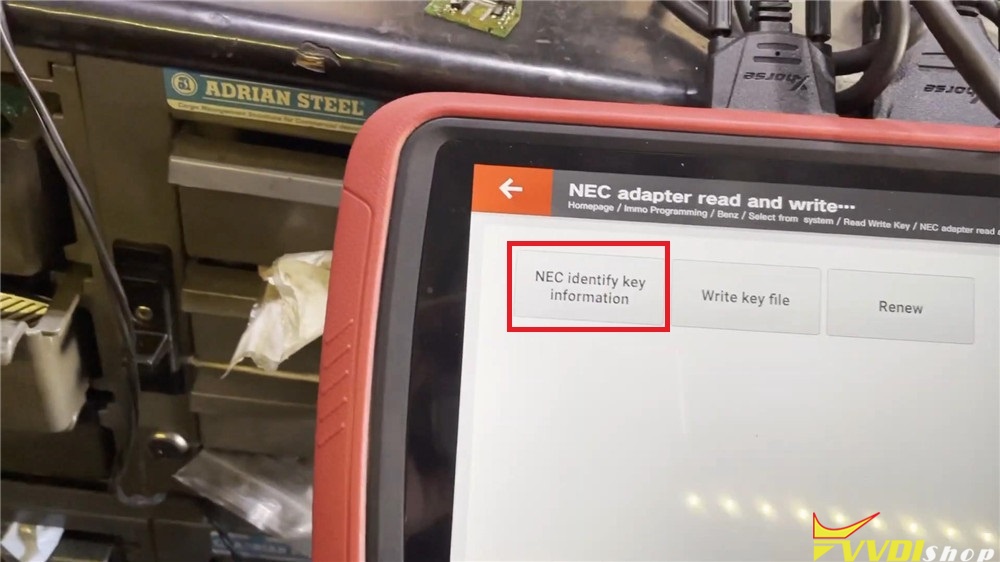
Alright, VVDI Key Tool Plus succeeds to write a new NEC key.
VVDI Key Tool Plus change Benz FBS3 key frequency
How to use Xhorse VVDI Key Tool Plus Pad to change a Mercedes Benz FBS3 Smart Key frequency? Today we’ll gonna make a quick demonstration to show you.
Procedure
Step 1. Detect Frequency
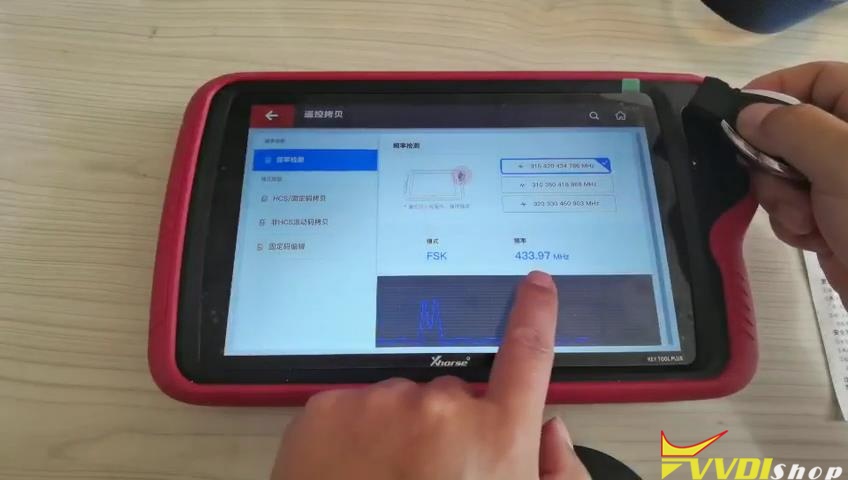
Go to “Frequency Detection” in “Remote Copy” function, hold the Benz smart key close to VVDI Key Tool Plus Pad slot, press Lock button to detect its frequency. It is a FSK 433.97 MHz smart key.
Step 2. Change Frequency
Lock the smart key again, hold and press Lock button and Trunk button meanwhile until the indicator lights constantly red.
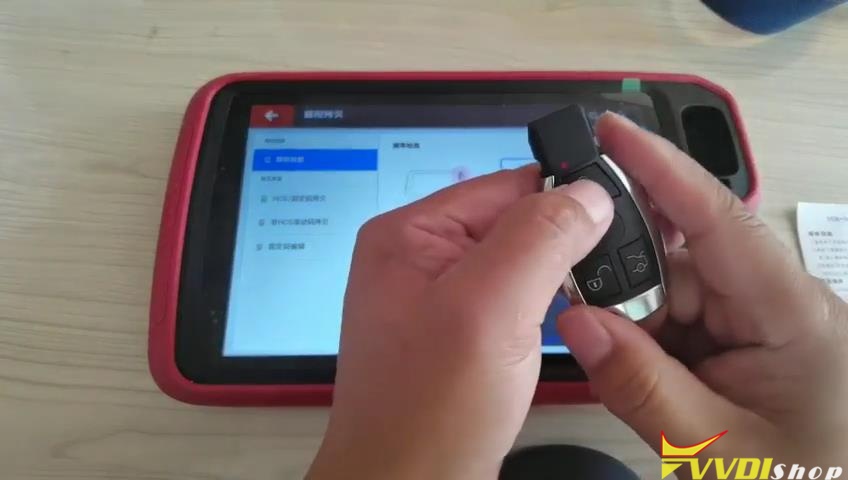
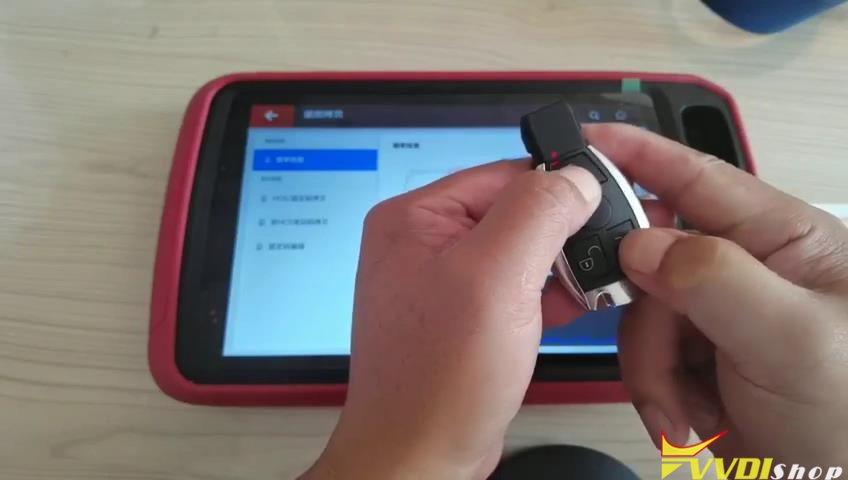
Press Unlock button on smart key, the indicator turns to flashing red. Wait for a second, the indicator light will go, which means the frequency has been changed.
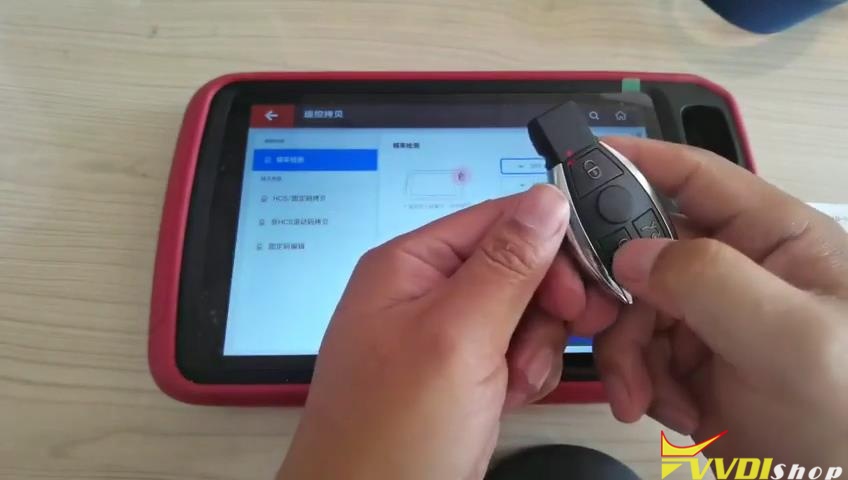
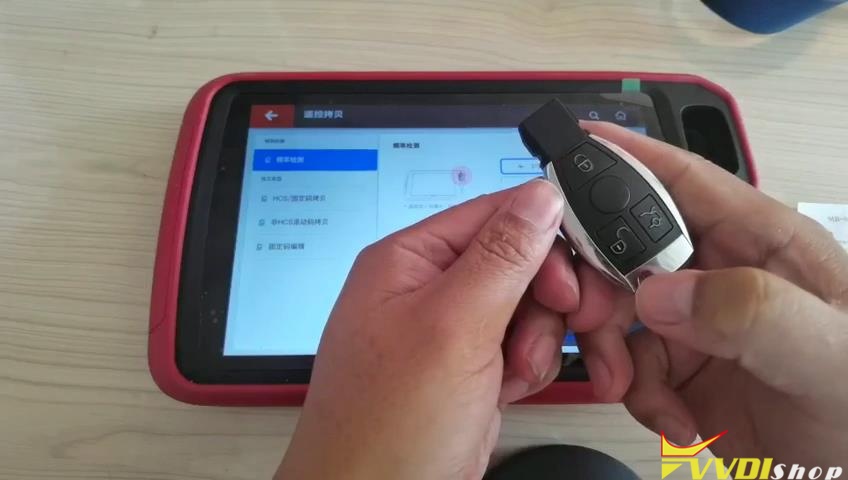
Step 3. Check Frequency.
Press Lock button to detect its frequency again, alright, it is a FSK 315.03 MHz smart key now. The frequency has successfully been changed.
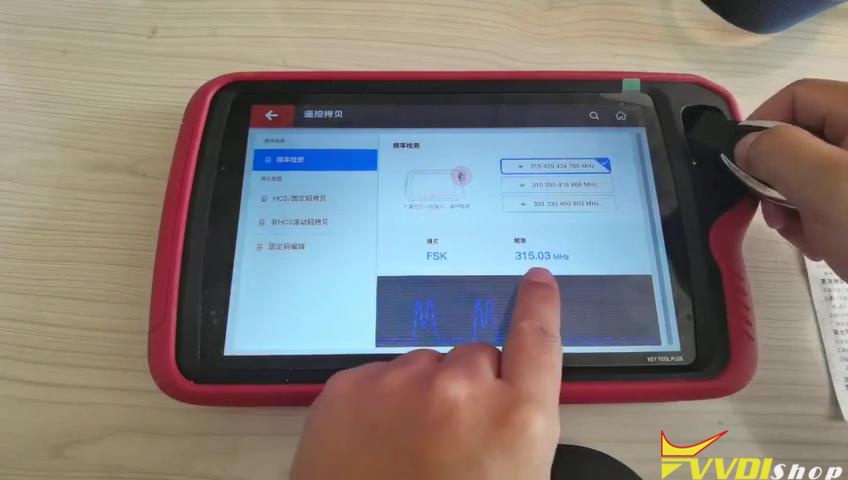
VVDI Key Tool Plus also supports to copy and clone transponder, identify transponder, re-programming transponder and generate a new remote key. This is a tutorial of using it to change a Mercedes Benz smart key frequency.
Any questions welcome to contact us.
How to Solve VVDI MB Fail to Read W639 Password?
Problem:
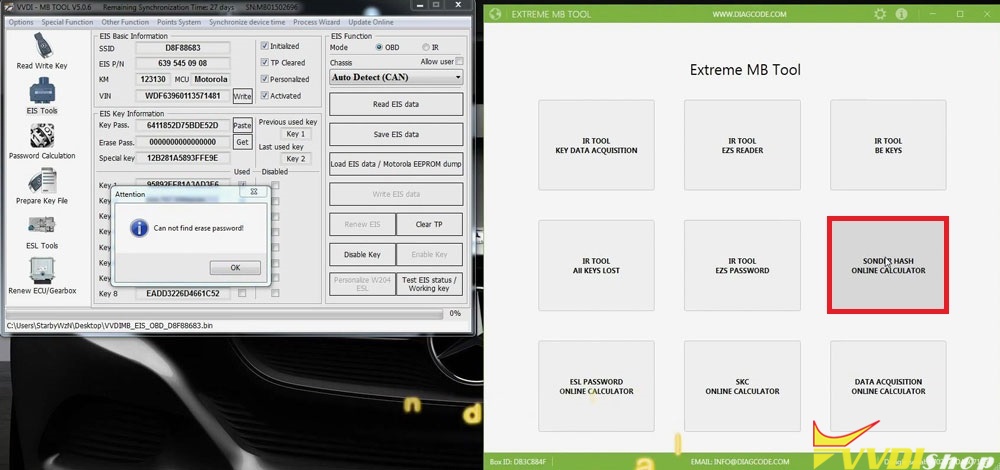
It tells “Can not find erase password!” when I am using Xhorse VVDI MB Tool to start and load W639 EIS data. What is the problem? Please help me!
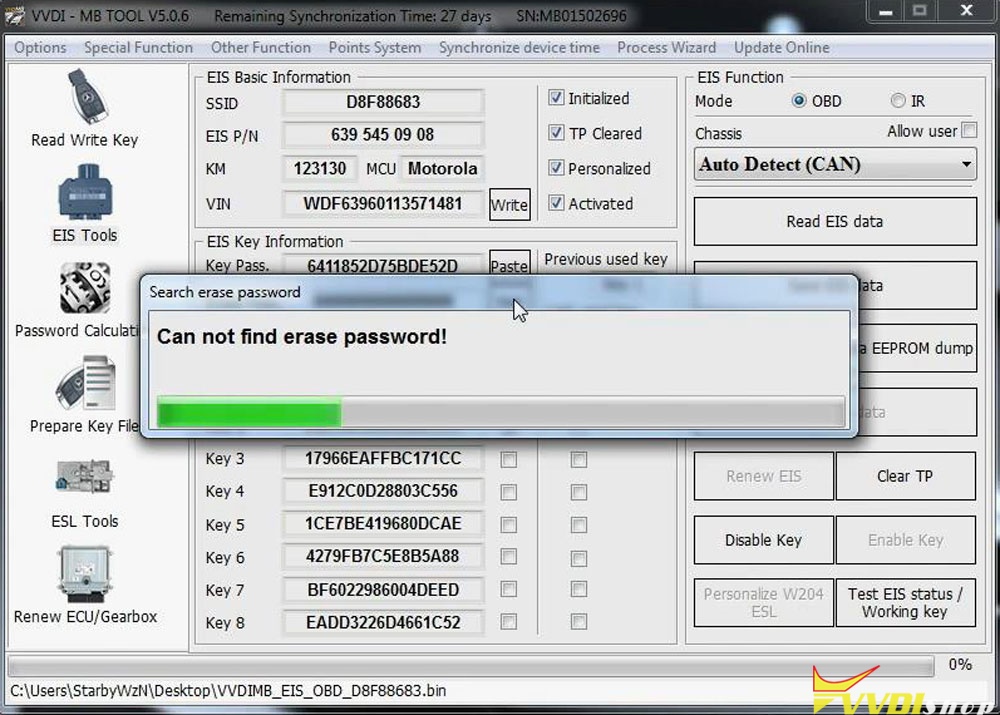
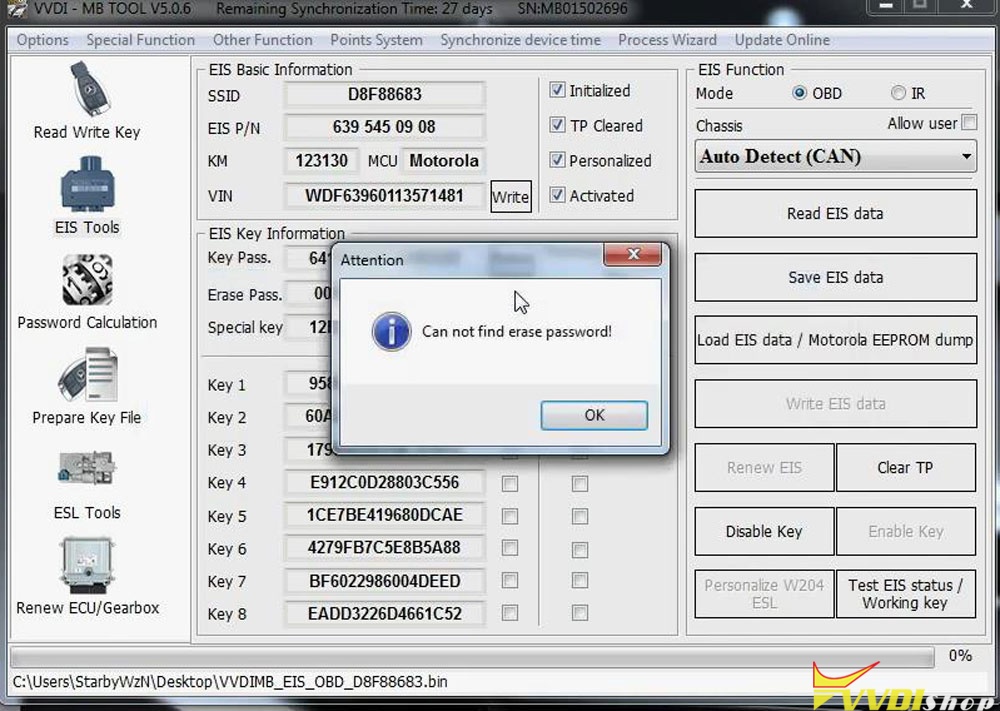
Solution:
1).
By W639 EIS ESL test cable
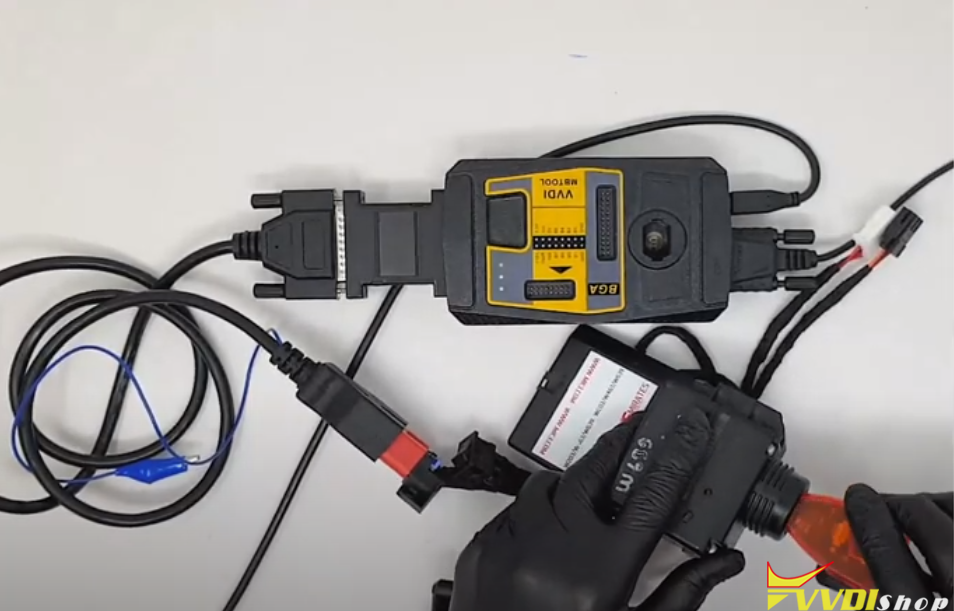
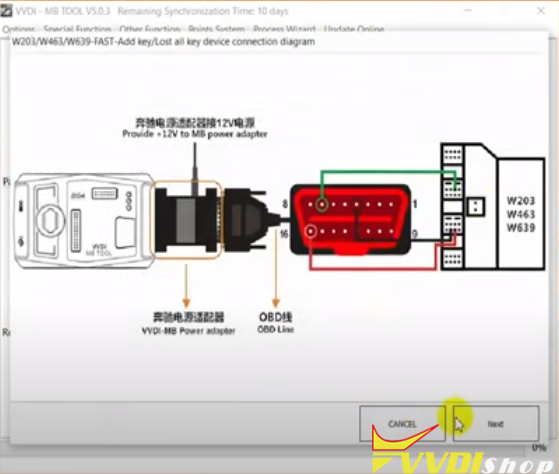
Hooking up MB power adapter and W639 EIS ESL test cable
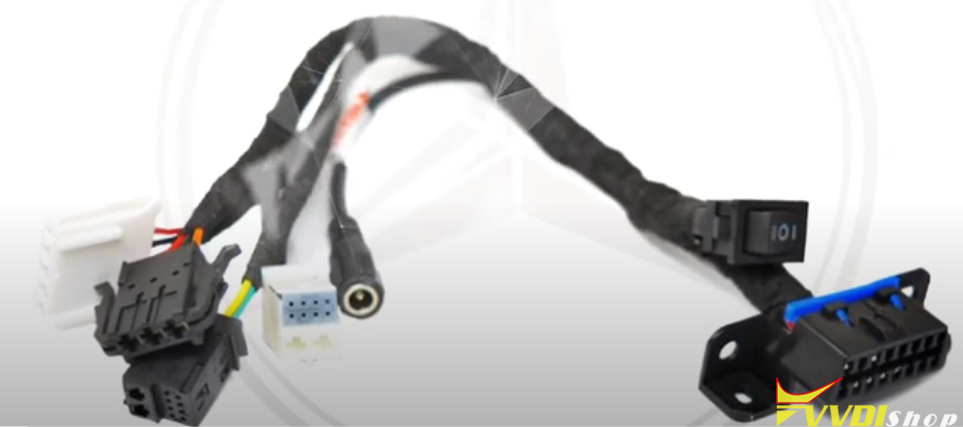
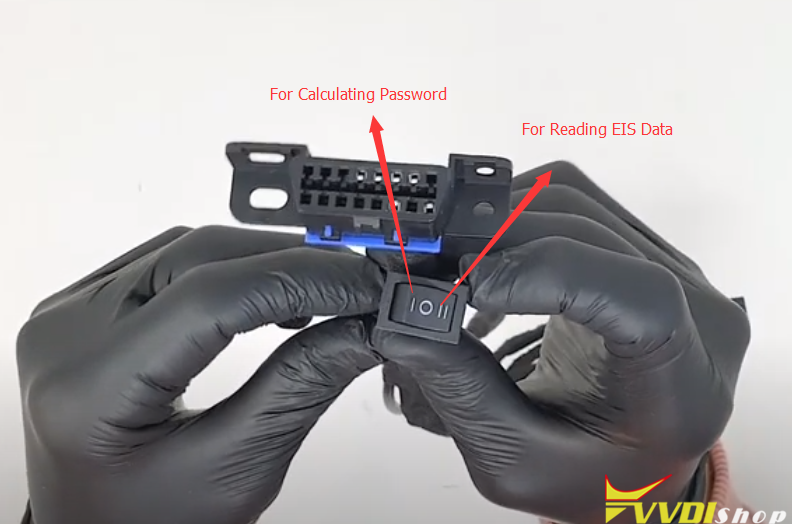
Connect VVDI MB with mb power adapter, W639 EIS, EIS test cable and IR reader as picture shown below:
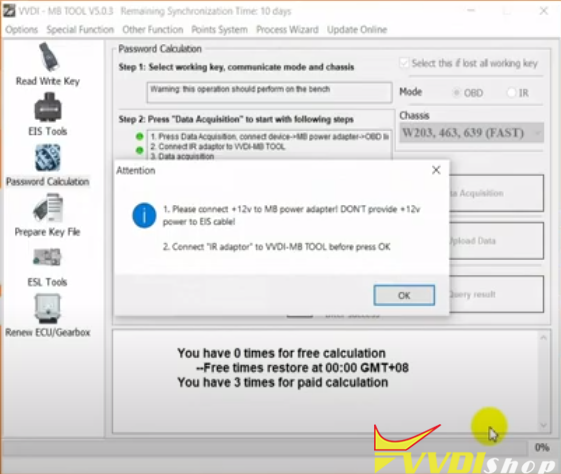
Run VVDI MB software, start data acquisition
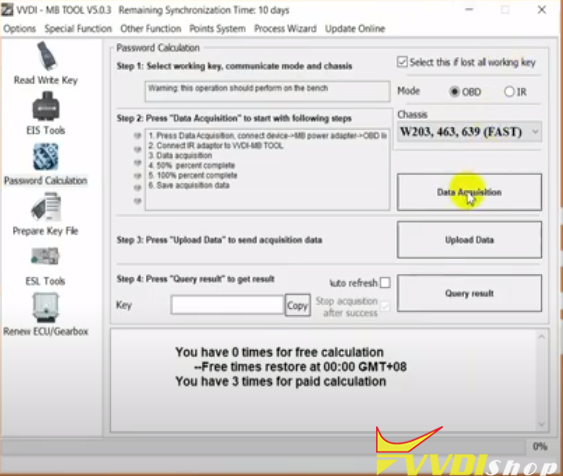
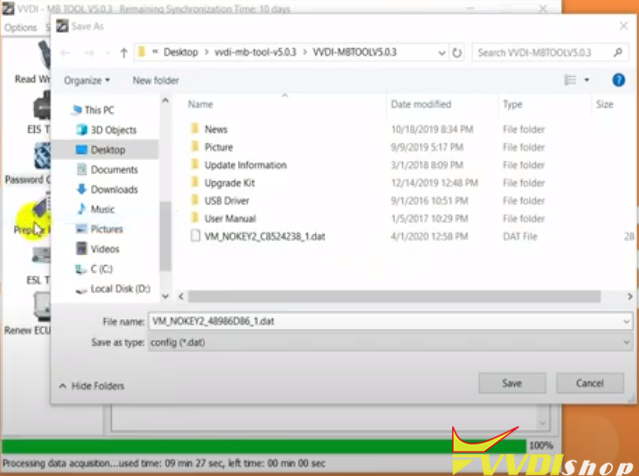
Save EIS data and upload to calculate password
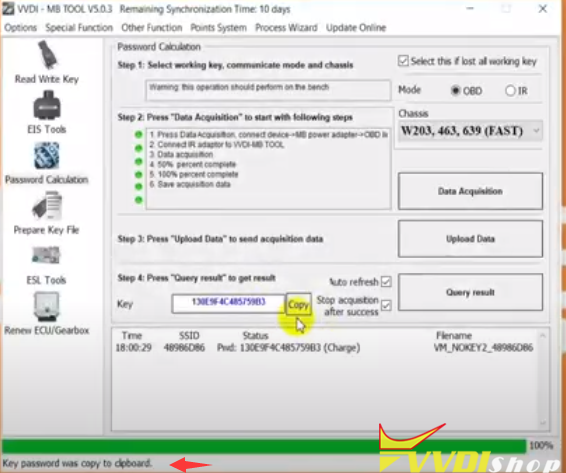
The password calculation procedure takes 9 minutes around.
2).
By using combination tool, i.e Extreme MB tool
Step 1. Start up Extreme MB tool software, click “Sonder Hash Online Calculator”.
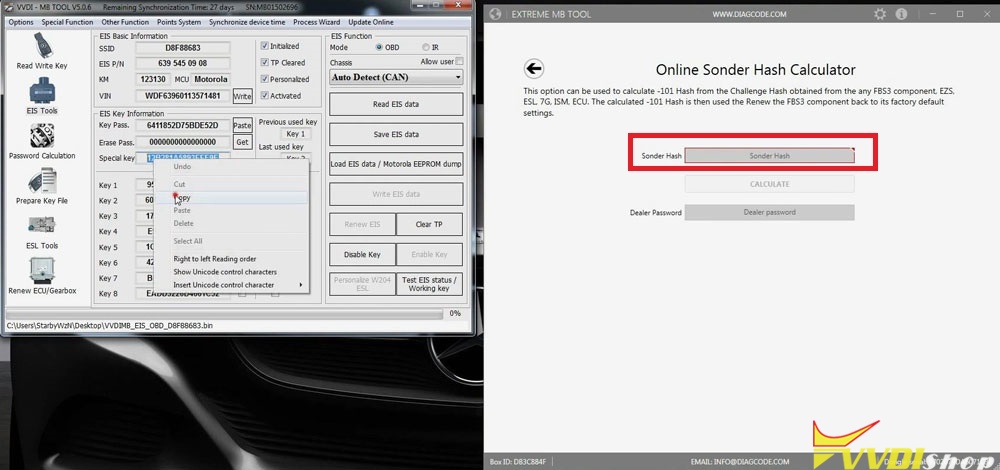
Step 2. Copy special key “12B281A5893FFE9E” on VVDI MB Tool and paste it to “Sonder Hash”, click “Calculate”.
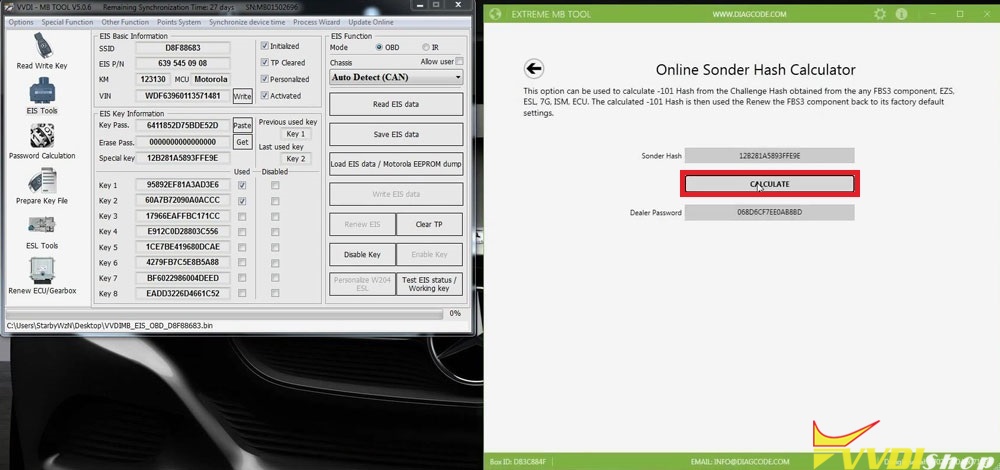
Step 3. Copy dealer password generated, paste it to VVDI MB BGA Tool “Erase Pass”, select “Allow user” option meanwhile.
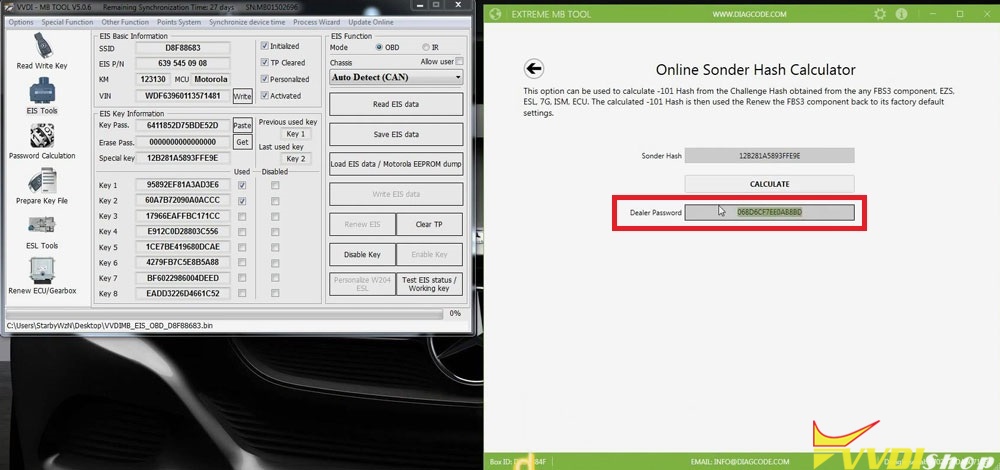
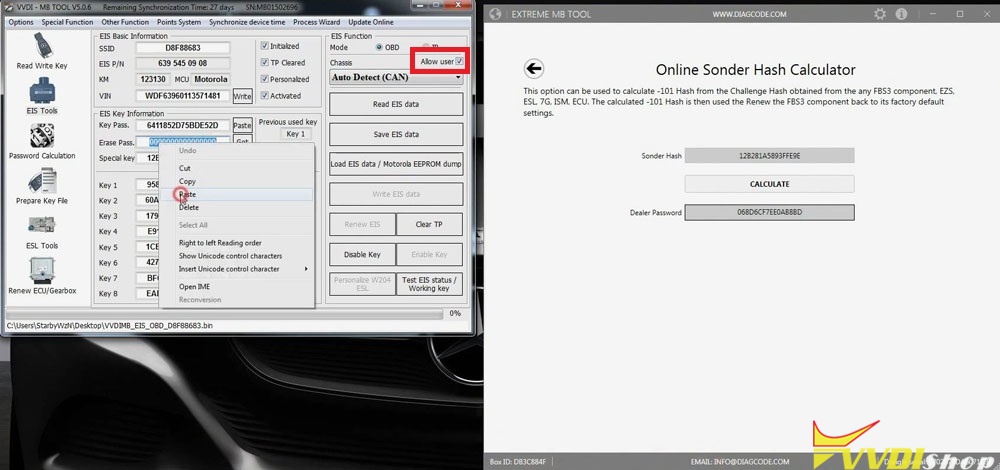
Click “Save EIS data”, select the original EIS file to replace.
Save >> Yes >> OK >> Save
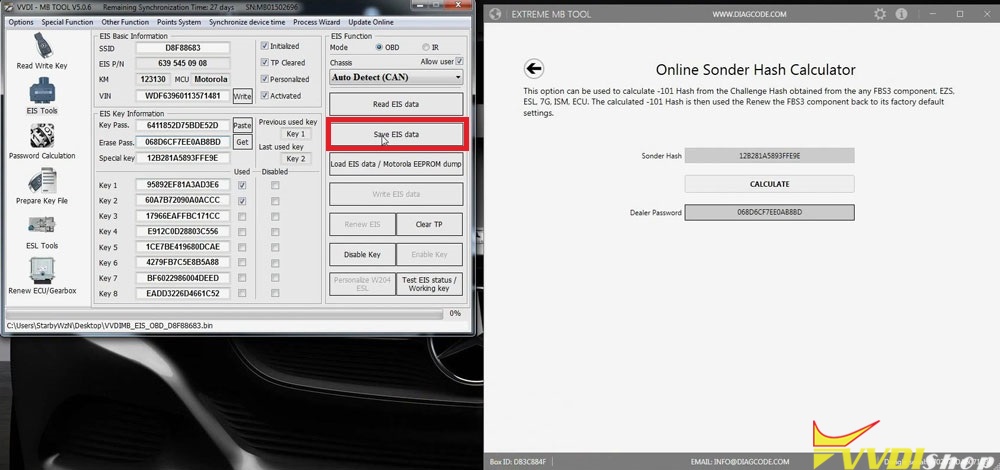
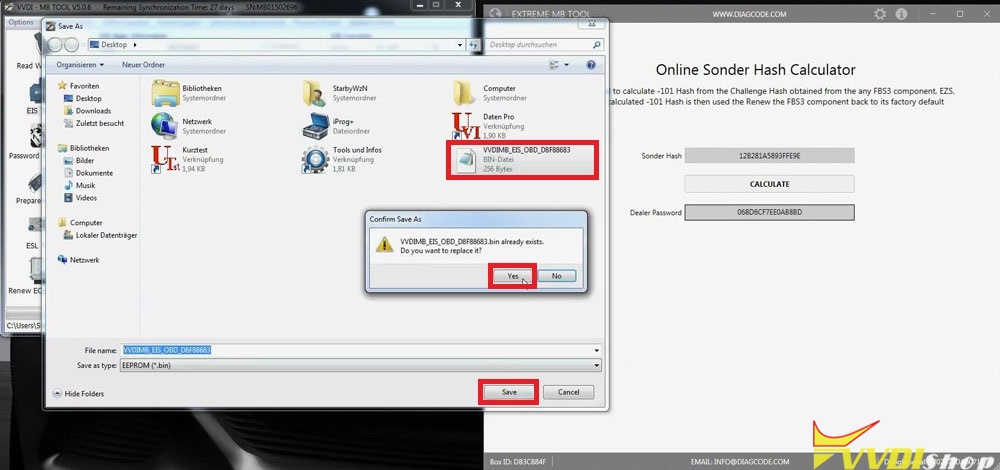
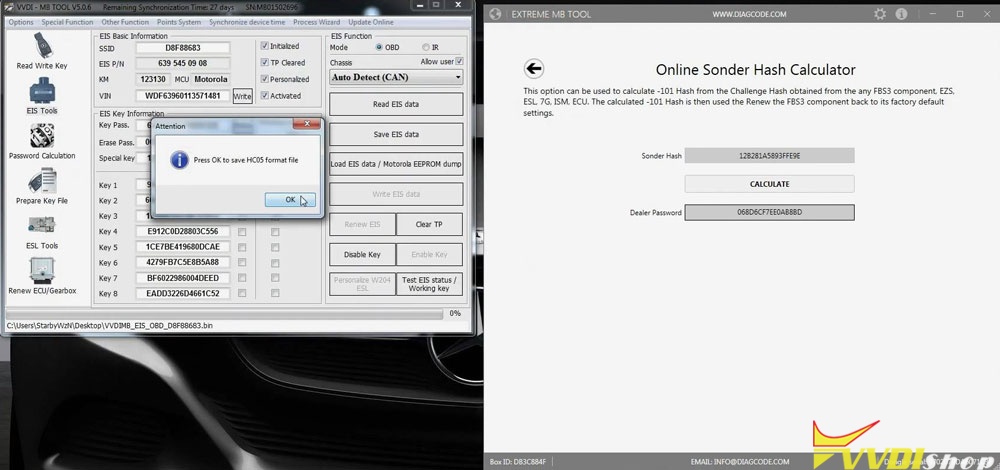
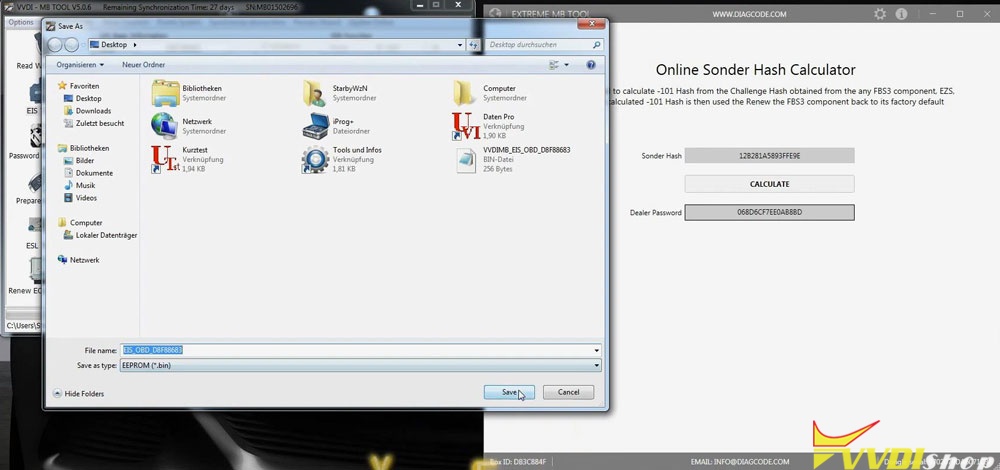
Step 4. Completed.
Select IR mode in EIS function, now the EIS can be renewed.
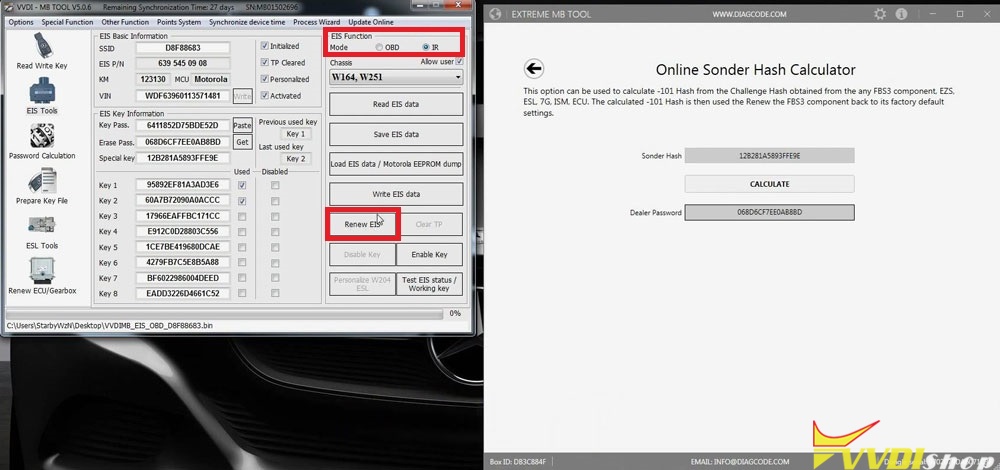
Problem was solved!
3).
By backup MB programmers, CGDI MB, Autel IM608 etc
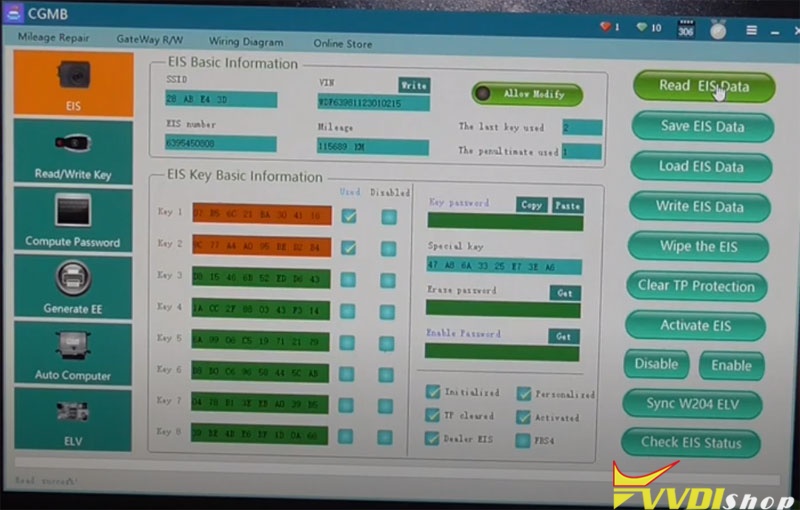
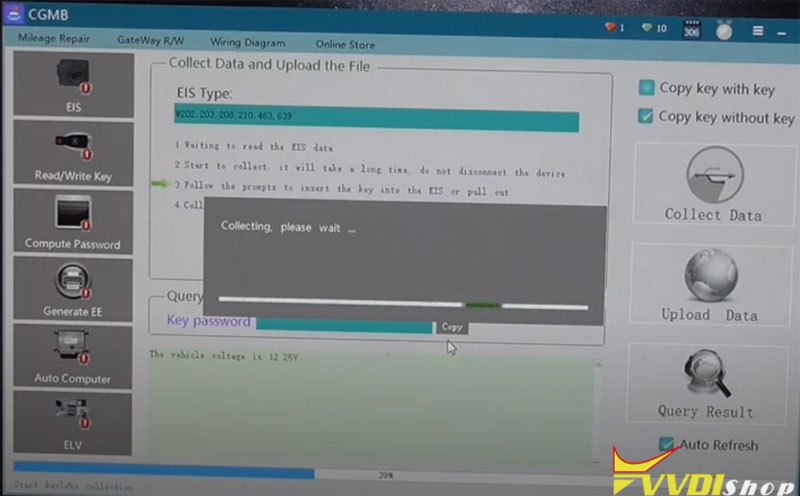
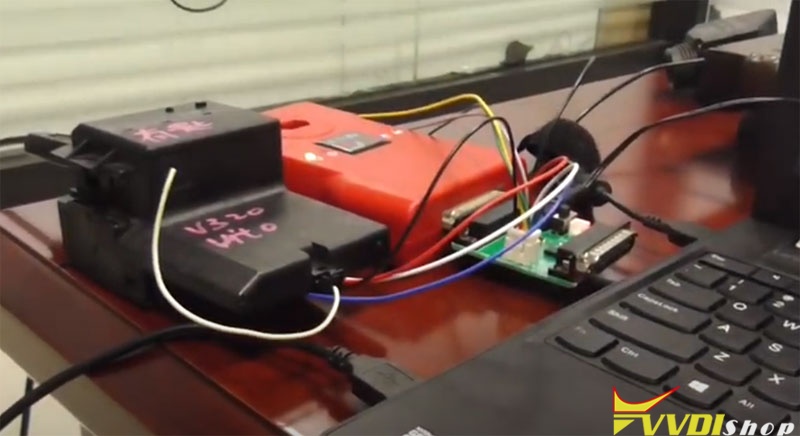
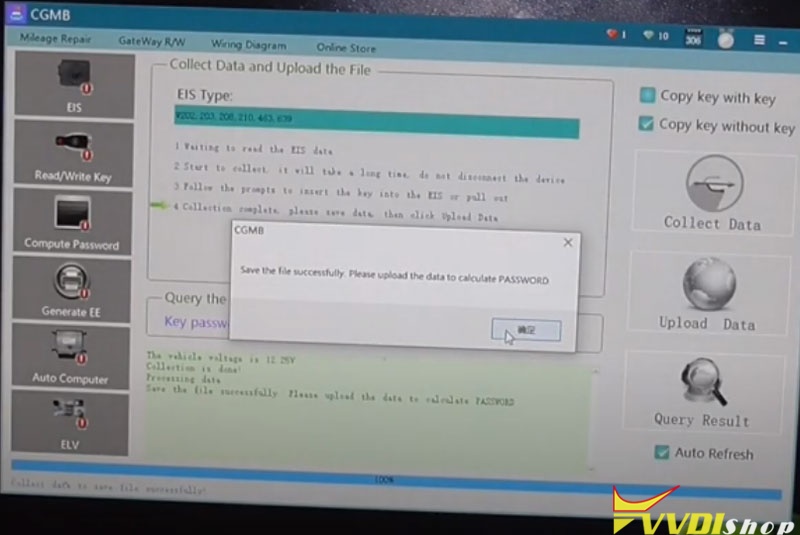
For example: calculating W639 password by CGDI MB and AC adapter fast cable, reading pass in less than 9 minutes

http://blog.vvdishop.com/vvdi-mb-tool-can-not-find-w639-erase-password/