ابزار Xhorse VVDI
Xhose VVDI نرم افزار برنامه نویس اصلی و سخت افزارابزار Xhorse VVDI
Xhose VVDI نرم افزار برنامه نویس اصلی و سخت افزارCondor XC-Mini Decode Lexus TOY48 and TOY40 Keys
Question:
Why condor xc-mini cannot decode lexus toy48 and toy40 keys?
i mostly cut lexus keys and i can’t decode it by condor mini..
i mostly cut lexus keys and i can’t decode it by condor mini..
Solution from Xhorse engineer:
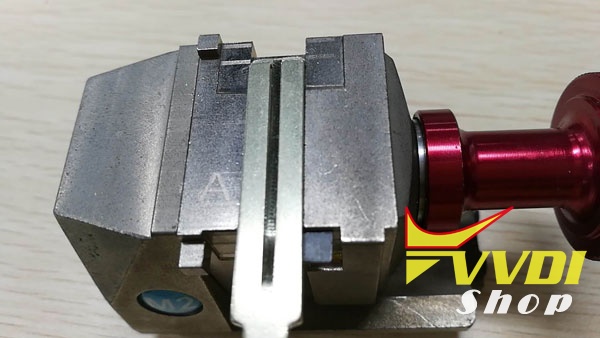
Condor MINI key cutting machine usually decode/cut key as the standard thickness 3mm, if the key is single side(thickness no more than 3mm, such as 2.5mm or 2mm)
then you should add a shim(such as business card) under the key, let the key thickness more than 3mm(around 3mm).
then you should add a shim(such as business card) under the key, let the key thickness more than 3mm(around 3mm).


http://blog.vvdishop.com/decode-lexus-toy48-and-toy40-keys-with-condor-xc-mini/
Xhorse VVDI Prog Software Update to V4.7.0
Xhorse VVDI PROG programmer latest software version V4.7.0 released on April 27th, 2018.
VVDIProg 4.7.0 (2018-04-27)
This version DON’t need update firmware
Fix some bugs
1- Added
VVDI PROG USER MUNUAL 4.7.0 version in Doc folder
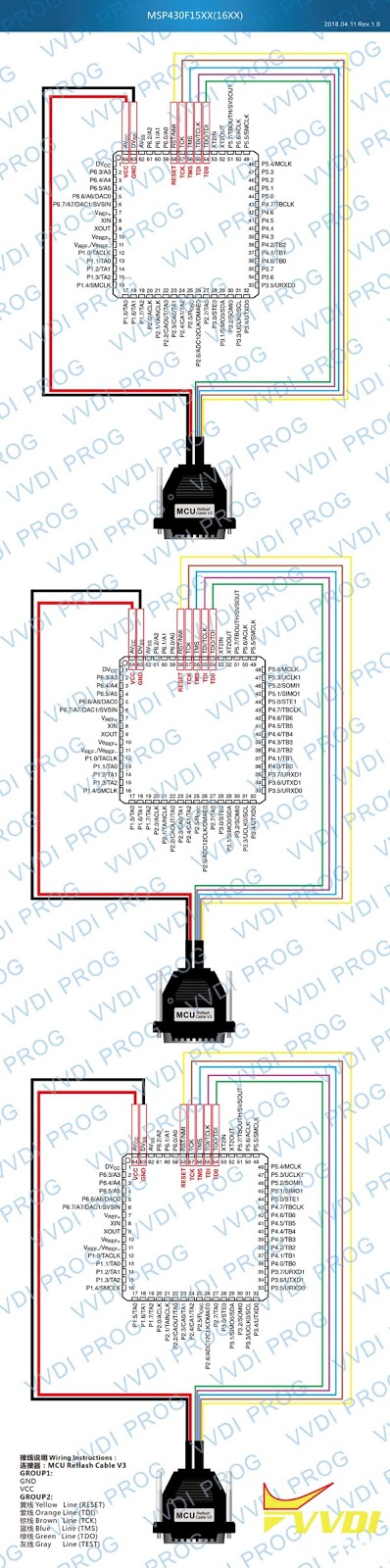
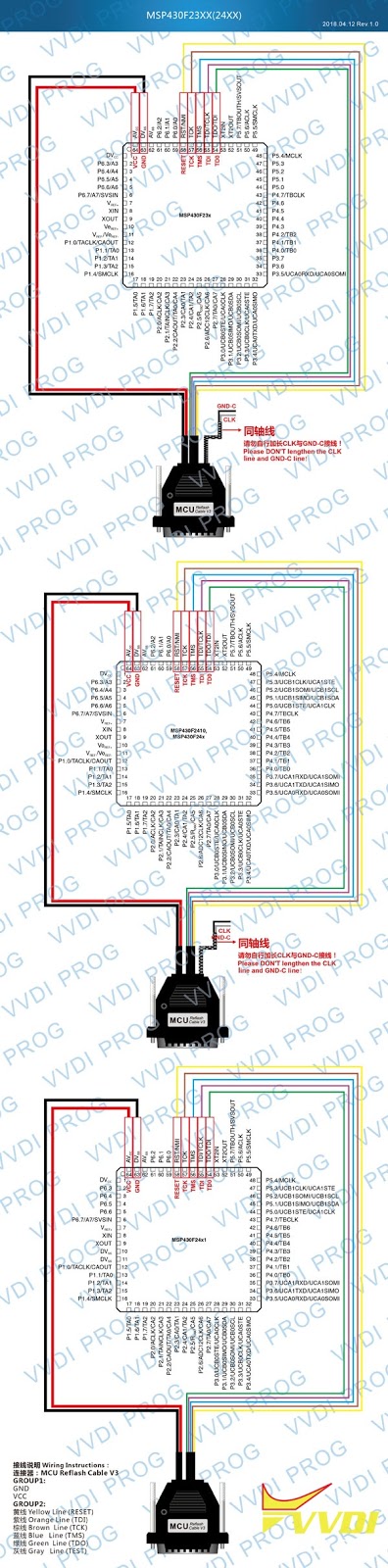
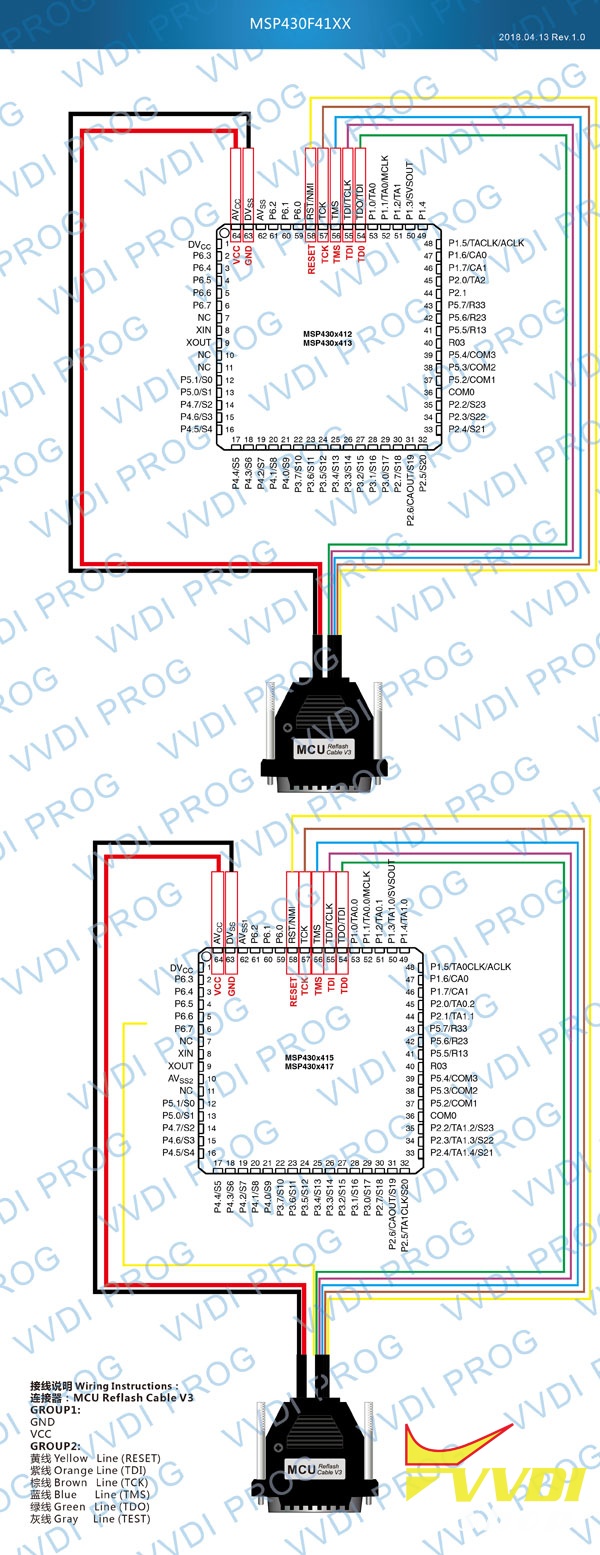
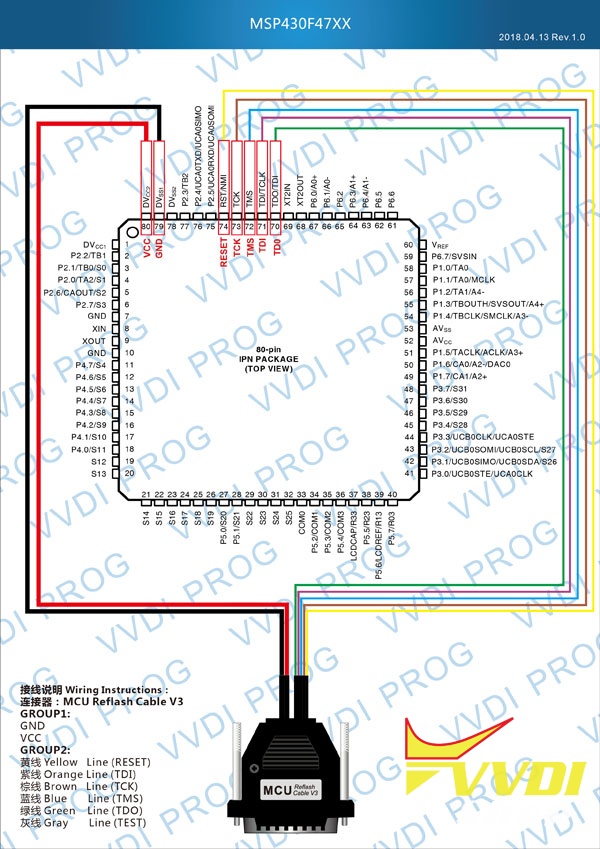
2-Added MSP series in options under 2-MCU menu TI-MSP430 series
Added in options under 2-MCU -> RENESAS-RH850 series
3-Added CS75-BODY-COMPUTER option in <4-IMMOBILIZER CHANGAN Added under IMMO(MSP430F1232) option 4-IMMOBILIZER SSANGYONG
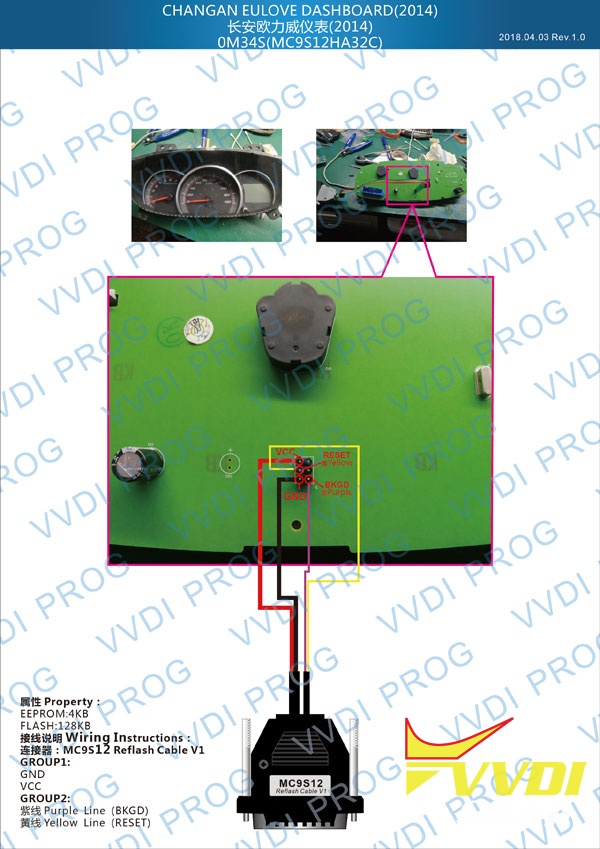
+ Add EULOVE(2014) option in 5-DASHBOARD CHANGAN
Added GOD-ANGEL(2015) option in
5-DASHBOARD CHANGAN
Added NU-NING(STM8S105C) option in 6-DASHBOARD FOTON>
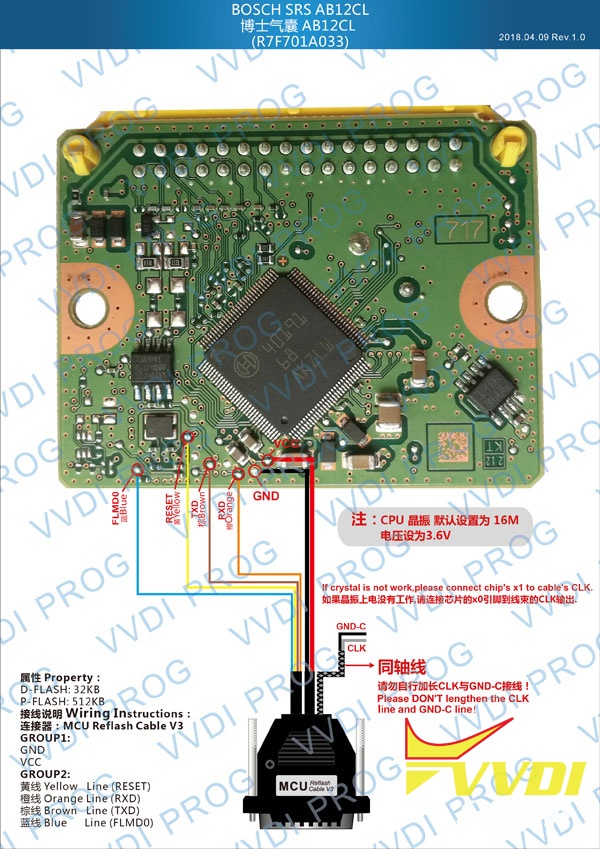
Added AB12CL(R7F701A033) option under 7-AIRBAG menu BOSCH
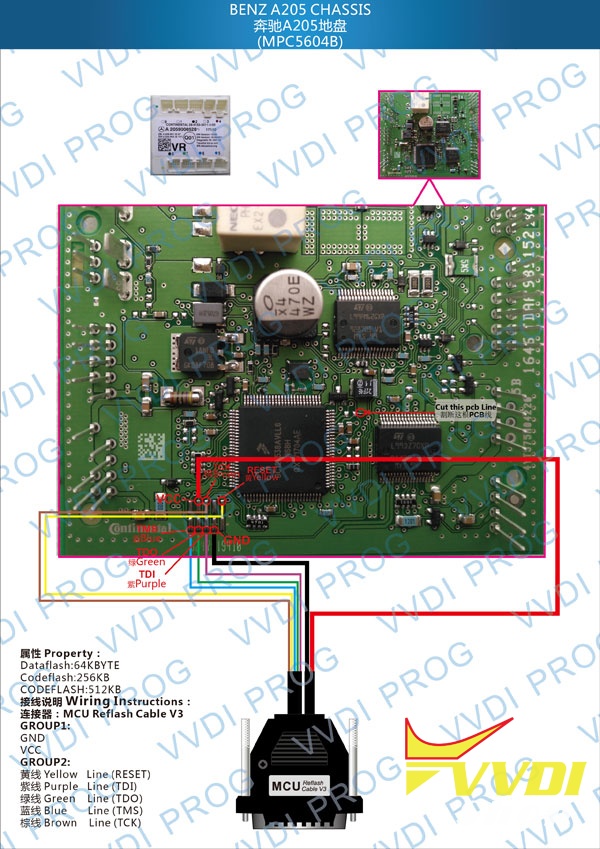
Added A205-CHASSIS option in 8-OTHER under BENZ menu
Added VIAGGIO(D70F3628) option in
9-OTHER for FIAT + Added POWER-AMPLIFIER option in 10-OTHER for PORSCHE
This version DON’t need update firmware
Fix some bugs
1- Added
VVDI PROG USER MUNUAL 4.7.0 version in Doc folder
2-Added MSP series in options under 2-MCU menu TI-MSP430 series
Added in options under 2-MCU -> RENESAS-RH850 series
3-Added CS75-BODY-COMPUTER option in <4-IMMOBILIZER CHANGAN Added under IMMO(MSP430F1232) option 4-IMMOBILIZER SSANGYONG
+ Add EULOVE(2014) option in 5-DASHBOARD CHANGAN
Added GOD-ANGEL(2015) option in
5-DASHBOARD CHANGAN
Added NU-NING(STM8S105C) option in 6-DASHBOARD FOTON>
Added AB12CL(R7F701A033) option under 7-AIRBAG menu BOSCH
Added A205-CHASSIS option in 8-OTHER under BENZ menu
Added VIAGGIO(D70F3628) option in
9-OTHER for FIAT + Added POWER-AMPLIFIER option in 10-OTHER for PORSCHE
Free Download VVDI Prog V4.7.0 software:
password:123456

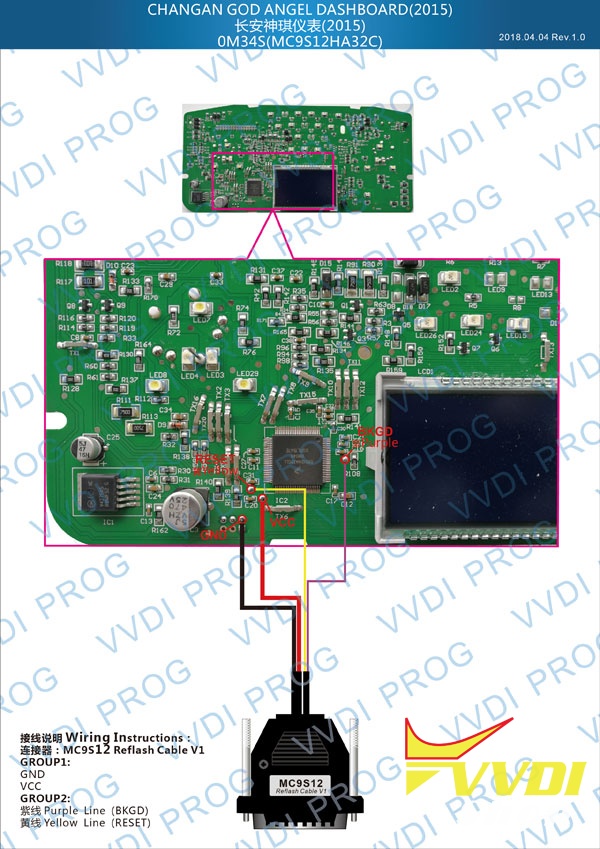
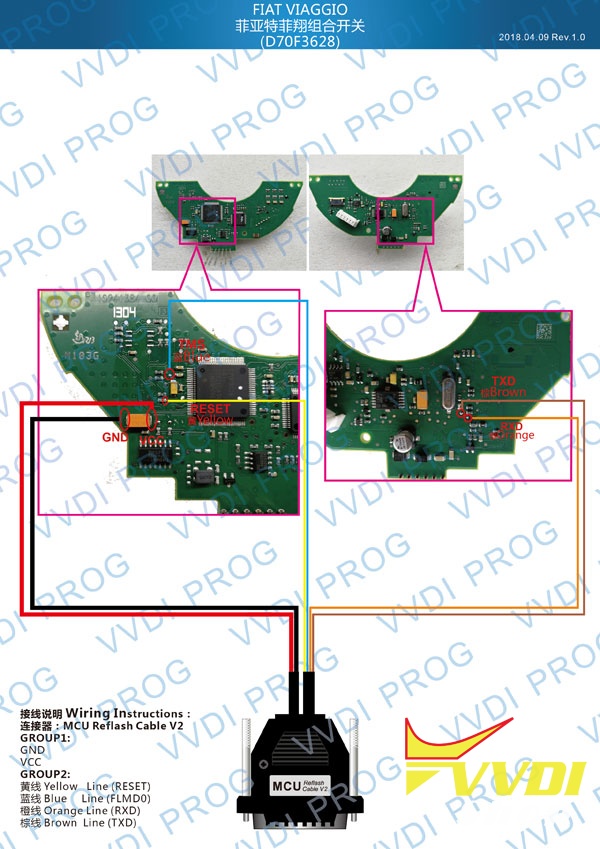
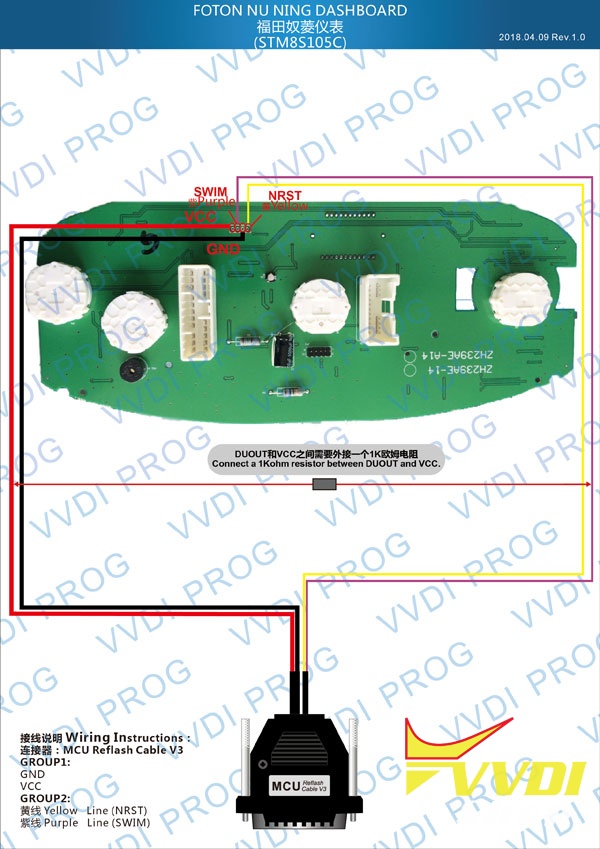
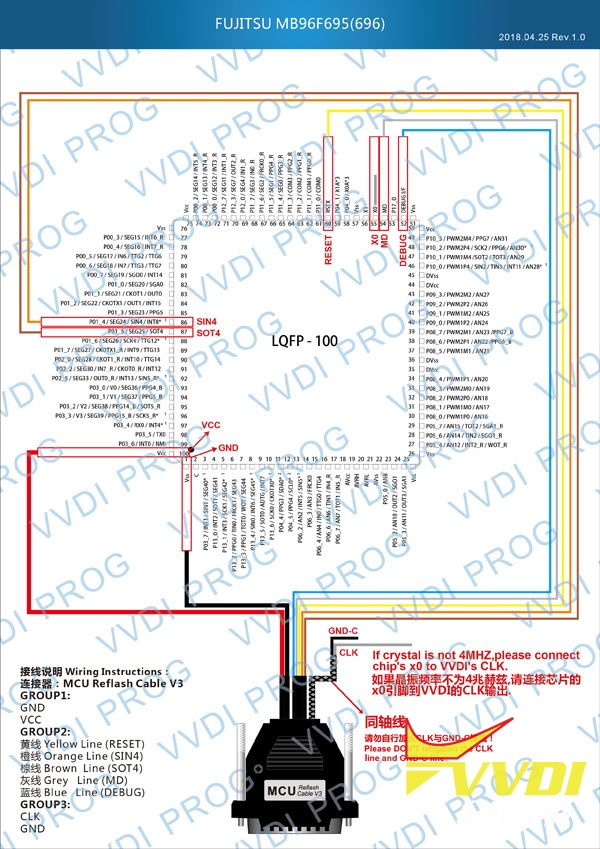



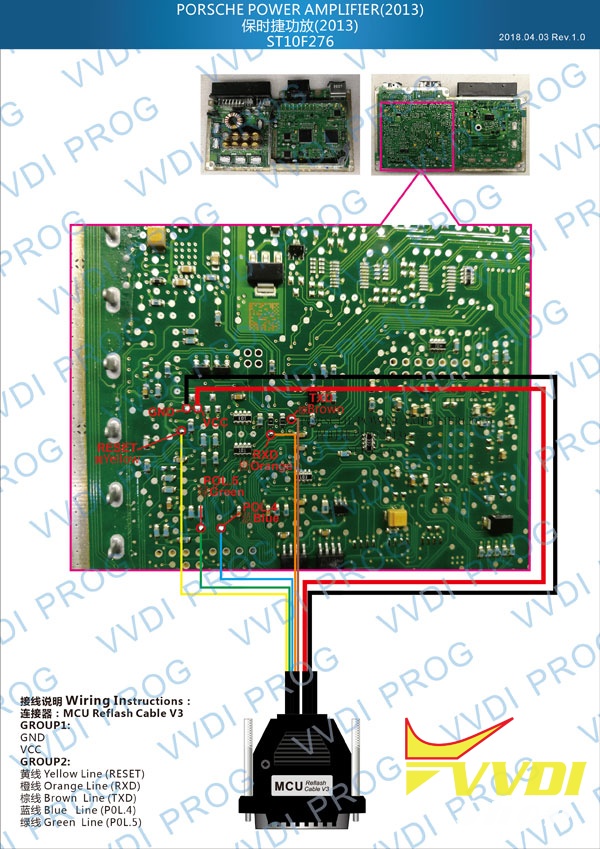
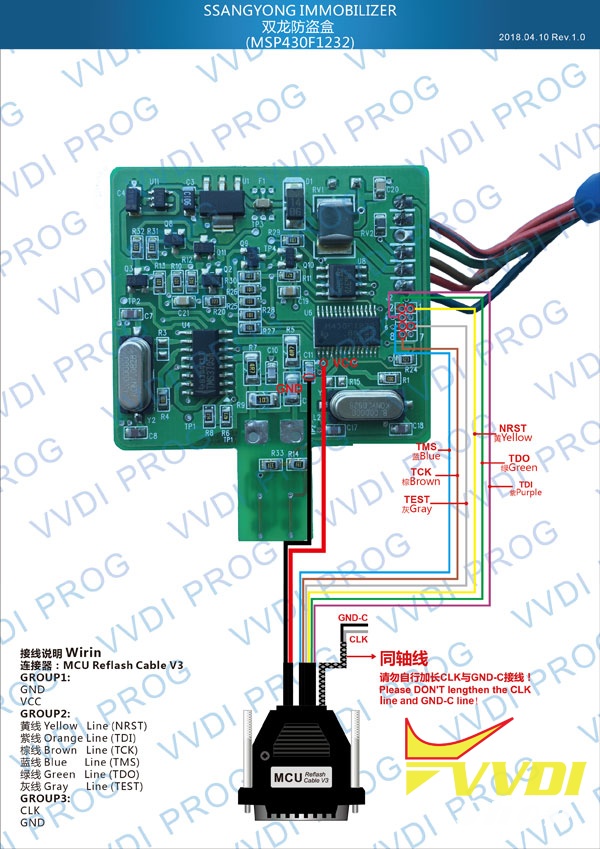
http://www.vvdishop.com/info/xhorse-vvdi-prog-programmer-update-to-v470-2018-04-27-21238.html
VVDI-Prog Read Benz W210 EIS MC68HC05 1h52a
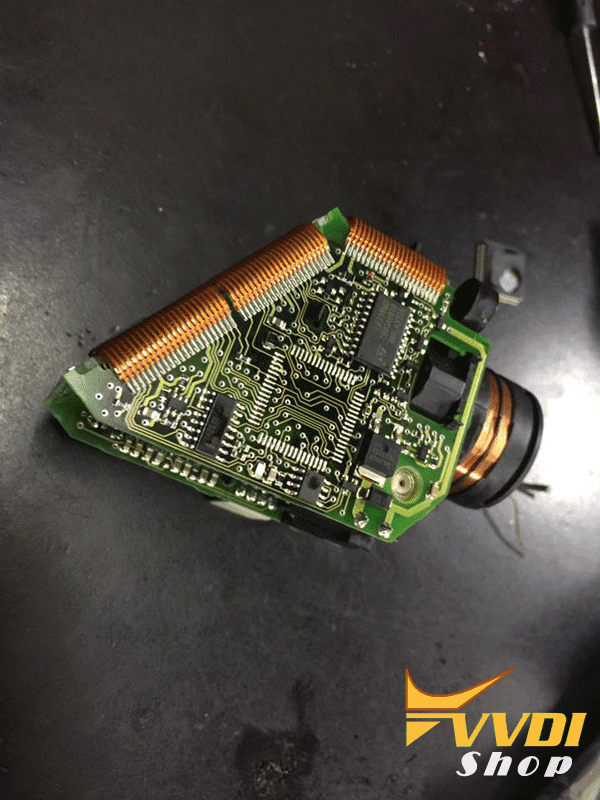
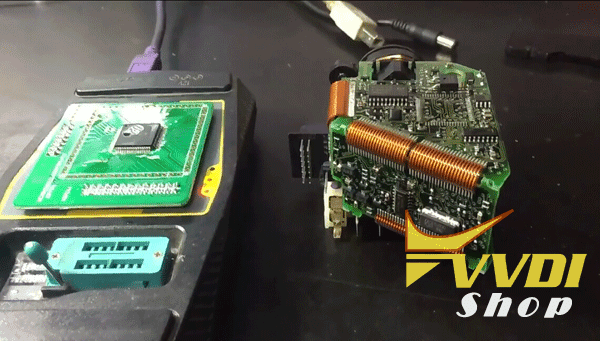
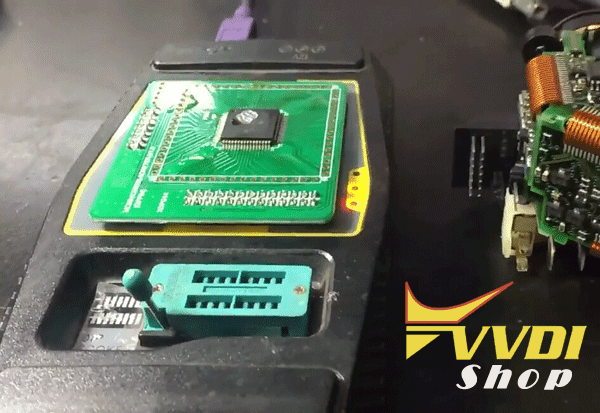
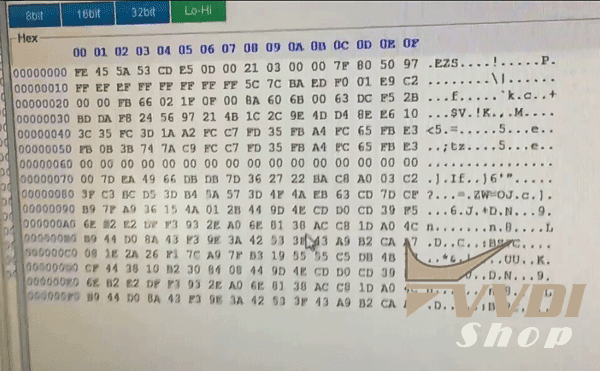
Xhorse VVDI Prog programmer feedback today: read Mercedes Benz C250 W210 EIS MC68HC05X32 mask 1h52a success.
Photo attached:


VVDI Key Tool clone Audi A1 2018 ID48 96bit remote
New test report: Audi A1 year 2018 ID48 key cloning done by Xhorse VVDI KEY TOOL remote maker.
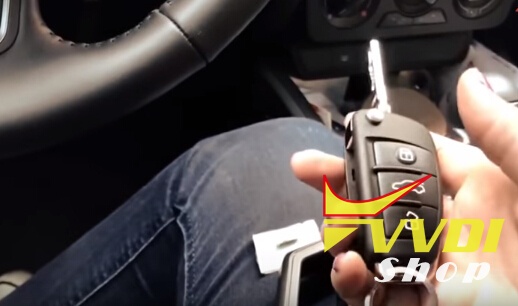
*You should have Keytool ID48 96bit function activated and download Bluetooth app before operation.
Procedure:
Insert original remote into Keytool left coil to read key data
Select Transponder clone->Automatic detection
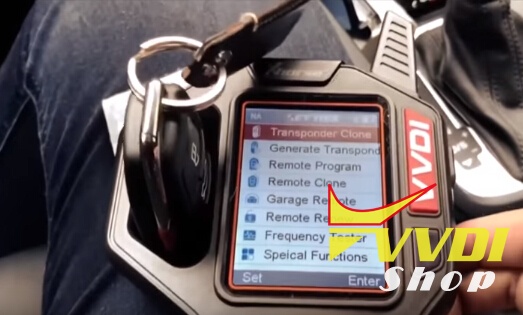
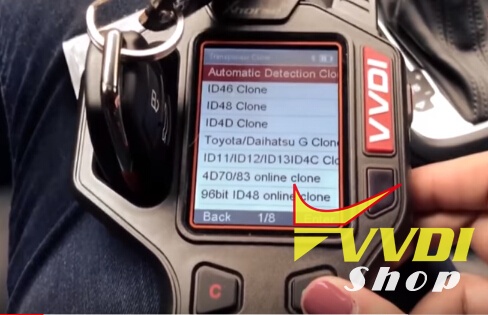
VVDI Key tool identify remote information: ID48, TP25 Audi
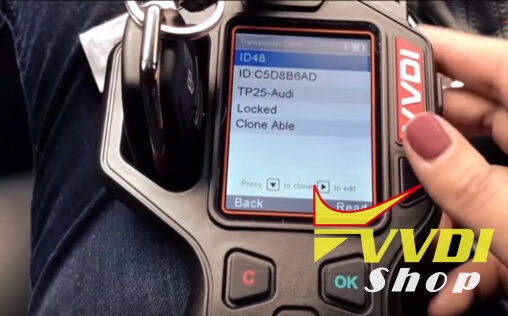
Remove key
Insert ID48 chip and read chip information

Connect VVDI Key Tool with mobile phone via Bluetooth
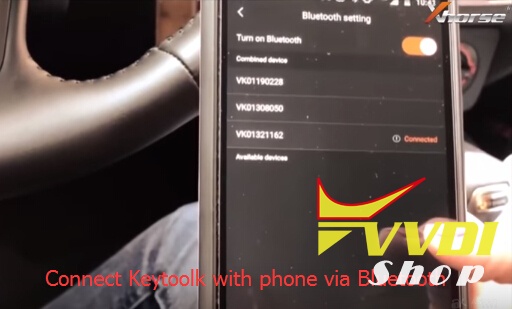
Select Transponder Clone function->ID48 data acquisition
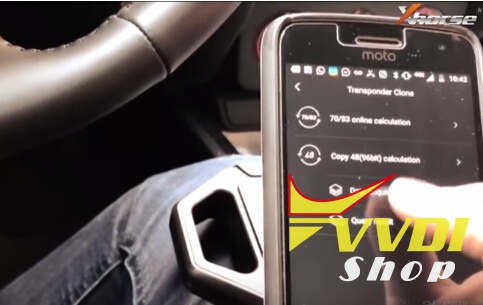
Put VVDI Key Tool antenna close to ignition switch or coil detention area
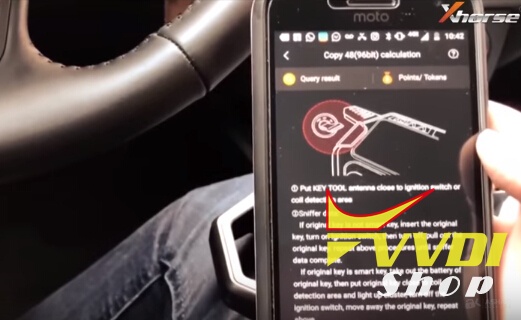
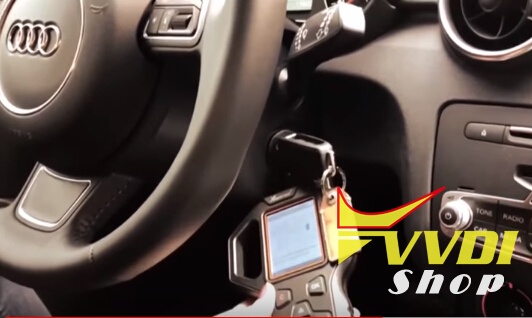
Sniff data
If original key is not smart key, insert the original key, turn on ignition switch, then turn off, pull out the original key, repeat above procedure until sniff data completed.
If original key is not smart key, insert the original key, turn on ignition switch, then turn off, pull out the original key, repeat above procedure until sniff data completed.
If original key is smart key, take out the batter of original key, then put original key close to coil detection area and light up cluster turn off the ignition switch, move away the original key, repeat above procedure until completed.
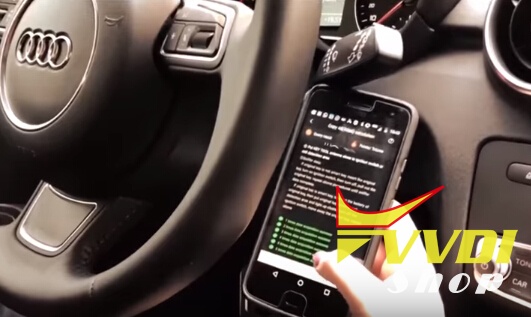
Data acquisition success
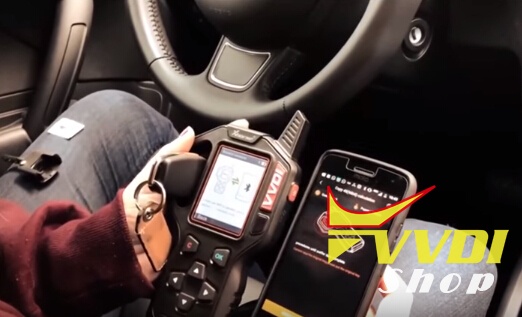
Put the original key into the VVDI Key Tool left detection coil, to verify the original key
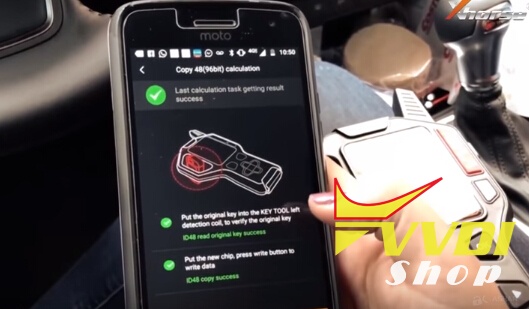
Read ID48 key data success
Then put the new ID48 chip, press Write button to write chip
Then put the new ID48 chip, press Write button to write chip
ID48 chip copy success.
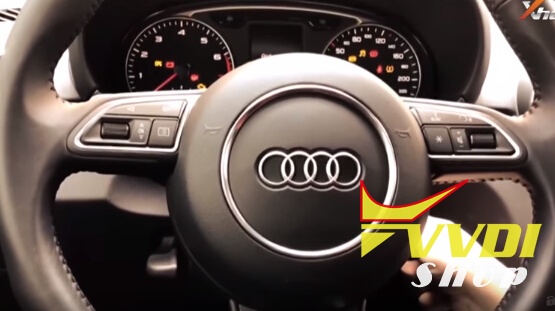
Sync transponder key
New key works great.
Renew Mercedes W211 ECU CR3.xx with VVDI MB
How to use VVDI MB tool key programmer to renew Mercedes W211 ecu Cr3.xx?
Connect ECU with VVDI MB BAG Tool and CR3.xx adapter

Open VVDI MB software
Select Renew ECU/Gearbox
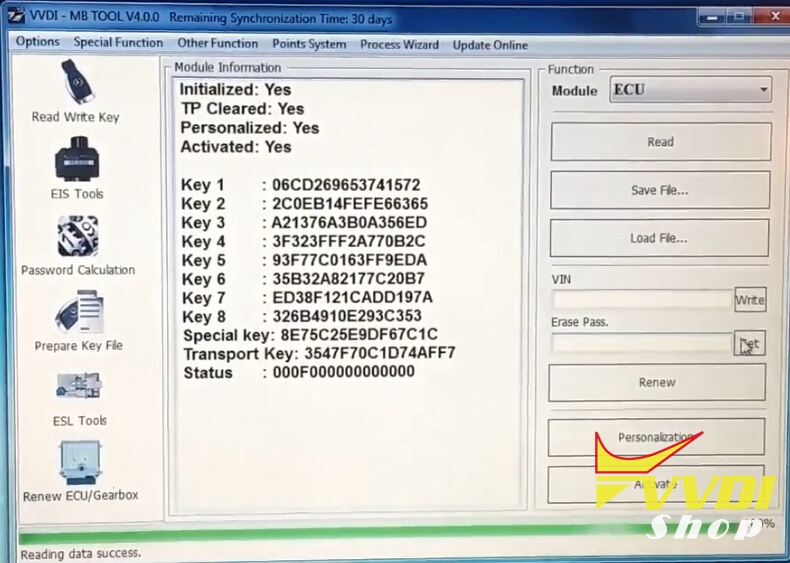
Read ECU information
Press Get button to calculate erase password online
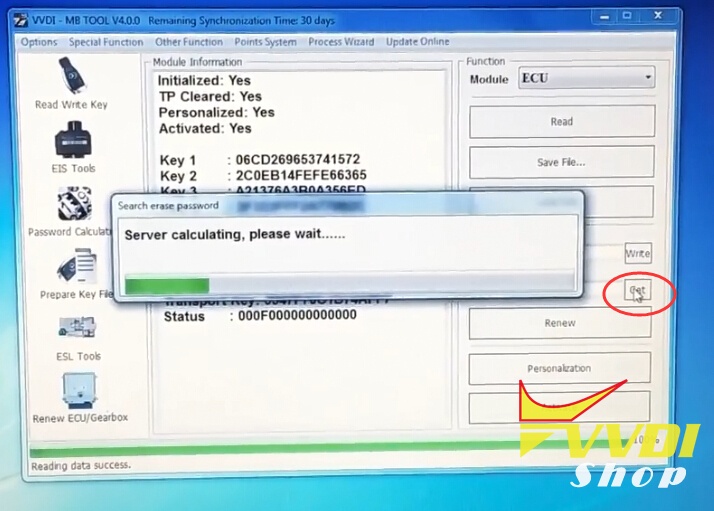
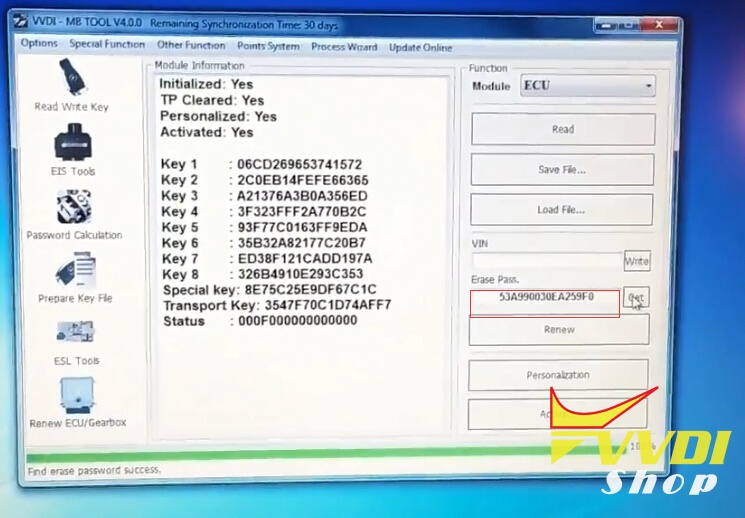
Save the eeprom data
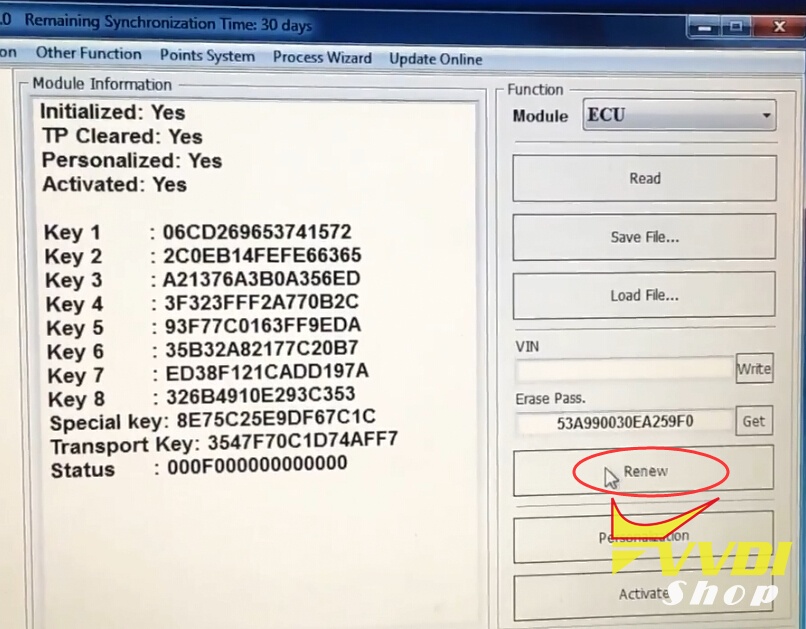
Click on Renew Button
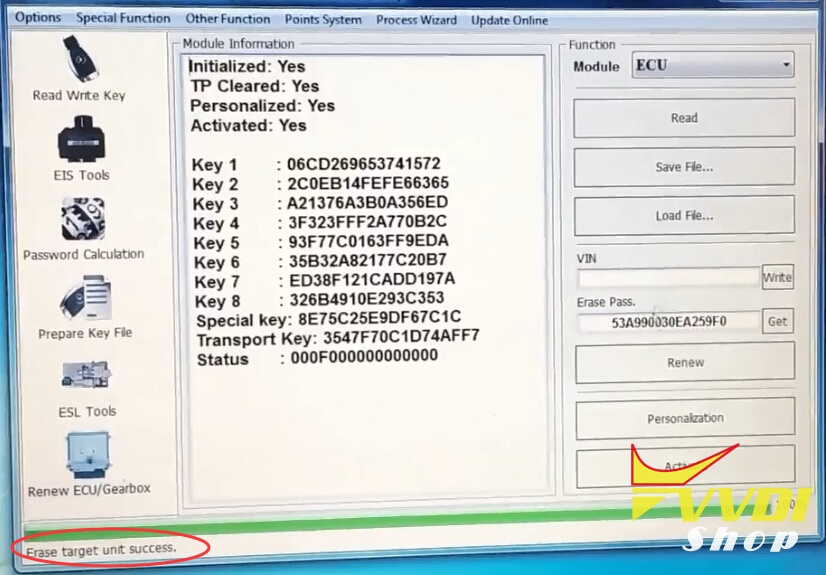
Erase target unit success
Read ECU information again
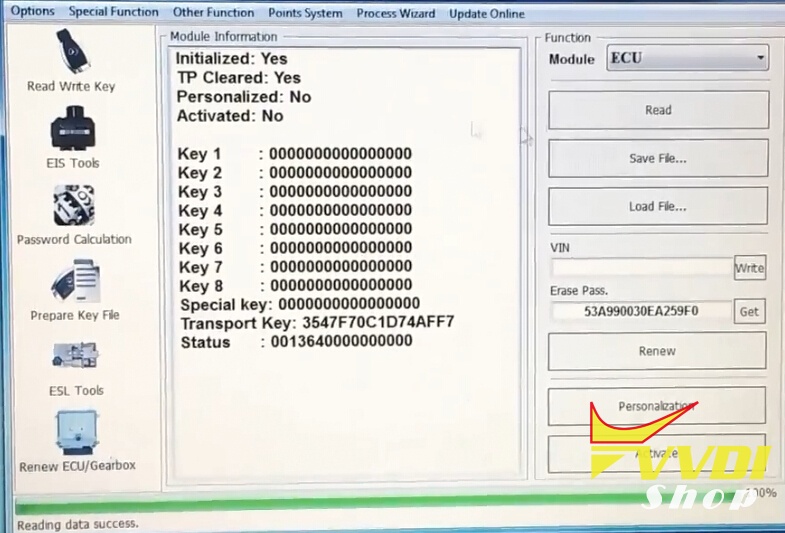
VVDI MB BGA Tool Renew W211 ECU success.
http://blog.vvdishop.com/vvdi-mb-tool-renew-mercedes-w211-ecu-cr3-xx/