ابزار Xhorse VVDI
Xhose VVDI نرم افزار برنامه نویس اصلی و سخت افزارابزار Xhorse VVDI
Xhose VVDI نرم افزار برنامه نویس اصلی و سخت افزارXhorse VVDI Prog V4.9.9 adds lots of RENESAS MCUs
Xhorse VVDI Prog programmer released big software update V4.9.9 on Feb. 3rd, 2021. This update adds lots of RENESAS RL78 M16C M32C R32C RL78 RH850 series MCUs.
VVDIProg v4.9.9 (2021-02-03)
* This version DON’t need update firmware
+ Add VVDI PROG USER MANUAL 4.9.9
version in Doc folder
+ Add EPCS1,
EPCS16,
EPCS128,
EPCS4,
EPCS64 options in
<1-EEPROM&FLASH>-><ALTERA>
+ Add AT59C11,
AT17C128,
AT17C256,
AT26DF081 options in
<1-EEPROM&FLASH>-><ATMEL>
+ Add EN25x05,
EN25x10,
EN25x16,
EN25x20,
EN25x32,
EN25x40,
EN25x64,
EN25x80 options in
<1-EEPROM&FLASH>-><EON>
+ Add BR9010,
BR9020,
BR9040 options in
<1-EEPROM&FLASH>-><ROHM>
+ Add S-29255,
S-29355 options in
<1-EEPROM&FLASH>-><SEIKO>
+ Add R5F10ExAx_Flash_16KB_Write,
R5F10ExCx_Flash_32KB_Write,
R5F10ExDx_Flash_48KB_Write,
R5F10ExEx_Flash_64KB_Write,
R5F10E_Data_4KB_Write
options in
<2-MCU>-><RENESAS-RL78-G1A>
+ Add M30622F8,
M30623F8,
M3062CF8,
M30620FC,
M3062LFG,
M30626FH,
M30626FJ,
M30621FC,
M3062AFC,
M3062BFC,
M306N4FG,
M30625FG,
M30627FH,
M3062JFH,
M30627FJ,
M306N4FC
options in
<2-MCU>-><RENESAS-M16C>
+ Add M30843FW,
M30843FH,
M30833FJ,
M30835FJ,
M30843FJ,
M30845FJ,
M30853FJ,
M30855FJ,
M30845FW,
M30853FW,
M30855FW,
M30845FH,
M30853FH,
M30855FH,
M30880FW,
M30882FW,
M30880FH,
M30882FH,
M30880FJ,
M30882FJ
options in
<2-MCU>-><RENESAS-M32C>
+ Add R5F64525_UART,
R5F64524_UART
R5F6452M_UART,
R5F6452N_UART
options in
<2-MCU>-><RENESAS-R32C>
+ Add R5F11N/11PxFx_Flash_96KB_Write,
R5F11N/11T/11RxGx_Flash_128KB_Write,
R5F11NxEx_Flash_64KB_Write,
R5F11N_Data_4KB__Write
options in
<2-MCU>-><RENESAS-RL78-H1D>
+ Add R5F107xCx_Flash_32KB_Write,
R5F107xEx_Flash_64KB_Write,
R5F107_Data_4KB_Write
options in
<2-MCU>-><RENESAS-RL78-I1A>
+ Add R5F10MxEx_Flash_64KB_Write,
R5F10MxGx_Flash_128KB__Write
options in
<2-MCU>-><RENESAS-RL78-I1B>
+ Add R5F10Rx8x_Flash_8KB_Write,
R5F10RxAx_Flash_16KB_Write,
R5F10RxCx_Flash_32KB_Write,
R5F10R_Data_2KB__Write
options in
<2-MCU>-><RENESAS-RL78-L12>
+ Add R7F701201,
R7F701205,R7F701501,
R7F701502,R7F701503,
R7F701506,R7F701507,
R7F701508,R7F701511,
R7F701512,R7F701513,
R7F701521,R7F701522,
R7F701524,R7F701525,
R7F701526,R7F701527,
R7F701528,R7F701529,
R7F701530,R7F701531,
R7F701534,R7F701708,
R7F701709,R7F701710,
R7F701711,R7F701714,
R7F701715,R7F701644,
R7F701645,R7F701646,
R7F701647,R7F701648,
R7F701649,R7F701650,
R7F701651,R7F701652,
R7F701653,R7F701684,
R7F701685,R7F701686,
R7F701687,R7F701688,
R7F701689,R7F701690,
R7F701691,R7F701692,
R7F701693,R7F701694,
R7F701695,R7F701032,
R7F701371,R7F701372,
R7F701396,R7F701373,
R7F701374,R7F701397,
R7F701A22 options in
<2-MCU>-><RENESAS-RH850>
+ Add D70F3461 option in
<2-MCU>-><RENESAS0-V850>
+ Add CEM(R5F64524),
CEM(R5F64525)
options in
<4-IMMOBILIZER>-><VOLVO>
+ Add LEXUS(R7F701A22) option in
<7-AIRBAG>-><TOYOTA>
+ Add B48(ADAPTER) option in
<10-BOSH-ECU-ADAPTER>-><BMW>
* Fix some RH850 options
* Fix some STM8 options
Free download xhorse vvdi prog v4.9.9 software
https://mega.nz/file/Zd0VGa6Y#uZWG0vllblnbCir5nSE5q_FoVZlRYpbi6RQr-XoZCUA
How to use Dolphin XP005 to Cut BMW HU92 Key?
Today I’m gonna show you guys how to use Xhorse Dolphin XP005 key cutting Machine to cut a HU92 BMW key. It is worked for a 2002 3 series BMW lock.
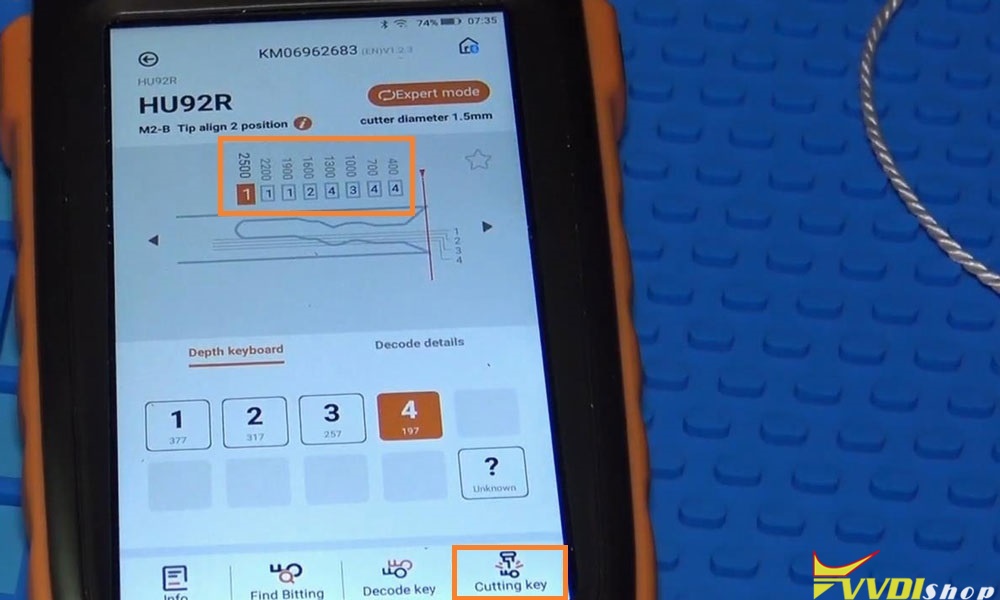
Here I had got the bitting codes: 11124344

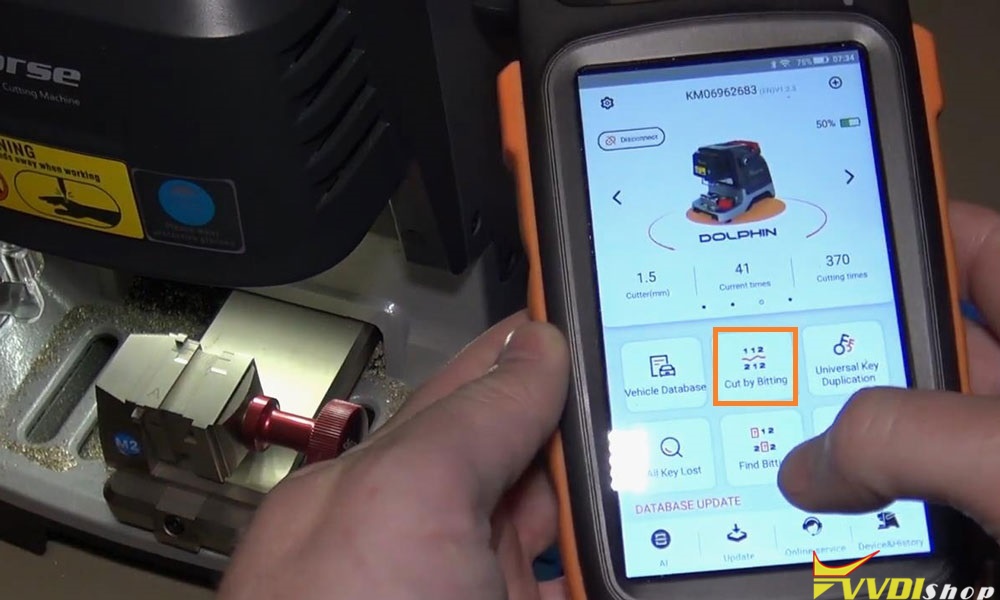
I’ll use the Xhorse Key Tool Max to control the Dolphin XP005 machine.
Cut by bitting >> HU92R (depth 1.25mm)
It tells to use M2-2 clamp and tip align 2 position.

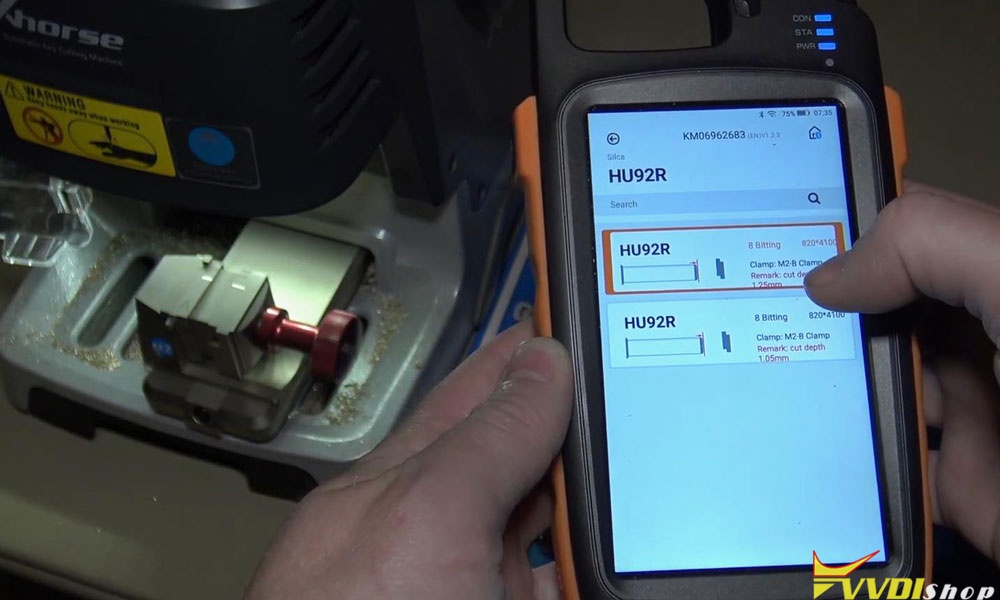
Fix the blank key on clamp flatly according to notes.

Go back to Key Tool Max,
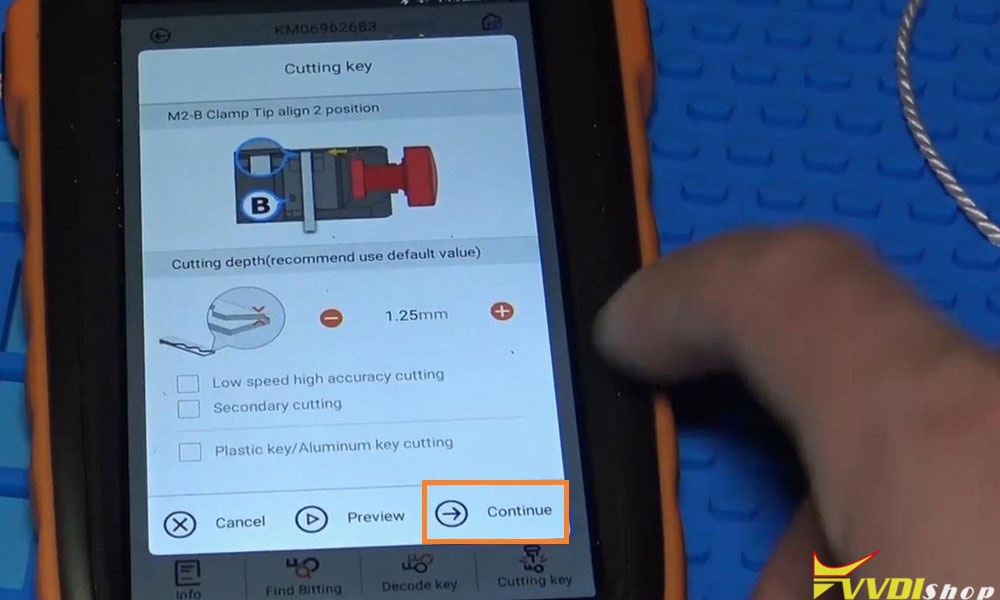
OK >> Input the depth keyboard: 11124344 >> Cutting key >> Continue
Dolphin XP005 starts cutting key…

First side cutting finished, clean the scraps and flip it over.
Let’s start the other side cutting.
Repeat same operations as before:
OK >> Cutting key >> Continue
Dolphin XP-005 starts cutting key again…
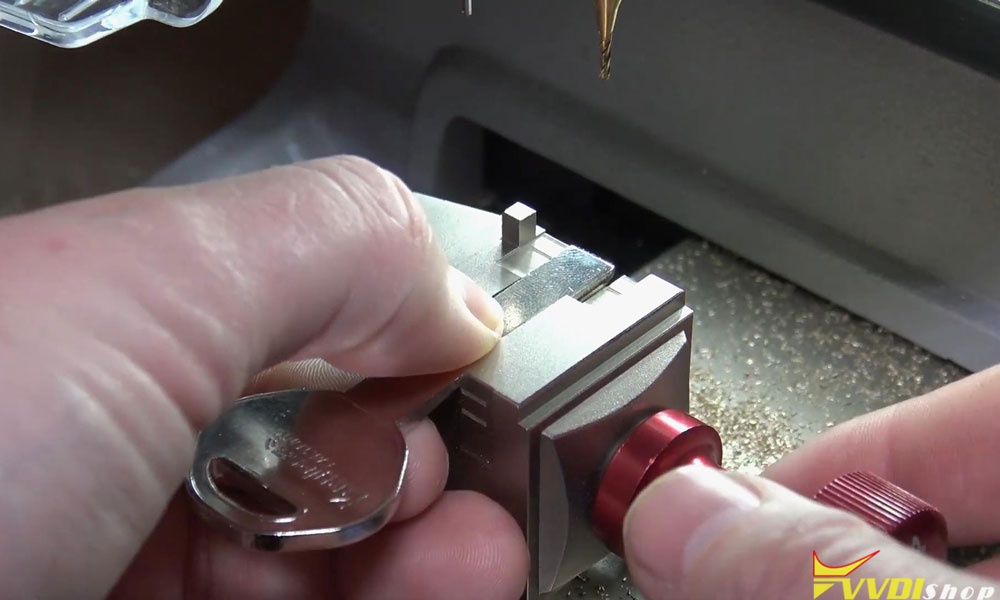
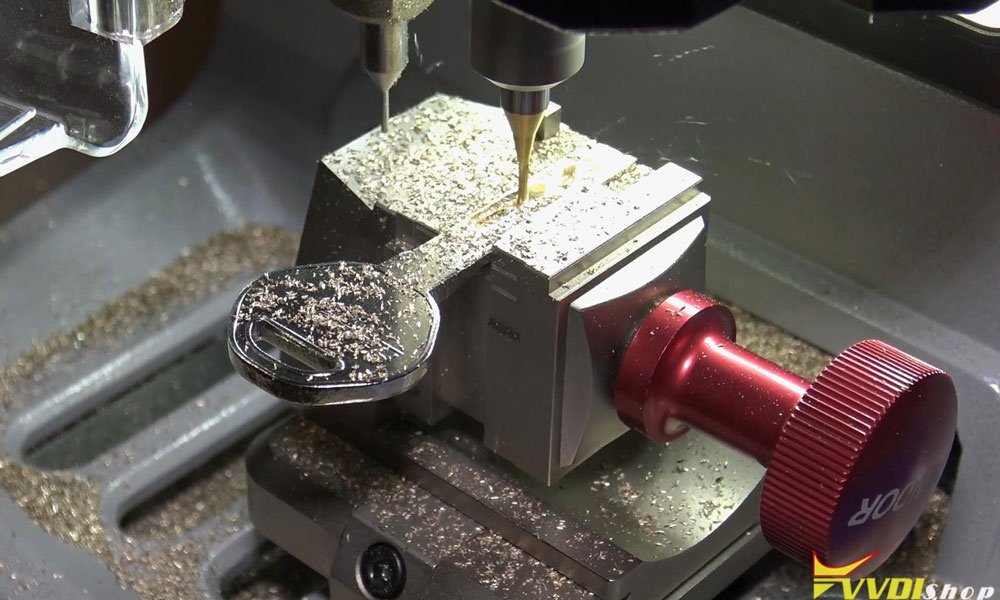
Cutting key completed!
Clean the scraps and take out the key. It does perfectly open the lock.

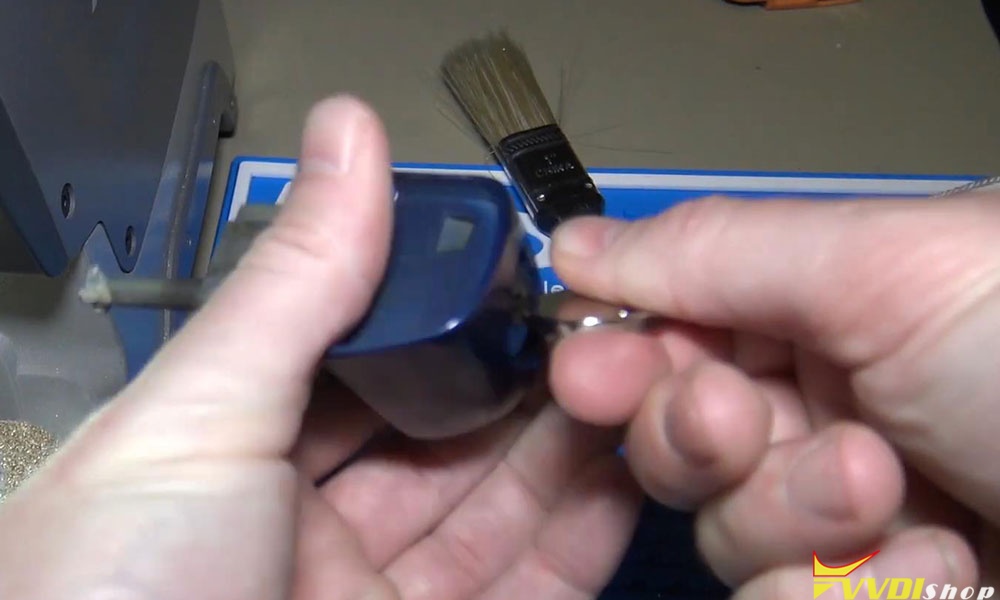
HU92 BMW key cutting via Xhorse Dolphin key cutting machine auto machine successful!
How to Download Dump to Xhorse Key Tool Max
Here’s an easy guide to download a dump file from Xhorse website on Windows PC to your xhorse vvdi key tool max or key tool plus device.
Turn on key tool max
Go to Setting on the top right corner
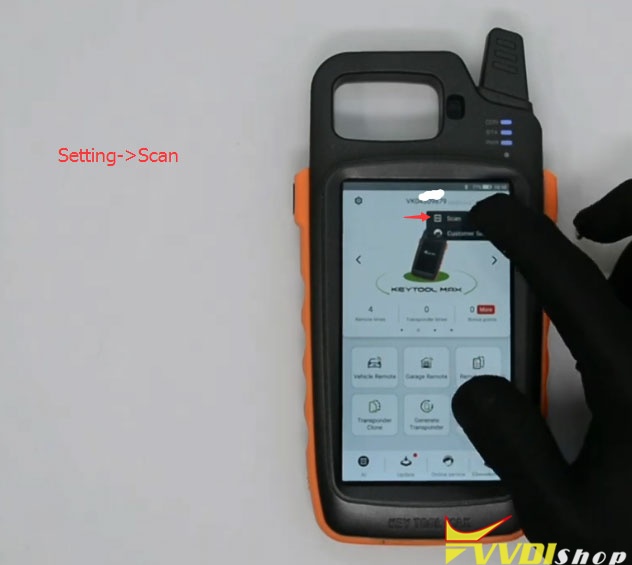
Select Scan function
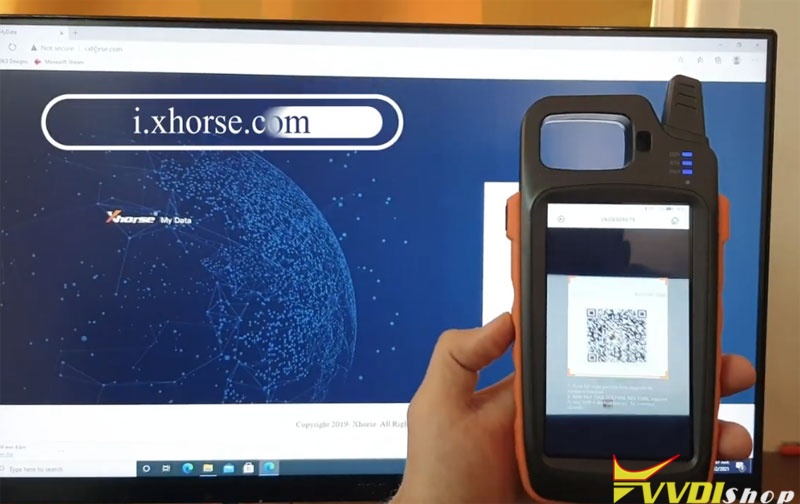
Browse Xhorse website i.xhorse.com on Windows PC which will give you a QR Code to login
Scan the QR code

Scan successful
You need to read the dump data and upload dump to Xhorse data center
Then go to Key tool max, select Special Function->Immo Data Tool->Select region->Car brand and model, i.e European BMW EWS4
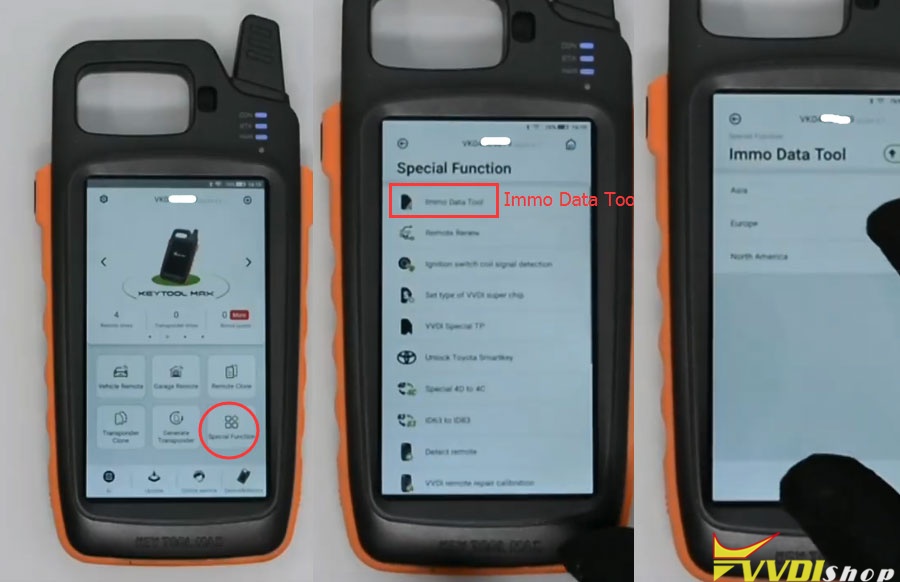

Go to File Management->My data
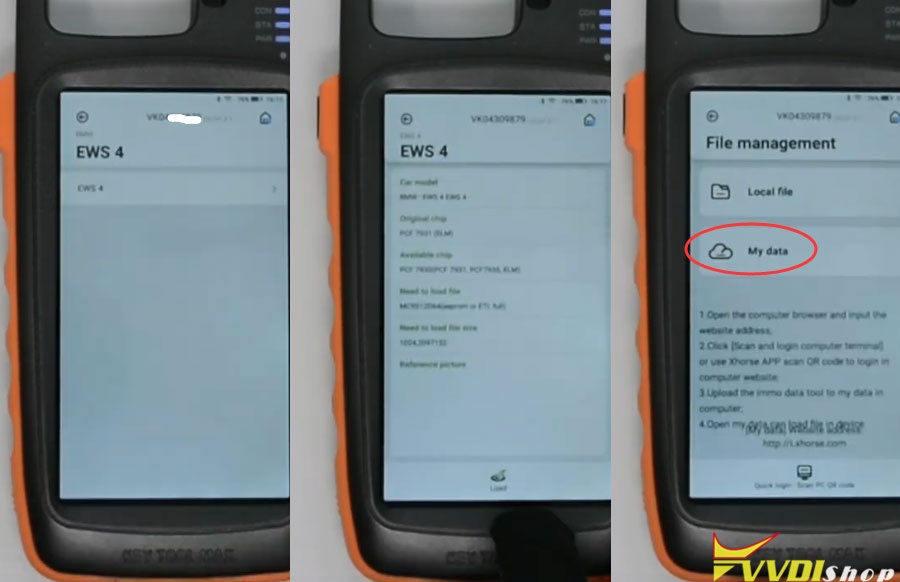
Now you can choose correct bin file from File management

You are allowed to download dump file to the new Xhorse VVDI Key Tool Plus Pad as well.
Select “Programmer” function of the key tool plus, and choose “Data edit”>>“Scan code & login”, then scan the QR code on the xhorse website and login.
Program Toyota Corolla 2018 Remote Key by Xhorse Key Tool Plus
Hello guys, today I’m gonna program Toyota Corolla 2018 remote & key clone with the new tool Xhorse VVDI Key Tool Plus Pad.
Generate Remote
Connect VVDI Key Tool Plus Pad with Toyota Remote Key via cable, press
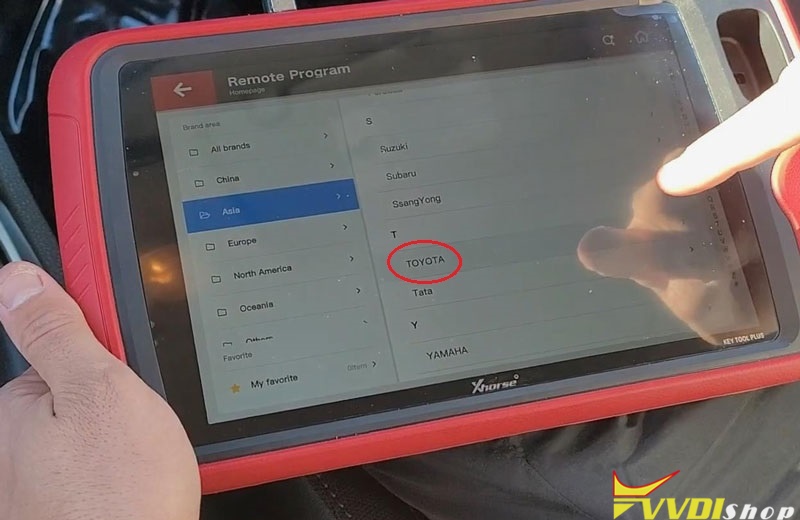
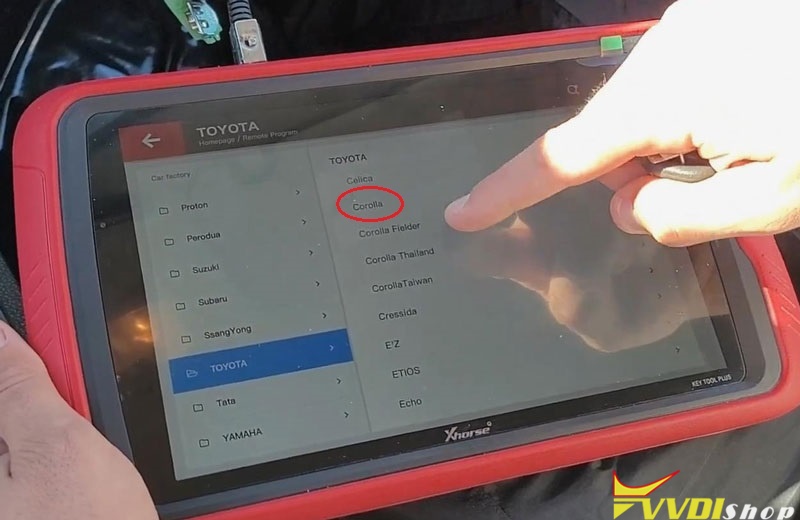
Remote program >> Asia >> TOYOTA >>Corolla
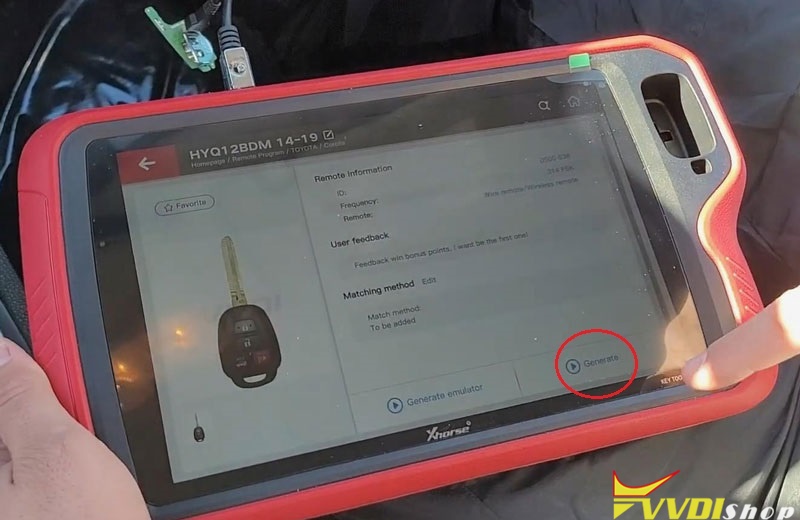
HYQ1 2BDM 14-19 >> Generate
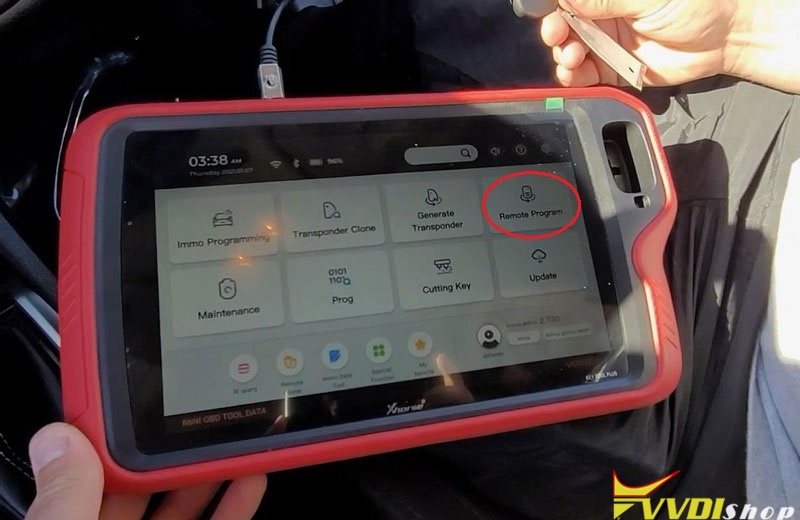
Writing data, please wait…
Burn success. Press “Complete”.
Clone Key Chip
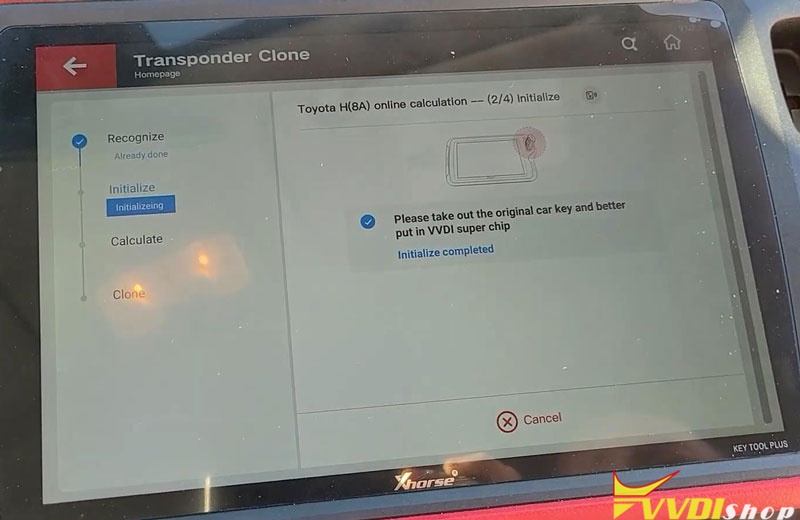
Transponder clone >> Read transponder >> Transponder clone
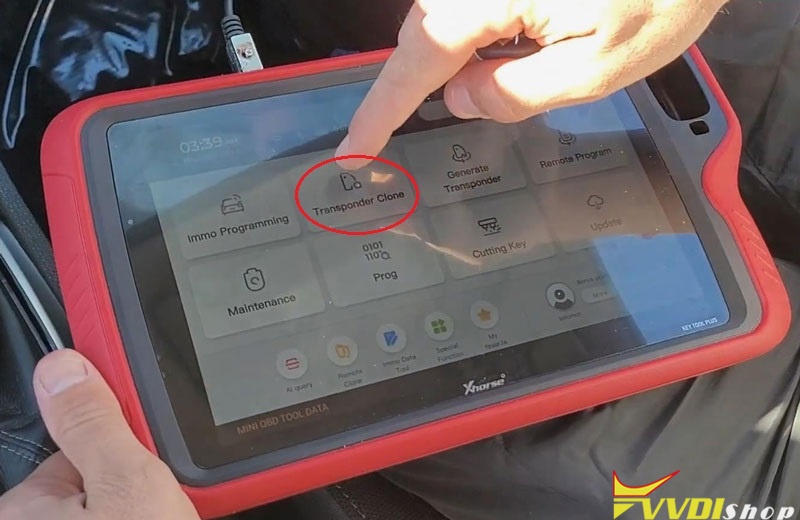
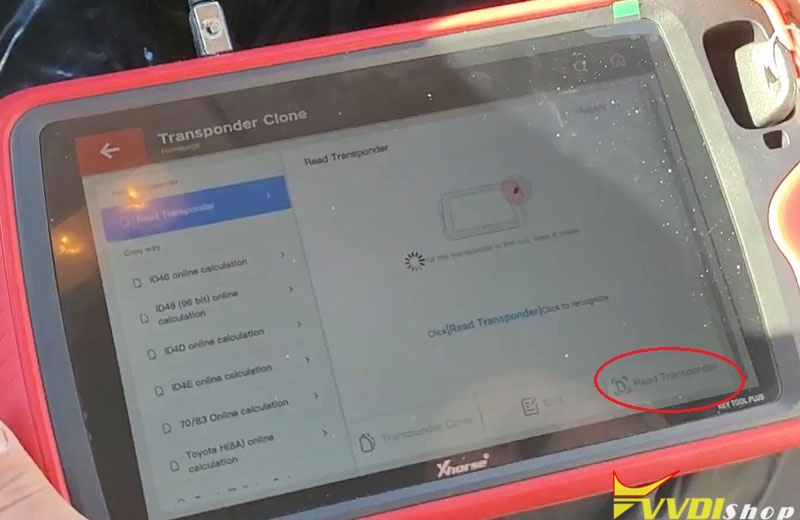
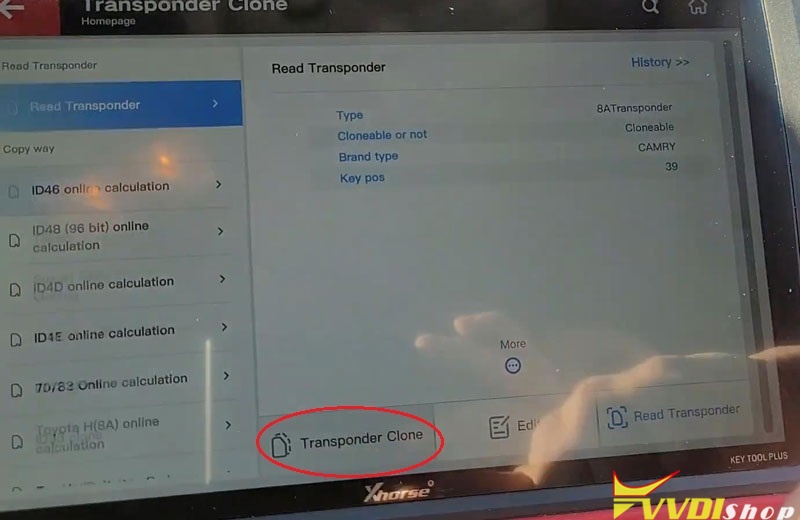
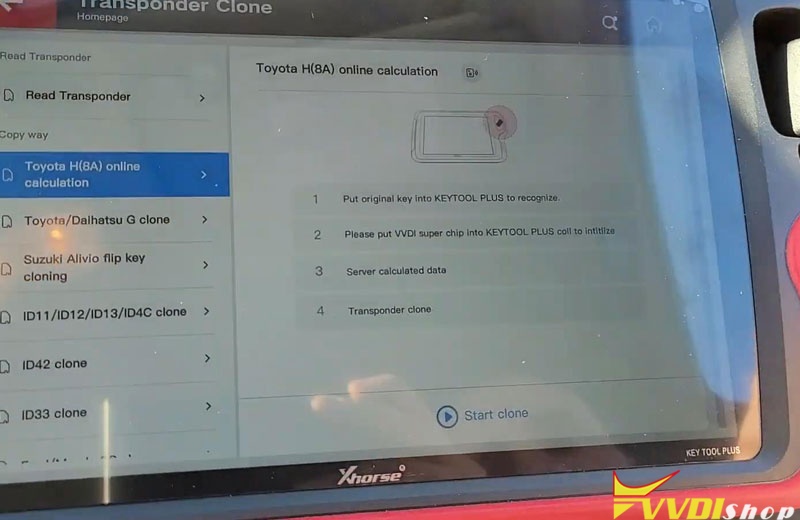
Following the notes to operate:
- Put original key into Key Tool Plus to recognize.
- Put VVDI Super Chip into Key Tool Plus coil to initialize.
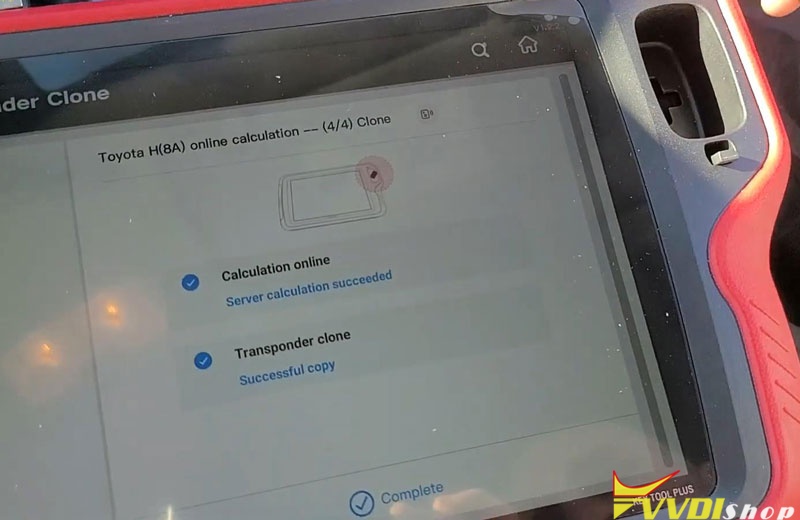
- Server calculated data.
- Transponder clone.
Press “Start clone”…
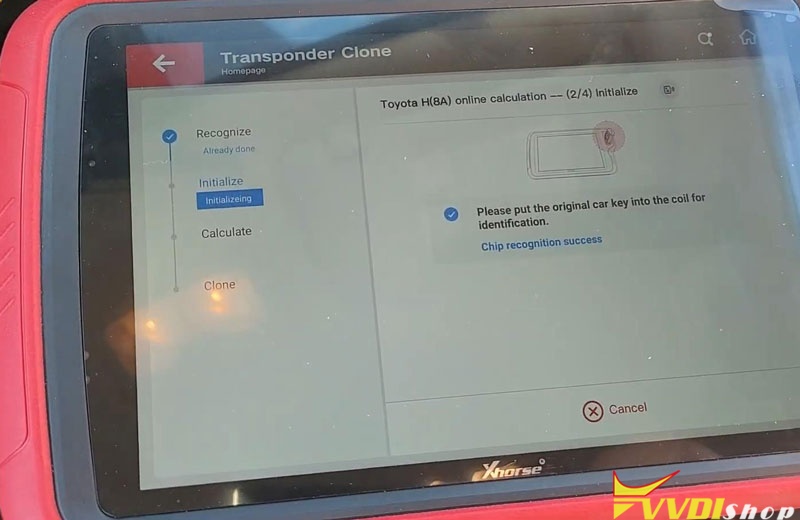
Please take out the original car key and better put tin VVDI super chip.
Chip recognition success.
Initialize completed.
Server calculation succeeded.
Successful copy.
Complete!
Program Remote
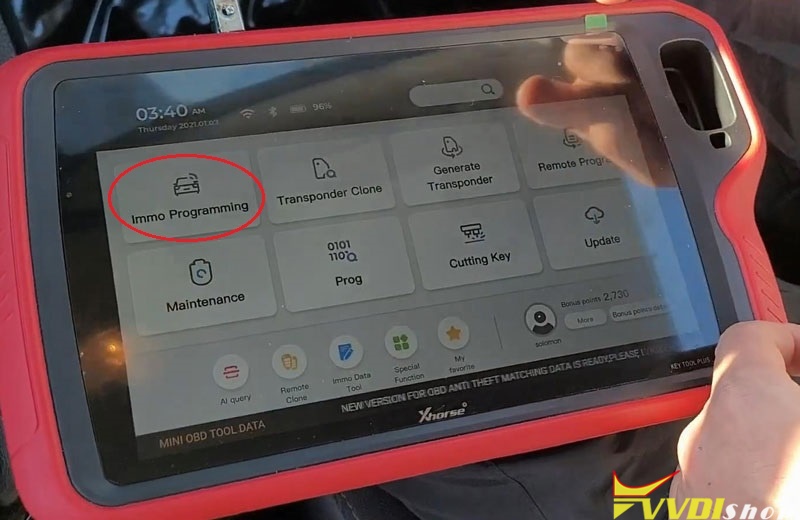
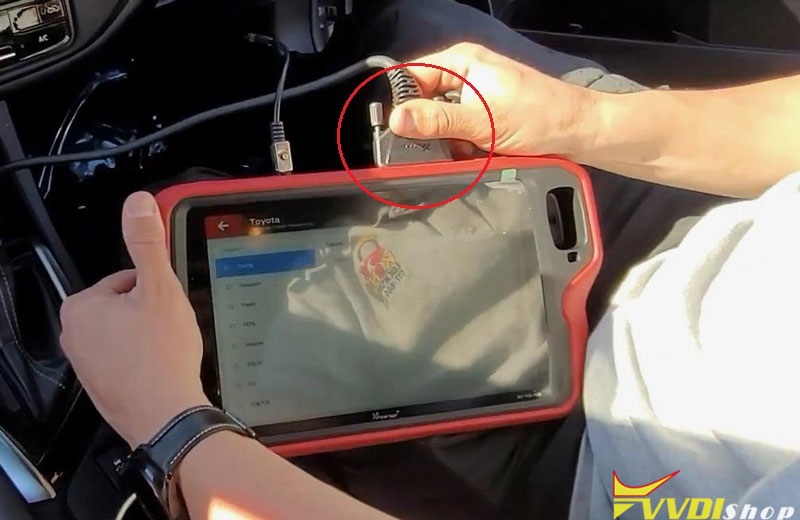
Connect VVDI Key Tool Plus with OBD2, and turn ignition on, press
Immo programming >> Toyota >> Select by type >> Remote system >> Type 2 >> Begin >> Remote adding
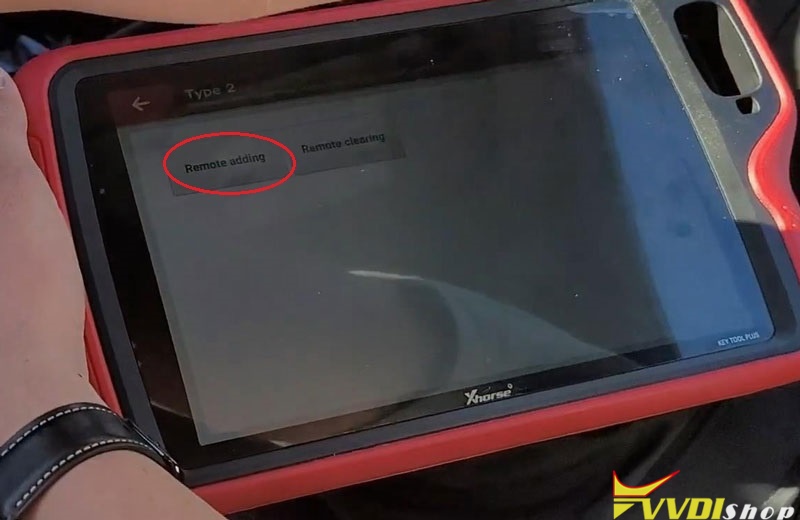
Press both LOCK and UNLOCK button of remote for 4 seconds, then press LOCK button for 1 second(if no programmed, please press both LOCK and UNLOCK button of the key for 4 seconds, after releasing press UNLOCK and LOCK button at the same time.)
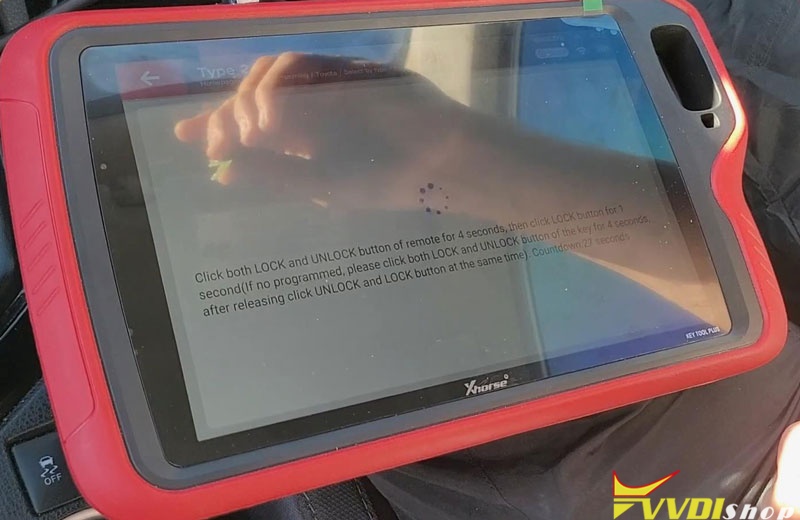
Okay it is done.
Let me have a check, everything is work! Job has done.
Toyota Corolla 2018 key remote programming is done. With OBD connect to the Xhorse Key Tool PlusPad, it is quick and easy to operate in 4 minutes.
Xhorse Key Tool Plus read MSV80 DME ISN
Xhorse VVDI Key Tool Plus PAD inherited feature of VVDI BMW to read read engine basic information and ECU ISN via OBD. Supports reading ISN from ECU/DME MSV80, MSV801, MSD80, MSD81, MSD802, MSD812, MSD851 MED17xx, MVD17xx MEVD17XX MV1722 MED172 MEV17N46 ME17N45 etc.
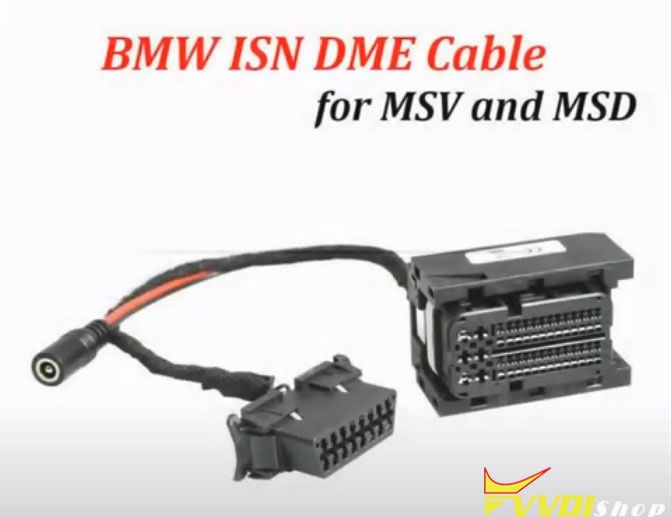
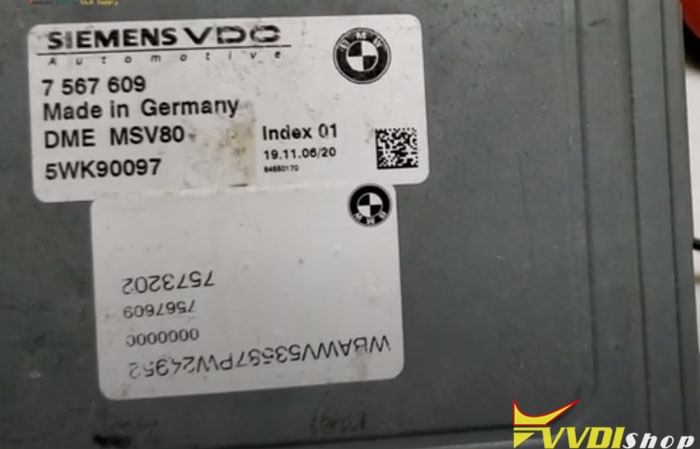
Here is the demo guide to read MSV80 ECU ISN using key tool plus and BMW ISN DME cable (fast read no soldering)
Procedure:
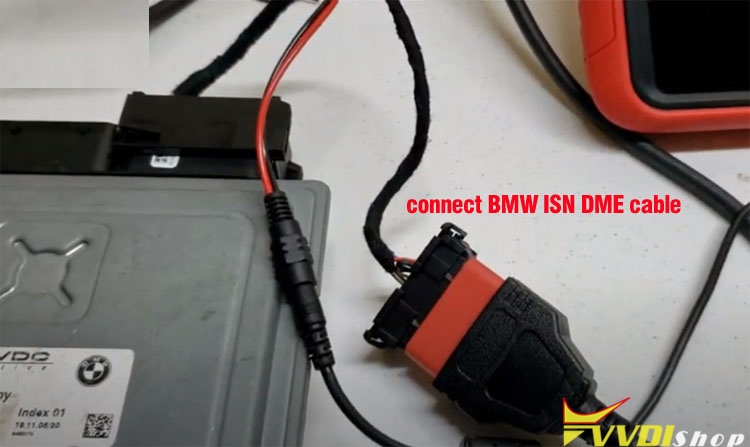
Connect BMW DME cable with xhorse key tool plus and MSV80 DME
Select IMMO Programming->BMW->Select from system->ECU ISN->Begin
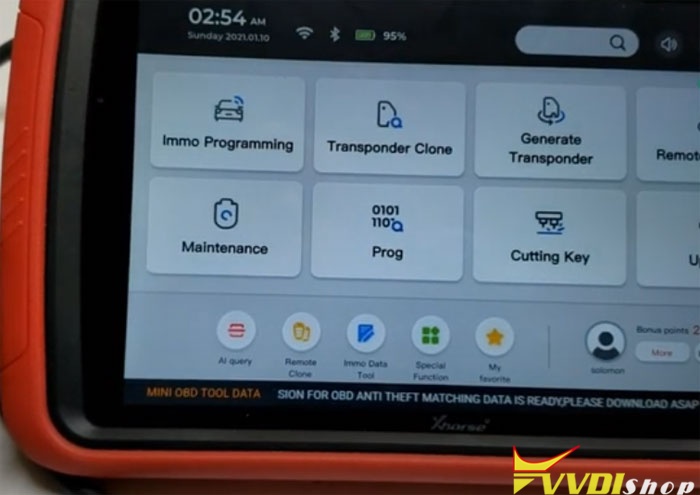
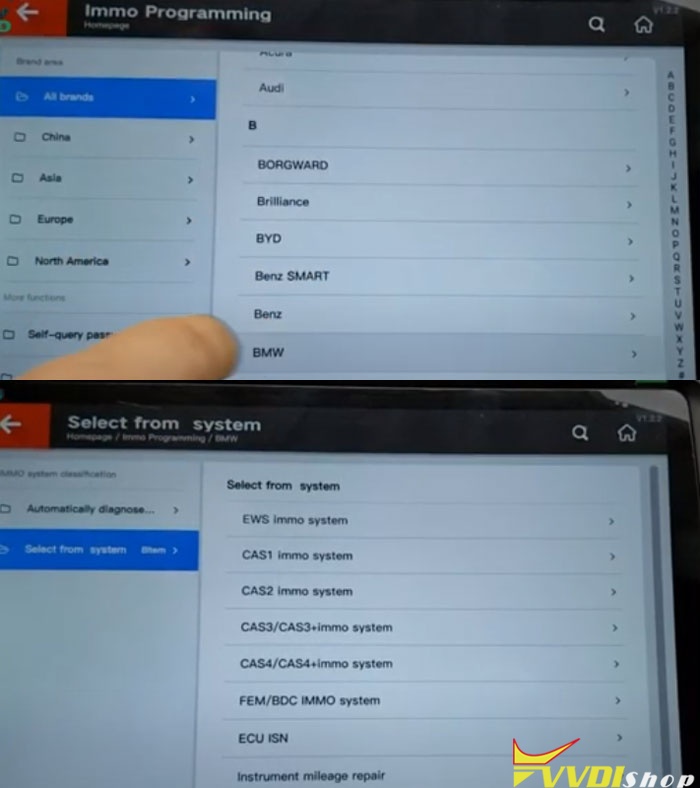
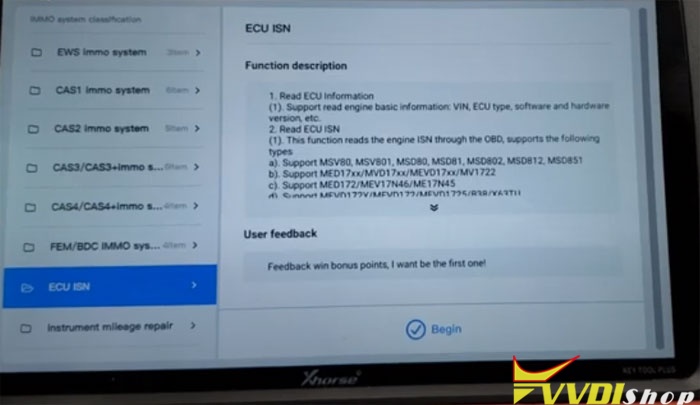
Select system type: MSV80->Read ECU information
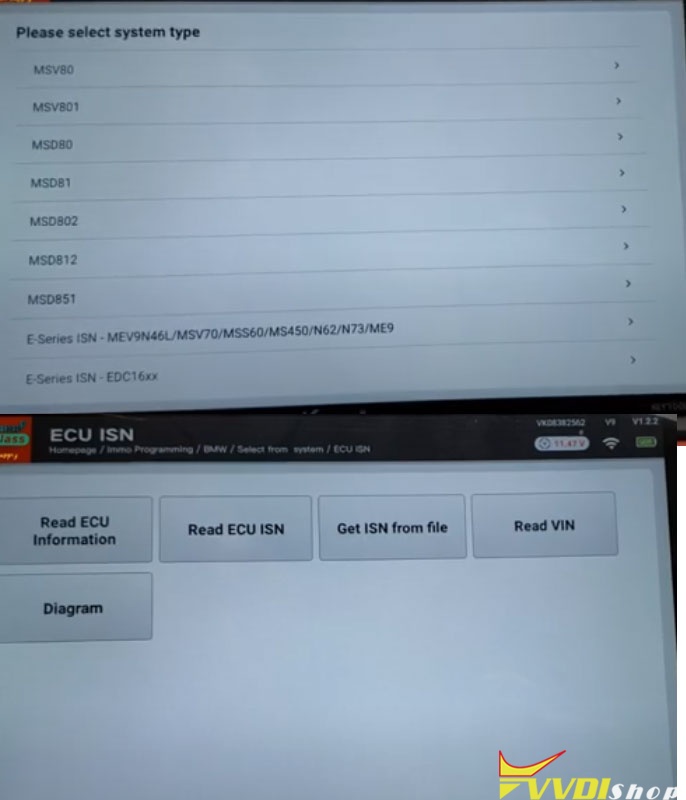
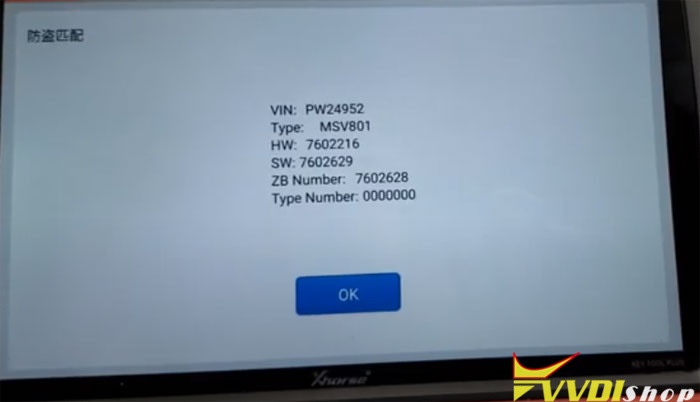
Read ECU basic information VIN, HW, SW, Type etc
Then press Read ECU ISN
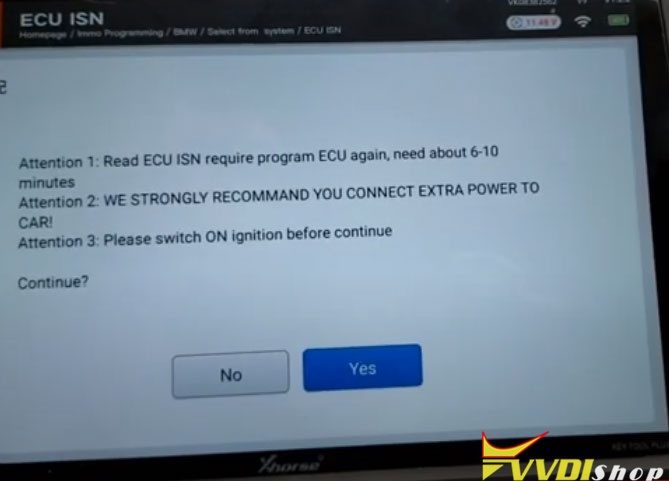
The procedure takes 6-10 minutes, switch ON ignition before continue
Enter programming session
Erasing flash
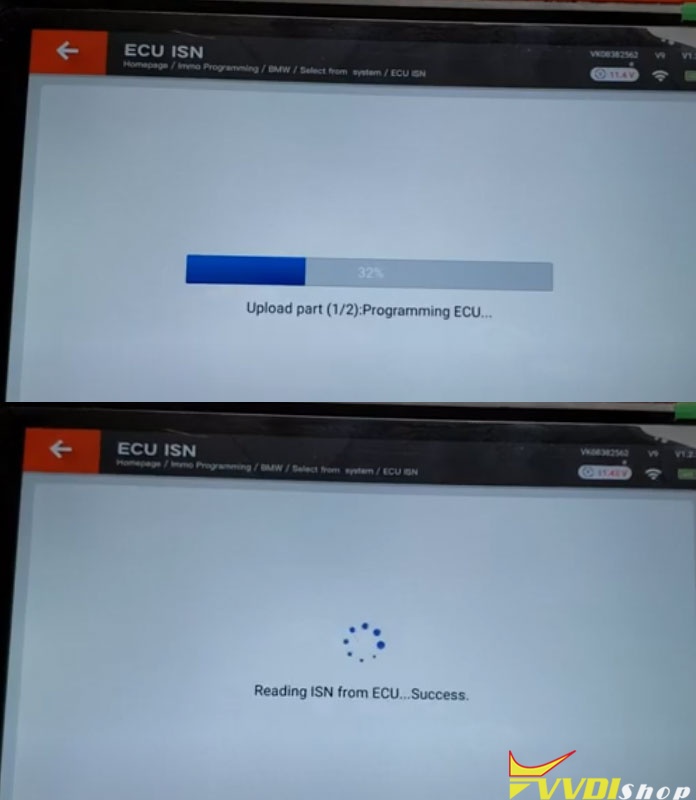
Programming ECU
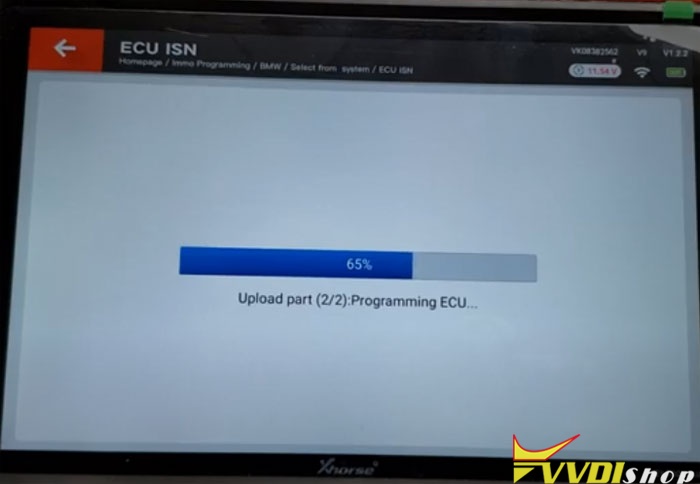
Processing upload part 2
Checking signature
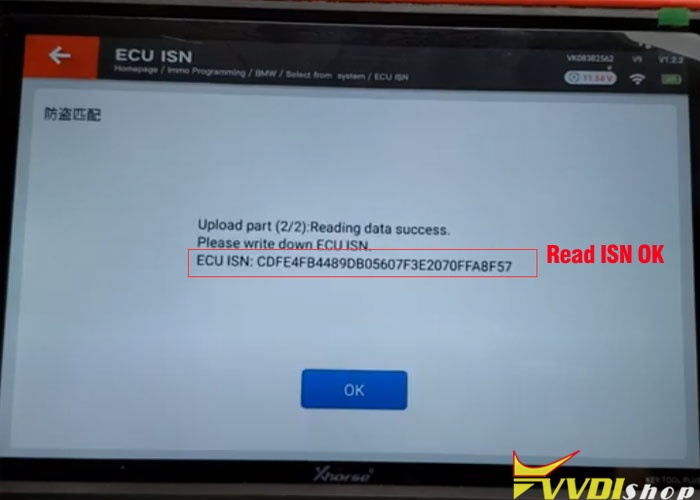
Read ECU ISN success.
www.vvdishop.com