ابزار Xhorse VVDI
Xhose VVDI نرم افزار برنامه نویس اصلی و سخت افزارابزار Xhorse VVDI
Xhose VVDI نرم افزار برنامه نویس اصلی و سخت افزارAdd Toyota Vitz 2017 4D Smart Key with Xhorse VVDI Mini OBD Tool
Xhorse VVDI Key Tool Max + MINI OBD Tool can add Toyota Vitz 2017 3rd GEN 4D+ CAN smart key easily in 2 mins. The operation procedure also works for Toyota Vitz 2010+, Axio 2014+, Prius 2009+, Aqua 2011+, Prado 2010+ vehicles.
Prepare
A working key & a new Toyota 4D 8A Smart Key are required.
Plug MINI OBD Tool into OBD2 interface.
Connect to VVDI Key Tool Max via Bluetooth.
Procedure
Go to MINI OBD Tool page,
Immo programming >> Toyota >> Select by type >> Smart key system >> Type 3(8A/4D+ CAN) >> Start execution >> Add a key
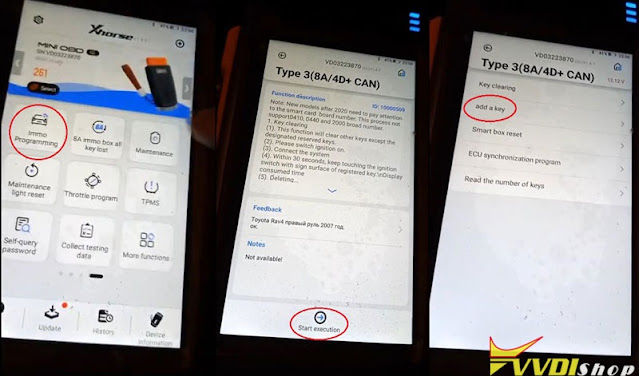
Please switch ignition on.
The number of registered key: 2
The number of keys that can also be registered: 5
Keep touching the ignition switch with sign surface of a working key, completed within 30s after clicking “OK”.
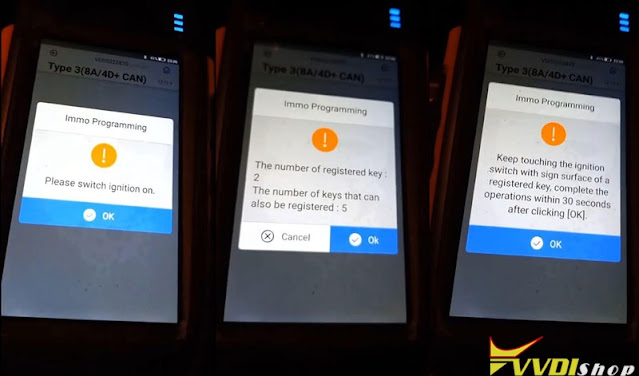
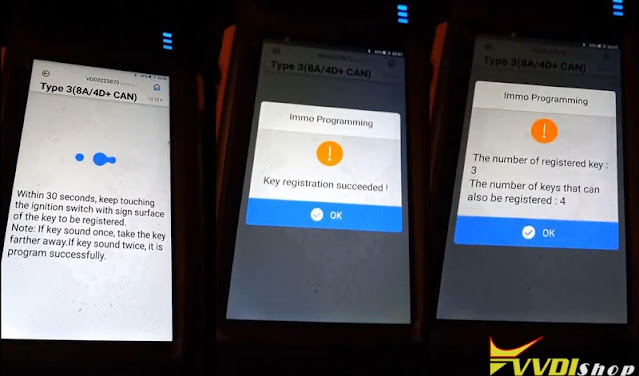
Keep touching the ignition switch with sign surface of a new key within 30s.
Note:
If key sound once, take the key farther away;
If key sound twice, it’s programmed successfully.
Key detected, programming…
Please keep the key touching the ignition switch.
Make sure all steps are completed.
Wait for registration to complete.
Key registration succeeded!
The number of registered key: 3
The number of keys that can also be registered: 4
Remember to check the functions of smart key, all are normal.
Done!
This is how to use VVDI Key Tool Max with MINI OBD Tool to add a Toyota 4D+ CAN key.
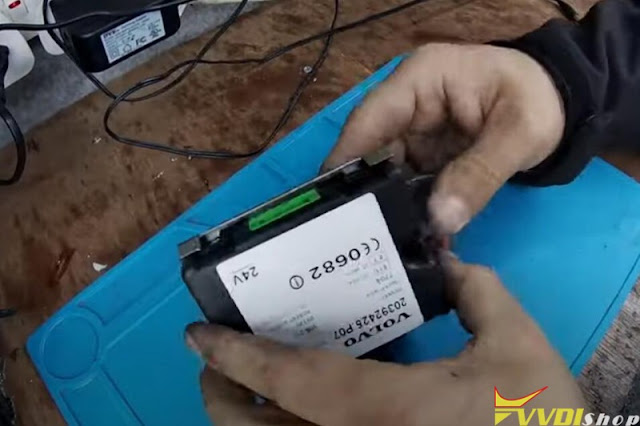
Xhorse VVDI Key Tool Max File Make Key Volvo FH12 2010 Truck
How-to: programming the transponder chip on Volvo FH12 2010 Euro5 truck under all keys lost situation using xhorse vvdi key tool max.

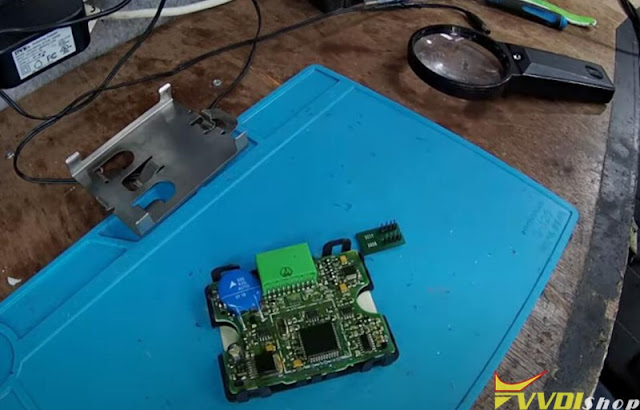
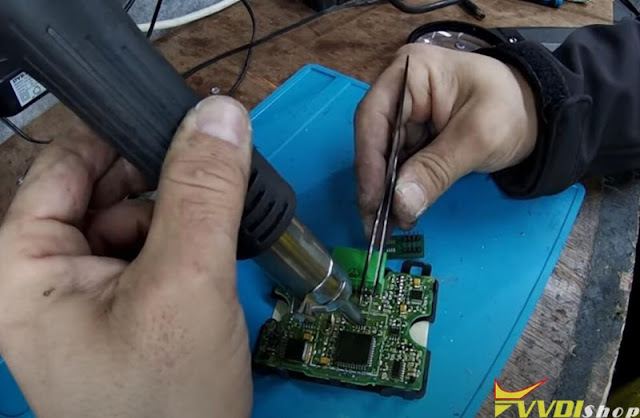


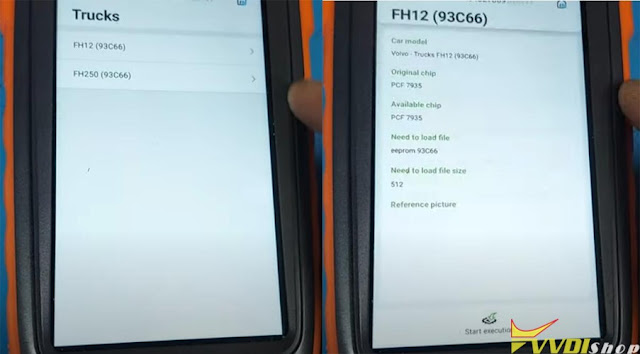

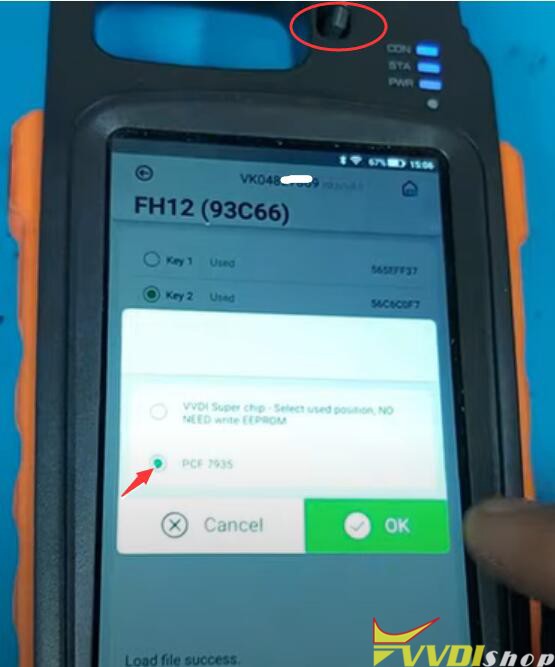


How to Read BMW MG1 ISN with Xhorse VVDI Prog?
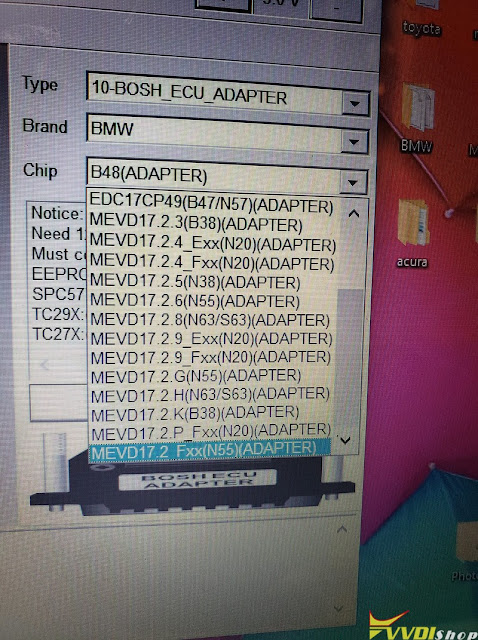
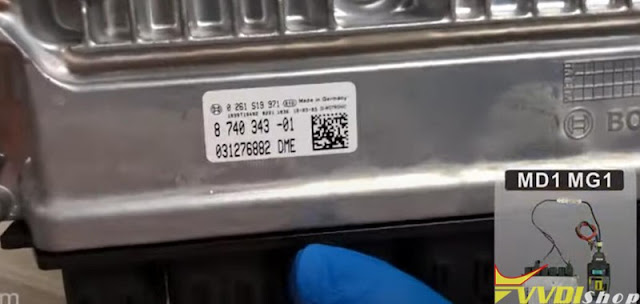
2017 BMW 330i B46 (MG1CS003) ISN failed to read with Yanhua ACDP, It is not G series, im508 reads it FEM system. Possible to read with xhorse vvdi prog and bosch adapter? Can’t find B46 under list.
Solution:
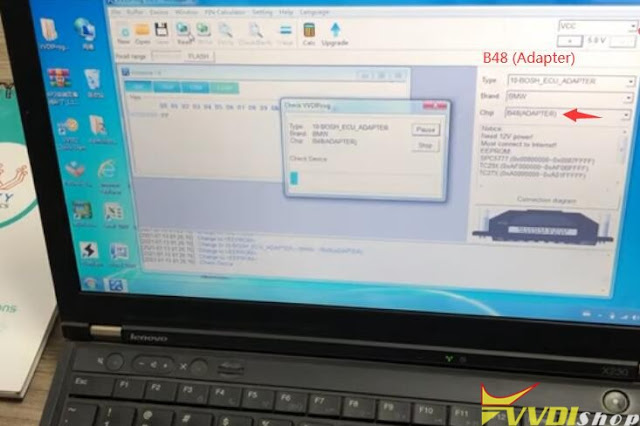
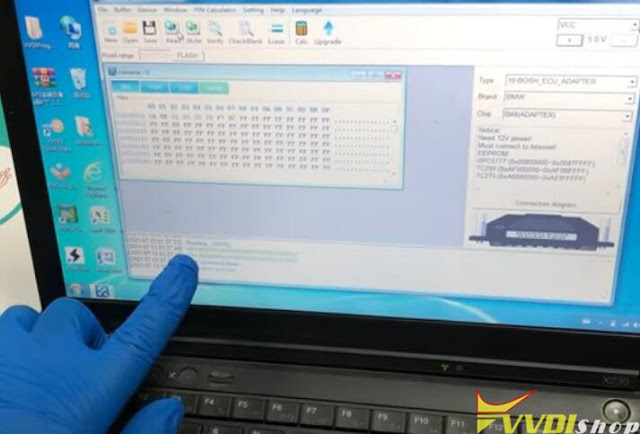
Try to read under B48 and B58 (Adapter). Check: Xhorse VVDI Prog Read BMW B48 B58 ISN Code Success
We have a customer who did it successfully (petrol model). Raise your voltage to 14.5 and read.
If edc17c50 is diesel, it can be done as well.


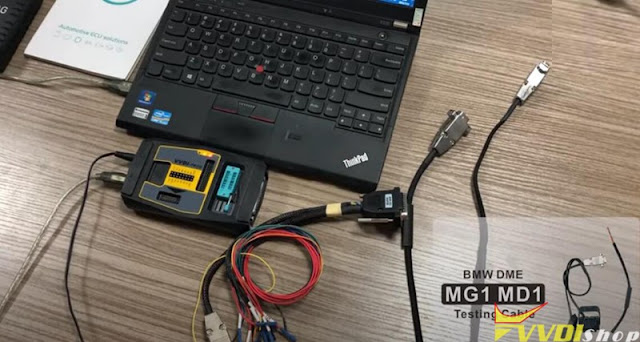
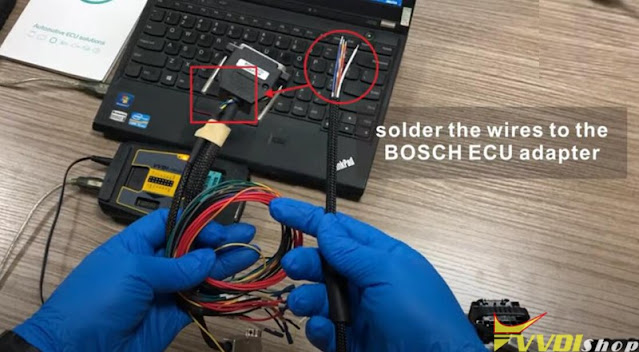
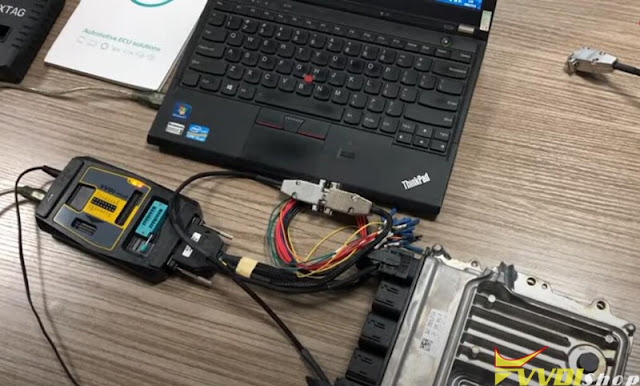
You can also get an optional BMW MG1/MD1 DME adapter on the aftermarket to make job easier. Operation images attached:

www.vvdishop.com
Xhorse VVDI2 Write Key Renault Kangoo 2002-2007
Here is the tip on learning a new transponder for a Renault Kangoo (2002-2007). The customer had lost all keys and now needed a new transponder.
Step 1: Read eeprom 93c56
Locate eeprom ic chip 93c56, desolder from ecu
Solder chip into eeprom adapter
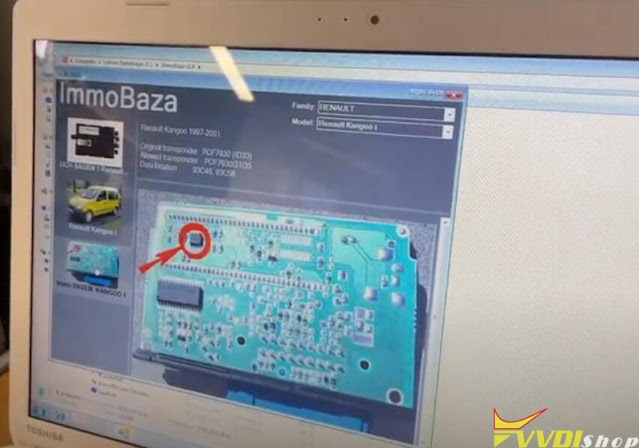

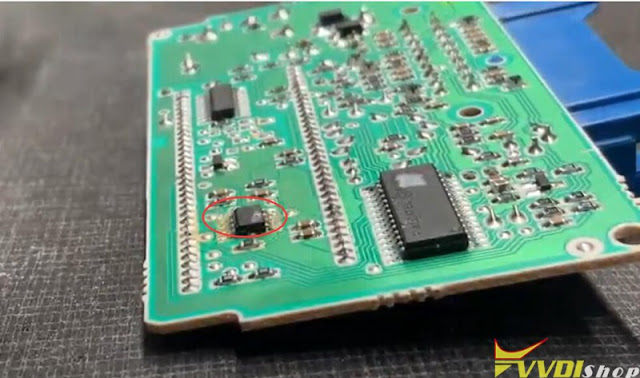


Read and save data with ecu programmer (vvdi prog, orange5, upa etc)

Step 2: Write key via super chip
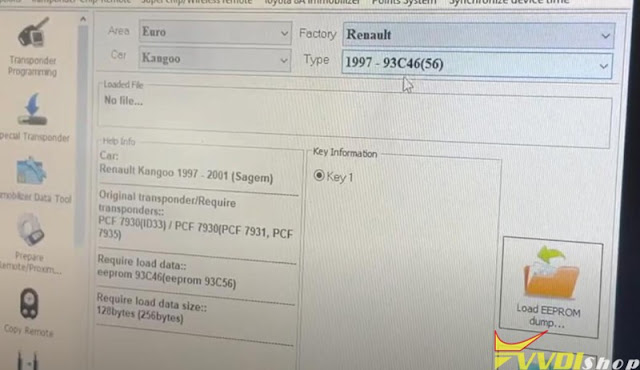
Go to xhorse vvdi2 Immo Data Tool, select Euro- Renault-Kangoo 1997- 93C46(56)

Insert a vvdi super chip into vvdi2 coil
Upload eeprom data read in step 1
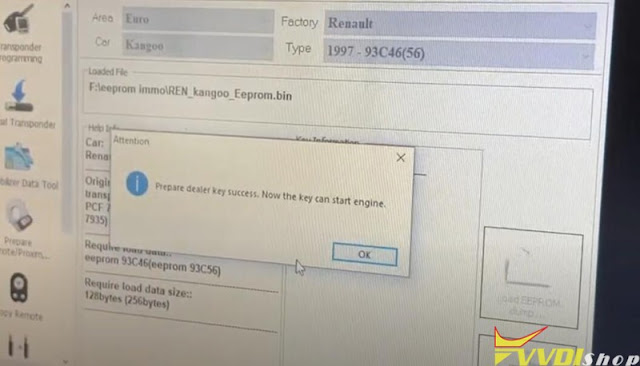
Then make dealer key.
Prepare dealer key success. Now the key can start engine.
Xhorse VVDI Mini OBD Read Hyundai Creta -2007 PIN and Add Key
To successfully program Hyundai Creta(-2007) when all keys lost, all you need is only one tool – Xhorse VVDI MINI OBD Tool. It supports pin code reading & key programming via OBD.
Read Password
Insert VVDI MINI OBD Tool into OBD.
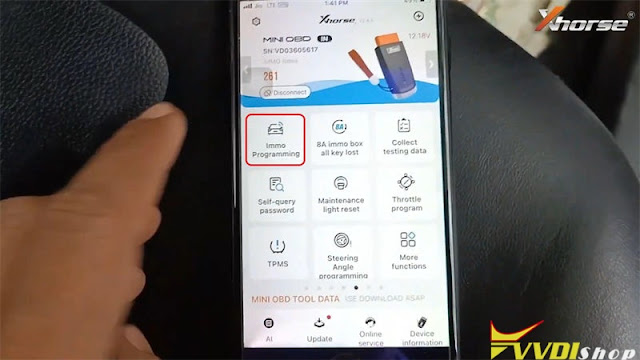
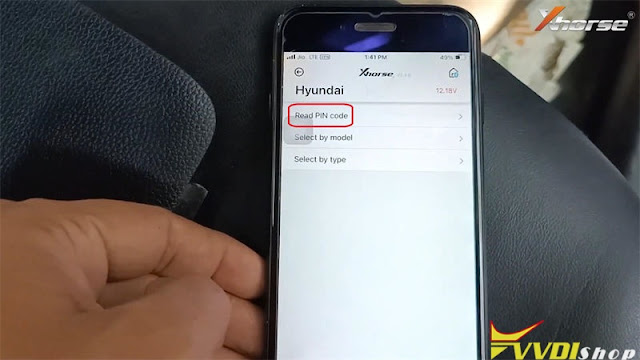
Connect to Xhorse App, go to
Immo programming >> Hyundai >> Read pin code >> Before 2007 model use(6 bit) >> Start execution
Please turn on the ignition switch.
Continue to test the password read currently? No
Operation completed.
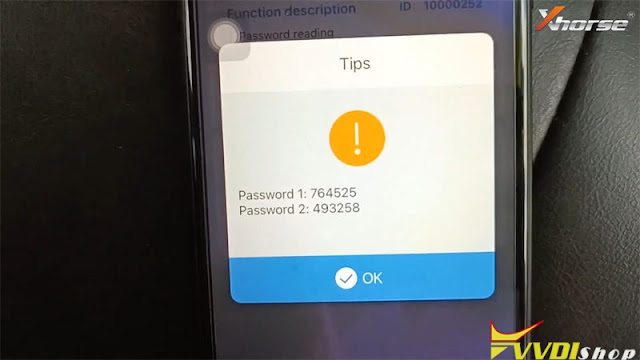
Passwords have been read out successfully.

Key Learning
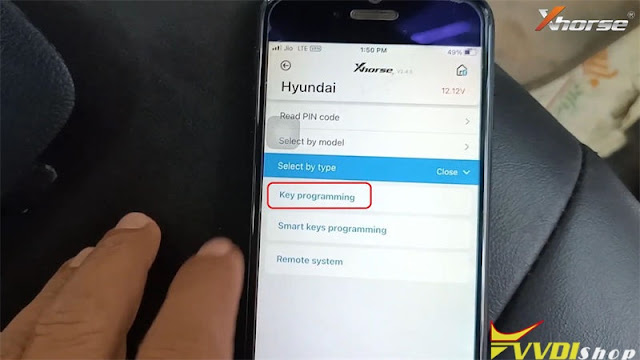
Immo programming >> Hyundai >> Select by type >> Key programming >> type4(CAN) >> Start execution >> Key programming
Please switch ignition off, then switch to ON.
Or click double flash button once to make sure the system is activated.
The number of learned keys: 1
Yes >> Input password >> Yes
Insert the wanted programming key and switch ignition to ON.
1 key learned successfully.
Press “Yes” to learn next one, press “No” to complete.
Test the new key.
It can normally start the car.
Done!
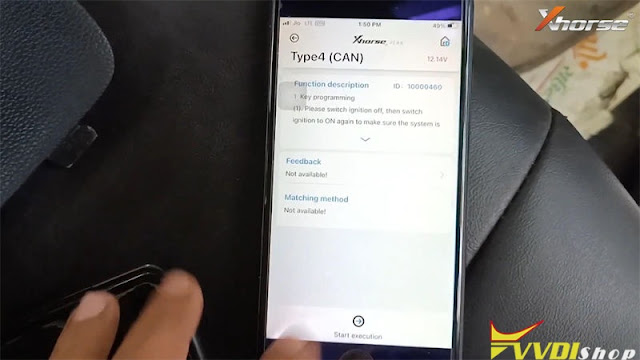

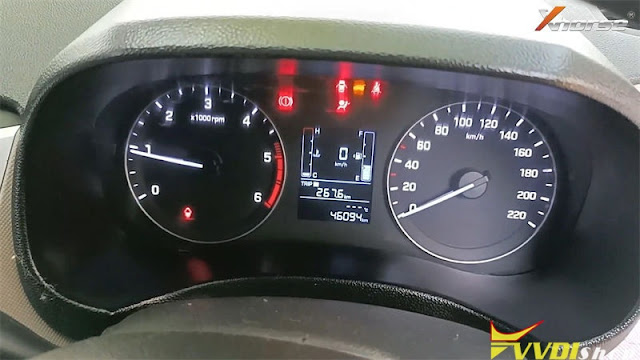

This is how to use VVDI MINI OBD to program Hyundai Creta(-2007) all keys lost. Working with VVDI Key Tool Max will achieve more functions.