ابزار Xhorse VVDI

Xhose VVDI نرم افزار برنامه نویس اصلی و سخت افزار

ابزار Xhorse VVDI

Xhose VVDI نرم افزار برنامه نویس اصلی و سخت افزار

How to ModifyHyundai Kia Key ID with VVDI Key Tool Plus

 There are 2 ways for Hyundai Kia ID47 key adding with Xhorse VVDI Key Tool Plus: One method is programming by OBD after password reading. The other method is programming by modifying key ID.


We already have lots of examples for the first method, so here we’ll mainly discuss on how to add Hyundai Kia ID47 keys by modifying ID.

It may help:

Xhorse Key Tool Plus adds Hyundai i20 Elite Sports 2019 key success

http://blog.vvdishop.com/xhorse-key-tool-plus-adds-hyundai-i20-elite-2019-key/


Generate Remote

Wireless Remote or Super Remote key is required.

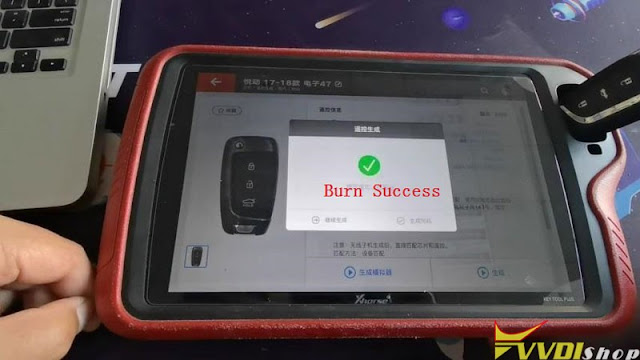
Remote program >> Asia >> Hyundai >> Celesta 17-18 ID47 >> Generate

Burn success.

VVDI Key Tool Plus Add Hyundai Kia Key by Modifying ID 1

VVDI Key Tool Plus Add Hyundai Kia Key by Modifying ID 2

Modify Key ID

Put the original key into VVDI Key Tool Plus slot,

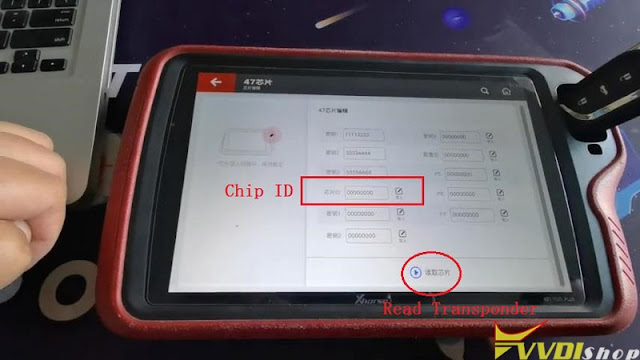
Transponder clone >> Read transponder

Record original key ID.


Put the new key into xhorse Key Tool Plus slot,

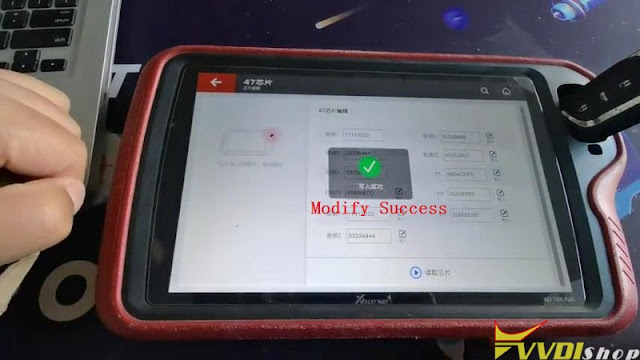
Edit >> Read transponder >> Modify key ID as original key >> Write

Modify ID success.

VVDI Key Tool Plus Add Hyundai Kia Key by Modifying ID 3

VVDI Key Tool Plus Add Hyundai Kia Key by Modifying ID 4

VVDI Key Tool Plus Add Hyundai Kia Key by Modifying ID 5

VVDI Key Tool Plus Add Hyundai Kia Key by Modifying ID 6

Let’s read transponder again.

Its ID has been changed.


Most ID47 keys can start vehicle directly after successful modification. Then its remote can be separately programmed by OBD. In this way, locksmiths can save much cost than usual. If key ID does not support this way, just use password reading method for key programming.

www.vvdishop.com

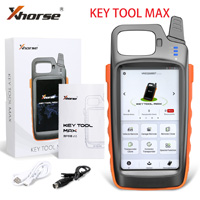
Xhorse Key Tool Max PRO vs Key Tool MAX

What’s the difference between the new xhorse vvdi key tool max PRO and the old key tool max?

Let’s check table comparison first:

ItemXhorse Key Tool Max
key-tool-max-1

Xhorse Key Tool Max Pro

key tool max pro


CPUQuad core CPUQuad core CPU
RAM1G+8G1G+8G
OBD moduleExternal Mini OBD ToolBuilt-in
CANFD module NoYes
OBD Power SupplyNo, power by USB onlyPower by OBD or USB cable
Battery Voltage TestNoYes
Software  
Immobilizer programmingWith Mini OBDBuilt-in
Cadillac CT4/CT5 CAN FDNoYes
Buick GL8/ ENCLAVE CAN FDNoYes
Chevrolet Cavalier / Trax  CAN FDNoYes
Service ResetWith Mini OBDYes, built-in
Generate remote (remote, smart card, Toyota XM remote, garage remote)YesYes
Copy remoteYesYes
Identify/copy chipYesYes
Generate chipYesYes
File make key (Immo data tool)YesYes
Other special functionsYesYes

In sum, the key tool max pro is the combination of key tool max + mini obd tool, with adapter module and battery voltage test.

www.vvdishop.com

How to Connect Dolphin XP005L with Xhorse Key Reader?

 Question: how to connect the new xhorse dolphin xp005l with key reader?


Here’s the tips to connect xhorse key reader with condor/dolphin key cutting machine:

Dolphin XP005Dolphin XP005LCondor Mini Plus connects key reader via Xhorse app on mobile phone

The new Condor XC-Mini Plus II connects with key ready directly without mobile phone.


Connect key reader with Xhorse App via WiFi or Bluetooth:

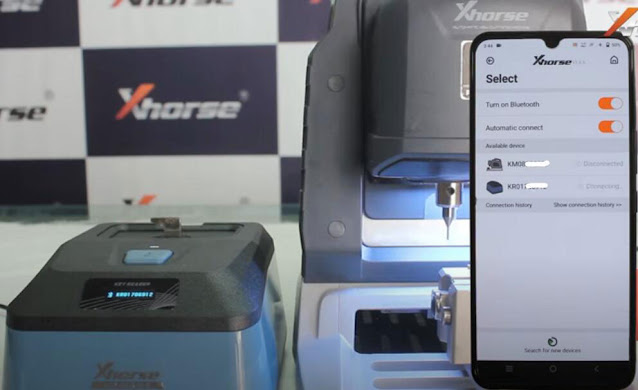
Turn on both xhorse key reader and dolphin/condor
Turn on Bluetooth connection on xhorse app
In xhorse dolphin/condor app, press Select, let it seach devices. You will see 2 devices are connected
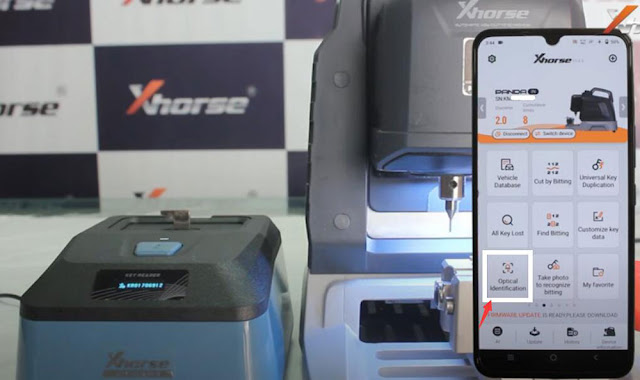
Select Optional identification function in the Xhorse app
Select brand and start using key reader

Connect Xhorse Condor/Dolphin with Key Reader 1

Connect Xhorse Condor/Dolphin with Key Reader 2

Connect Xhorse Condor/Dolphin with Key Reader 3

Demo guide & review: http://blog.vvdishop.com/xhorse-key-reader-review-identify-7-car-keys-fast/

Connect key reader with Condor II within machine instruction will be updated soon.

Xhorse VVDI2 MQB Not Selected Type Solution

 Problem:

Hi i try add key to Tiguan 2019, MQB with  xhorse vvdi2 vag. But it’s something wrong. Not reading immobilizer data (virtual cockpit). VVDI device message ‘this dashboard is not compatible with the one you selected’.
Xhorse VVDI2 Cannot Read MQB VC Immo Data 1

Xhorse VVDI2 Cannot Read MQB VC Immo Data 2

Solution:

Impossible to read Virtual Cockpit with xhorse, autel and all other tools!

All keys lost not possible, just add key by sync data from third party.

You only can’t do the job without someone offering a sync file service if it’s JC or virtual cockpit. If you have vvdi2, you can obtain data with working key.

All keys lost only by Odis online.

Dealer key – ODIS – Service Immobiliser
Now you can read immo data and make additional keys with the exception of JC and VC.

Related reading:  Xhorse VAG IMMO Data Online Calculation Server is Blocked

Xhorse VVDI Prog Clone Smart 450 SAM Module

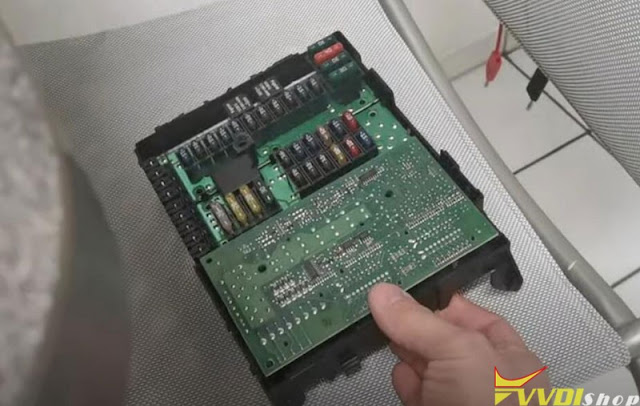
 How-to: clone Smart 450 SAM module Motorola 9s12dg256 Mask 2k79X by xhorse vvdi prog programmer.

Clone Smart 450 SAM with Xhorse VVDI Prog 1

Donor SAM

Clone Smart 450 SAM with Xhorse VVDI Prog 2

New SAM

Clone Smart 450 SAM with Xhorse VVDI Prog 3

using 2K79X wiring diagram from xprog

Step 1: Read donor SAM EEPROM and Flash

Clone Smart 450 SAM with Xhorse VVDI Prog 4

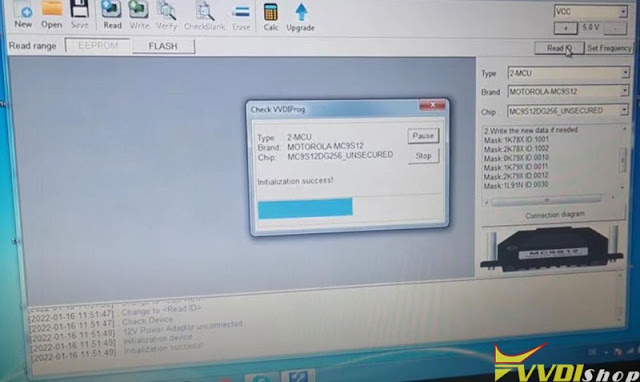
Follow wiring to connect vvdi prog with donor SAM

In vvdiprog software, select Motorola 9s12dg256 2k79X unsecured

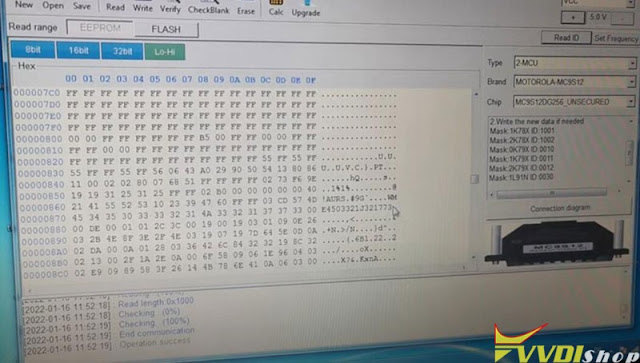
Read EEPROM and save data

Clone Smart 450 SAM with Xhorse VVDI Prog 5

Clone Smart 450 SAM with Xhorse VVDI Prog 6

Clone Smart 450 SAM with Xhorse VVDI Prog 7

Read donor SAM Flash data and save

Clone Smart 450 SAM with Xhorse VVDI Prog 8

Clone Smart 450 SAM with Xhorse VVDI Prog 9

Step 2: Write EEPROM and FLASH to a new SAM

Connect vvdi prog with new SAM module

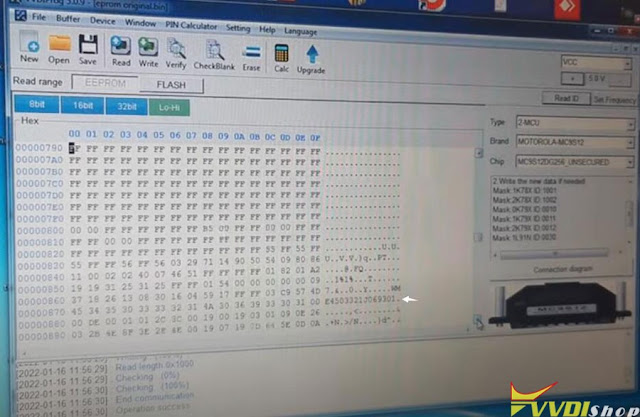
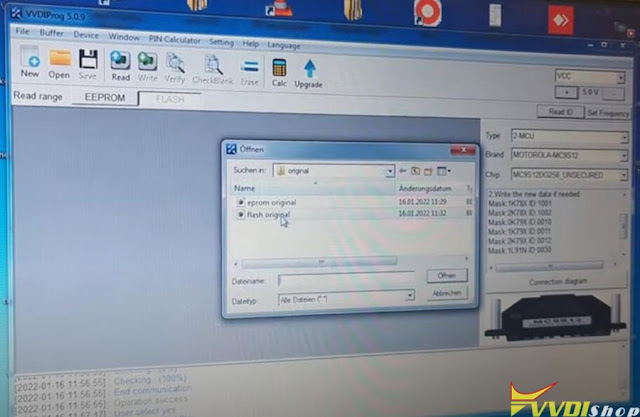
Open original eeprom read in step 1, and write EEPROM

Clone Smart 450 SAM with Xhorse VVDI Prog 10

Clone Smart 450 SAM with Xhorse VVDI Prog 11

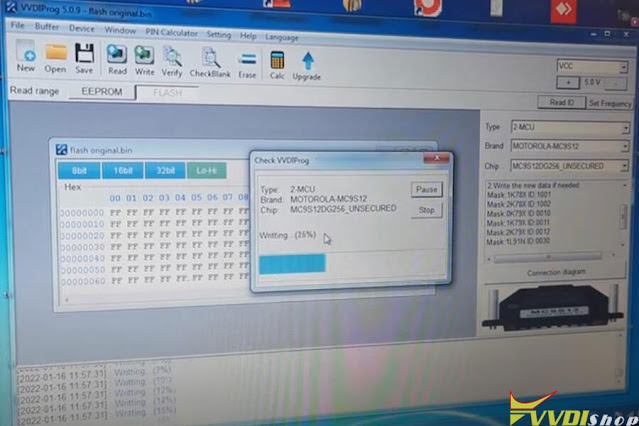
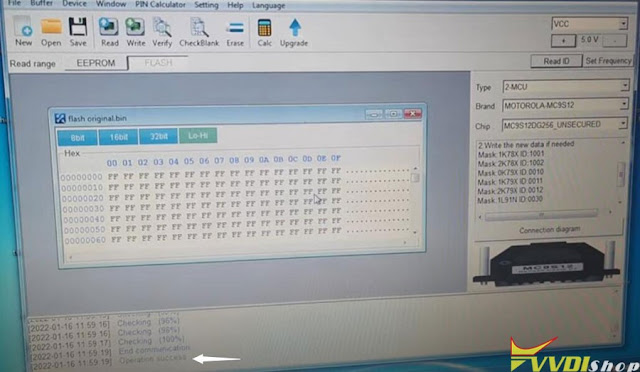
Open original FLASH data and write to new SAM

Clone Smart 450 SAM with Xhorse VVDI Prog 12

Clone Smart 450 SAM with Xhorse VVDI Prog 13

Clone Smart 450 SAM with Xhorse VVDI Prog 14

Install new SAM back to vehicle and test.

www.vvdishop.com