ابزار Xhorse VVDI

Xhose VVDI نرم افزار برنامه نویس اصلی و سخت افزار

ابزار Xhorse VVDI

Xhose VVDI نرم افزار برنامه نویس اصلی و سخت افزار

Xhorse Dolphin XP005 Cut 2017 Ford F250 Key

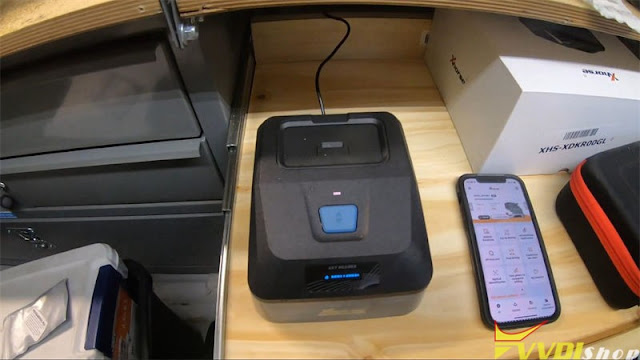
 How to use Xhorse Key Reader + Dolphin XP005 to decode & duplicate a flip key for 2017 Ford F250? Follow the operation below I’m gonna show you.

Dolphin XP005 Decode & Copy Ford HU101 1

Dolphin XP005 Decode & Copy Ford HU101 2

Prepare a Ford working key.

Connect to Dolphin XP005 in Xhorse app, click

Optical identification >> Ford >> All key blank >> HU101 >> OK

Install M2-A clamp & key blank as prompted.


Connect to Key Reader Skimmer.

Open Key Reader key slot to insert the key.

Click “Identification”.

Key Reader will start reading…


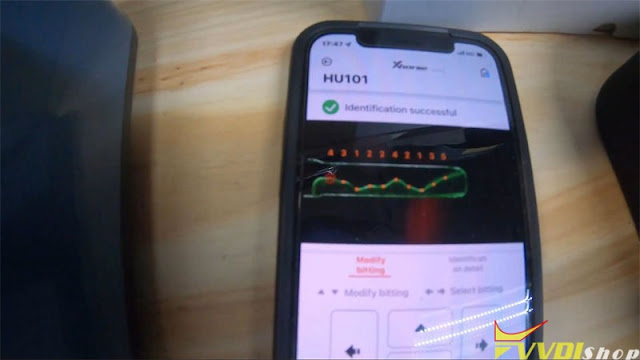
Identification successful.

Key bitting: 4312242135.

It actually sends a picture of the key, so we can take a look at it.

Visually inspect to make sure that Key Reader read it right.

Everything looks good, bitting codes are accurate.


So we can go ahead and send it to Dolphin XP-005 Machine for cutting directly.

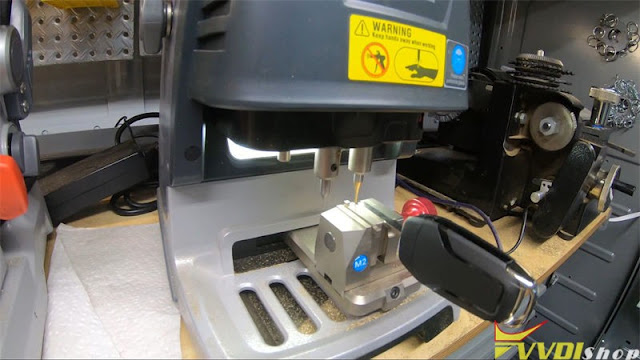
Click “Cutting key >> Cut”.

Dolphin XP005 starts cutting…

Just repeat same command to cut the other side.

Dolphin XP005 Decode & Copy Ford HU101 3

Dolphin XP005 Decode & Copy Ford HU101 4

Dolphin XP005 Decode & Copy Ford HU101 5

Dolphin XP005 Decode & Copy Ford HU101 6

After cutting was done.

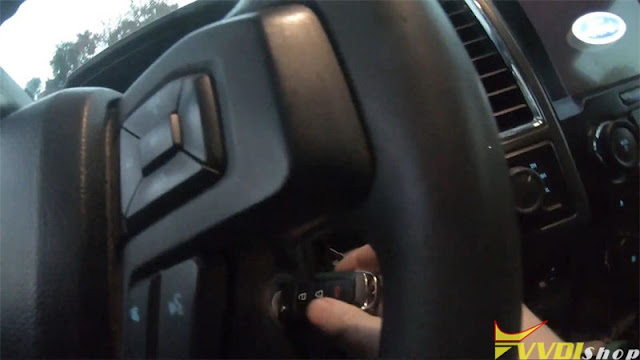
Take out the key to have a try.

It can open the truck door and turn ignition.

Perfectly done!

Dolphin XP005 Decode & Copy Ford HU101 7

Dolphin XP005 Decode & Copy Ford HU101 8

This is using the new Xhorse Key Reader blade skimmer to copy a HU101 10 cuts blade successfully.

www.vvdishop.com

Can You Clone Audi BCM2 Encrypted with VVDI2?

 As titled, we have a customer asking is it possible to clone Audi BCM2 Encrypted with Xhorse VVDI?

Can Xhorse VVDI2 Clone Audi BCM2 Encrypted
We have customers successfully cloned it.

Tools required:
original key
The process is posted below.
Read Original data1
Enter ORI vvdi2
Read ORI data2
Process with vvdi 2
Save Original immo data file.
Save Original service file.
Read USED data1
Read USED data2
Write Original service file.
Car runs, but remote doesn’t function with original key. Made a new key with original immo data. All good.

Then relearned original key. All function ok.

How to Use Xhorse VVDI BIMTool with CAS Plug?

 Xhorse VVDI2 has been long been tested with no issue with the xhorse CAS plug adapter (check previous post). Now the Xhorse VVDIM BIMTool Pro has confirmed working too.

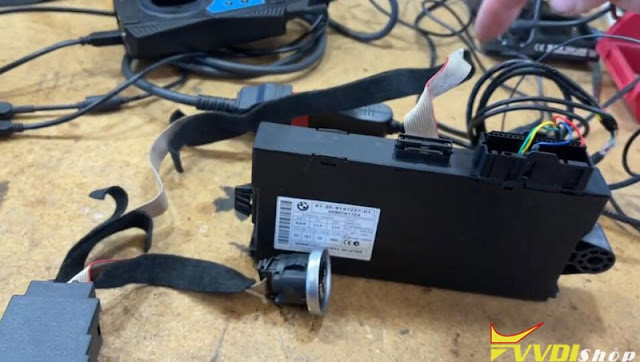
After the recent software and firmware updates you can now connect directly to a cas2 cas3 cas3+ cas3++ cas3+ istap directly without the need for the junction box. This allows you to read isn on bench, add key, downgrade istap and a few other functions. Make sure you are on current software and CAS plug from xhorse.

The released the CAS plug as being able to correct connect directly to a CAS without a JBE module so you can do bench testing or mrp downloads on the bench downgrades with the CAS plug

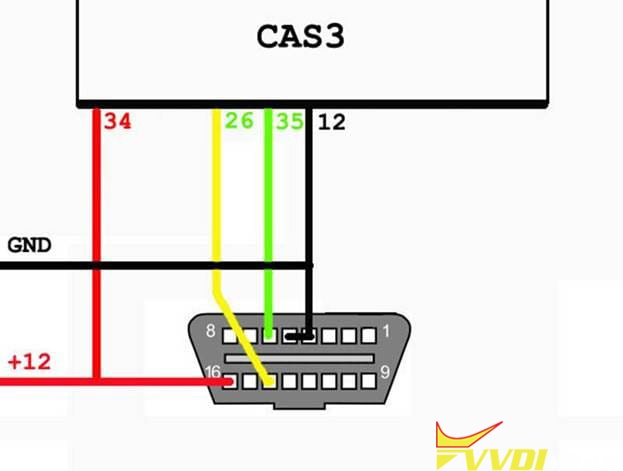
This is the pinout required for a vvdi bim tool to cas plug to work
they will work both vvdi2 and vvdi bimtool CAS1 CAS3 CAS2 CAS3+ CAS++
it will do pretty much all the CAS modules apart from CAS4 in the vvdi hardware range

Xhorse VVDI BIMTool Pro Works with CAS Plug 1

Xhorse VVDI BIMTool Pro Works with CAS Plug 2

Xhorse VVDI BIMTool Pro Works with CAS Plug 3

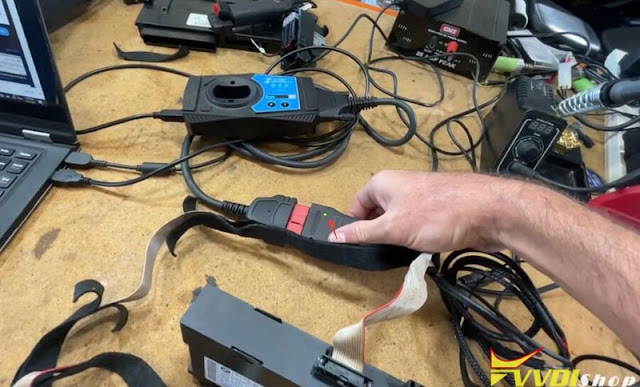
You do need 12 volt source.

You get a 12 v plug plugged straight into the car’s plug here that is then connected into the VVDI BIM Tool in this case.
You can see we get a little green light to say the bim tool is connected actually that green light comes on when you do power it up.

Xhorse VVDI BIMTool Pro Works with CAS Plug 4

Xhorse VVDI BIMTool Pro Works with CAS Plug 5

Xhorse VVDI BIMTool Pro Works with CAS Plug 6

Xhorse VVDI BIMTool Pro Works with CAS Plug 7

If connect failed, re-terminate these terminals. Connect and try again.

Now it connects to CAS system.

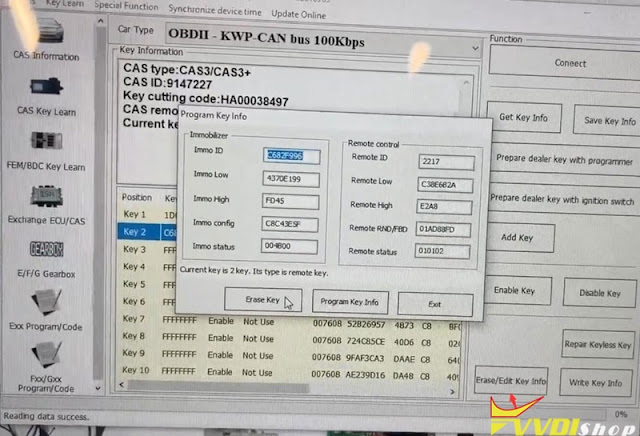
Insert key into ignition and we can get key info.

Start security login, you can see it is CAS3+.

You can delete key, add key once it is connected.

Xhorse VVDI BIMTool Pro Works with CAS Plug 8

Xhorse VVDI BIMTool Pro Works with CAS Plug 9

www.vvdishop.com

Newbie Review on the Xhorse VVDI Mini OBD Tool

 Since Xhorse VVDI MINI OBD Tool launched new maintenance functions last year, it has received great attention from many beginners in industry. It’s better known as a good partner of VVDI Key Tool Max to perform immo programming for vehicles. Actually, use MINI OBD Tool alone can also realize many functions as below.

xhorse vvdi mini obd tool review 1

MINI OBD Tool supports to connect with Xhorse APP on a smart phone via Bluetooth or WiFi. VVDI Key Tool Max is not a must have option. Users can finish various works on mobile terminals, which provides greater convenience when working outside.


Main Functions

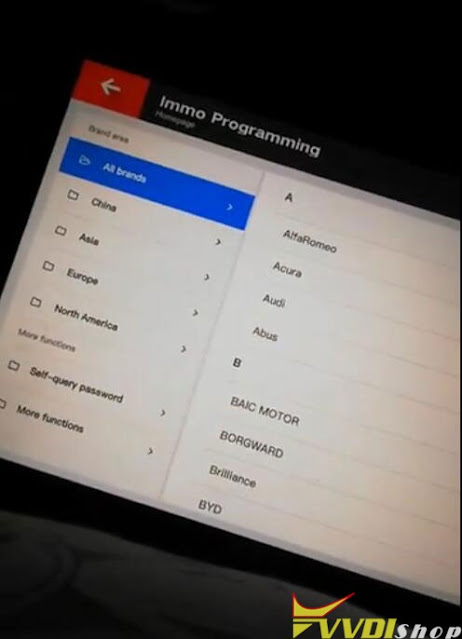
  1. Immo programming
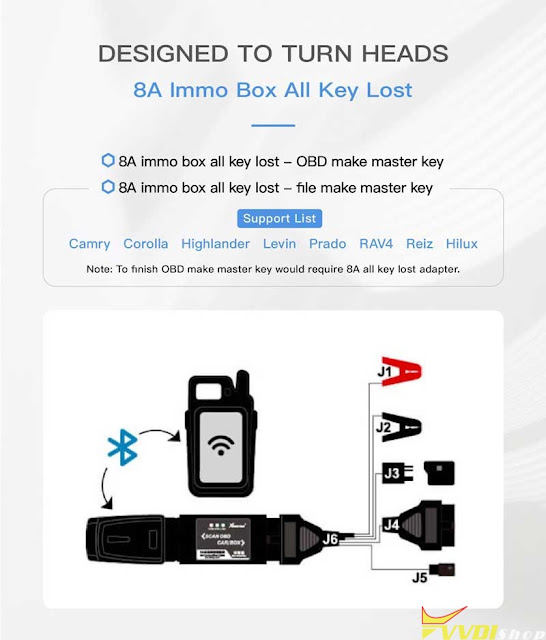
  2. 8A Immo box all key lost
  3. Self-query password
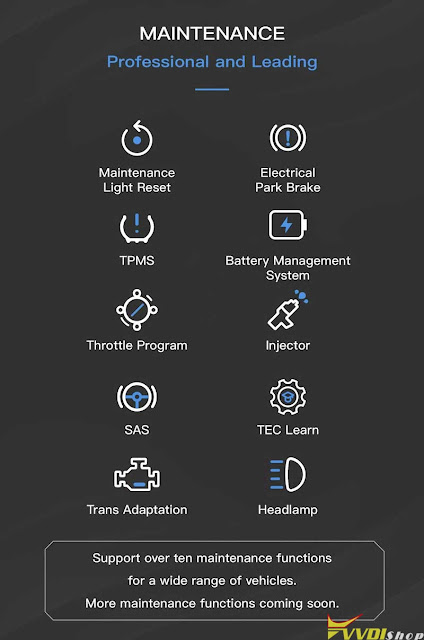
  4. Over 10 maintenance services


Maintenance

  1. Maintenance light reset
  2. Electrical park brake
  3. TPMS
  4. Battery management system
  5. Throttle program
  6. Injector
  7. SAS
  8. TEC Learn
  9. Trans Adaptation
  10. Headlamp

Xhorse MINI OBD supports a wide range of vehicles. Specific car model can consult Vvdishop online service. More functions are coming soon.

xhorse vvdi mini obd tool review 2

xhorse vvdi mini obd tool review 3

xhorse vvdi mini obd tool review 4
  • IMMO Programming
  1. Xhorse MINI OBD Tool is able to finish immo programming for thousands for car models;
  2. Support immo programming via OBD port;
  3. Equipped with rich data base covers over 95% of common cars on the market.

Support car list:

Toyota, Cadillac, Buick, Landrover, Honda, Jeep, Fiat, Ford, Peugeot, Dodge, Mazda, Chevrolet, Chrysler, Nissan, Renault, Renault, Jaguar…

(Please upgrade to latest version for the complete list.)


  • 8A IMMO Box All Key Lost
  1. OBD make master key (Xhorse Toyota 8A AKL Adapter is required);
  2. File make master key.

Support car list: Camry, Corolla, Highlander, Levin, Prado, RAV4, Hilux.
xhorse vvdi mini obd tool review 5


  • Self-Query Password

VVDI MINI OBD comes with a third-party service, self-query password, which allows users to acquire password directly.

Support car list: Buick, Peugeot, Chevrolet, Citroen, Kia, Porsche, Nissan, Hyundai…

(Please upgrade to latest version for the complete list.)


In addition, just like other Xhorse tools, MINI OBD Tool also enjoys 1 year warranty & lifelong free online technical support.


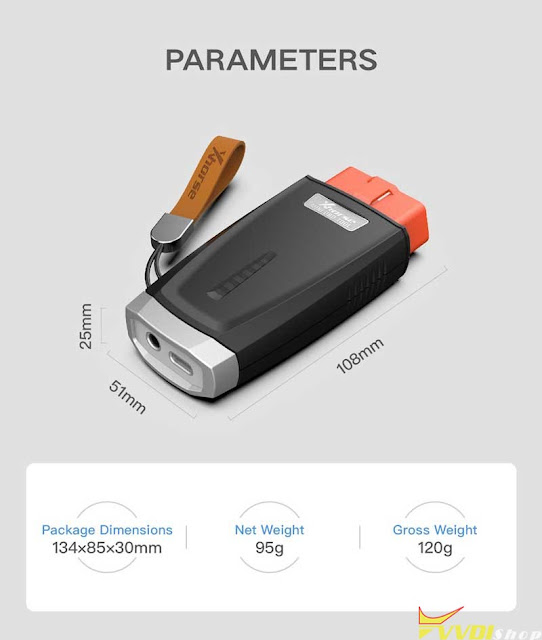
MINI OBD is mini in structure but powerful in functions. It’s not only the unanimous recommendation from most senior locksmiths, but also a top choice for newcomers.
xhorse vvdi mini obd tool review 6

www.vvdishop.com

How to Fix Xhorse Key Tool Plus Immo Data Tool in Chinese?

 Problem:

After the updates, everything is in Chinese in immo data tool of xhorse vvdi key tool plus!
Other menus are fine in English, any idea how to fix it?
Fix VVDI Key Tool Plus Immo Data Tool in Chinese 1

Fix VVDI Key Tool Plus Immo Data Tool in Chinese 2

Solution:
1. Setting access system setting access clear cache then re-download it again
click on ‘Re-download’ here to reload the update.
Problem will be solved.
Fix VVDI Key Tool Plus Immo Data Tool in Chinese 3
Fix VVDI Key Tool Plus Immo Data Tool in Chinese 4
Fix VVDI Key Tool Plus Immo Data Tool in Chinese 5