ابزار Xhorse VVDI
Xhose VVDI نرم افزار برنامه نویس اصلی و سخت افزارابزار Xhorse VVDI
Xhose VVDI نرم افزار برنامه نویس اصلی و سخت افزارXhorse Condor XC-Dolphin vs. Condor XC-Mini
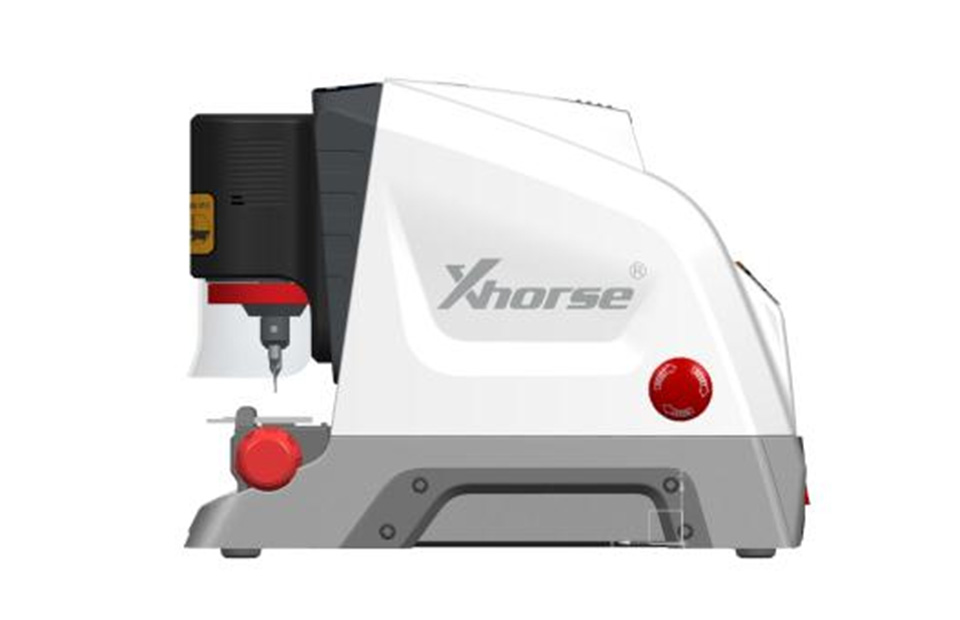
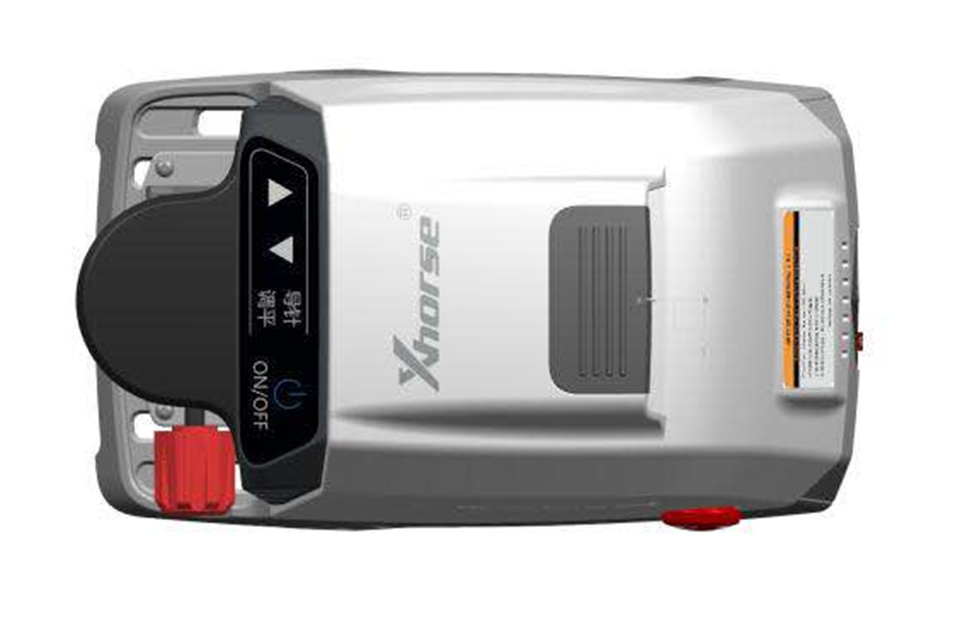
Xhorse have been busy working on the new CNC key cutting machine- XC-Dolphin.
It is a small, compact machine with 10kg of weight.
And of course as everything new these days – it is controlled by connecting to your phone by Bluetooth. Possible to connect to computer too.
It is a small, compact machine with 10kg of weight.
And of course as everything new these days – it is controlled by connecting to your phone by Bluetooth. Possible to connect to computer too.
Condor XC-Dolphin vs. Condor XC-Mini
Condor XC-Dolphin key machine is an entry-level product of the CONDOR CNC machine family. The body design is simple, it is very suitable for mobile use in the mobile scene, without operating screen, you need to connect a mobile phone or tablet, and install a dedicated APN.
| index | XC-DOLPHIN | Condor XC-MINI |
| Spindle | Mechanical shaft +60W DC motor (with a foreign model)” “Electric spindle brushless 300W, built-in angular contact bearing | Electric spindle brushless 300, built-in angular contact bearing |
| Transmission mechanism | “T-shaped screw + anti-backlash nut | Ball screw |
| guide | Roller guide | Cross-track |
| shell | Base aluminum alloy die-casting, the upper body is made of plastic shell and the body is made of integrated aluminum alloy die-casting. | Plastic outer casing body is formed by body alloying die casting |
| Fixture | Standard fixture | Two sets of standard fixtures |
| Manipulation | No touch screen, no built-in database | Quick start, with touch screen, built-in database |
| Offline operation | not support | stand by |
| Dedicated app | Support dedicated mobile phone APp | Support dedicated mobile APP |
| Built-in battery | Not supported, optional external battery | stand by |
| protecting mask | Simple protective cover | Comprehensive protection |
| VVD binding | not support | stand by |
| Cutting speed | 1X SPEED | 2X SPEED |
| weight | <10kg | 18kg |
| Warranty | 1 year | 3 years |
Note: Condor XC-Dolphin is not yet for sale now.

Xhorse VVDI Prog 4.7.3 Software Free on MEGA
Xhorse VVDI Prog programmer software released to V4.7.3 on August 1st, 2018.
No Firmware Upgrade Required
Release Date 1st Aug 2018
Download Online via Upgrade Kit App
VVDIPROG 4.7.3:
Release Date 1st Aug 2018
Download Online via Upgrade Kit App
VVDIPROG 4.7.3:
1- Few Bug Fix’s
2-Added VVDI PROG USER MUNUAL 4.7.3 Version in Doc folder
3-Added in options under
EEPROM&FLASH
CAT1021,
CAT1022,
CAT1023,
CAT1024,
CAT1025
EEPROM&FLASH
CAT1021,
CAT1022,
CAT1023,
CAT1024,
CAT1025
4-Added options under
EEPROM&FLASH + CLIP
CAT1021(CLIP),
CAT1022(CLIP),
CAT1023(CLIP),
CAT1024(CLIP),
CAT1025(CLIP)
EEPROM&FLASH + CLIP
CAT1021(CLIP),
CAT1022(CLIP),
CAT1023(CLIP),
CAT1024(CLIP),
CAT1025(CLIP)
5-Added in options under EEPROM&FLASH
M25P10,
M25P16,
M25P20,
M25P32,
M25P40,
M25P64,
M25P128,
M25P80
M25P10,
M25P16,
M25P20,
M25P32,
M25P40,
M25P64,
M25P128,
M25P80
6-Added in options under
MCU selection block
MC9S12ZVH64,
MC9S12ZVH128,
MC9S12ZVHL32,
MC9S12ZVHL64,
MC9S12ZVL8,
MC9S12ZVL16,
MC9S12ZVL32,
MC9S12ZVL64,
MC9S12ZVL96,
MC9S12ZVL128,
MC9S12ZVLA64,
MC9S12ZVLA96,
MC9S12ZVL128,
MC9S12ZVLS16,
MC9S12ZVLS32,
MC9S12ZVM16,
MC9S12ZVM32,
MC9S12ZVMA16,
MC9S12ZVMA32,
MC9S12ZVMAL16,
MC9S12ZVMAL32,
MC9S12ZVMB48,
MC9S12ZVMB64,
MC9S12ZVMBA48,
MC9S12ZVMBA64,
MC9S12ZVMC64,
MC9S12ZVMC128,
MC9S12ZVMC256,
MC9S12ZVML31,
MC9S12ZVML32,
MC9S12ZVML64,
MC9S12ZVML128,
MC9S12ZVFP64,
MC9S12ZVC64,
MC9S12ZVC96,
MC9S12ZVC128,
MC9S12ZVC192,
MC9S12ZVCA64,
MC9S12ZVCA96
MCU selection block
MC9S12ZVH64,
MC9S12ZVH128,
MC9S12ZVHL32,
MC9S12ZVHL64,
MC9S12ZVL8,
MC9S12ZVL16,
MC9S12ZVL32,
MC9S12ZVL64,
MC9S12ZVL96,
MC9S12ZVL128,
MC9S12ZVLA64,
MC9S12ZVLA96,
MC9S12ZVL128,
MC9S12ZVLS16,
MC9S12ZVLS32,
MC9S12ZVM16,
MC9S12ZVM32,
MC9S12ZVMA16,
MC9S12ZVMA32,
MC9S12ZVMAL16,
MC9S12ZVMAL32,
MC9S12ZVMB48,
MC9S12ZVMB64,
MC9S12ZVMBA48,
MC9S12ZVMBA64,
MC9S12ZVMC64,
MC9S12ZVMC128,
MC9S12ZVMC256,
MC9S12ZVML31,
MC9S12ZVML32,
MC9S12ZVML64,
MC9S12ZVML128,
MC9S12ZVFP64,
MC9S12ZVC64,
MC9S12ZVC96,
MC9S12ZVC128,
MC9S12ZVC192,
MC9S12ZVCA64,
MC9S12ZVCA96
Free download VVDI Prog V4.7.3 software
https://mega.nz/#!y0AVGaiT!WikBQRCzQbstwE_2pmKQSBkaBGiYcFIJrL76rTG4mKUProgram Benz W220 All Keys Lost using VVDI MB
How to: program Mercedes Benz W220 (OD69J) all keys lost using VVDI MB Tool and Orange 5 programmer.
Step 1: Read EZS data with Orange 5
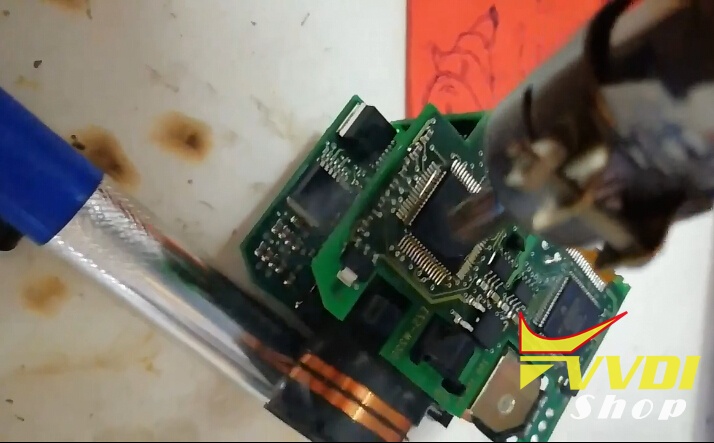
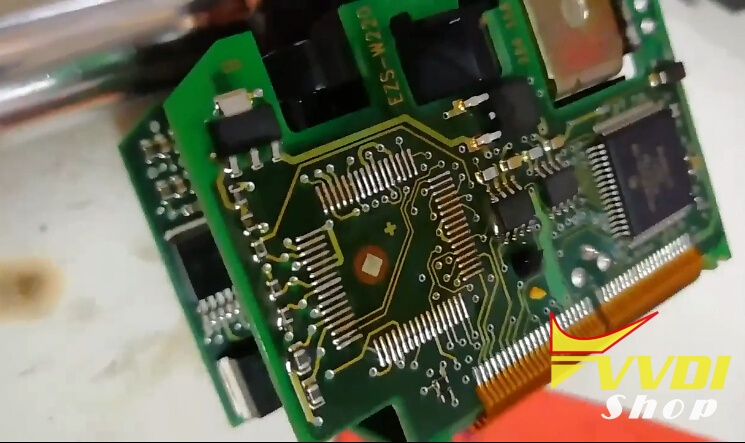
Desolder OD69J chip from W220 EZS with heat gun
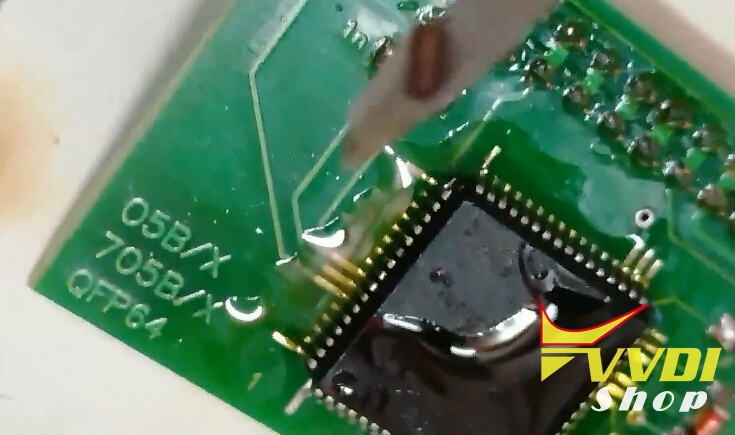
Solder OD69J chip to Orange5’s QFP64 adapter
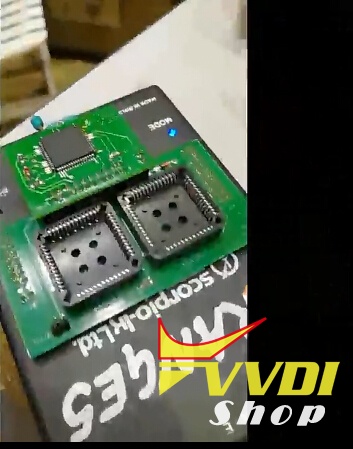
Solder adapter to Orange 5

Read OD69J EZS data and save it
Step 2: Program W220 key with VVDI MB
Select EIS tool->Load EIS data
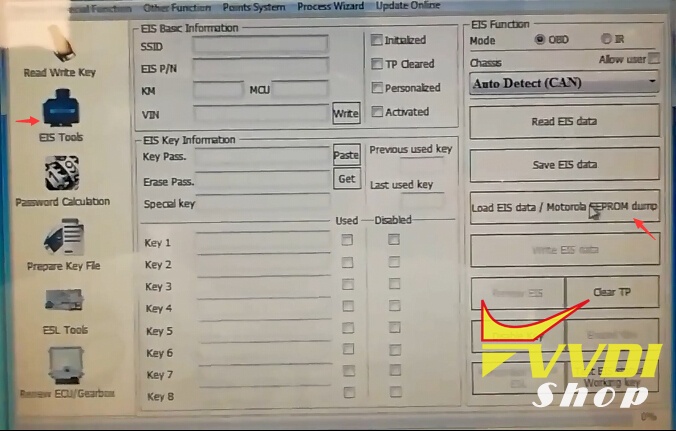
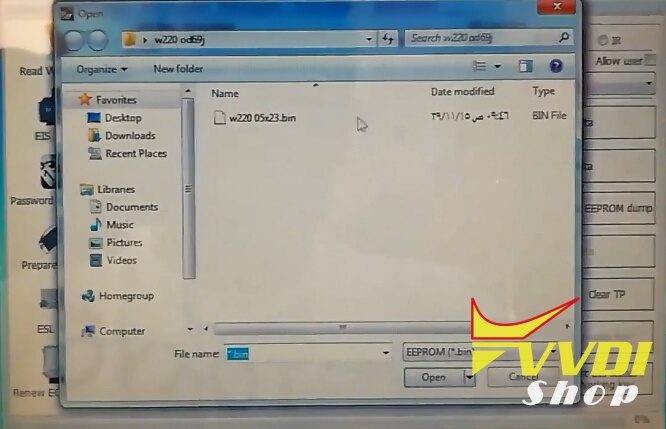
Load EZS data read by Orange5

Display key information
Select Prepare Key File
Load EIS file
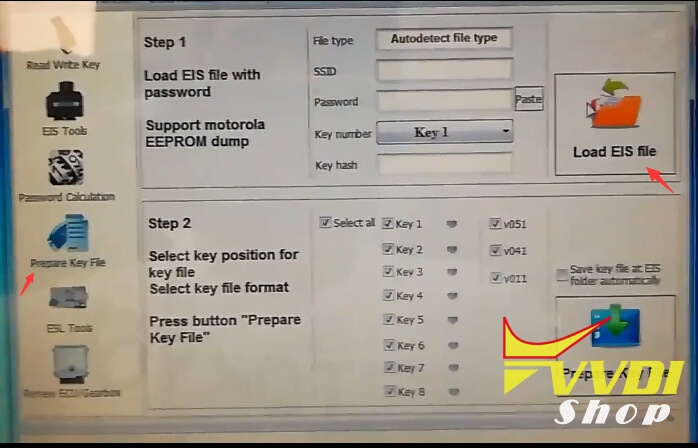
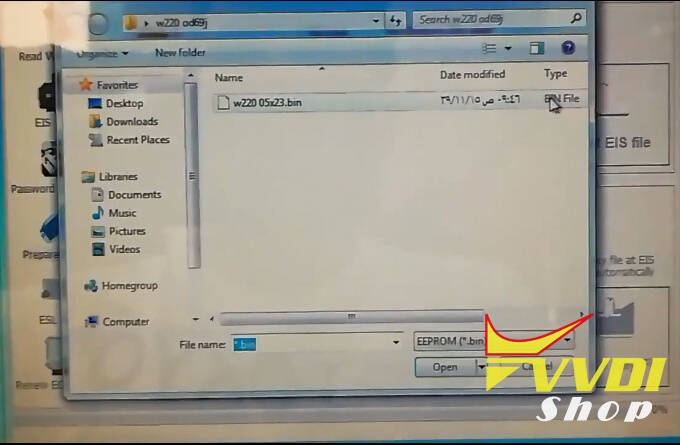
Show key info
Untick v041 and v011, select Prepare Key File

Server calculating
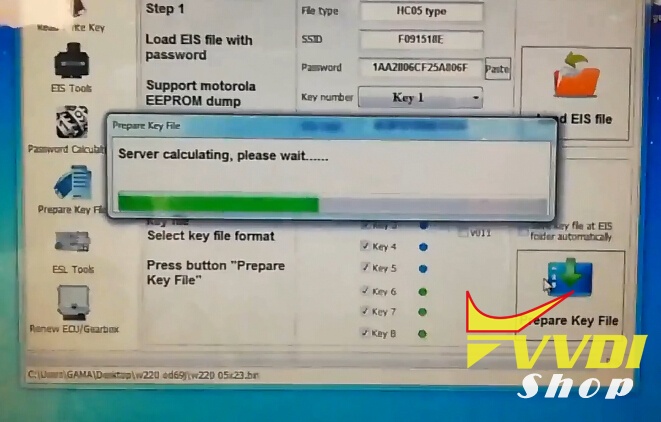
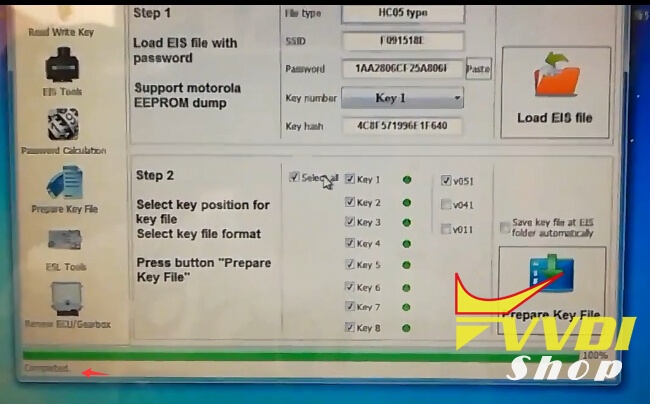
Completed. Save key file.

Insert key into IR
Select Read Write Key->Identification key
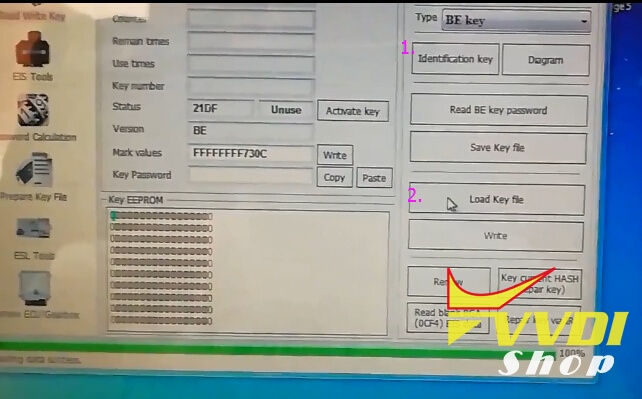
Then Load key file

Write Key

VVDI MB BGA Tool Write W220 key success
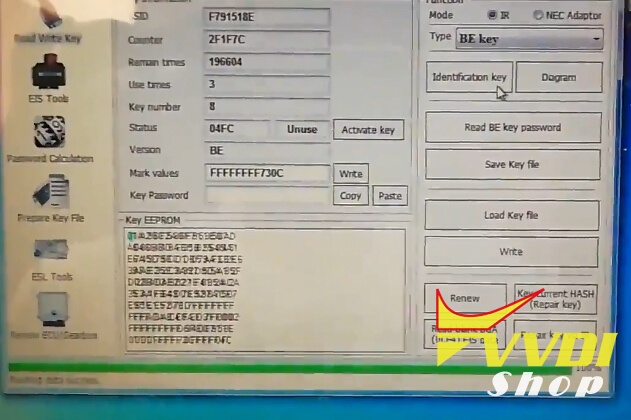
Identify key information again.
Test the new key.
Working no issue.
Done.
VVDI2 Re-adapt Key Audi A7 keyless Go
As titled, here’s the test on re-adapting key on Audi A7 Keyless Go using Xhorse VVDI2 VAG key programmer.

Insert working key into VVDI2
Open VVDI2 VAG software

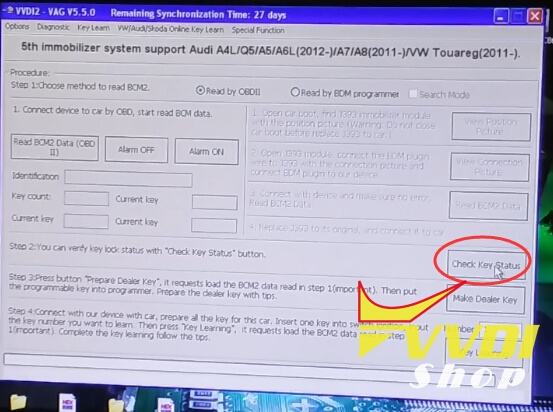
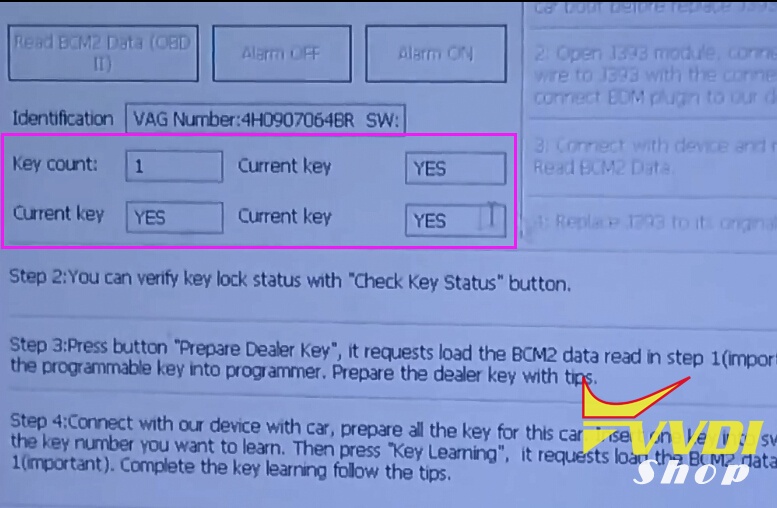
Select Key Learn->5th Immobilizer system->Check key status


The current key has keyless. The key is locked.

Insert another key into VVDI2 key programmer, check key status again

The current key does not have keyless. The key is not locked.
Turn ignition switch to ON position
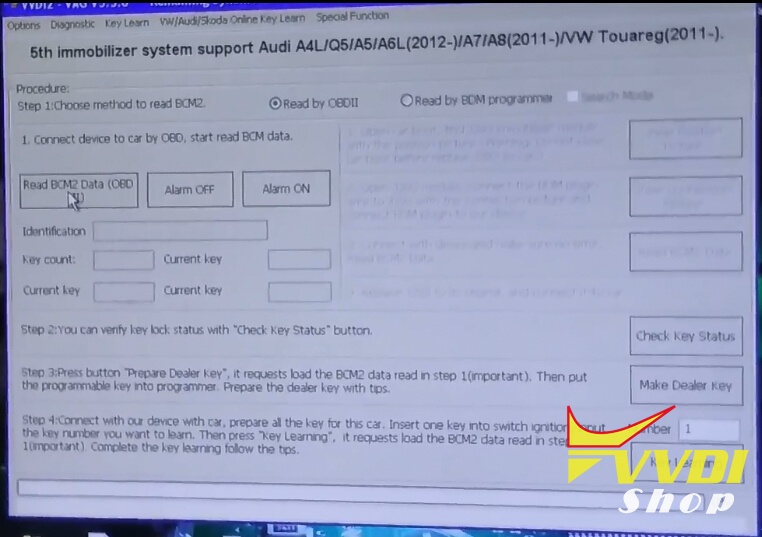
Read BCM2 Data (OBDII)
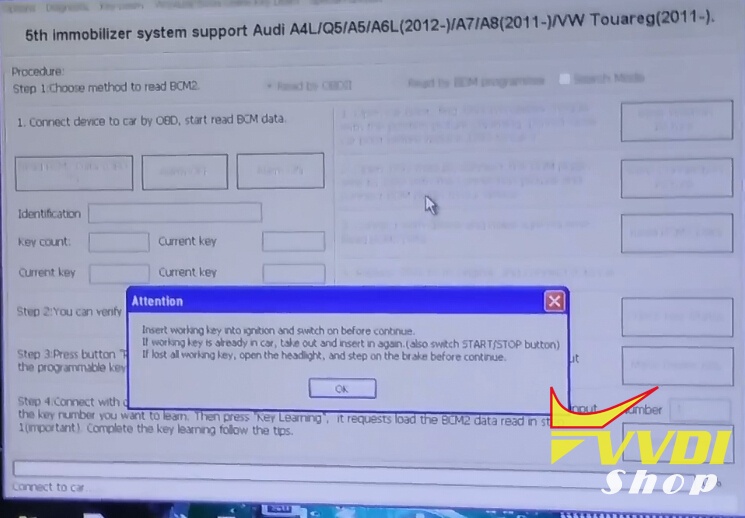
Insert working key into ignition and switch on before continue.
If working key is already in car, take out and insert in again (switch START/STOP button as well)
If lost all working key, open the headlight, and step on the brake before continue.
If working key is already in car, take out and insert in again (switch START/STOP button as well)
If lost all working key, open the headlight, and step on the brake before continue.
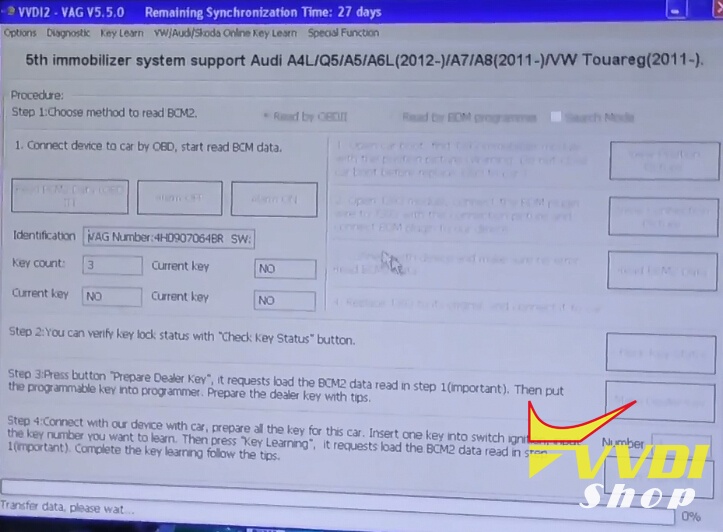
Transfer data
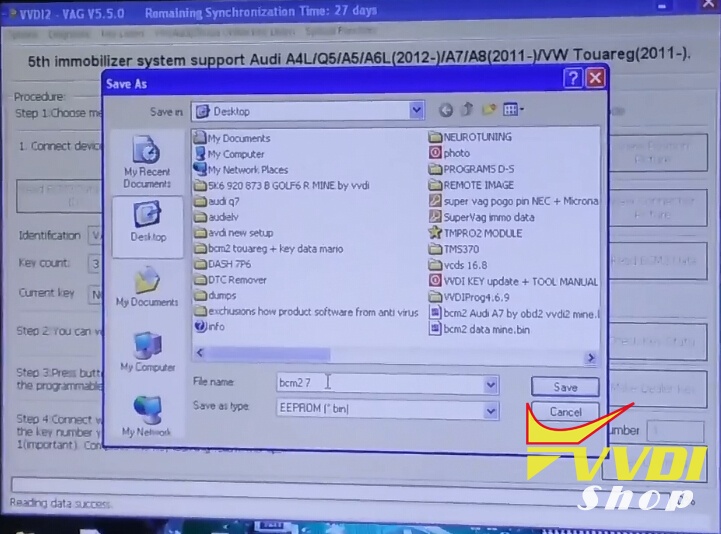
Save data
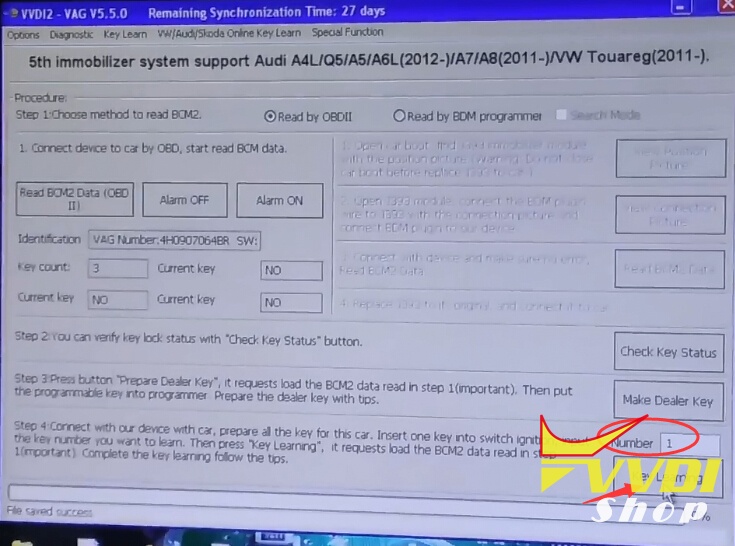
Connect VVDI2 with car,prepare all the key for this car. Insert one key into switch ignition, input the key number you want to learn, Then press “Key Learning”, it requests load the BCM2 data read in step 1.
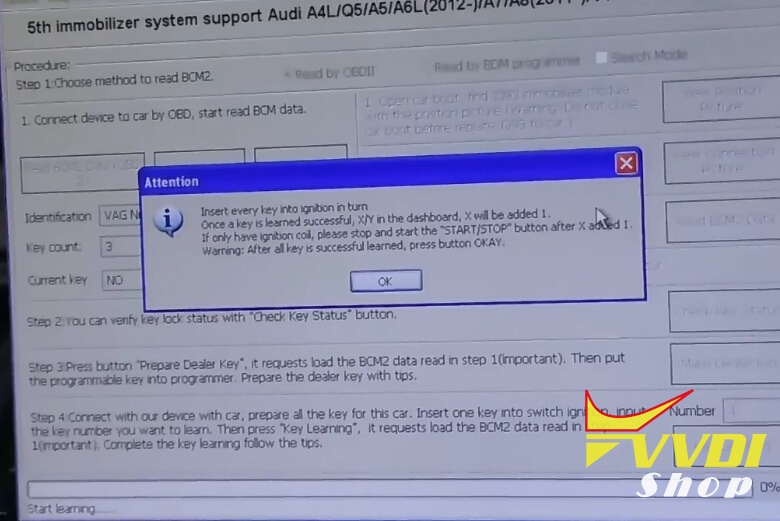

Insert every key into ignition in turn. Once a key is learned successful, X/Y in the dashboard, X will be added 1.
If only have ignition coil, please stop and start the START/STOP button after X added 1.
If only have ignition coil, please stop and start the START/STOP button after X added 1.
Insert working key into ignition or nearby ignition coil and switch on before continue.
If lost all working key, insert dealer key into ignition. Open the headlight, and step on the brake before continue
If lost all working key, insert dealer key into ignition. Open the headlight, and step on the brake before continue
Start learning key
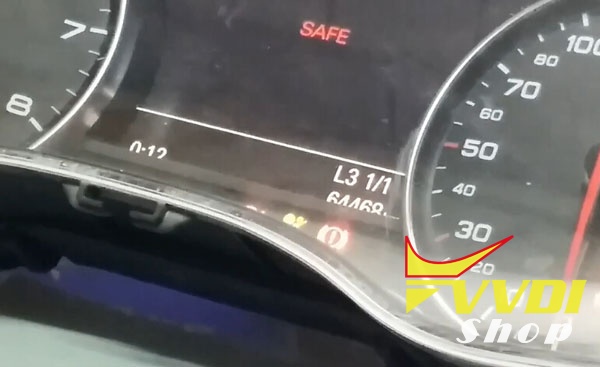
VVDI2 re-adapt Audi A7 keyless go success.
How to transfer VVDI BE Key pro to Points and get 1 VVDI MB Token
Good news to all VVDI MB BGA Tool users!!!
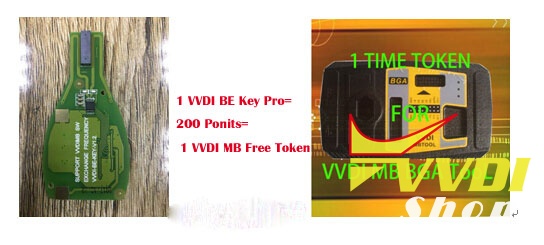
If you buy 1pc Xhorse BE key pro, you’ll get free 200 points which can be exchanged to 1 free token.
1 VVDI BE key pro= 200 Points= 1 Free Token for online password calculation
How to check VVDI points?
Register/login into Xhorse Customer Self-service System with your email and VVDI serial number

Check points and you can transfer points among VVDI devices, VVDI2, VVDI key tool, VVDI MB etc by yourself.

Then transfer 200 points to 1 free token.