ابزار Xhorse VVDI
Xhose VVDI نرم افزار برنامه نویس اصلی و سخت افزارابزار Xhorse VVDI
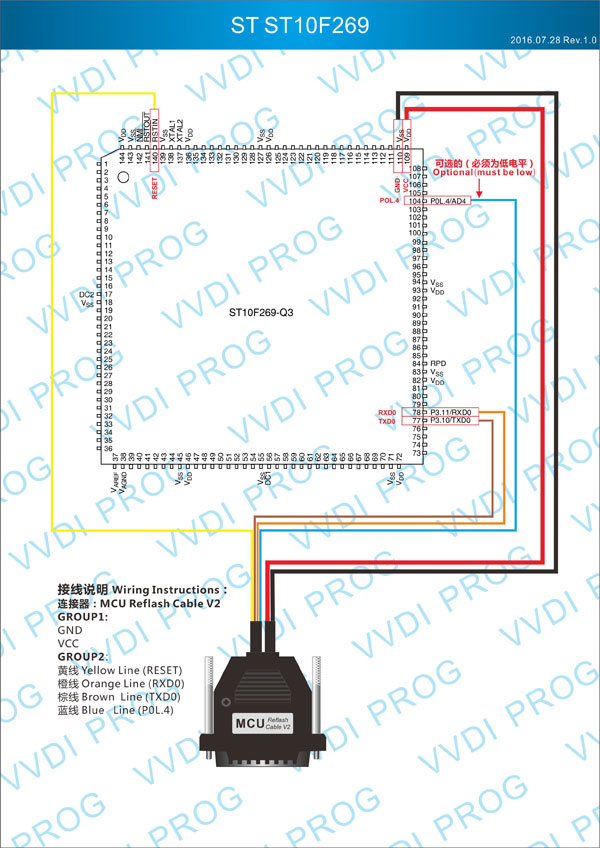
Xhose VVDI نرم افزار برنامه نویس اصلی و سخت افزارVVDI Prog wiring to Renault Power Steering Unit ST10F269
Report: Read + write Renault Megane Power Steering Unit ( ST10F269 ) with Xhorse VVDI Prog programmer success.
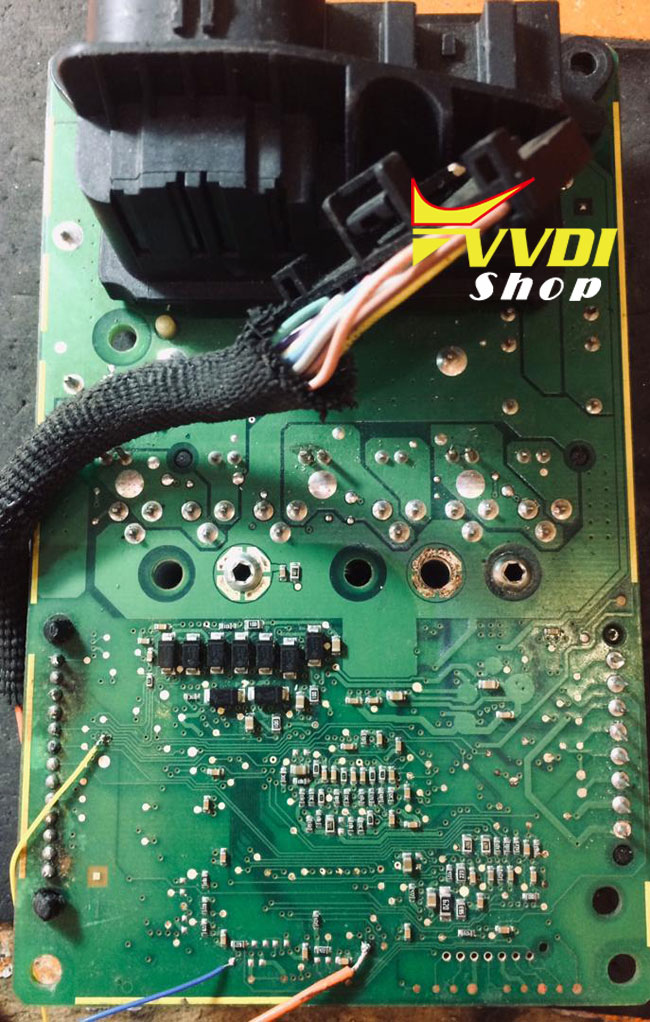
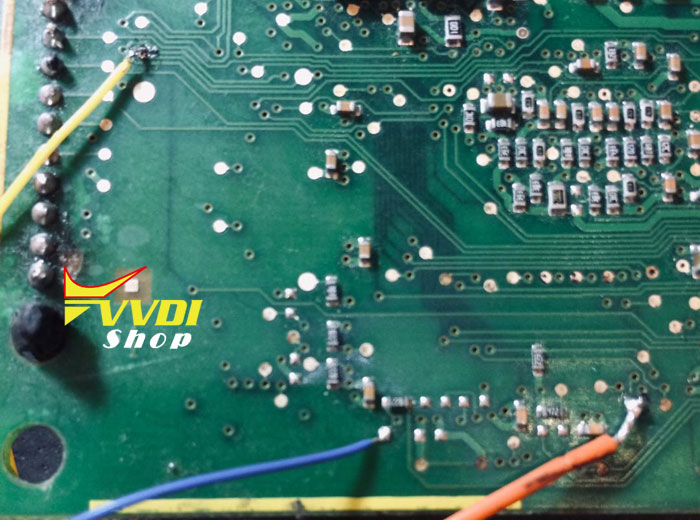
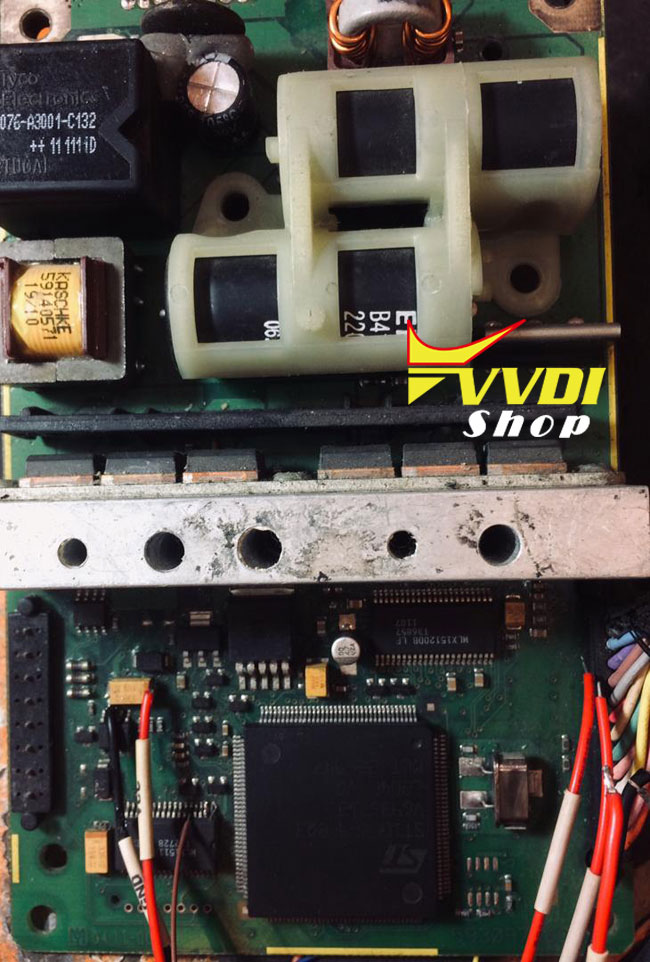
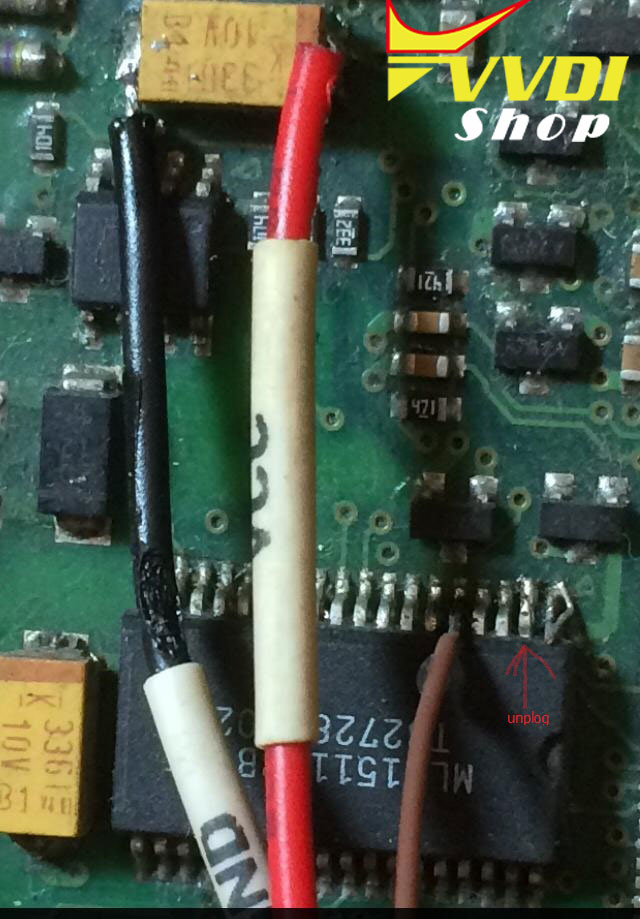
Log:
Change to 2-MCU–>ST-ST10F–>ST10F269
Check Device…
12V Power Adaptor unconnected
Initialization device…
Initialization success!
Initialization chip…
ID PIC18F4423 0X10D0/ST10F269 0X10D0
Start communication…
Read length:0x40000
Reading…(0%)
Reading…(1%)
Reading…(3%)
Reading…(4%)
Reading…(6%)
Reading…(7%)
Reading…(9%)
Reading…(10%)
Reading…(12%)
Reading…(14%)
Reading…(15%)
Reading…(17%)
Reading…(18%)
Reading…(20%)
Reading…(21%)
Reading…(23%)
Reading…(25%)
Reading…(26%)
Reading…(28%)
Reading…(29%)
Reading…(31%)
Reading…(32%)
Reading…(34%)
Reading…(35%)
Reading…(37%)
Reading…(39%)
Reading…(40%)
Reading…(42%)
Reading…(43%)
Reading…(45%)
Reading…(46%)
Reading…(48%)
Reading…(50%)
Reading…(51%)
Reading…(53%)
Reading…(54%)
Reading…(56%)
Reading…(57%)
Reading…(59%)
Reading…(60%)
Reading…(62%)
Reading…(64%)
Reading…(65%)
Reading…(67%)
Reading…(68%)
Reading…(70%)
Reading…(71%)
Reading…(73%)
Reading…(75%)
Reading…(76%)
Reading…(78%)
Reading…(79%)
Reading…(81%)
Reading…(82%)
Reading…(84%)
Reading…(85%)
Reading…(87%)
Reading…(89%)
Reading…(90%)
Reading…(92%)
Reading…(93%)
Reading…(95%)
Reading…(96%)
Reading…(98%)
Reading…(100%)
End communication…
Operation success
Check Device…
12V Power Adaptor unconnected
Initialization device…
Initialization success!
Initialization chip…
ID PIC18F4423 0X10D0/ST10F269 0X10D0
Start communication…
Read length:0x40000
Reading…(0%)
Reading…(1%)
Reading…(3%)
Reading…(4%)
Reading…(6%)
Reading…(7%)
Reading…(9%)
Reading…(10%)
Reading…(12%)
Reading…(14%)
Reading…(15%)
Reading…(17%)
Reading…(18%)
Reading…(20%)
Reading…(21%)
Reading…(23%)
Reading…(25%)
Reading…(26%)
Reading…(28%)
Reading…(29%)
Reading…(31%)
Reading…(32%)
Reading…(34%)
Reading…(35%)
Reading…(37%)
Reading…(39%)
Reading…(40%)
Reading…(42%)
Reading…(43%)
Reading…(45%)
Reading…(46%)
Reading…(48%)
Reading…(50%)
Reading…(51%)
Reading…(53%)
Reading…(54%)
Reading…(56%)
Reading…(57%)
Reading…(59%)
Reading…(60%)
Reading…(62%)
Reading…(64%)
Reading…(65%)
Reading…(67%)
Reading…(68%)
Reading…(70%)
Reading…(71%)
Reading…(73%)
Reading…(75%)
Reading…(76%)
Reading…(78%)
Reading…(79%)
Reading…(81%)
Reading…(82%)
Reading…(84%)
Reading…(85%)
Reading…(87%)
Reading…(89%)
Reading…(90%)
Reading…(92%)
Reading…(93%)
Reading…(95%)
Reading…(96%)
Reading…(98%)
Reading…(100%)
End communication…
Operation success
Condor Mini Plus and Condor Dolphin XP005 which is better?
2019 new Xhorse key cutting machines Condor XC-Mini II vs. Dolphin XP005.
| Key Cutting Machines | Condor XC-Mini Plus | Condor Dolphin XP-005 |
| Image | 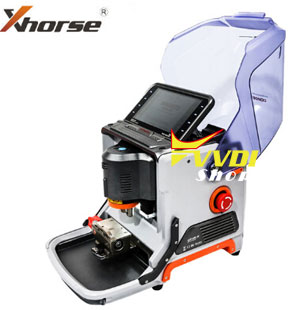 | 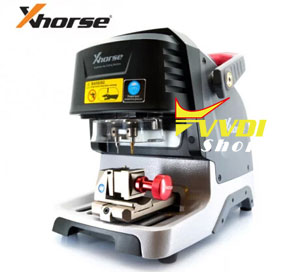 |
| Screen | 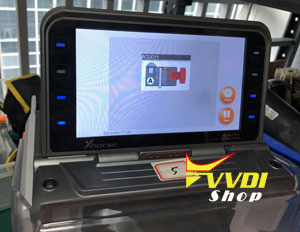 LED Display 1024×600 Adjustable Touch-Screen | 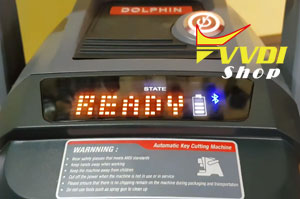 Small screen showing battery and Bluetooth status |
| Spindle | Electric spindle brushless 300, built-in angular contact bearing | Mechanical shaft +60W DC motor (with a foreign model)” “Electric spindle brushless 300W, built-in angular contact bearing |
| Transmission mechanism | Ball screw | T-shaped screw + anti-backlash nut |
| Guide | Cross-track | Roller guide |
| Shell | Plastic outer casing body is formed by body alloying die casting | Base aluminum alloy die-casting, the upper body is made of plastic shell and the body is made of integrated aluminum alloy die-casting. |
| Operating system | Stand-alone/ mobile phone APP | mobile phone APP only |
| Battery | Without built-in battery. Power supply adapter(optional) | With built-in battery. 3 hours to fully charge. Full battery cut up to 30 keys |
| Built-in Database | Yes | No |
| All Keys Lost | Yes, offline operation | Yes, must enable network connection.* |
| Accuracy | more accurate | Less accurate |
| Offline operation | Standby | No |
| Service life/ mechanical endurance | Longer | Shorter |
| Weight | Net Weight: 18kg Gross Weight: 22.9kg | Net Weight: 15kg Gross Weight: 18kg |
| Motor Rotation Speed | 9000rpm | 10000-13000RPM |
| Cutting power: | 200W | 100W |
| Protection cover | Comprehensive protection | Simple protective cover. . Smaller, better wear goggles |
| VVD binding | Yes | Yes |
| Clamp | M1 clamp (included) M2 clamp (included) M3 clamp (optional) M4 clamp (optional) | M1 clamp (included) M2 clamp (included) M3 clamp (optional) M4 clamp (optional) |
| Warranty | 3 Years | 1 Year |
| Update | Update online via Xhorse Update Kit | Update online via Xhorse Update Kit |
| Price | US$3,099 Free Shipping | US$1,950 Free Shipping |
*Once enable network connection in Condor Dolphin Xp005, the all keys lost database is the same as Condor Mini Plus offline mode.
In Conclusion:
Condor XC-Mini Plus is powerful and faster than Condor Dolphin. With built-in database can do all keys lost offline. More accurate than dolphin.
Condor Dolphin is based on mobile app, it is smaller, lighter and much cheaper.
It depends your budget. Condor Mini Plus is a good buy in a long run.
How to combine Xhorse tools in new Xhorse App?
Xhorse launched new Xhorse app for VVDI Mini Key Tool ,VVDI Key Tool, Condor Dolphin, VVDI2 and VVDI MB tools.
1)
How to Combine VVDI Mini Key Tool/Condor Dolphin/VVDI Key Tool in Xhorse App?
Login Xhorse APP, connect device by Bluetooth, enter ‘Device & History’ to combine.
Run upgrade kit, device connect to PC by USB cable
Read device, select’Binding’, customer will get QR code automatically,
Login Xhorse APP, enter ‘Account’–‘Combine device’,
Then scan the QR code to combine to account.
Read device, select’Binding’, customer will get QR code automatically,
Login Xhorse APP, enter ‘Account’–‘Combine device’,
Then scan the QR code to combine to account.
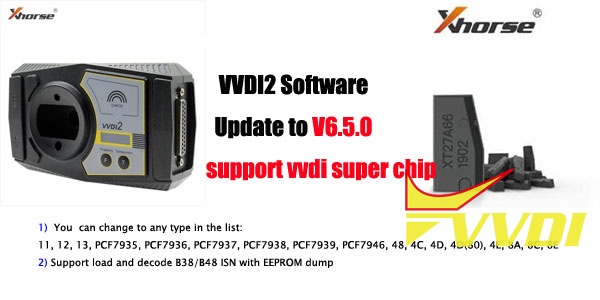
VVDI super chip released in VVDI2 V6.5.0
Xhorse VVDI2 BMW VAG PSA key programmer software update to V6.5.0 on April 23th, 2019.
VVDI2 Version: 6.5.0
*** 2019-04-23
*** Require firmware V6.5.0
************************************************** **********************
*** Require firmware V6.5.0
************************************************** **********************
!!! VVDI super chip is released, require V6.5.0 software !!!
New:
===== VAG V6.5.0 =====
1. Improvement for Audi A6/Q7(IMM4) adapt Gearbox
2. Bugfix for MQB35xx write immo data
3. Improvement for autodetect VAG immobilizer system
4. Bugfix
New:
===== VAG V6.5.0 =====
1. Improvement for Audi A6/Q7(IMM4) adapt Gearbox
2. Bugfix for MQB35xx write immo data
3. Improvement for autodetect VAG immobilizer system
4. Bugfix
===== BMW V6.5.0 =====
1. Improvement for FEM/BDC key learning
2. ECU/CAS ISN: Support load and decode B38/B48 ISN with EEPROM dump
3. KM repair: Support ALL eeprom read by VVDIProg M35080, 35160, 35128
4. Bugfix
1. Improvement for FEM/BDC key learning
2. ECU/CAS ISN: Support load and decode B38/B48 ISN with EEPROM dump
3. KM repair: Support ALL eeprom read by VVDIProg M35080, 35160, 35128
4. Bugfix
===== Porsche V6.5.0 =====
1. Bugfix
1. Bugfix
===== PSA V6.5.0 =====
1. Bugfix
1. Bugfix
===== Transponder Programmer V6.5.0 =====
1. Support VVDI super chip, you can change to any type in the list:
11, 12, 13, PCF7935, PCF7936, PCF7937, PCF7938, PCF7939, PCF7946, 48, 4C, 4D, 4D(80), 4E, 8A, 8C, 8E
2. Special transponder: Supprt use VVDI super transponder, it can use reusable, never lock
3. Copy transponder: Support clone 4D transponder
4. Copy transponder: Support clone 4E transponder
5. Copy transponder: Support clone Ford ID83, Kiv ID70
6. Copy transponder: Support clone Toyota H transponder – Require use VVDI super chip
7. Copy transponder: Support clone 8C/4C transponder – Require use VVDI super chip
8. Immobilizer data tool: Euro->Renault->Duster->2010- 95040
9. Immobilizer data tool: Euro->Chevrolet->Silverado->2011 9S08
10. Immobilizer data tool: Asia->Toyota->Corolla->2004 93C66(ID4C)
11. Immobilizer data tool: Asia->SAIC->Roewe 360 95160
12. Bugfix for electronic monitor key
13. Bugfix
1. Support VVDI super chip, you can change to any type in the list:
11, 12, 13, PCF7935, PCF7936, PCF7937, PCF7938, PCF7939, PCF7946, 48, 4C, 4D, 4D(80), 4E, 8A, 8C, 8E
2. Special transponder: Supprt use VVDI super transponder, it can use reusable, never lock
3. Copy transponder: Support clone 4D transponder
4. Copy transponder: Support clone 4E transponder
5. Copy transponder: Support clone Ford ID83, Kiv ID70
6. Copy transponder: Support clone Toyota H transponder – Require use VVDI super chip
7. Copy transponder: Support clone 8C/4C transponder – Require use VVDI super chip
8. Immobilizer data tool: Euro->Renault->Duster->2010- 95040
9. Immobilizer data tool: Euro->Chevrolet->Silverado->2011 9S08
10. Immobilizer data tool: Asia->Toyota->Corolla->2004 93C66(ID4C)
11. Immobilizer data tool: Asia->SAIC->Roewe 360 95160
12. Bugfix for electronic monitor key
13. Bugfix
===== Copy 48 (96 bits) V6.5.0 =====
1. Bugfix
1. Bugfix
===== J2534 V6.5.0 =====
1. Bugfix
1. Bugfix
===== Online Upate Tool V6.5.0 =====
1. Bugfix
1. Bugfix
===== Quick Start V6.5.0 =====
1. Bugfix
1. Bugfix
How to use Xhorse VVDI Mini Key Tool?
Here’s the quick guide of Xhorse VVDI Mini Key Tool Remote Maker.
Function & Feature:
Transponder Clone
Transponder Generation
Remote Generation
Remote Cloning
Bluetooth connection
Based on Mobile App
Test frequency within 30cm
Transponder Generation
Remote Generation
Remote Cloning
Bluetooth connection
Based on Mobile App
Test frequency within 30cm
Free 48 96bit transponder activation & 1 year free token (1 token each day)
Free Toyota H transponder generation function activation
VVDI Mini Keytool quick guide
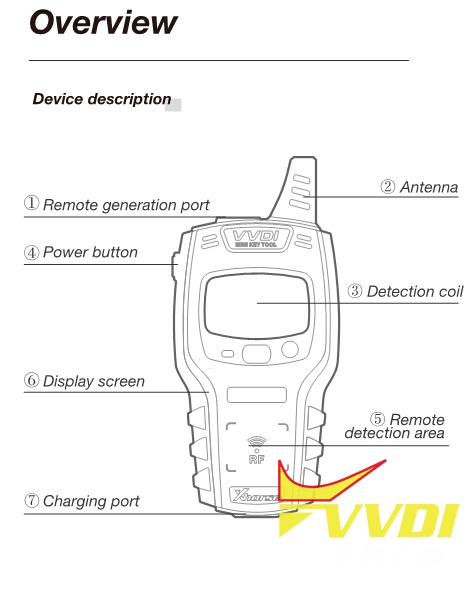
Outlook & Buttons
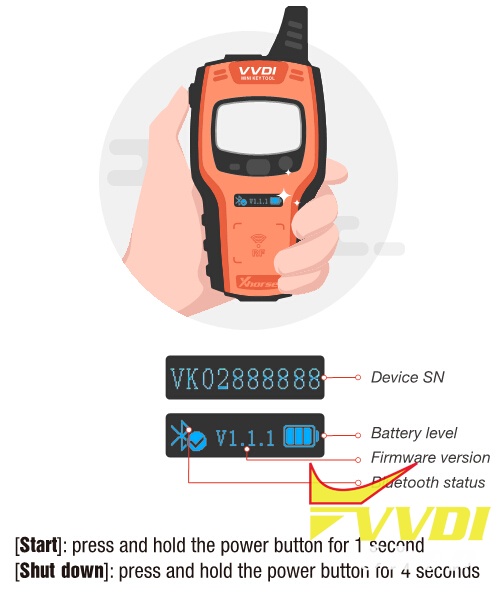
Device S/N & LCD screen with Bluetooth/Firmware version/Bluetooth status
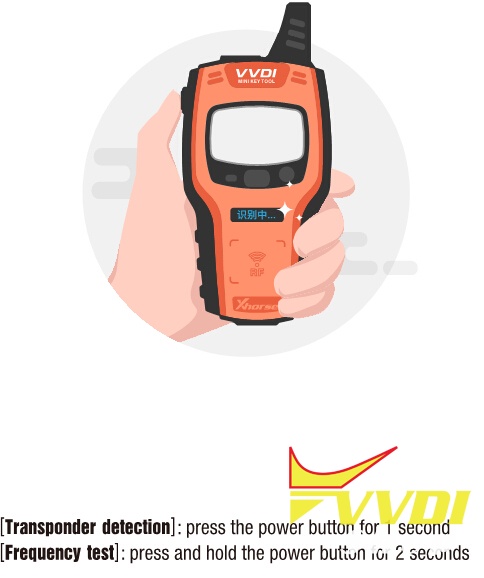
Transponder detection & frequency test (stand-alone, no need Xhorse App)
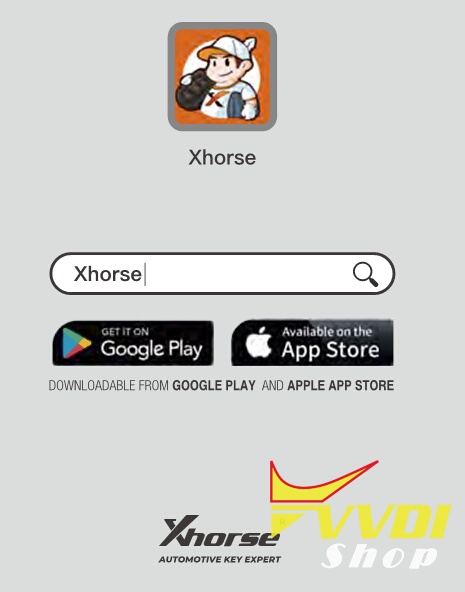
Search and download Xhorse App from Google Play Store or iOS App Store
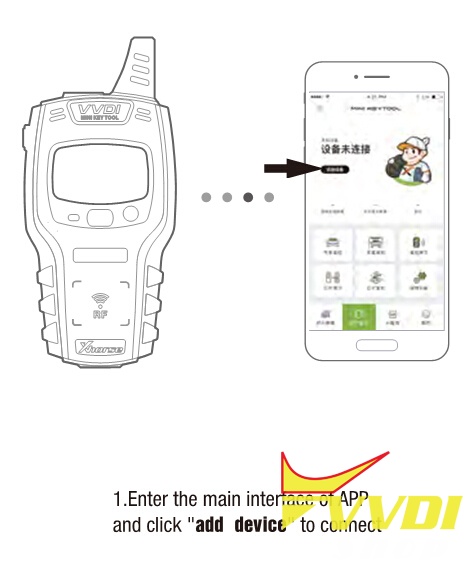
Enter the main interface of App, click on “Add device” to connect
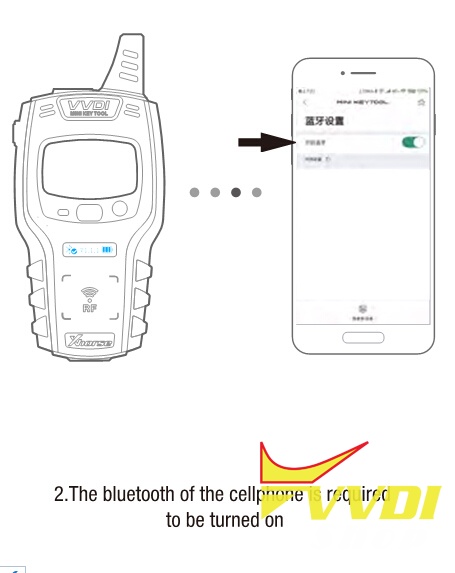
Enable bluetooth connection on your mobile phone
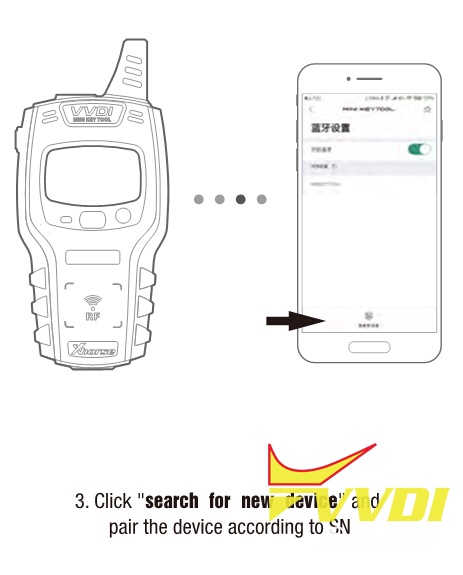
Search for new device and pair the mini keytool according to SN.
Related Post: