ابزار Xhorse VVDI
Xhose VVDI نرم افزار برنامه نویس اصلی و سخت افزارابزار Xhorse VVDI
Xhose VVDI نرم افزار برنامه نویس اصلی و سخت افزارVVDI2 learn key VW Audi VDO NEC 2009+ -UDS
Vehicle: VW Audi Seat Skoda with VDO NEC 2009+ -UDS
Purpose: All keys successfully Learned.
Tools to use:
FIGO Simulator (flamingosimulador.com)
There’s special procedure for prepare dealer key: Menu -> Key Learn. Choose specific type for 4th immobilizer system.
Lost all key-OBD prepare key:
This function will read PIN/CS from ECU (or input PIN/CS) and prepare dealer key. The dealer key can learn to car .
After run this function, it changed 6 bytes of all 12 bytes CS in immobilizer system, so the old key can’t be used anymore, and don’t accept any key come from dealer.
Support make OEM dealer key. The OEM key can do online operation. Need special transponder.
Images:


Program BMW CAS4 key using VVDI2 via OBDII
Here’s demo tutorial on reading & programming a new BMW CAS4/CAS4+ key with Xhorse VVDI2 by OBD cable step-by-step. Similar procedure goes to CAS4/CAS4+ all keys lost as well (require ISN code).
Model example: BMW 730LD
Requires latest version VVDI2 software (6.6.1 or above)
Procedure:
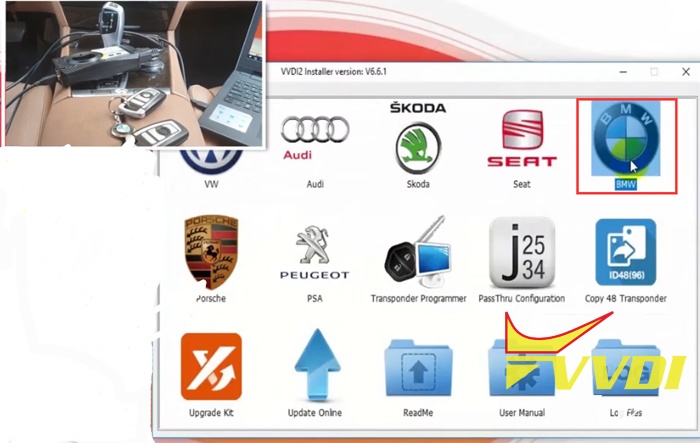
Launch VVDI2 software, go to BMW function

Connect VVDI2 key programmer with vehicle via OBD cable
Press Connect
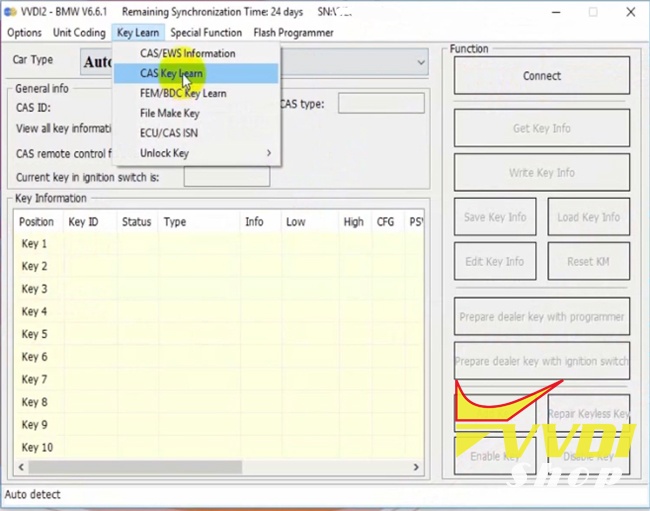
Select Key Learn->CAS Key Learn function
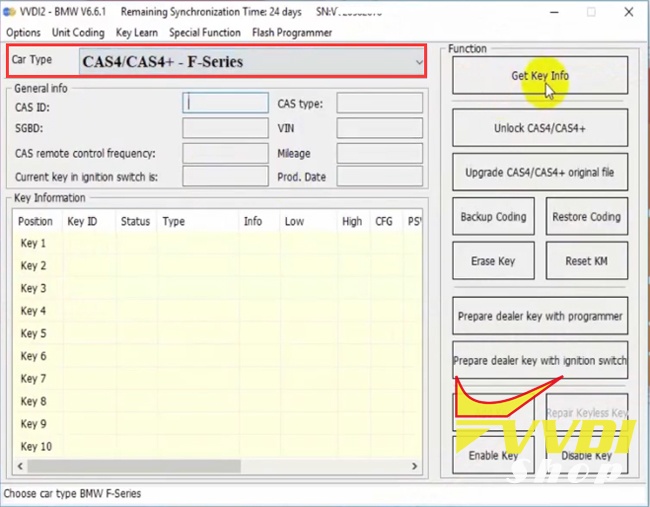
Select Car Type: CAS4/CAS4+- F-Series and Get Key Info
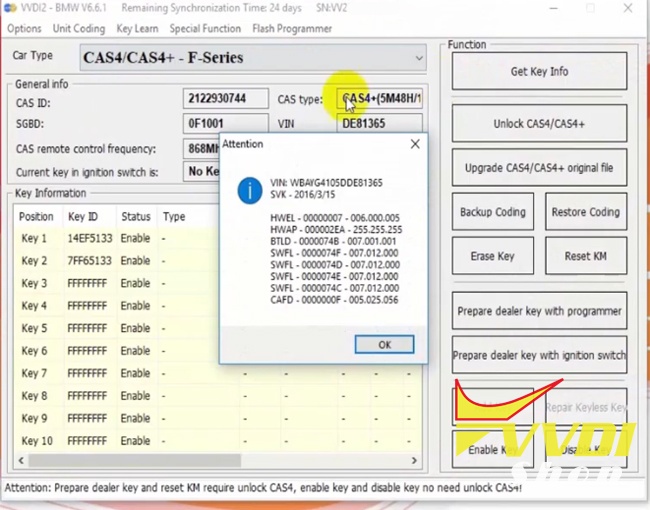
Read vehicle information. Follow instructions on the bottom
Prepare dealer key and reset KM require unlock CAS4.
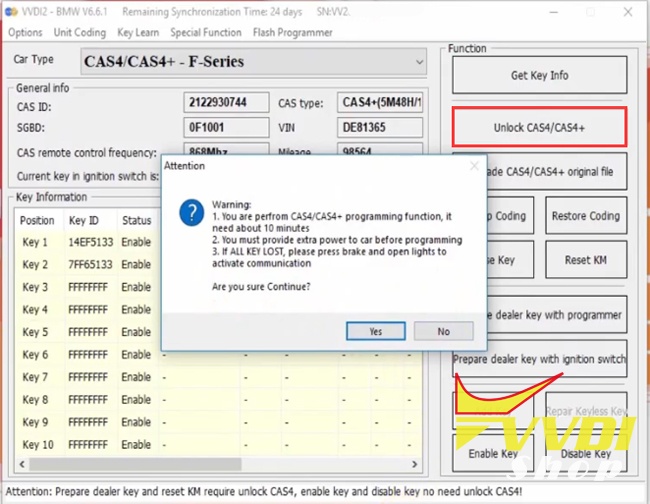
Select Unlock CAS4/CAS4+ function
It takes about 10 minutes. You must provide extra power to car before programming.
(If all keys lost, press brake and open lights to activate communication. )

Unlocking CAS4 in process

CAS4/CAS4+ unlock complete. Now we can make dealer key via OBDII.

Select a unused key position and press Prepare dealer key with programmer.
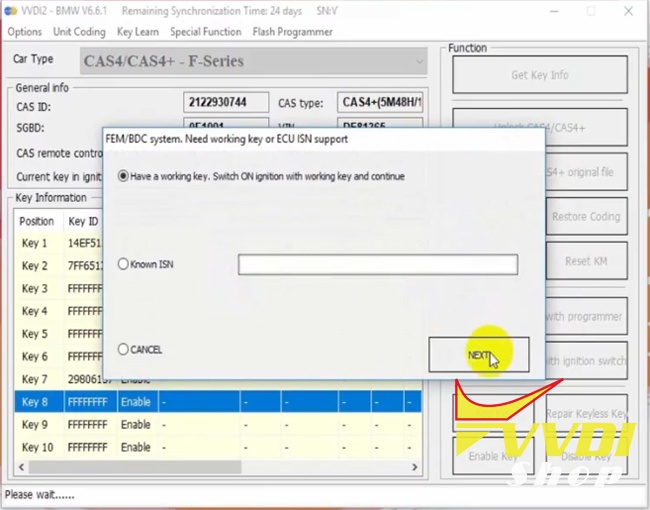
Here we choose Have a working key. Switch ON ignition with working key and continue. Press Next.
If lost all keys, select Known ISN (need to read ISN code first)
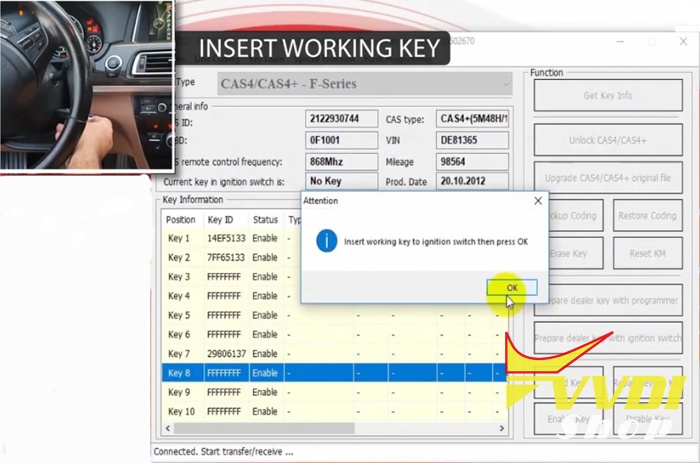
Insert working to ignition switch and press OK
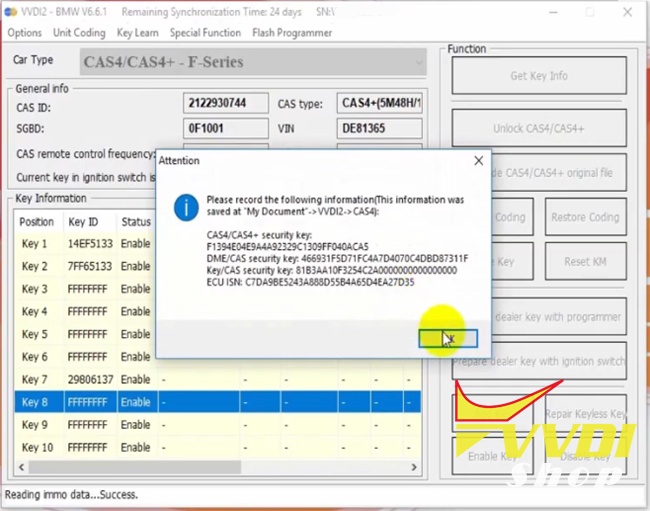
Save security key information

Insert original key to VVDI2 programmer and press OK
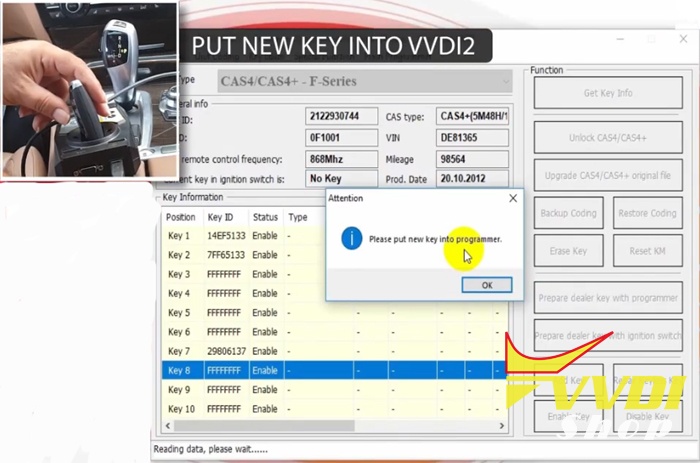
Put a new key into VVDI2
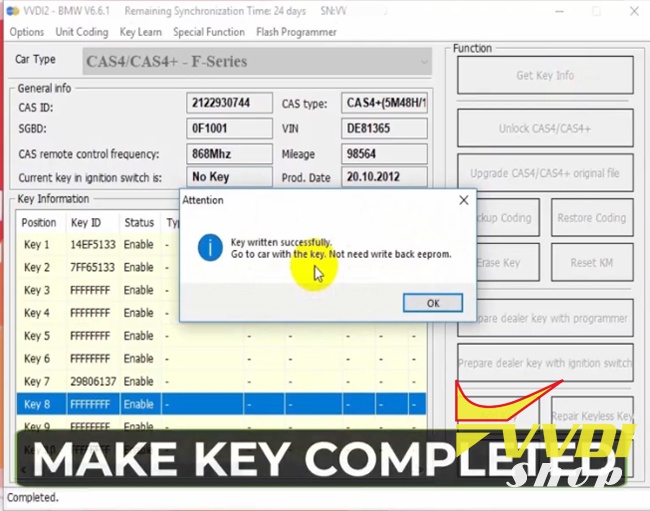
Write key success.
Test the new key. No need to write back eeprom.

The new key can start vehicle.
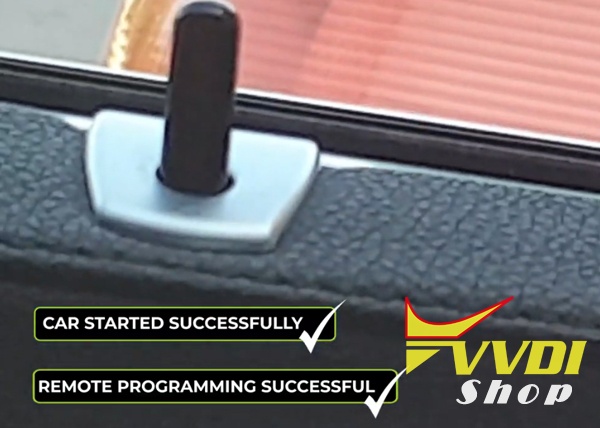
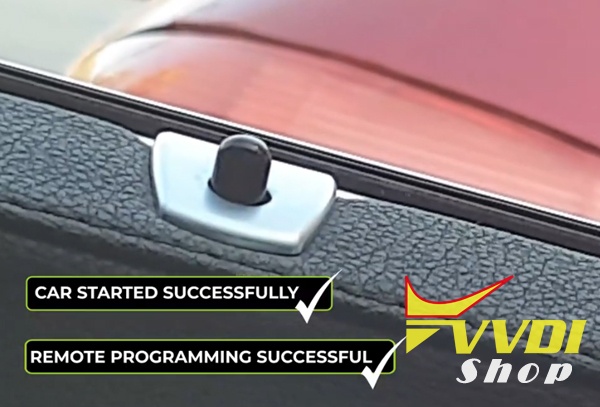
Remote control works as well.
Done.
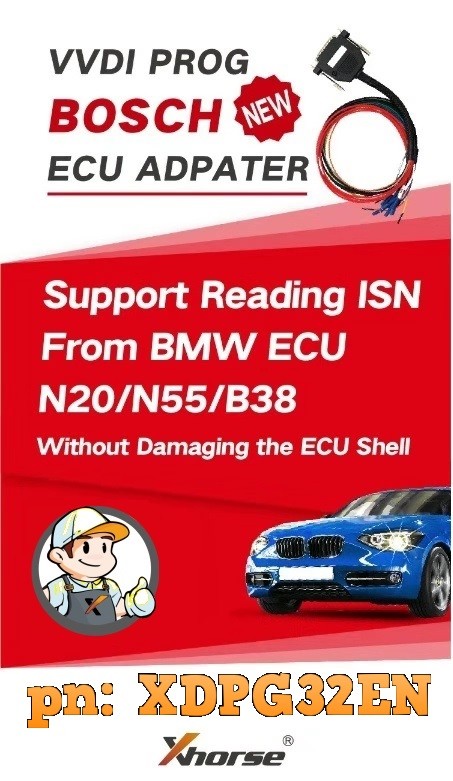
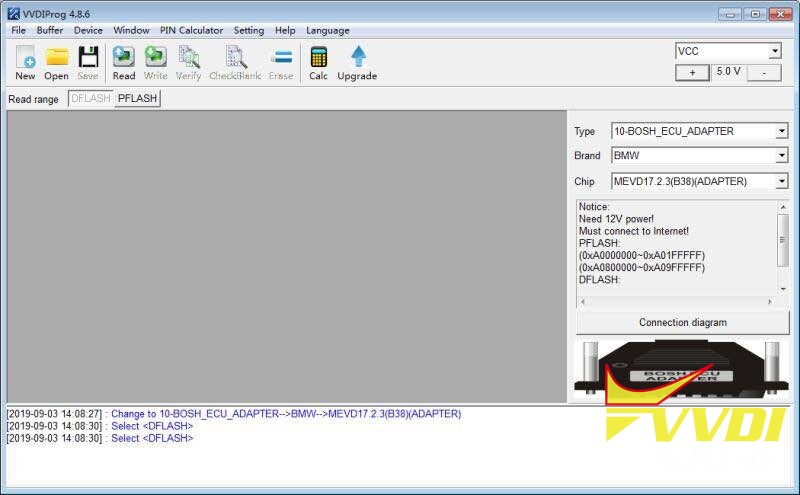
VVDI Prog Software Update to V4.8.6
Xhorse VVDI PROG programmer released new software version 4.8.6.
————————————-
v4.8.6 (2019-9-02)
* This version DON’t need update
firmware
+ Add VVDI PROG USER MANUAL 4.8.6
version in Doc folder
+ Add ME17.5.22(TC1724)(ADAPTER),
MEVD17.2.4_Exx(N20)(ADAPTER),
MEVD17.2.4_Exx(N20)(ADAPTER),
MEVD17.2.4_Fxx(N20)(ADAPTER),
MEVD17.2.9_Fxx(N20)(ADAPTER),
MEVD17.2.9_Exx(N20)(ADAPTER),
MED17.5.25(TC1782)(ADAPTER),
MED17_5_22(TC1782)(ADAPTER),
MEVD17_2_3(B38)(ADAPTER),
MEVD17_2_K(B38)(ADAPTER),
MEVD17.2.5(ADAPTER),
MEVD17.2.8(ADAPTER),
MEVD17.2.H(ADAPTER),
MEVD17.2.P_Fxx(N20)(ADAPTER),
MEVD17.2_Fxx(N55)(ADAPTER),
MEVD17.2.G(N55)(ADAPTER),
MEVD17.2.6(N55)(ADAPTER)
options in
<10-BOSCH-ECU-ADAPTER>->
(Need BOSH ECU ADAPTER)
+ Add ME17.5.22(ADAPTER),
MED17_5_25(ADAPTER) options in
<10-BOSCH-ECU-ADAPTER>->
(Need BOSCH ECU ADAPTER)
————————————-
v4.8.6 (2019-9-02)
* This version DON’t need update
firmware
+ Add VVDI PROG USER MANUAL 4.8.6
version in Doc folder
+ Add ME17.5.22(TC1724)(ADAPTER),
MEVD17.2.4_Exx(N20)(ADAPTER),
MEVD17.2.4_Exx(N20)(ADAPTER),
MEVD17.2.4_Fxx(N20)(ADAPTER),
MEVD17.2.9_Fxx(N20)(ADAPTER),
MEVD17.2.9_Exx(N20)(ADAPTER),
MED17.5.25(TC1782)(ADAPTER),
MED17_5_22(TC1782)(ADAPTER),
MEVD17_2_3(B38)(ADAPTER),
MEVD17_2_K(B38)(ADAPTER),
MEVD17.2.5(ADAPTER),
MEVD17.2.8(ADAPTER),
MEVD17.2.H(ADAPTER),
MEVD17.2.P_Fxx(N20)(ADAPTER),
MEVD17.2_Fxx(N55)(ADAPTER),
MEVD17.2.G(N55)(ADAPTER),
MEVD17.2.6(N55)(ADAPTER)
options in
<10-BOSCH-ECU-ADAPTER>->
(Need BOSH ECU ADAPTER)
+ Add ME17.5.22(ADAPTER),
MED17_5_25(ADAPTER) options in
<10-BOSCH-ECU-ADAPTER>->
(Need BOSCH ECU ADAPTER)
Free Download VVDI Prog 4.8.6
https://mega.nz/#!Po5XBYBJ!ohwyr2AxAW-FF1nxZXnRQdHHoNjv7L4oLekAxuTxN80
https://mega.nz/#!Po5XBYBJ!ohwyr2AxAW-FF1nxZXnRQdHHoNjv7L4oLekAxuTxN80

VVDI MB Program Benz W211 All Keys Lost
Mercedes Benz W211 all keys lost programming done by Xhorse VVDI Prog and VVDI MB BGA Tool.
1- read with vvdi prog
2- load dump to VVDI MB
3- prepare keys
4- write key
5- start the car
No need to write back dump


Xhorse VVDI2 Software V6.6.5 Update Feature
Xhorse VVDI2 key programmer software update to V6.6.5 on Aug. 29th, 2019.
*** 2019-08-29
*** Require firmware V6.6.5
************************************************************************
===== VAG V6.6.5 =====
1. Improvement for autodetect VAG immobilizer system
2. Bugfix
*** Require firmware V6.6.5
************************************************************************
===== VAG V6.6.5 =====
1. Improvement for autodetect VAG immobilizer system
2. Bugfix
===== BMW V6.6.5 =====
1. Improvement for CAS4/CAS4+ via OBDII
1). Support unlock CAS4 directly, no need update CAS4 flash
2). Improvement for key learning
2. Bugfix
1. Improvement for CAS4/CAS4+ via OBDII
1). Support unlock CAS4 directly, no need update CAS4 flash
2). Improvement for key learning
2. Bugfix
===== Porsche V6.6.5 =====
1. Bugfix
1. Bugfix
===== PSA V6.6.5 =====
1. Bugfix
1. Bugfix
===== Transponder Programmer V6.6.5 =====
1. Bugfix for generate and copy Toyota H chip with VVDI super chip
2. Immobilizer data tool: Asia->Nissan->Note 2004 95080 bugfix
3. Bugfix
1. Bugfix for generate and copy Toyota H chip with VVDI super chip
2. Immobilizer data tool: Asia->Nissan->Note 2004 95080 bugfix
3. Bugfix
===== Copy 48 (96 bits) V6.6.5 =====
1. Bugfix
1. Bugfix
===== J2534 V6.6.5 =====
1. Bugfix
1. Bugfix
===== Online Update Tool V6.6.5 =====
1. Bugfix
1. Bugfix
===== Quick Start V6.6.5 =====
1. Bugfix
1. Bugfix
Free Download VVDI2 6.6.5 Software