ابزار Xhorse VVDI
Xhose VVDI نرم افزار برنامه نویس اصلی و سخت افزارابزار Xhorse VVDI
Xhose VVDI نرم افزار برنامه نویس اصلی و سخت افزارProgram BMW 320D 2006 CAS2 Remote with Xhorse Key Tool Plus
ow to use Xhorse VVDI Key Tool Plus to add a BMW 320D 2006 CAS2 remote key via OBD successfully in 2 minutes?
- Read & Save Data
Plug the connector into OBD2 port, press
Immo programming >> Europe >> BMW >> Automatically diagnose models >> Start programming >> Read key information
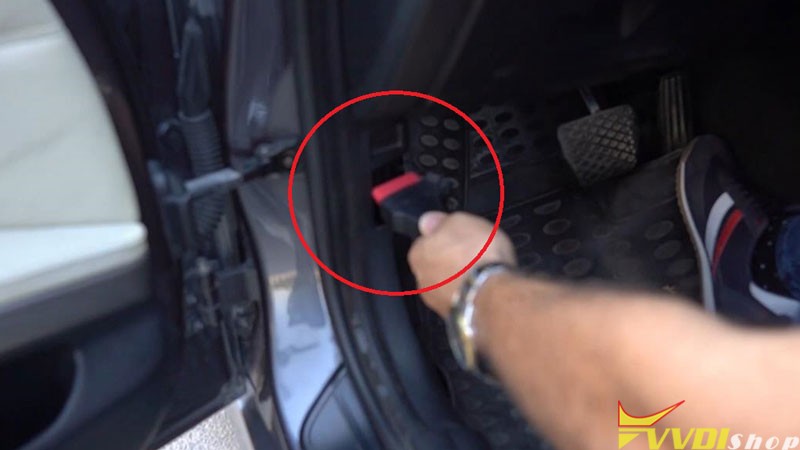
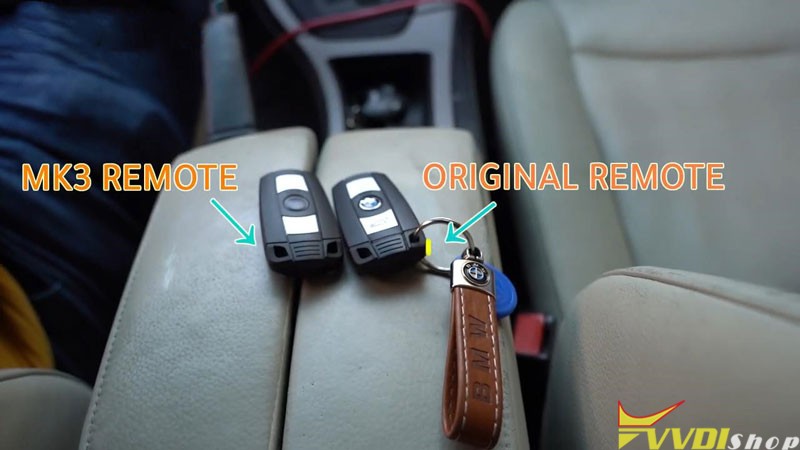
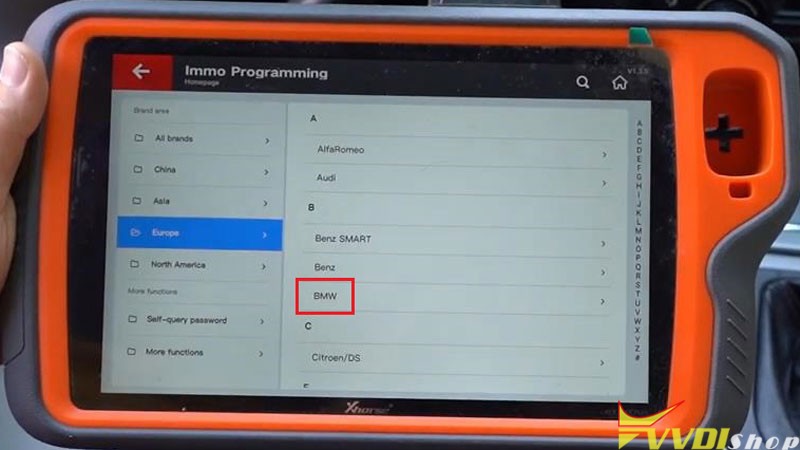
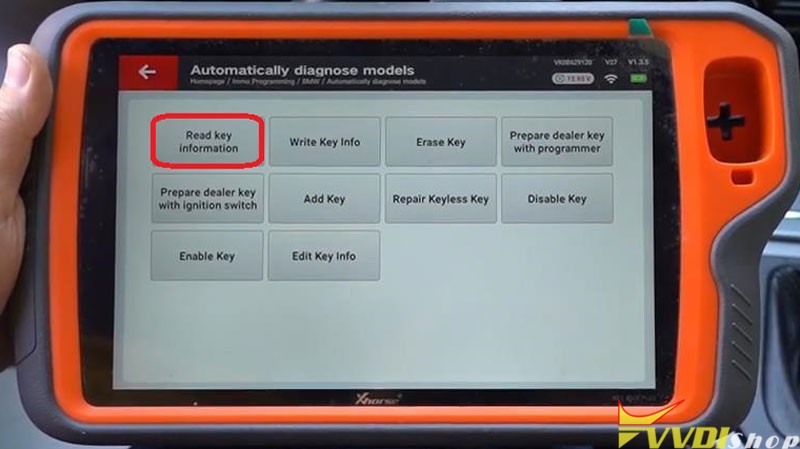
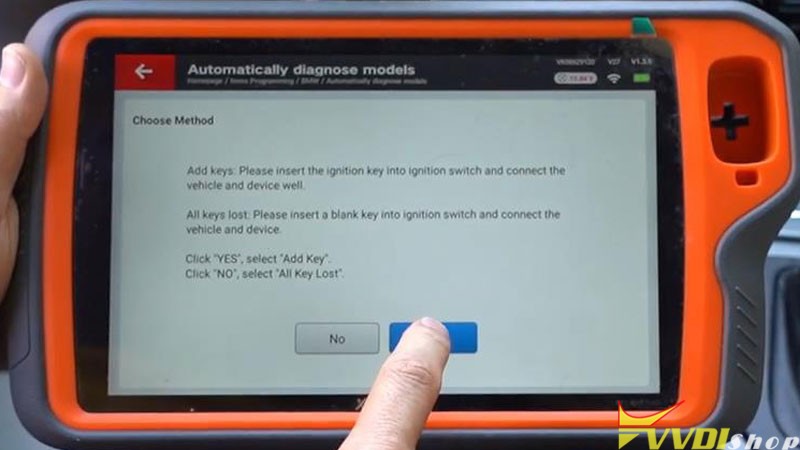
Insert the ignition key into ignition switch and connect the vehicle and device well.
Yes >> Yes
The dealer key should be taken away from ignition switch.
If key is keyless, please move it out of car.
If there’s no key in ignition, continue anyway.
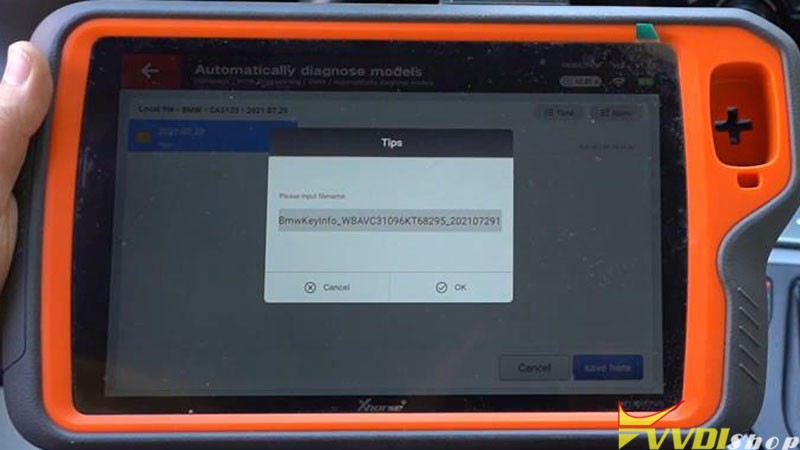
Save >> Save here >> Rename, OK
- Program New Key
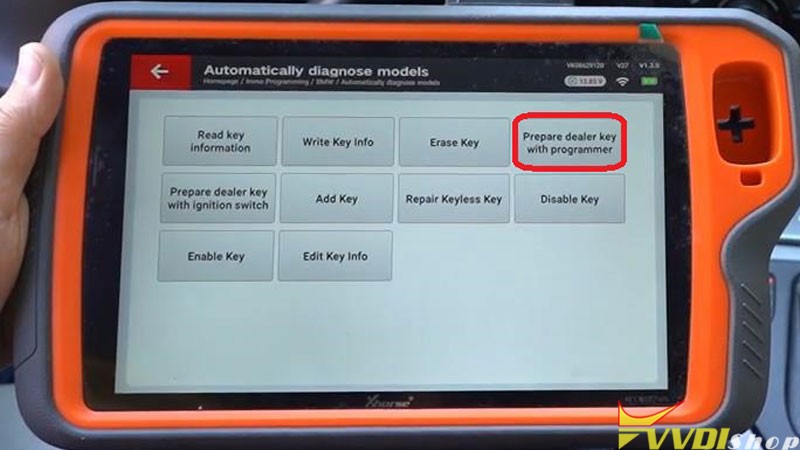
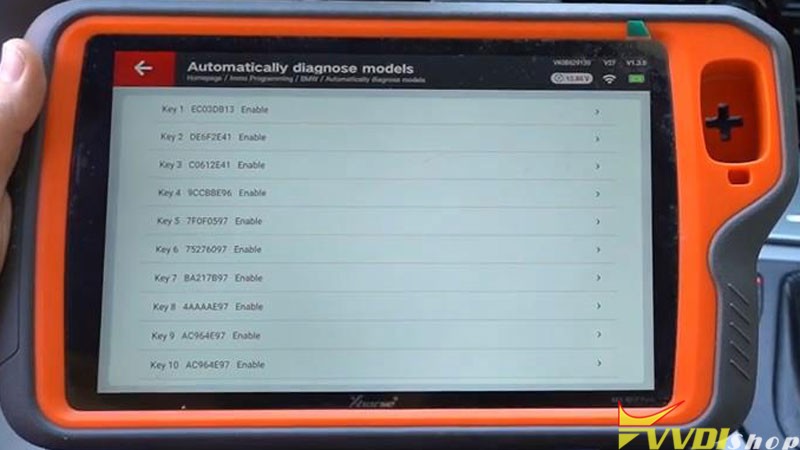
Prepare dealer key with programmer >> Select an enable key position:Key 10
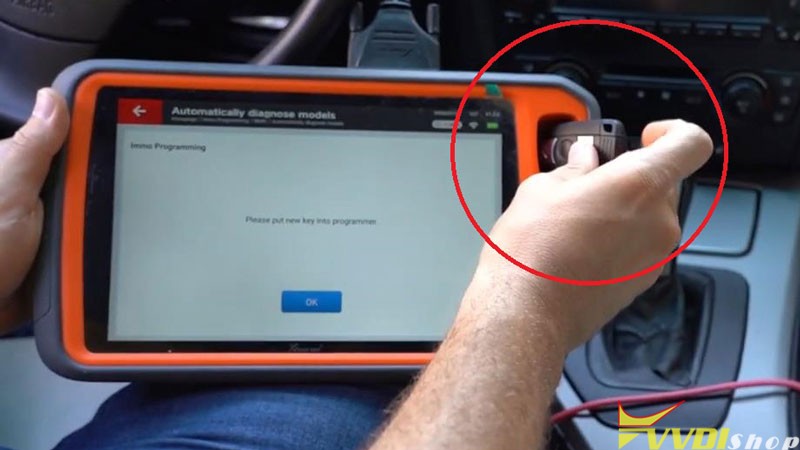
Put the new key into VVDI Key Tool Plus programmer.
Is the current key the smart key? No
Key make okay and locked. Please use it to start the car.
If can not start engine, use “Add key” function add the dealer key to CAS system.
If key can start engine, but keyless not working, use “Repair Keyless Key” function.
- Test Key
Test the new key now, it can start the engine, and its remote is workable.
Key adding has done!

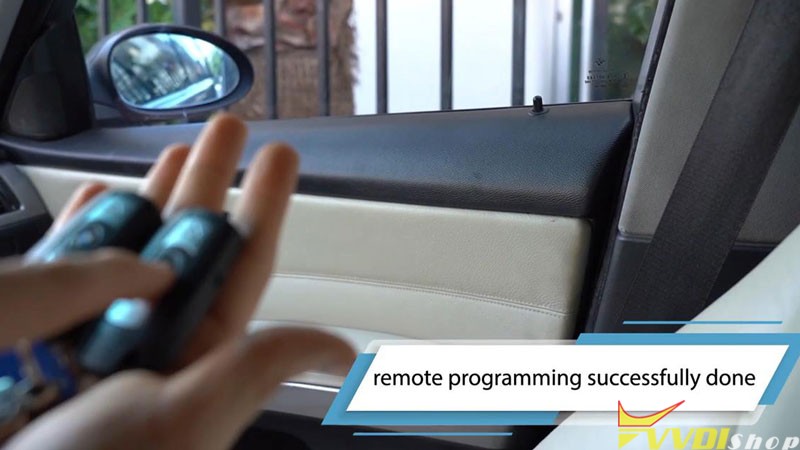
BMW 320D 2006 CAS2 remote key adding via Xhorse VVDI Key Tool Plus Pad is successful. Quite easy to be done in 2 minutes.
How to Add M3 2011 CAS3+ Key with Xhorse Key Tool Max
How-to: BMW M3 2011 CAS3+ ISTAP 0L15Y spare key programming with xhorse mini prog and key tool max.
1.Read EEPROM with VVDI Mini Prog
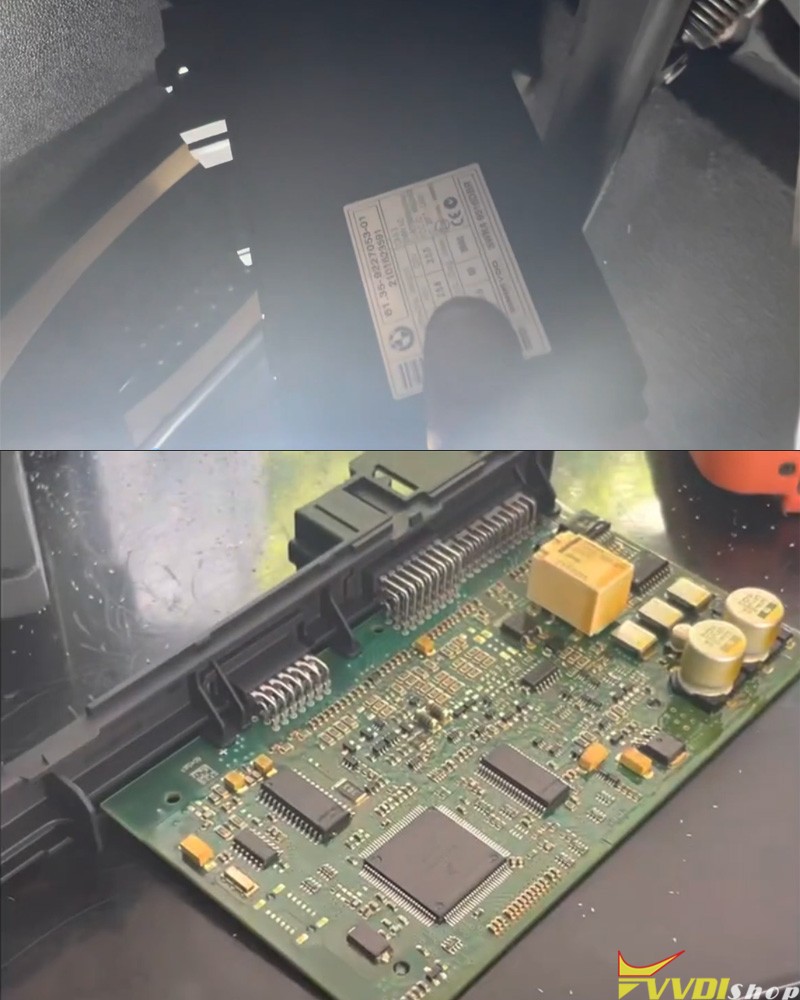
Remove CAS3+ Module
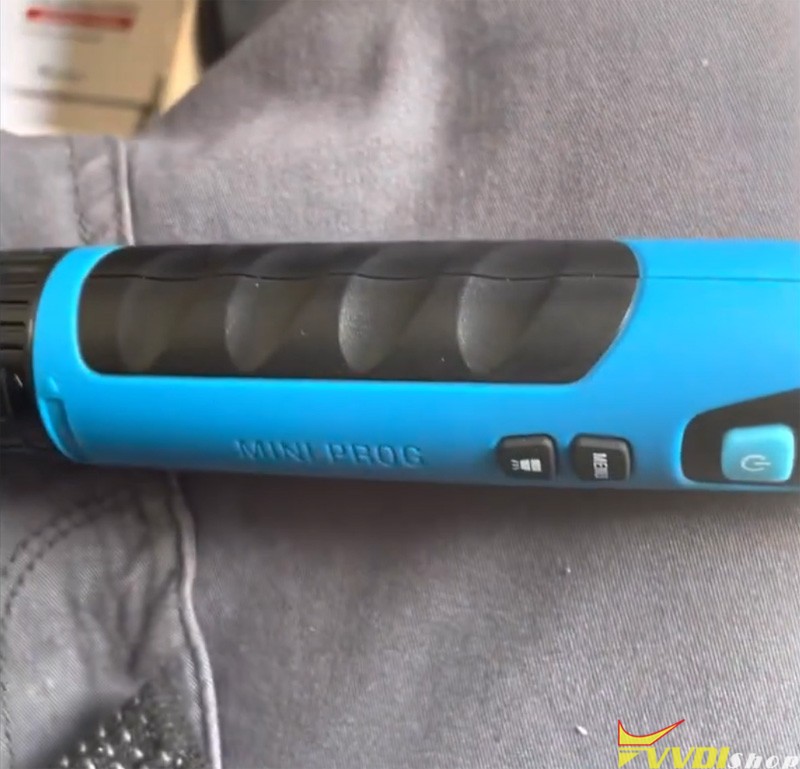

Connect mini prog CAS3 solder free adapter with CAS3 module
Follow mini prog app prompts to read EEPROM and save data
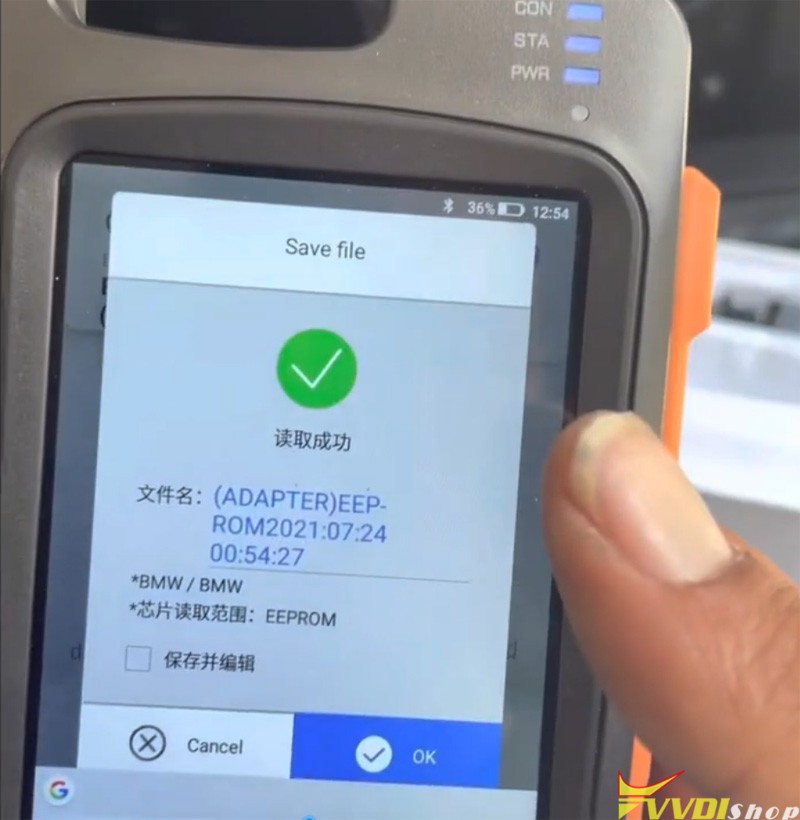
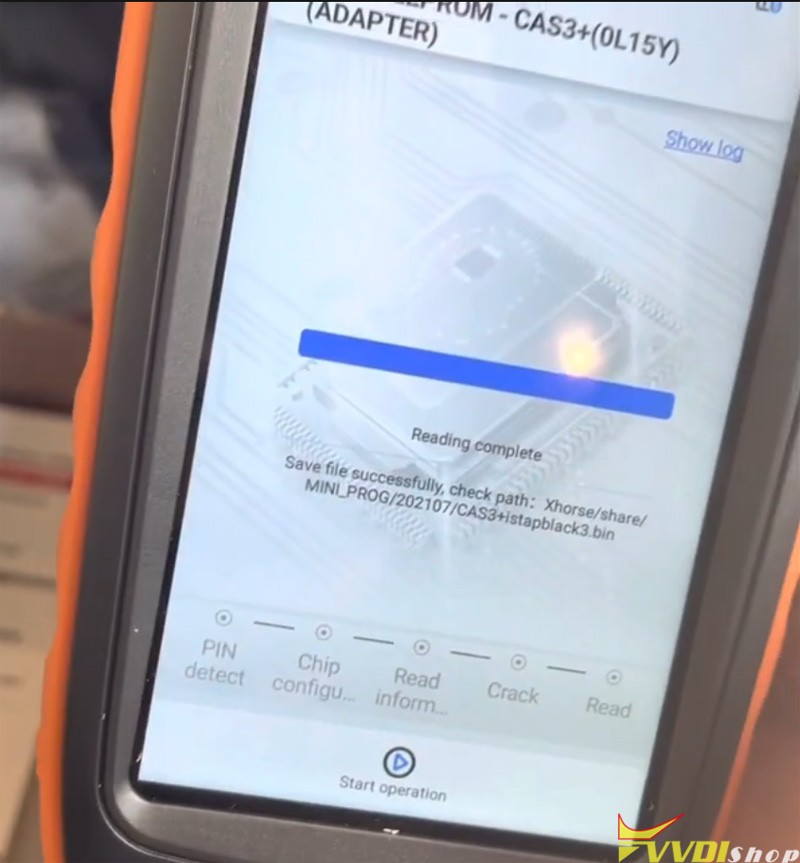
2.Make dealer key with xhorse vvdi key tool max
In key tool max app, select Special function -Immo data tool- BMW- CAS3+ 0L15Y
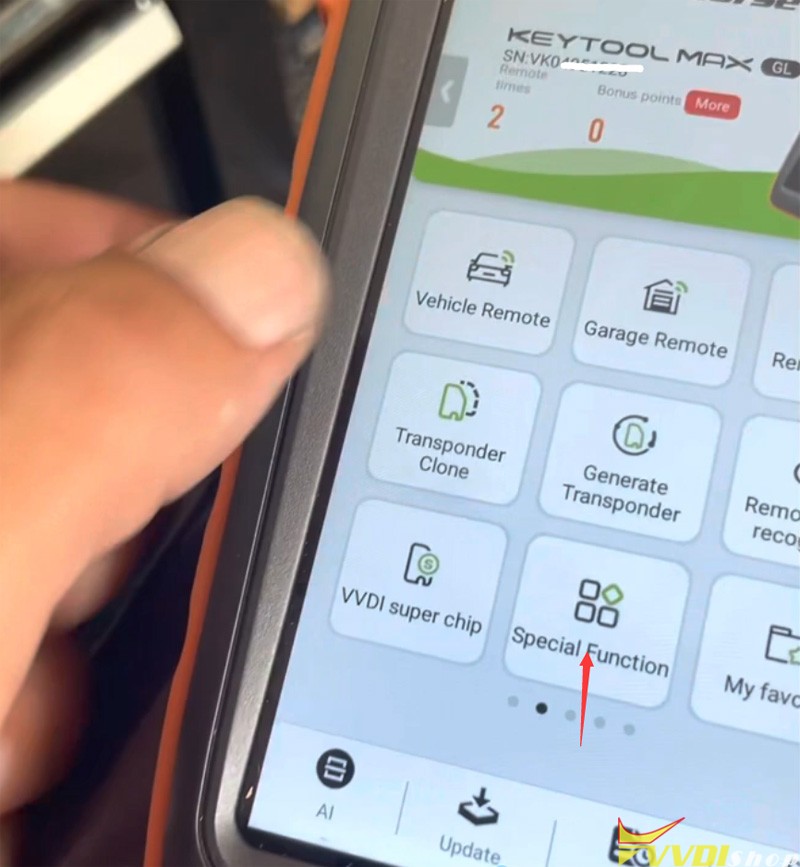
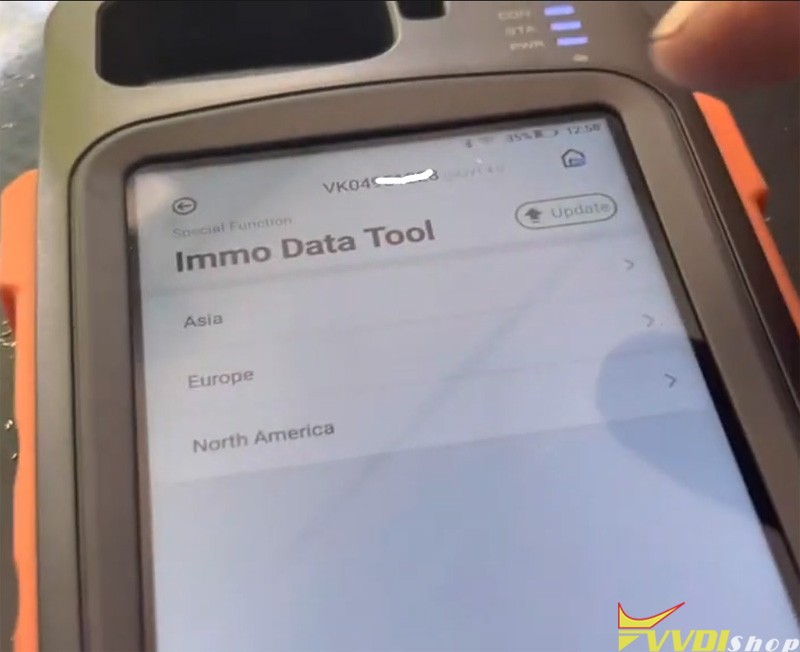
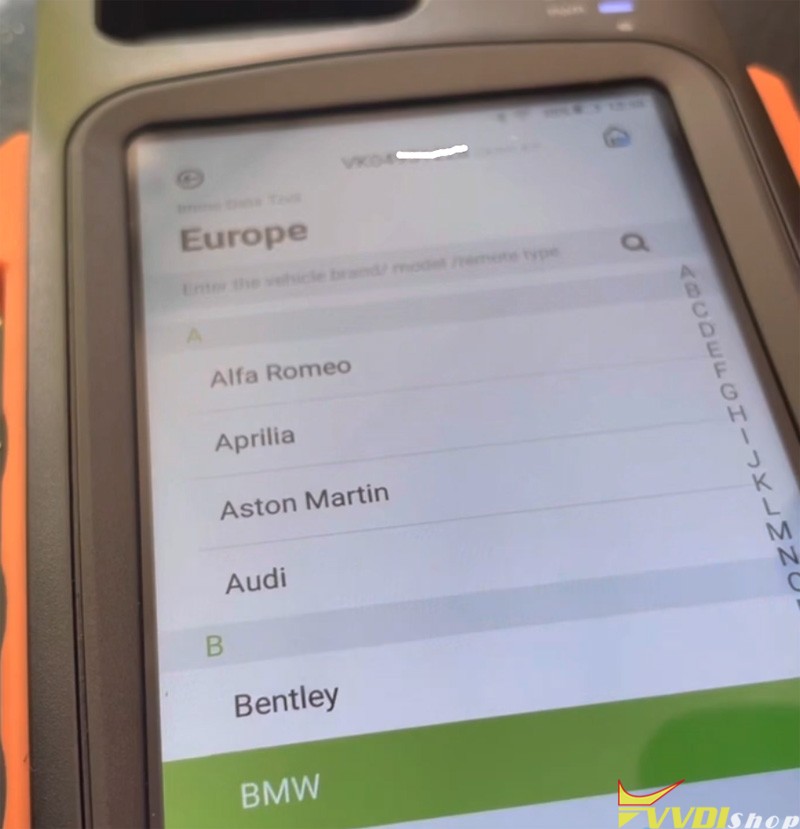
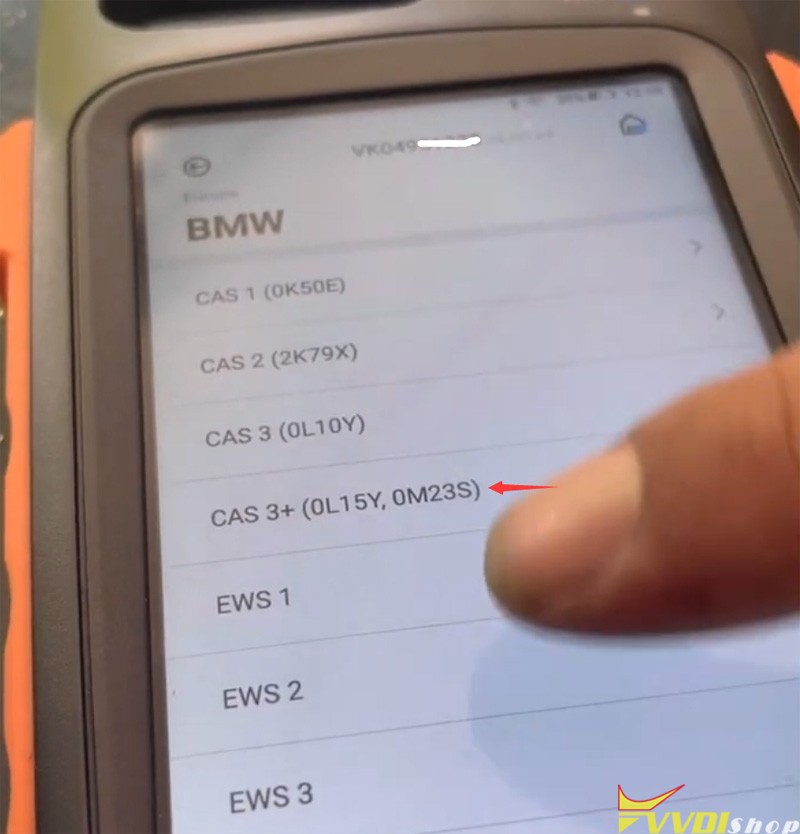
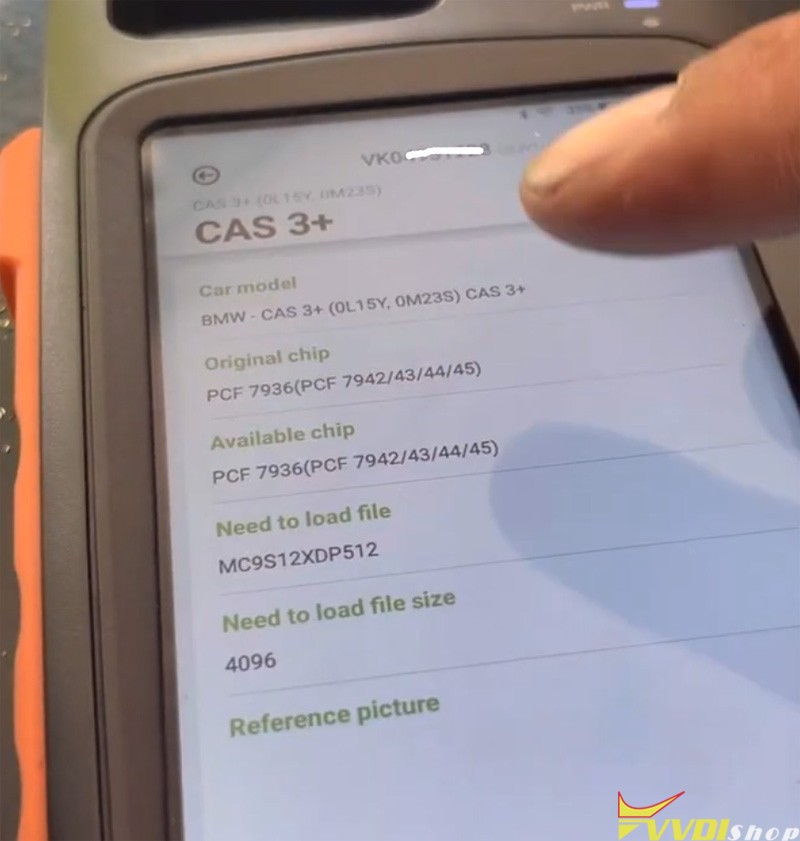
Then load eeprom read by the mini prog
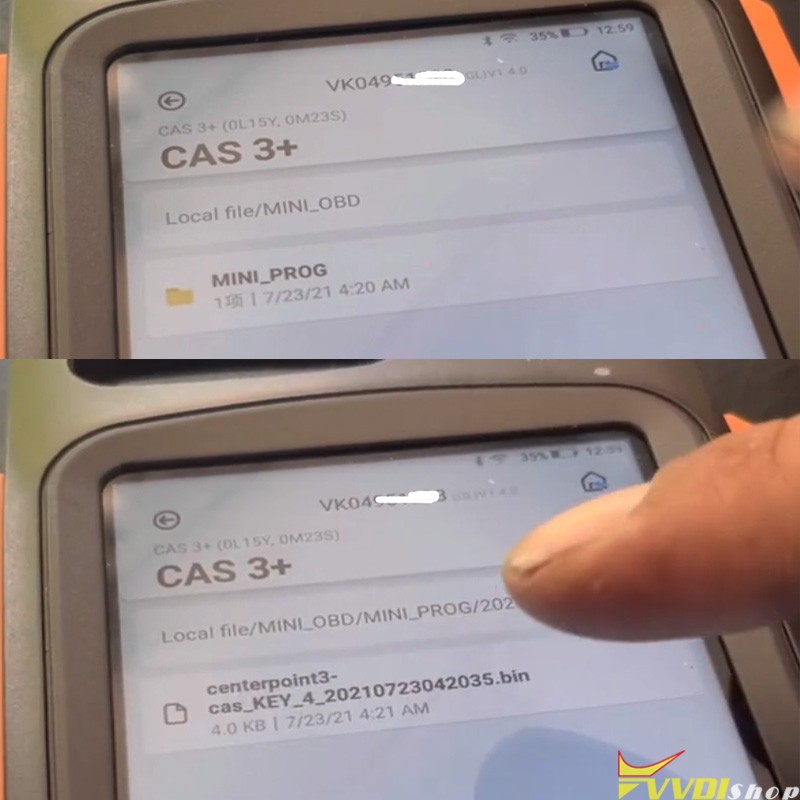
Write key with dump
Reinstall CAS3+ module.
Test new key and remote control.
Done.
Xhorse VVDI Audi BCM2 Solder Free Adapter FAQ
Xhorse released new optional Audi BCM2 solder free adapter. Here are frequently asked questions and answers of the new adapter.

Q: Is it for xhorse key tool plus only or mini prog?
A: The Audi bcm2 adapter is compatible with vvdi key tool plus and vvdi2 +vvdiprog.
Q: does it support Audi A6L all keys lost without synchronize data?
A: No, A6L/A6 AKL still requires sync data from third party. But the adapter will help read BCM2 Immo data when lost all keys. A4L, A5, Q5 all keys lost does not require sync data.
Check the table of the adapter capabilities below
| Add Key | All Keys Lost | |||
| Read BCM2 data | Synchronize data | Read BCM2 data | Synchronize data | |
| A4L/A5/Q5 -2013 | OBD | No | OBD/some need remove BCM2 | No |
| A4L/A5/Q5 2013-2019 | Xhorse BCM2 Adapter | No | VVDI BCM2 adapter | No |
| A6L/A7/A8 -2013 | OBD | Obtain from working key | OBD/some need remove BCM2 | Obtain from third party |
| A6L/A7/A 2013-2019 | OBD | Obtain from working key | VVDI BCM2 adapter | Obtain from third party |
Q: Does the cable work with vvdi2 as well?
A: Yes, vvdi2 upcoming update will adds this function. But requires working with vvdi prog to read BCM2 data.
Q: Can I do 2013-2018 A4 all keys lost via OBD with xhorse key tool plus and this adapter?
A:No, for A4 from 2013-2018 you must read BCM2 Immo data with the new solder free adapter. pre-2013 A4 supports BCM2 data reading via OBD (does not require sync data)
Q:Can I read the BCM2 Immo data without soldering if I buy this adapter?
A: Yes, you can. requires the xhorse Audi bcm2 adapter set which has 6 adapters included.
Q: When will it be available?
A: it will be available in the beginning of Sep. 2021.
Q: How much does it cost?
A: pre-order price is 100USD. price will goes up when it is available. First come first served.
Q: Does it require token? what about the update?
A:It is token free. Free update as other xhorse tools.
Q:Does it require special key to program?
A:You can use regular 754J key on the aftermakert.
Xhorse Key Tool Plus Adds BMW M4 2017 FEM key on bench
Xhorse VVDI Key Tool Plus supports adding new keys for BMW M4 2017 FEM/BDC system on bench successfully.
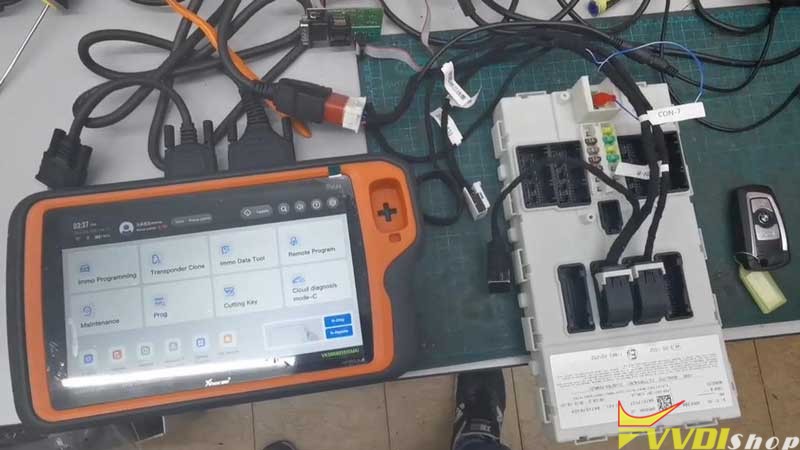
Here is a quick demonstration:
- FEM/BDC Programming
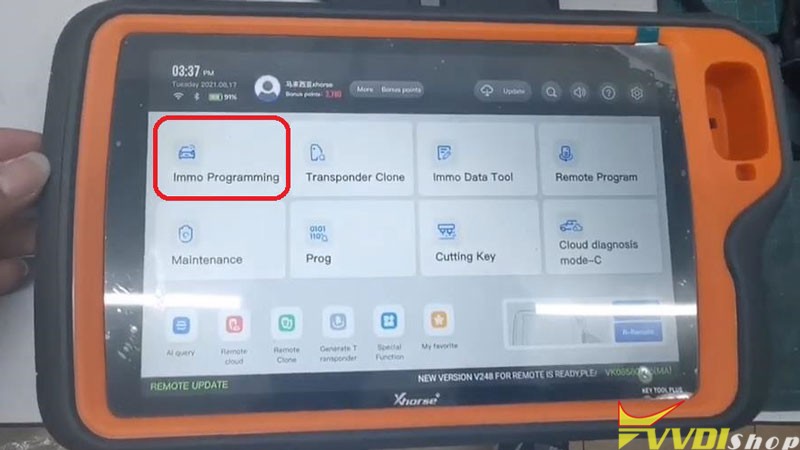
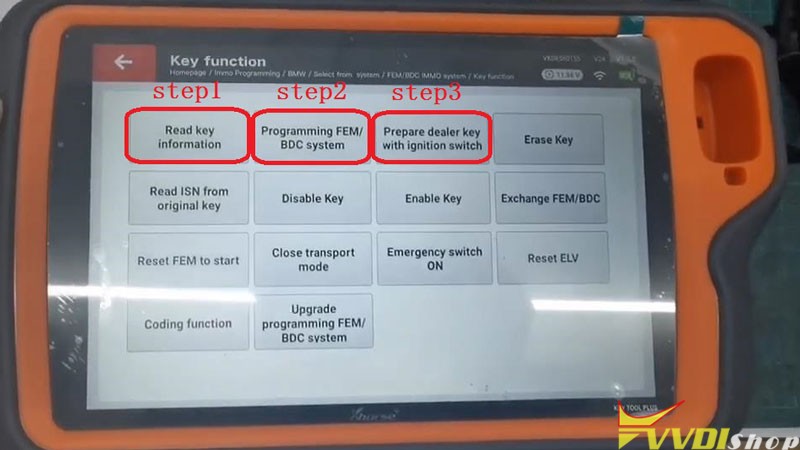
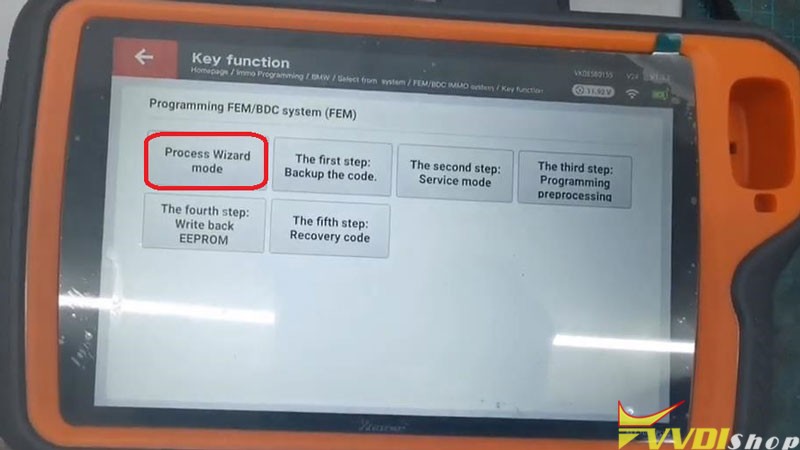
Immo programming >> Europe >> BMW >> Select from systems >> FEM/BDC IMMO system >> Key function >> Start programming >> Read key information >> Continue >> Continue >> Programming FEM/BDC system >> Process Wizard mode >> Begin
Reading coding…completed.
- Read & save EEPROM data
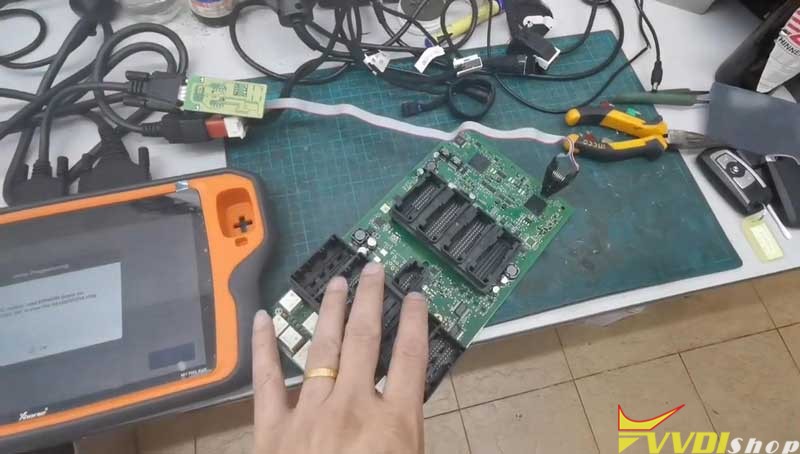
Open FEM/BDC module, read EEPROM dump via programmer. Press “OK” to view the 95128/95256 chip position.
Press “Yes” to continue.
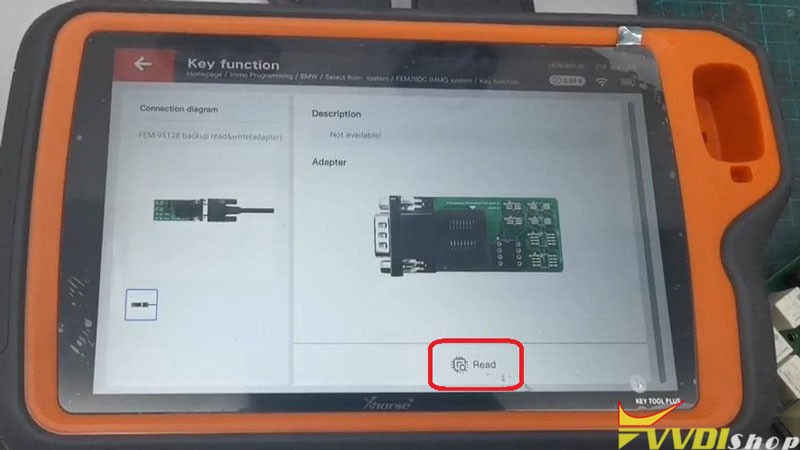
Start to read original 95128/95256 EEPROM data.
Please confirm you have completed:
- Disconnect FEM/BDC module power;
- Disconnect the OBD connection between the VVDI Key Tool Plus and module;
- Connect the adapter.
OK >> Read >> Continue
Read successfully.
- Write EEPROM data
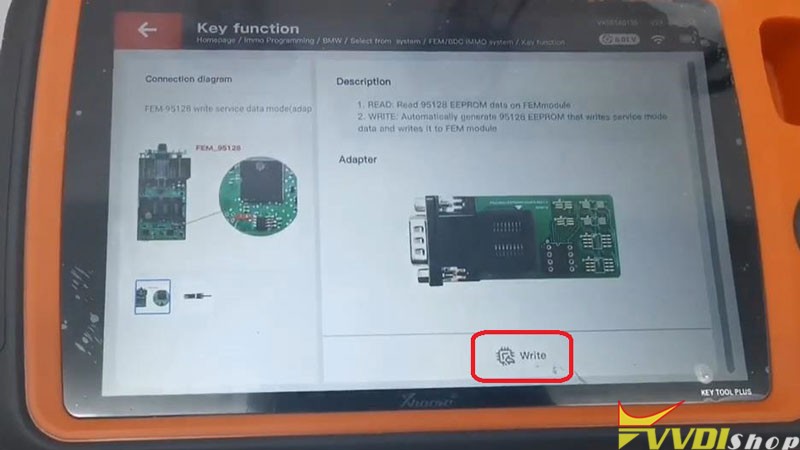
Make sure the adapter is connected properly, press “OK” to start to write service mode EEPROM.
Write >> Continue
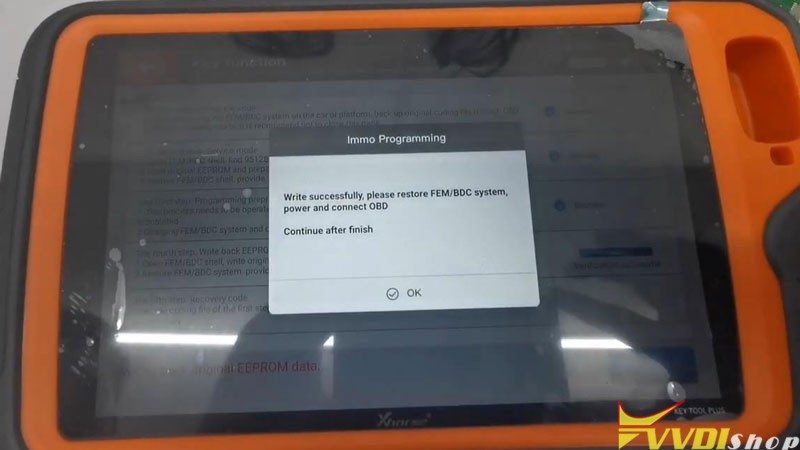
Please restore FEM/BDC system, provide +12v and connect OBD, press “Yes”.
Open FEM/BDC shell, write the original EEPROM data to 95128/95256 chip, press “Yes”.
Start to write back original 95128/95256 EEPROM data.
Please follow the prompts to operate.
Write >> Continue >> OK
Write successfully.
Do you want to verify the write coding? Yes
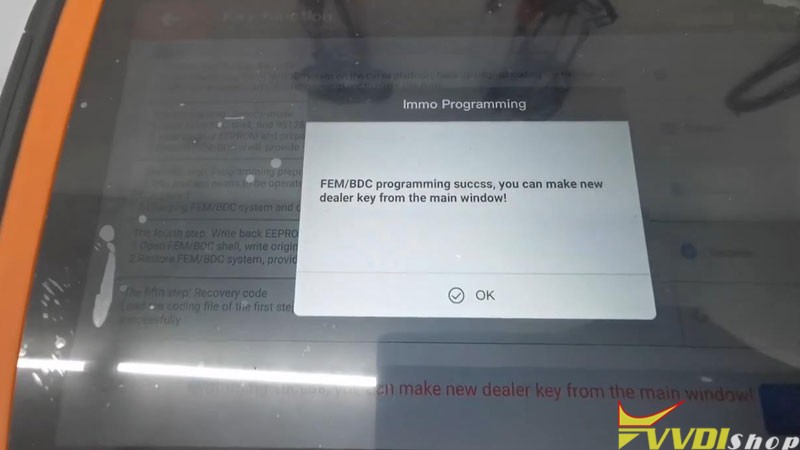
FEM/BDC programming success, you can make new dealer key from the main window!
- Program New Key
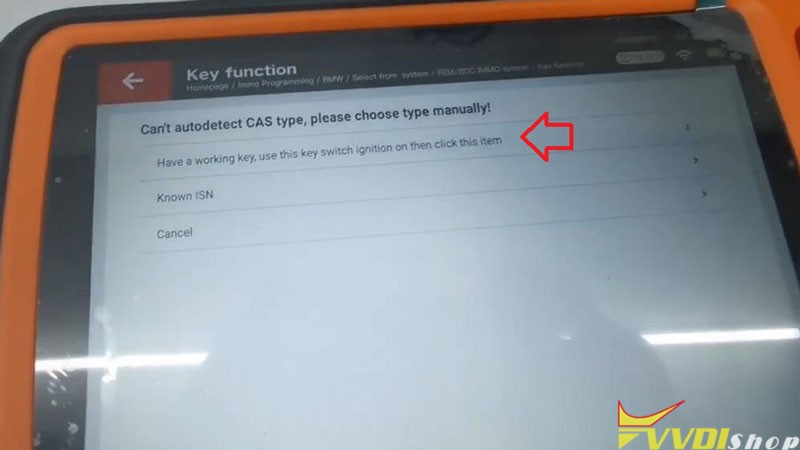
Prepare dealer key with ignition switch >> Select a blank key position: Key 4 >> Have a working key, use this key switch ignition on then click this item
Insert working key to ignition switch.
Record the key information, press “OK”.
Insert the new key into ignition or keep the new key close to emergency start position of the vehicle.
Key learn success!

- Test Key
Both the original key and new key can start the engine, and the remote are workable.
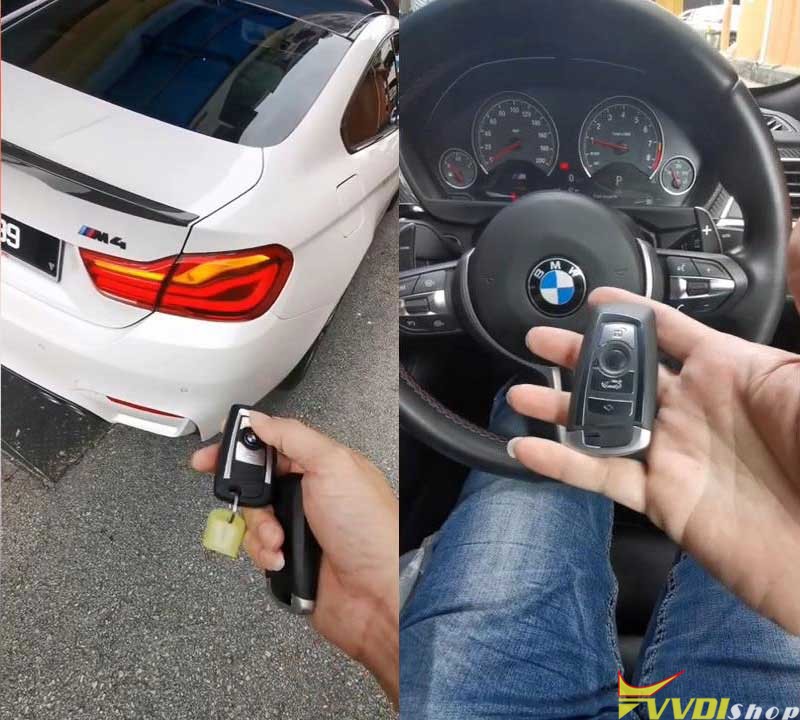
This is using Xhorse Key Tool Plus to program a BMW M4 2017 new key successfully.
Xhorse Key Tool Plus New Adapter are coming
Xhorse Solder Free Adapters bring convenience for locksmiths to greatly improve efficiency when key programming. With the adapters, no longer need disassembly and soldering, which will save much time for daily jobs.
Now, Solder Free Adapters and cables are available!
Xhorse has released nearly 100 adapters and cables that can apply to VVDI Key Tool Plus & Mini Prog. Covering BMW, Mercedes Benz, Volkswagen, Honda, Volvo, Porsche, Land Rover, Audi, Delphi for IMMO or ECU instruments.
Where to check how the Solder Free Adapters work?
Download Xhorse app on a phone, then go to “Mini Prog” function page for a look.
As below are the current optional adapters and cables. Some were sold in set and some can be sold separately. Please contact Vvdishop.com for the purchase information if in need.
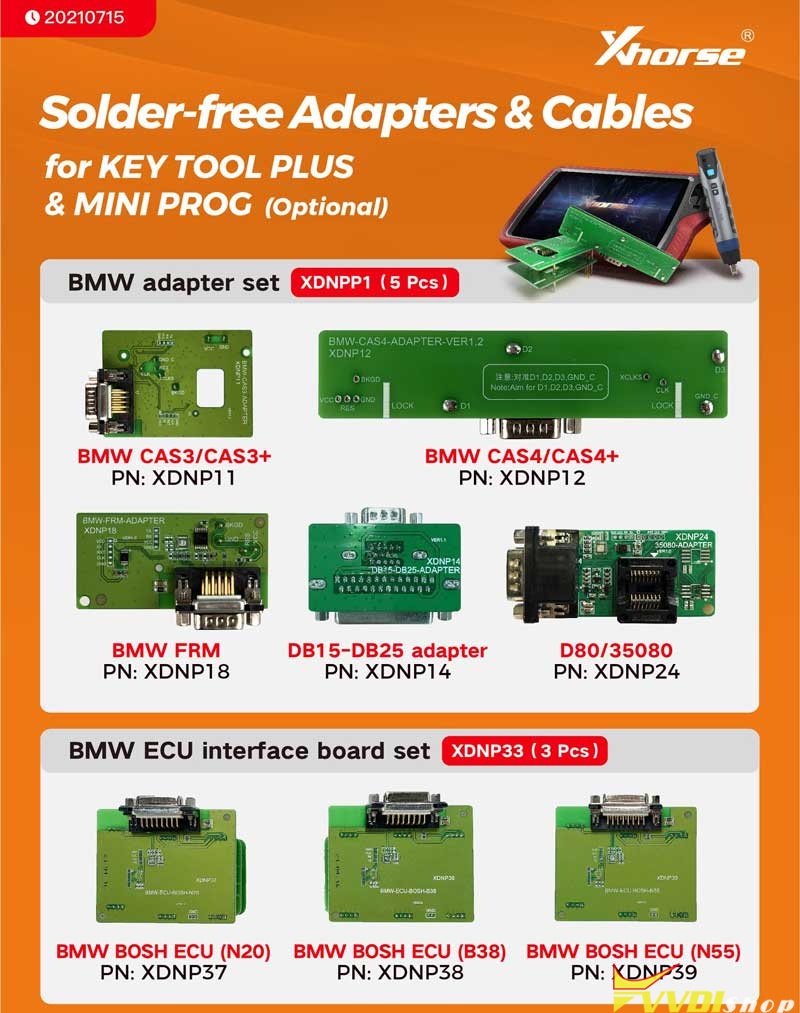
- BMW Adapter Set(XDNPP1, 5pcs)
BMW CAS3/CAS3+, PN:XDNP11;
BMW CAS4/CAS4+, PN:XDNP12;
BMW FRM, PR: XDNP18;
DB15-DB25 adapter, PN: XDNP14;
D80/35080, PN: XDNP24.
- BMW ECU Interface Board Set(XDNP33, 3pcs)
BMW BOSH ECU(N20), PN:XDNP37;
BMW BOSH ECU(B38), PN: XDNP38;
BMW BOSH ECU(N44), PN: XDNP39.
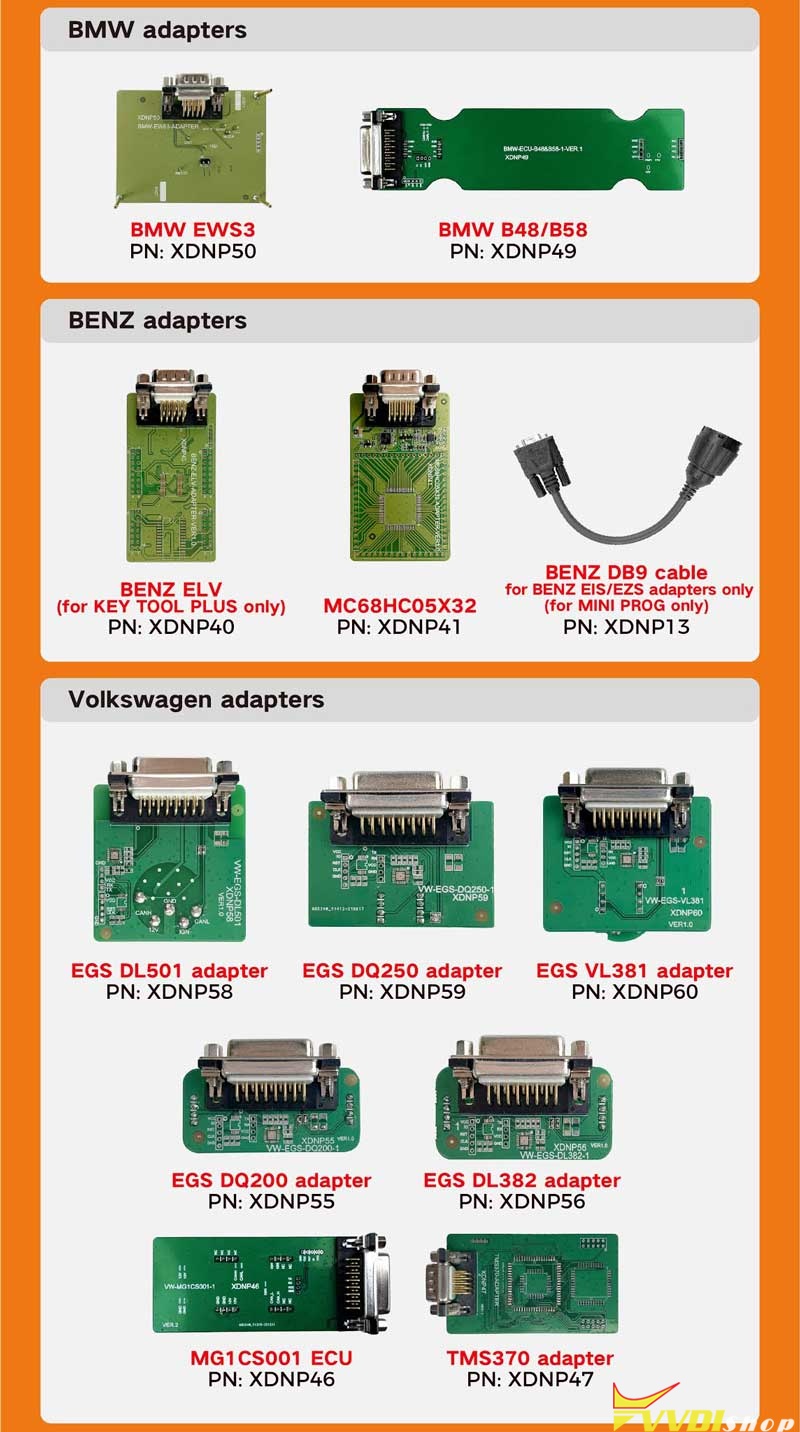
- BMW Adapters
BMW EWS3, PN: XDNP50;
BMW B48/B58, PN: XDNP49.
- BENZ Adapters
BENZ ELV(for Key Tool Plus only), PN: XDNP40;
MC68HC05X32, PN: XDNP41
BENZ DB9 Cable, for Benz EIS/EZS adapters only(for Mini Prog only), PN: XDNP13.
- VW Adapters
EGS DL501 adapter, PN: XDNP58;
EGS DQ250 adapter, PN: XDNP59;
EGS VL381 adapter, PN: XDNP60;
EGS DQ200 adapter, PN: XDNP55;
EGS DL382 adapter, PN: XDNP56;
MG1CS001 ECU, PN: XDNP46;
TMS370 adapter, PN: XDNP47.
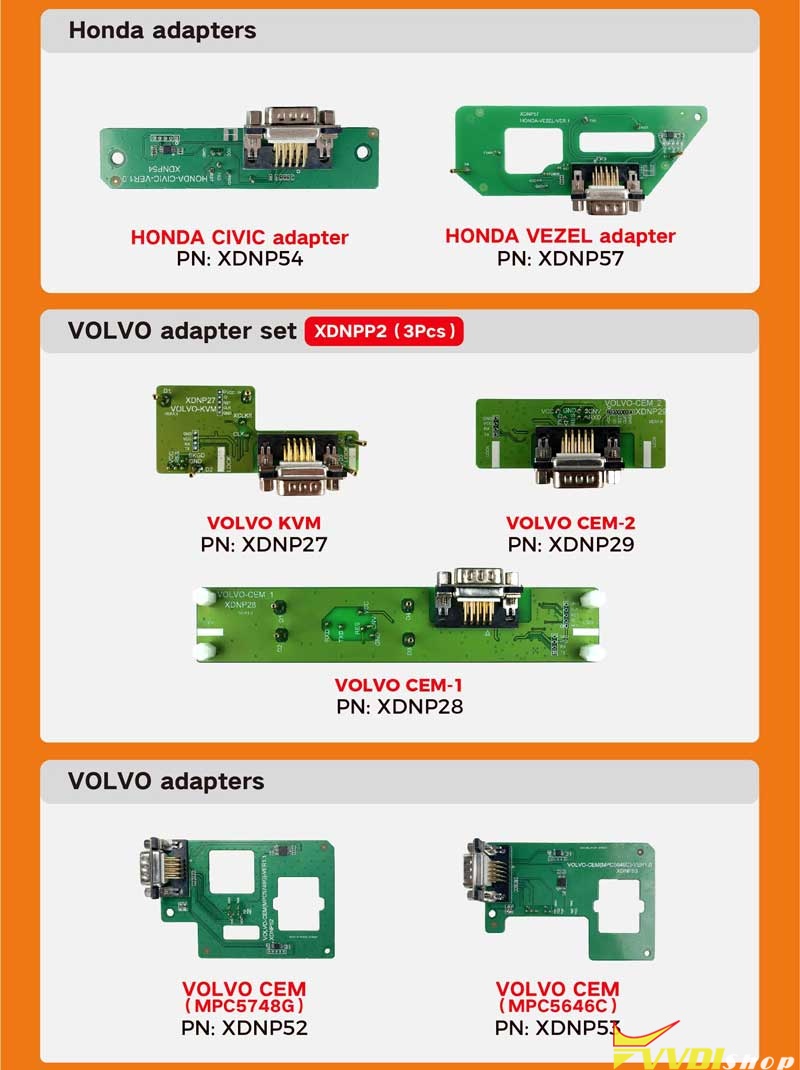
- Honda Adapters
HONDA CIVIC adapter, PN: XDNP54;
HONDA VEZEL adapter, PN: XDNP57.
- VOLVO Adapter Set(XDNPP2, 3pcs)
VOLVO KVM, PN: XDNP27;
VOLVO CEM-2, PN: XDNP29;
VOLVO, CEM-1, PN: XDNP28.
- Volvo Adapters
VOLVO CEM(MPC5748G), PN: XDNP52;
VOLVO CEM(MPC5646C), PN: XDNP53.
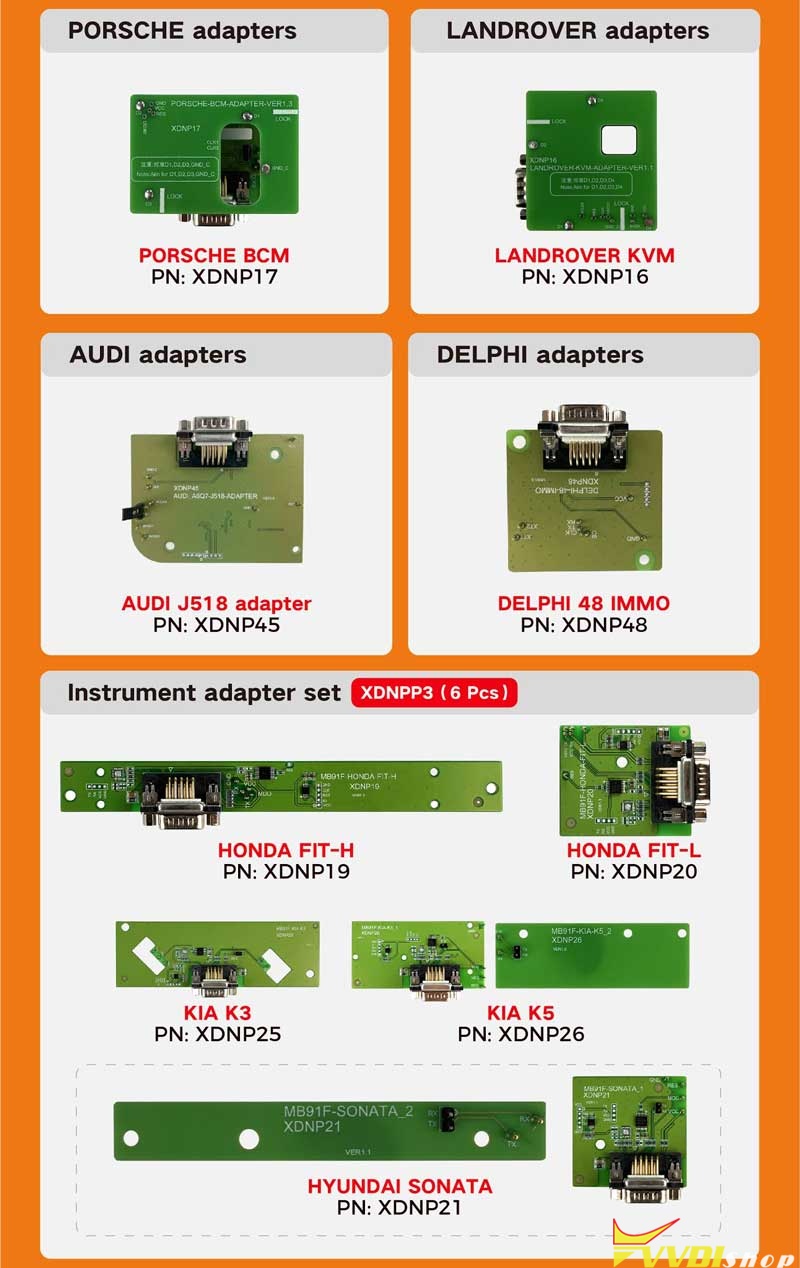
- Porsche Adapters
PORSCHE BCM, PN: XDNP17.
- Land Rover Adapters
LANDROVER KVM, PN: XDNP16
- Audi Adapters
AUDI J518 adapter, PN: XDNP45.
- Delphi Adapters
DELPHI 48 IMMO, PN: XDNP48.
- Instrument Adapter Set(XDNPP3, 6pcs)
HONDA FIT-H, PN: XDNP19;
HONDA FIT-L, PN: XDNP20;
KIA K3, PN: XDNP25;
KIA K5, PN: XDNP26;
HYUNDAI SONATA, PN: XDNP21;
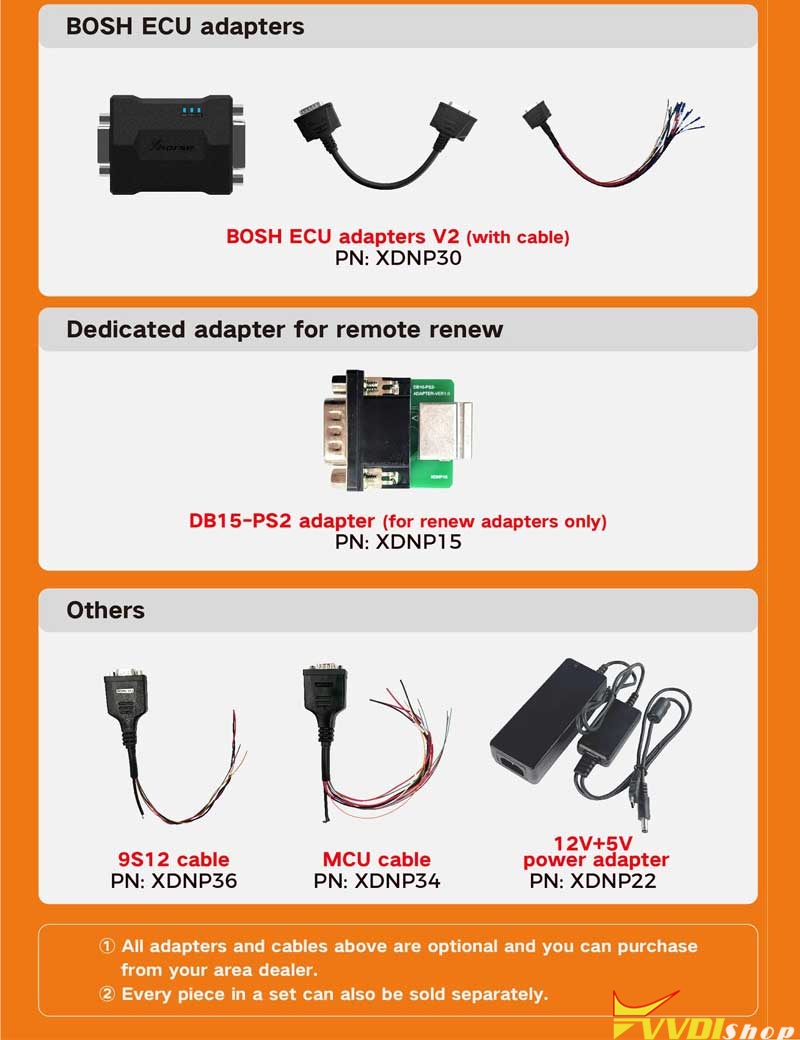
BOSH ECU adapters V2(with cable), PN: XDNP30.
- Dedicated Adapter For Remote Renew
DB15-PS2 adapter(for renew adapters only), PN: XDNP15
- Others
9S12 Cable, PN: XDNP36;
MCU Cable, PN: XDNP34;
12V+5V power adapter, PN: XDNP22
xhorse key tool plus accessories adapter can be purchased alone as well:
Including:
XDKP21 Benz NEC1 Adapter
XDKP22 Benz NEC2 Adapter
XDKP23 Benz NEC3 Adapter
XDNP10 Prog EEPROM Adapter
XDKP30 Multi-function adapter
XDKP27 Honda OBD II to 3 PIN converter
XDKP28 Kia OBDII to 20 PIN converter
XDKP29 Kia OBDII to 10 PIN converter
XDKP24 Benz power adapter
XDKP25 OBD DB25 adapter
XDKP26 Prog DB15 15 cable
XDKM01 Remote PS2 cable
XDKP20 Benz IR collector
XDNP34 MCU Cable
XDNP36 9S12xE Cable
XDKP31 battery charger
XDNP06 Type-C Converter
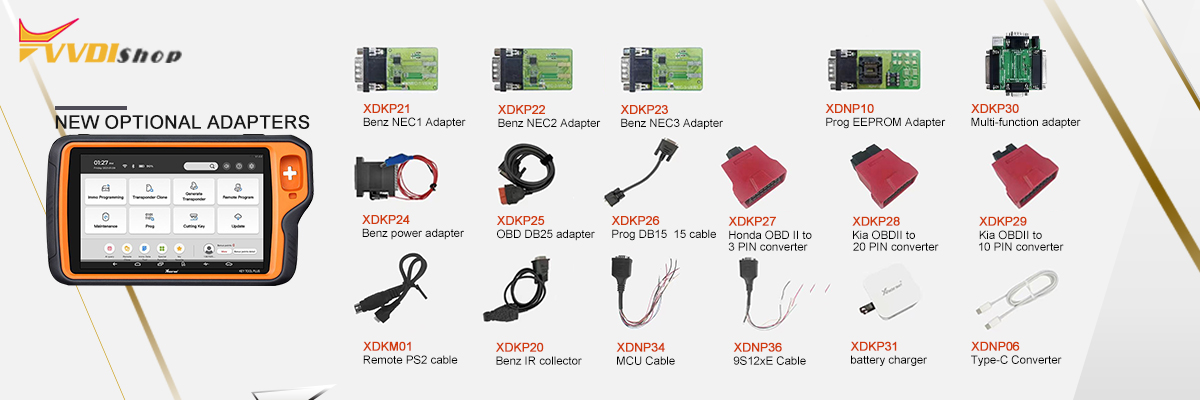
More adapters and cables are coming soon…