ابزار Xhorse VVDI
Xhose VVDI نرم افزار برنامه نویس اصلی و سخت افزارابزار Xhorse VVDI
Xhose VVDI نرم افزار برنامه نویس اصلی و سخت افزارVVDI Prog V5.0.7 Renew BMW F Series PCF79XX
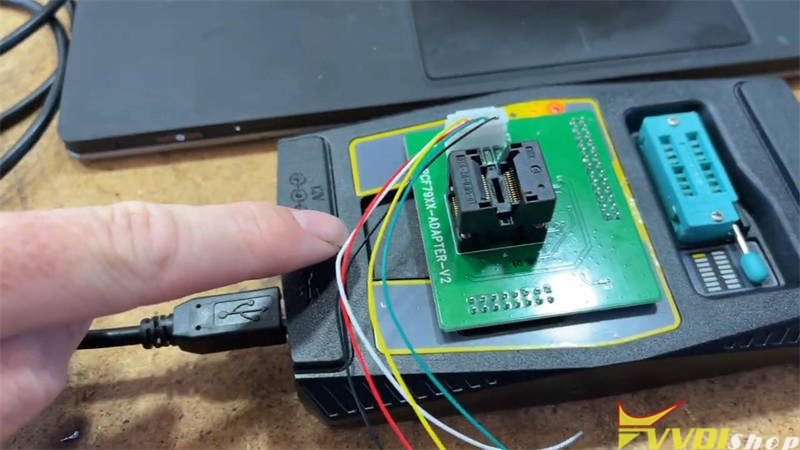
This is going to use Xhorse VVDI PROG + PCF79XX Adapter to renew a Chinese F series HUF5767 FEM key. It’s succeeded to manage in 1 minute. After refresh, the key can perfectly work on a BMW FEM F30 Car.
The VVDI PROG Adapter PCF79XX is connected on. I have not modified anything. And it seems to be working okay.

And this is the Chinese HUF5767 key which I’ll try. That’s the pin out that I’ve worked out to use.
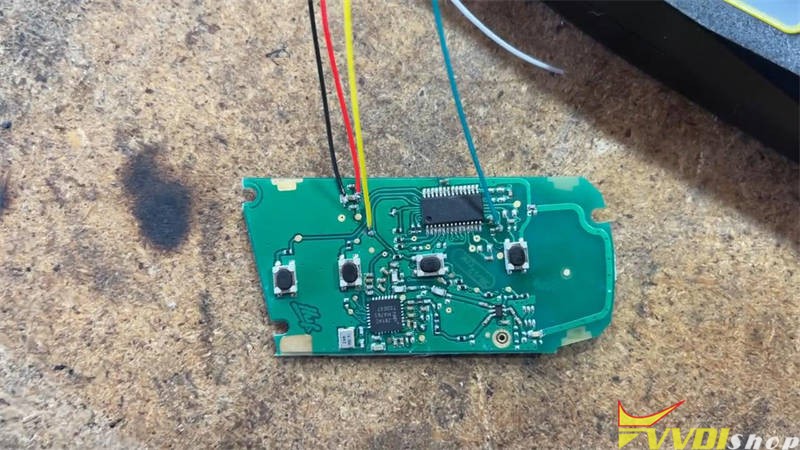
Obviously, this circuit board is different from the VVDI PROG saying. However, I’ve got the pin out correct. Let’s go through and do the refresh now.

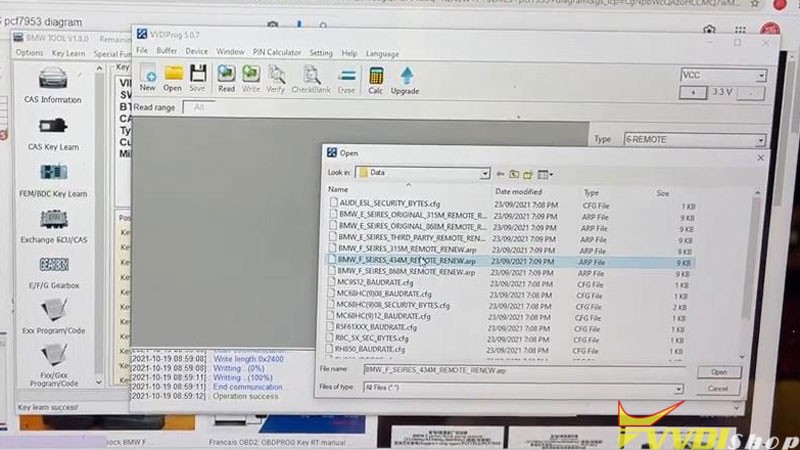
To do the refresh, you need to open up the VVDI Prog Software. Mine is V5.0.7 version, I believe the latest version V5.0.8 can also do it.
Select and open the F series 434M remote to renew.
Write >> Yes to continue
We’ll see if we get any errors…
Initialization success!
Success writing.
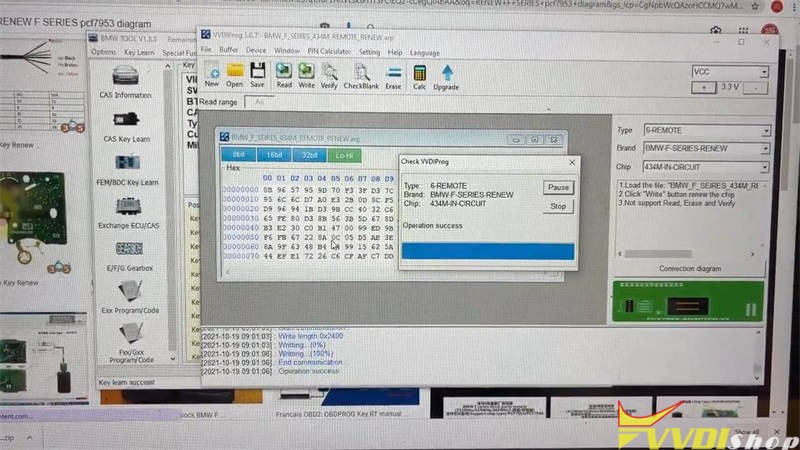
That’s it.
It’s easy to renew the BMW FEM CAS4 key.
Then I coded it to a car it does work fine.
How to Fix VVDI BIMTool Pro Flash Error 211?
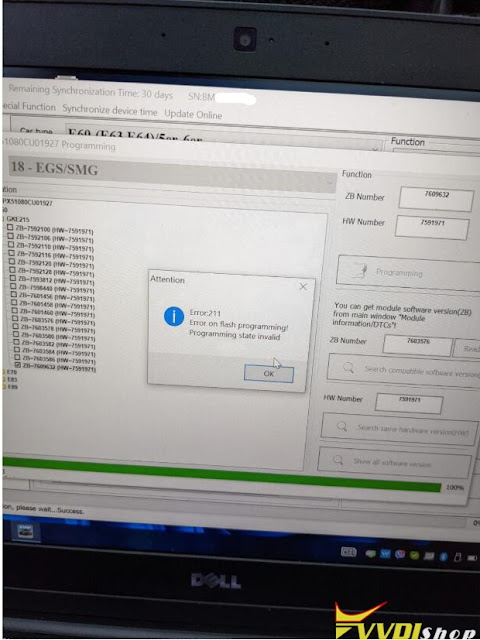
The Xhorse VVDI BIMTool Pro reports error 211 when I was trying to flash an EGS transmission.
“Error:211
Error om flash programming
Programming state invalid.”
Solution:
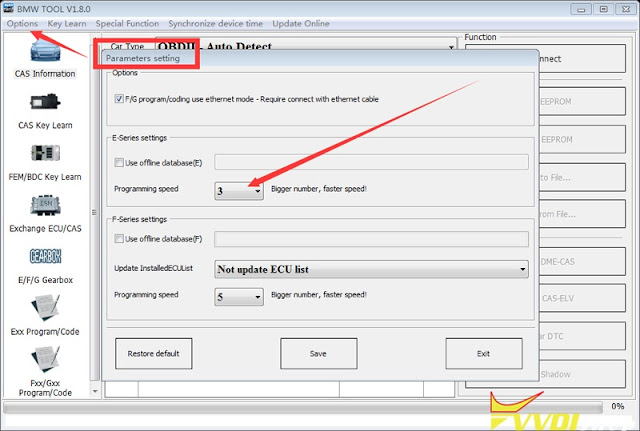
Slow down the communication speed between the vvdi bimtool and the control unit.
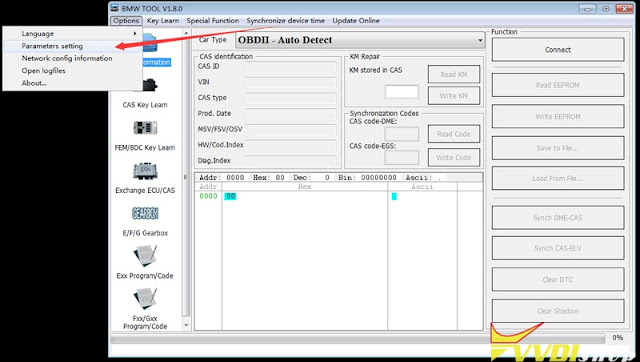
Go to Option tab- Parameters settings– change programming speed to 1 (it is three by default).
How to Cut House Key with Xhorse Condor and M4 Clamp?
Xhorse Dolphin or Condor key cutting machine is possible to be used to cut household keys. With Xhorse M4 Clamp, it’s allowed to cut single & crucifix residential keys. M4 Clamp can be applied to Dolphin XP005, Dolphin II, CONDOR XC-MINI Plus automatic key cutting machines.
But what’s worth mentioning that M4 Clamp does not support cutting residential keys by code for the moment. You should have the original key to copy.
How to cut residential keys with Xhorse key cutting machine?
This tutorial is taking Dolphin XP005 to cut SC1, KW1 key as an example.
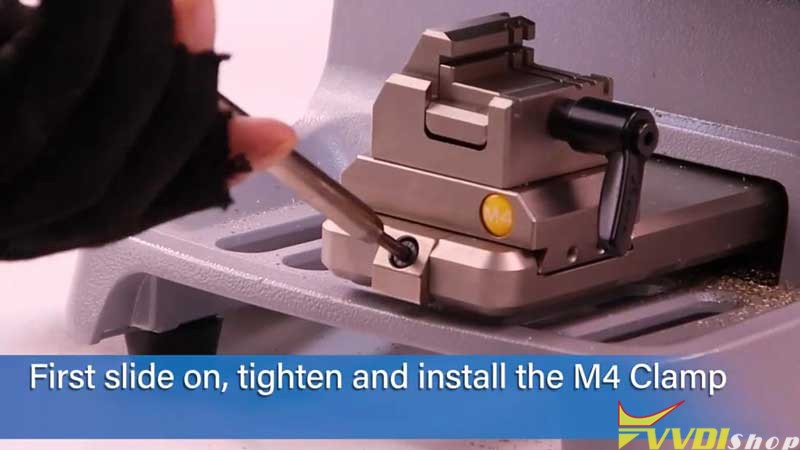
- Tighten & install M4 Clamp. Prepare original key & new key, locate the alignment shim.
- Go to “Universal Key Duplication >> Standard Single Sided >> Shoulder Align >> M4 Clamp”.
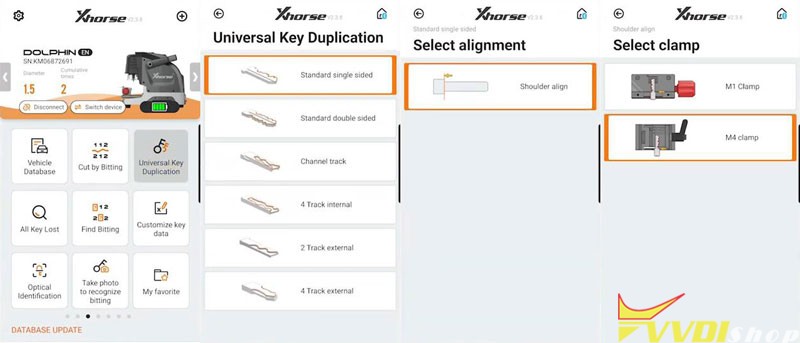
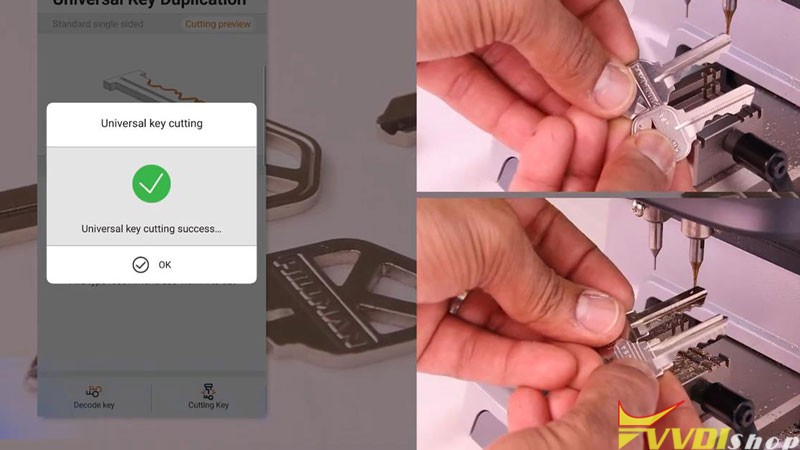
- Insert & fix the original key, aligned it according to tips. Press “Decode key”.
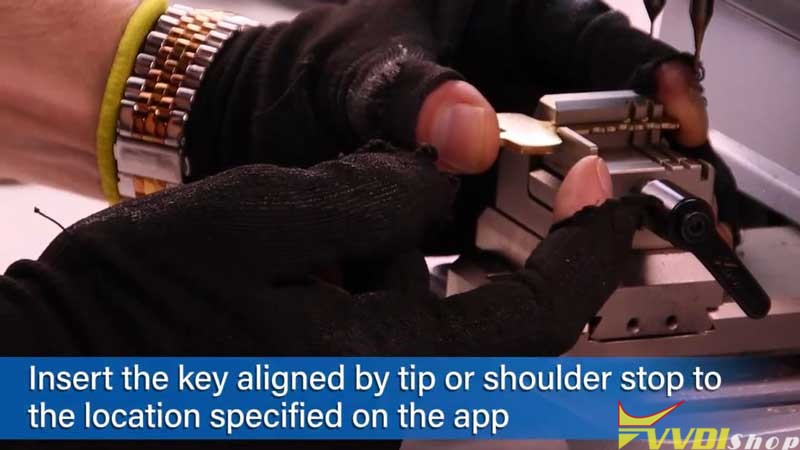

- Once completed, remove original key and replace the new one as instructed. Press “Cutting key >> Continue”.
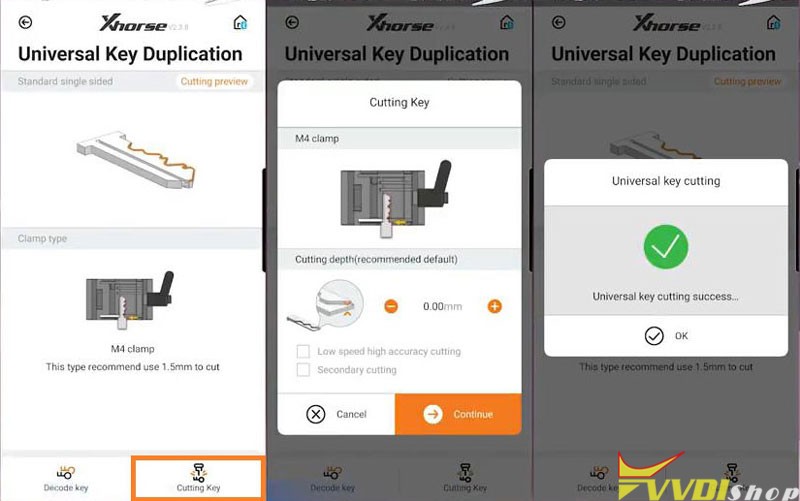
Xhorse Dolphin machine will finish the whole process automatically.
Just wait…
Universal key cutting success.
Done!
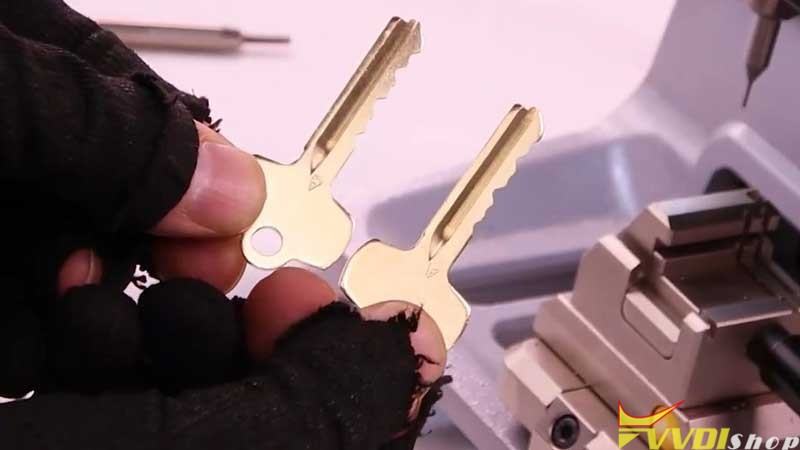
M4 Clamp can easily decode & cut SC1/KW1 keyways. Only to follow the steps above.
In short, Xhorse Dolphin XP005, Dolphin XP-005L and Condor XC-Mini are able to cut by duplication for single/crucifix house keys.

https://www.vvdishop.com/wholesale/xhorse-key-cutting-machine/
Tips to Add Audi Q5 2015 Key with VVDI2
As titled, possible to add key to an Audi Q5 2015 BCM2 encrypted using Xhorse VVDI2?
Yes, both add key and all keys lost.
Tips:
How do you do it when it is encrypted?
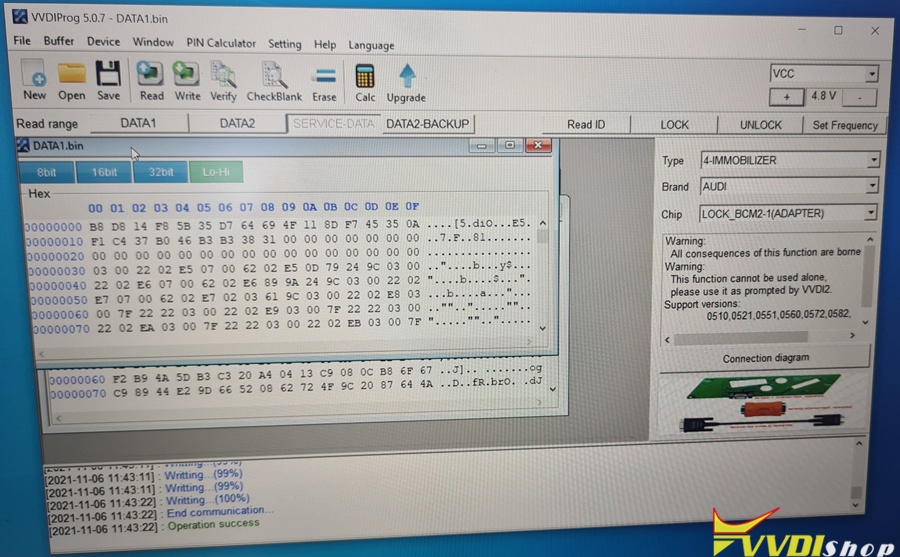
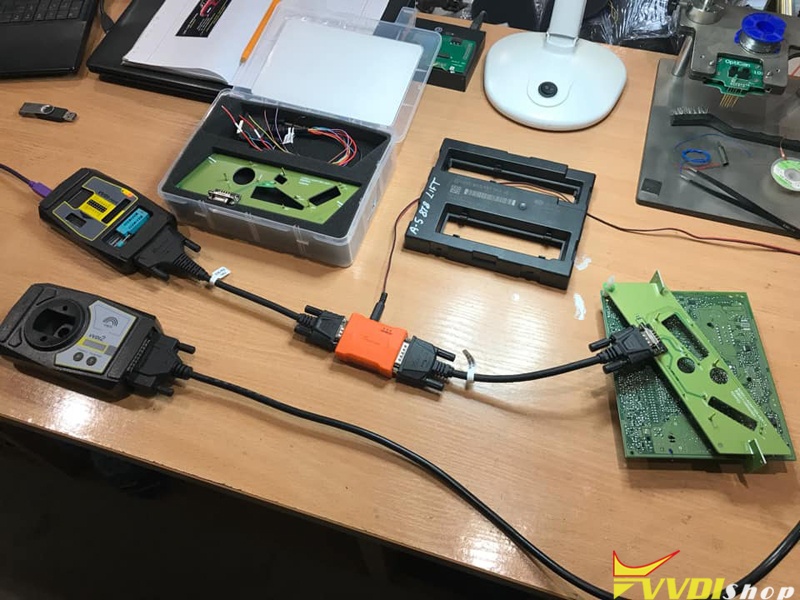
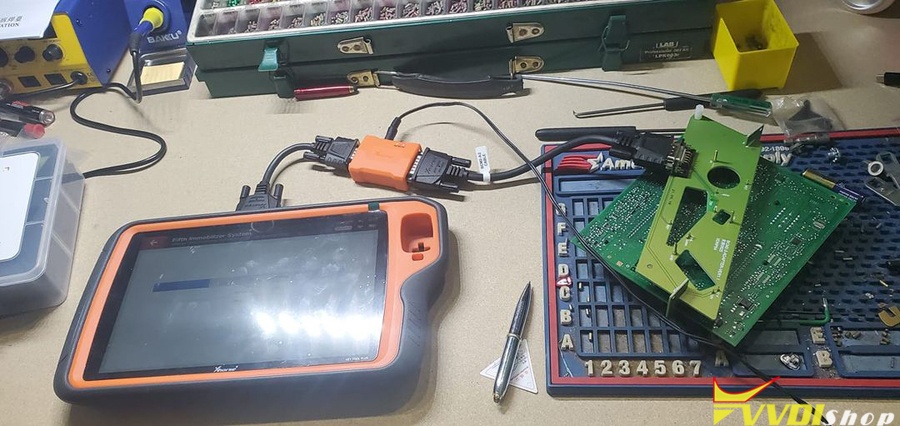
plug into car obd try read and make note of part no and software version, take bcm2 out put adaptor on for prog and read data1 under correct setting on prog, load data1 into vvdi2 and check info is correct, read data2 on prog and load into vvdi2, now you have immo file and service file, write service file back with prog, now put bcm2 back on car and program obd with immo file.
Read detailed operation instructions here:
https://www.vvdishop.com/service/use-audi-bcm2-adapter-with-vvdi-prog-vvdi2.html
and guide with key tool plus here
https://www.vvdishop.com/service/use-xhorse-audi-bcm2-adapter-with-vvdi-key-tool-plus.html
How to Calibrate M5 Clamp for Dolphin XP005L?
This is a tutorial to show how to do Xhorse Dolphin XP005L M5 clamp cutting calibration for the first time.
Procedure
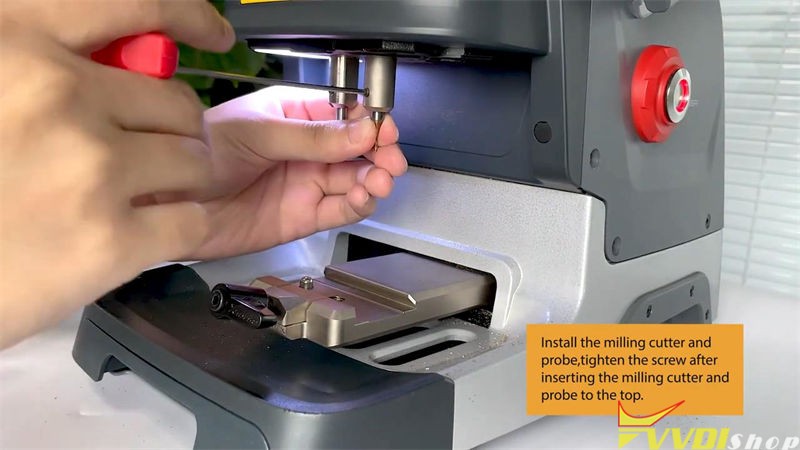
Step1. Install the milling cutter and probe, tighten the screw after inserting the milling cutter and probe to the top.
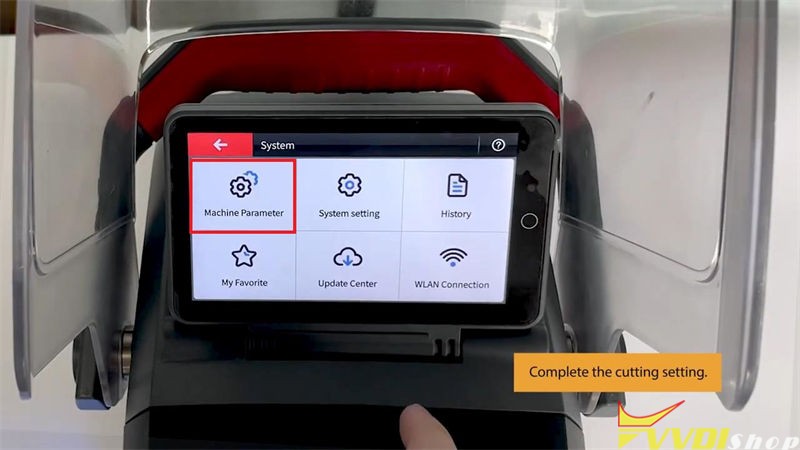
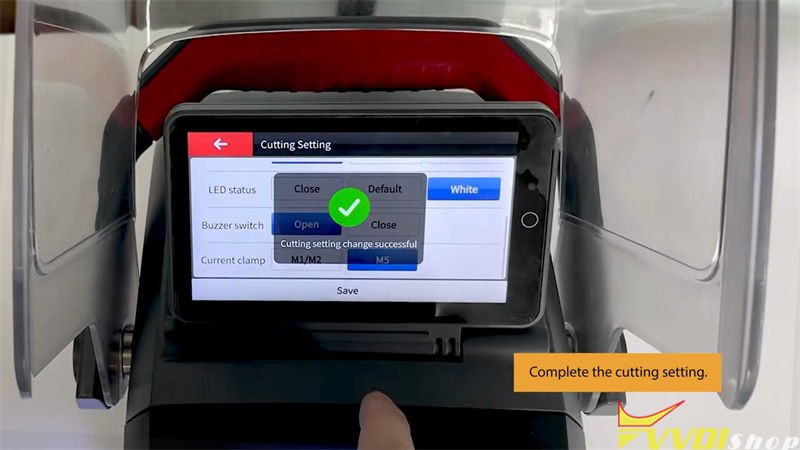
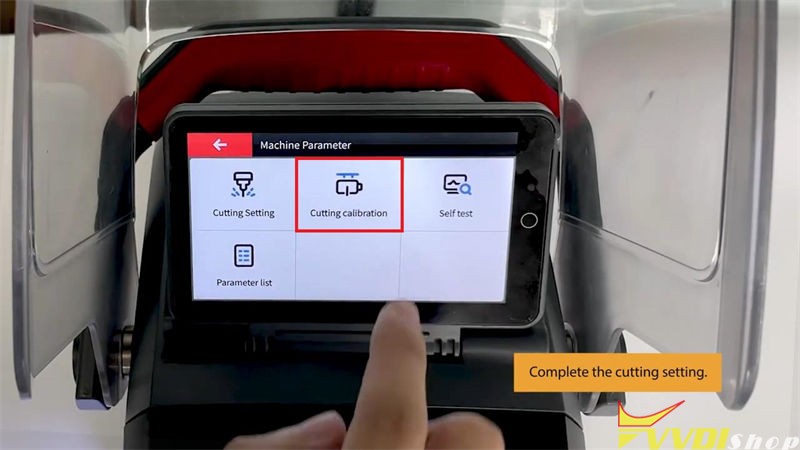
Step2. Complete the cutting setting.
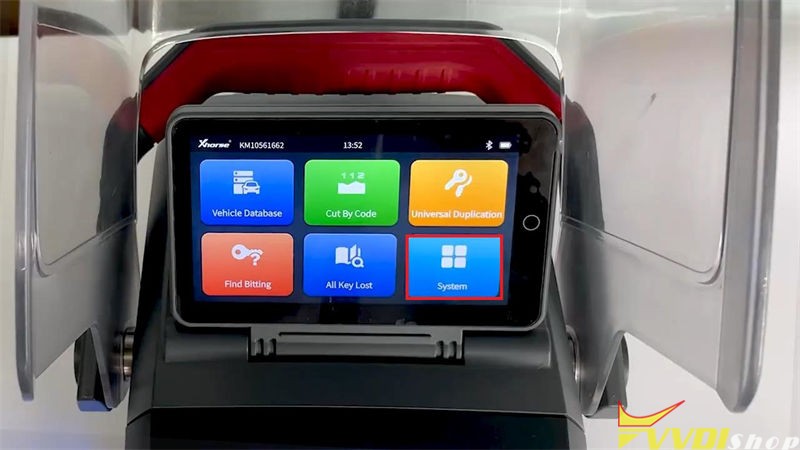
Press on Dolphin XP005L screen tablet,
System >> Machine Parameter >> Cutting Setting
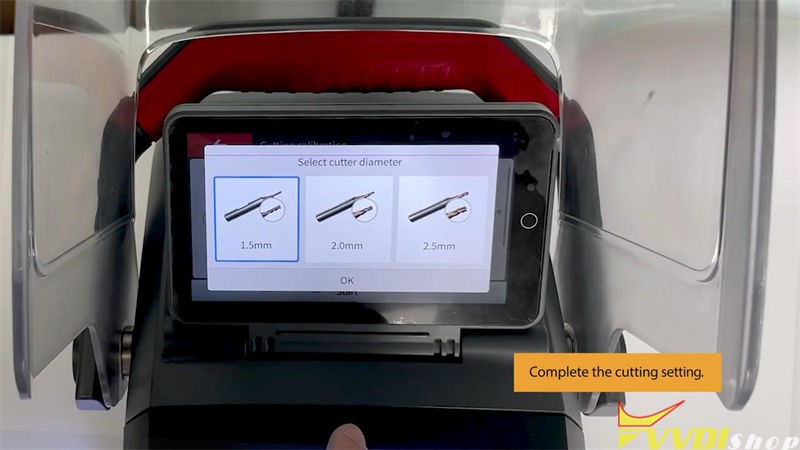
Select appropriate options for spindle speed, move speed, cutter diameter, LED status, buzzer switch, current clamp.
Press “Save” once done.
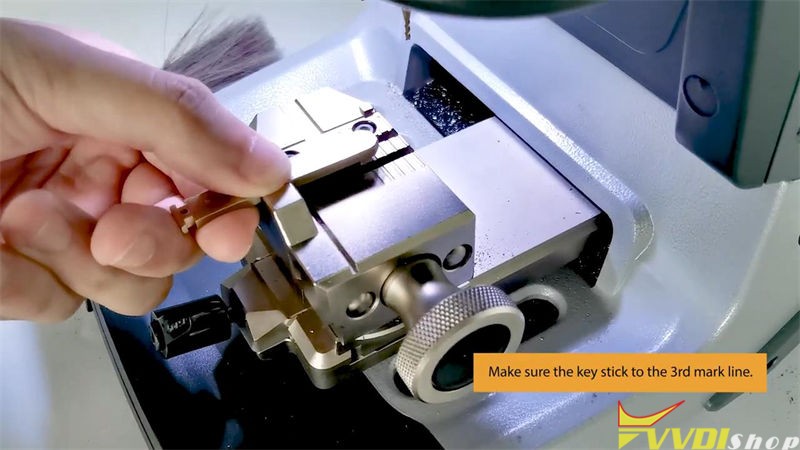
Step3. Make sure the key stick to the 3rd mark line.
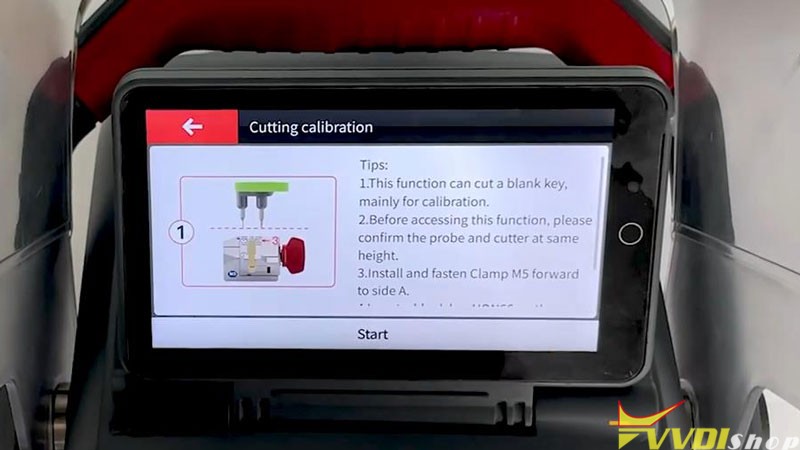
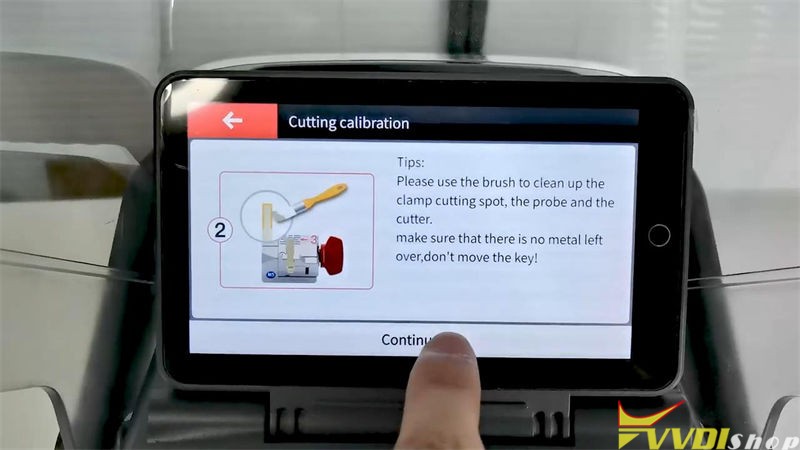
Go back to Cutting Calibration >> Select Cutter Diameter >> Read tips, press “Start”
Dolphin II machine will start calibration automatically…
Cutting calibration first steps finished.
Clean the metal debris to continue.
Just wait Xhorse Dolphin XP-005L to complete the process.
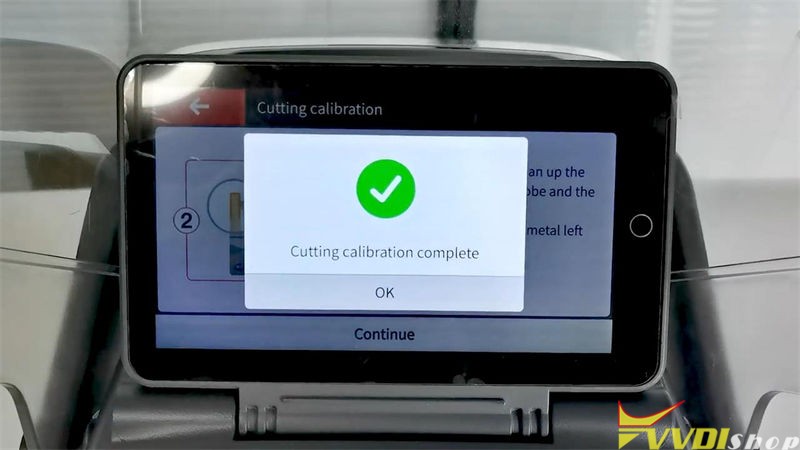
Cutting calibration is finished.
Now you can start to cutting keys.
Xhorse Dolphin XP005L M5 Clamp Calibration Video
https://www.youtube.com/watch?v=41PzaBSsb-Y
Technical support: www.vvdishop.com