ابزار Xhorse VVDI
Xhose VVDI نرم افزار برنامه نویس اصلی و سخت افزارابزار Xhorse VVDI
Xhose VVDI نرم افزار برنامه نویس اصلی و سخت افزارPossible to Add VW Golf 7 2018 MQB Key with VVDI Key Tool Plus?
Question:
The customer owns 2018 Golf 7 MQB and has two original keys, one working and one not working because it needs programming.
My question is how to reprogram the second key using xhorse vvdi Key tool plus with steps.
Answer:
Connect the keytool plus and try to read the immo data – if read it make dealer key with this data and program the key.
Read eeprom and immo for backup. Then learn key by load immo data.
if not read it will show you that is JC (Johnson Control) dash and not support it.
If johnson, or full LCD cluster. Then not possible to read the data.
You have 2 options:
1). ODIS online VAG dealer tool.
2).
If is JC maybe Smok or Barracuda can do it but not worth the headache
Bench job.
Which is not worth, the effort. To defend the costs of the tool, and license. If not already have them, in the toolbox.
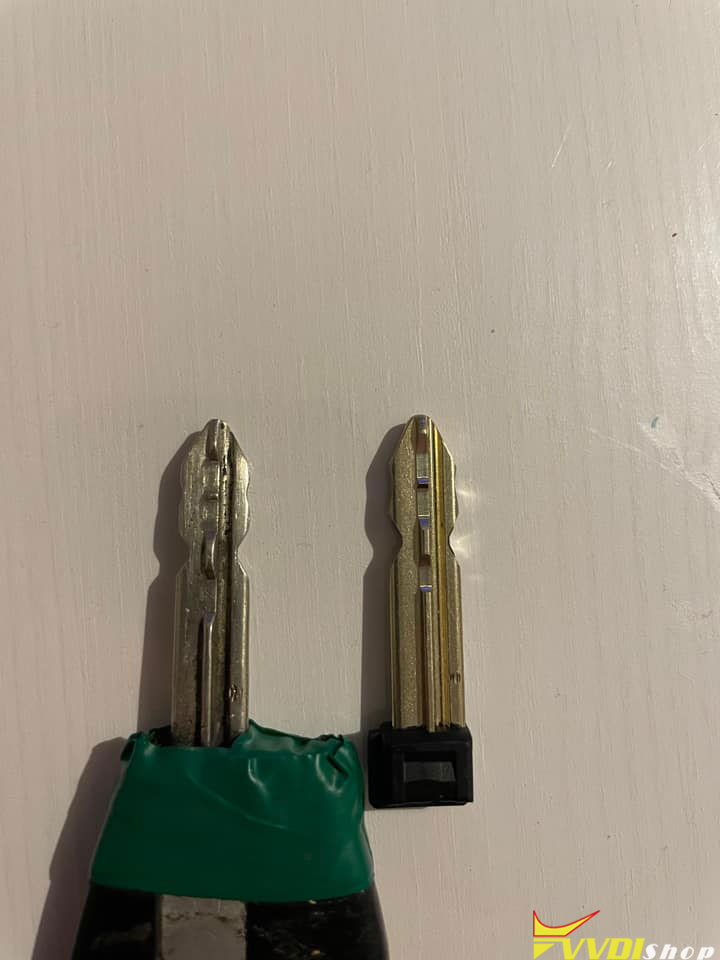
Xhorse Dolphin XP005 PSA SX9 Key Cutting Tips
What’s the best way to cut key PSA with SX9 blade using xhorse dolphin xp005?

These are good suggestions from dolphin users, try them out until you succeed.
Suggestion 1:
For the cut on top I have use this clamp (dolphin xp005l m5 clamp). For side cute I have use universal duplication
Suggestion 2:
Use the XP005 for the 2 first sides And then use a manual Condor XC-009 for the 2 other sides, works perfectly. You can move the new key for better cutting.
Suggestion 3:
I found a good way
First step: cut by decoding with « 5 bitting » program
Second step: cut using 4-5 bitting programs and stop the program halfway


2 programs on the tablet
1st stage I cut only the edges with the program 5 bitting by decoding
2 stage program 4-5 bits I manually entered the bits to strawberry, and in the middle of the program when it asks you to turn the key I simply stopped.
VVDI Key Tool Max Pro Program BMW CAS3+ ISTAP Key via OBD
Xhorse VVDI Key Tool Max PRO is able to add BMW CAS3 IMMO key by OBD. Following I’m gonna show how to do.
.jpg)
.jpg)
- Read IMMO Data
Plug Key Tool Max PRO cable into OBD interface.
Insert working key to turn ignition on.
Immo programming >> BMW >> Automatically diagnose models
The current system type is detected as CAS3++(ISTAP), about to enter the system operation interface, please wait…
Read key information >> Yes – add key >> Yes
Warning: this operation requires the CAS to be installed on the car, and operation on the platform may cause the steering lock failure!
Press “Yes” to continue.
Current CAS is ISTAP version, we need flash CAS firmware to continue OBD operation.
Flash firmware need about 10 minutes. Make sure your notebook and car with enough power.
Suggestion1: if the car is low power, supply extra power to car.
Suggestion2: if you have enough time, you can read CAS flash and eeprom before continue.
Press “Yes” to start flash CAS firmware.
The dealer key should be taken away from ignition switch.
If key is keyless, please move it out of car.
If there’s no key in ignition, continue anyway.
Press “OK”.
Wait processing…
Insert key to ignition and switch on.
The dealer key should be taken away from ignition switch.
If key is keyless, please move it out of car.
If there’s no key in ignition, continue anyway.
Press “OK”.
Reading key data success.
Save data file.
.jpg)
.jpg)
.jpg)
.jpg)
- Make Dealer Key
Prepare dealer key with programmer >> Select key position: key 3
CAS key data is encrypted, support make dealer key for it. Once failed, please contact the dealer!
Try BMW protocol…
Please put new key into VVDI Key Tool Max PRO programmer.
Is the current key a smart key? No
Make dealer key success.
.jpg)
.jpg)
- Add Key
Add key >> Yes
Please put new key into VVDI Key Tool Max PRO programmer.
Try BMW protocol…
Is the current key a smart key? No
The dealer key should be taken away from ignition switch.
If key is keyless, please move it out of car.
If there’s no key in ignition, continue anyway.
OK>> OK
Wiring data success.
New dealer key success written to CAS system.
You can start engine with new key now. If cant, please use the original working key first.
The new key can start the engine.
And its remote works fine.
Perfectly done.
.jpg)
.jpg)
https://www.vvdishop.com/service/vvdi-key-tool-max-pro-add-bmw-cas3-key-via-obd.html
Where to Find VVDI Key Tool Plus 8A IMMO AKL Menu
Problem:
My xhorse vvdi key tool plus does not have 8A Immo all keys lost (flip key) menu (image 1) under type selection, but my friend’s keytool plus does (image 1). How to find the 8A IMMO menu?


Solution:
Xhorse Key tool plus has updated the menu arrangement.
8A Immo box all keys lost menu is under Smart key system option

Do always update key tool plus software and database to latest version.
Xhorse VVDI Prog Read Volvo XC60 MC9S12XDT384
Here comes the wiring diagram pinout of Volvo xc60 P31318792 Mcu Mc9s12xdt384 unsecured 112pin 1L15Y.
Xhorse vvdi prog read it without issue, but not showing wiring.
The pictures of conections between module and vvdiprog. Shared by Mr.Vlahov.

