ابزار Xhorse VVDI
Xhose VVDI نرم افزار برنامه نویس اصلی و سخت افزارابزار Xhorse VVDI
Xhose VVDI نرم افزار برنامه نویس اصلی و سخت افزارXhorse Multi-Prog Read Rolls Royce MSD87 ECU
Xhorse Multi-prog programmer new tested report from one of vvdishop.com‘s customers.
Read Rolls Royce MSD87 ECU successfully.
Procedure:
Select Device->Engine->Rolls Royce->Ghost->BMW Continental MSD87

Multi prog will show engine and chip information, way to read, data it can read and data size
Here we can see it can be read on bench.

Check wiring diagram


Connect Xhorse multi prog with MSD87 DME via ECU adapter V1.0 following the pinout

Read INT eeprom
Read internal eeprom in 1min 16s
Save data


Read INT Flash, MAPS, EXT EEPROM, EXT Flash one by one and save all data.

Multi-prog also reads the ISN code.
Press ISN and start to read


Read 32-bit long ISN code successfully.
Write eeprom and flash also works.
Program Toyota Land Cruiser Prado 4D Remote Key by Xhorse FT OBD Tool
How-to: program Toyota Land cruiser Prado 4D 67/68 remote key using XDMOT0GL FT-OBD Mini OBD Tool and key tool max.

First connect the FT obd tool with vehicle.
Pair FT obd tool with key tool max via Bluetooth
Go to FT OBD Tool App.
Select from model->Land Cruiser Prado->Flip Keys->2004-2013-> Type 1 (4D 67/68)->Key Programming


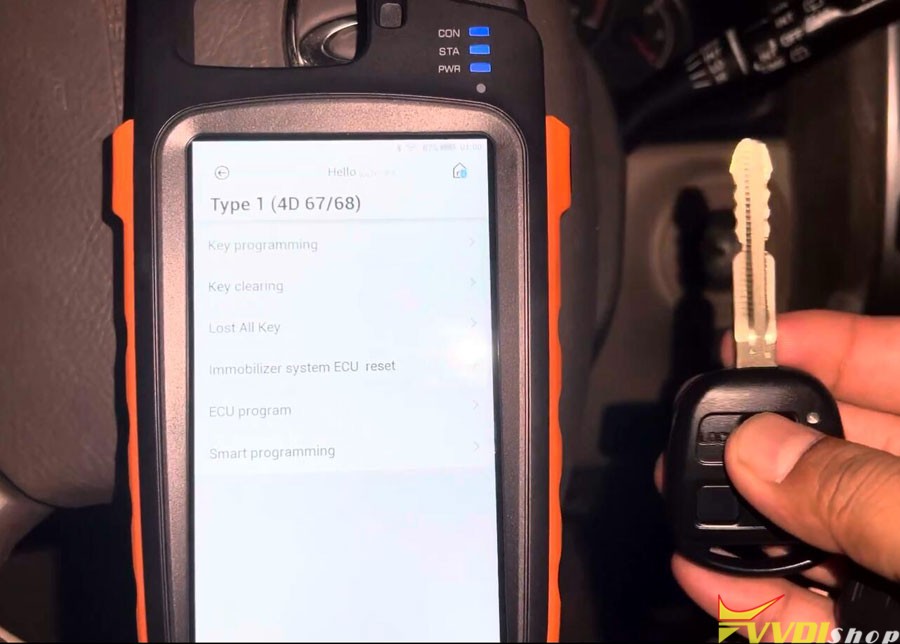
To add key you must have a master key.
Turn on the ignition with master key.

Insert new key to be programmed and stay at OFF, don’t turn to ON

Program remote in process. Xhorse FT Mini OBD tool machine is showing like 120 seconds so we going to wait for it.

Key programming succeded.

Then go to Remote System function
Select Type 2->Remote Adding
(If don’t know which type to select, try one by one)


Switch ignition on and open driver door at the same time.

It’s mentioned here if Emer is flashing please try ignition off, switch ignition and wait for 1 minute.
but it’s already off so no need anything.
We can try to start the car by new key.
Xhorse MQB RH850 Adapter Read MQB R7F701401 IMMO Data
Xhorse MQB RH850/V850 Adapter has been released now. With it, there’s no need to cut wire or lift pin to read MQB48/MQB49/5C dashboards. It can support to read VW 4th Gen Johnson Control 34xx series, MQB-RH850(R7F) series and MQB 34xx series dashboards.
But it’s worth noting that the adapter can only work with Xhorse VVDI Key Tool Plus and need MQB NEC35XX License activated. Following, we’ll demonstrate how to use RH850/V850 adapter to read the 1401 dashboard as an example.
.jpg)
.jpg)
.jpg)
.jpg)
Step1. Connect To Read
IMMO programming >> VW >> Select by type >> MQB instrument immo system >> Instrument-MQB48(VDO/JCI-NEC35xx lock) >> Start programming >> Read disclaimer, OK
Make sure the network is connected, press “OK”.
Programmer reads files >> Read NEC35xx/RH850 chip >> Wire bond >> R7F701401
Here we can check the connection diagram.
- Follow diagram to remove the components and solder the cables.
- Connect a thin conductor or enameled wire at the designated points, then solder the remaining parts.
- Fix with tape. Connect RH850/V850 Adapter to Key Tool Plus.
After successful connection, press “Read >> Continue”.
Reading success.
Save the data file.
.jpg)
.jpg)
.jpg)
.jpg)
.jpg)
.jpg)
.jpg)
Step2. Obtain Immo Data
Obtaining immo data >> OK >> Load the chip file
Calculating will take about 5-10 minutes, please wait…
Save MQB IMMO file.
The file can be used to generate dealer key and learn key.
.jpg)
.jpg)
.jpg)
Xhorse VVDI2 vs VVDI Key Tool Plus VAG Version
Question:
I’m stuck between vvdi2 full VAG version SV86-C+XNR-SS290 and VVDi2 Keytool plus VAG version xDKP02GL, I am already purchasing VVDI multi prog so I need a tool that will greatly help in vag immobilizer & instrument cluster cloning,key learning etc and not for diagnostics.
First of all, check a table comparison below:
| Item | Xhorse VVDI2 Full VAG | Xhorse VVDI Key Tool Plus VAG |
| Basic VAG IMMO/KM correction | Yes | Yes |
| IMMO4 | Yes | Yes |
| IMMO5 | Yes | Yes |
| Porsche IMMO | Yes | Yes |
| OBD48 Clone (obdii copy 48) | Yes | Yes |
| 96 bit copy 48 | Yes | Yes |
| MQB/49 (5C) IMMO System | Yes | Yes |
| IMMO Data Tool | Yes | Yes |
| MQB48 License | Need to buy MQB48 License | Need to buy MQB48 license |
| MQB48 RH850 | No | Yes, with RH850/V850 cable |
| IMMO for other brands | No | Also work on other ordinary brands such as Toyota, Honda, Ford, Buick, Chevrolet, etc. |
| Toyota 8A All keys lost | No | Yes |
| Key Tool Functions (remote clone, transponder clone, generate remote/transponder, Remote cloud recognition) | No | Yes |
| Remote renew | No | Yes |
| Maintenance feature | No | Yes |
| Control xhorse key cutting machine | No | Yes |
In sum:
VAG function is almost the same expert key tool plus supports RH850 MQB48 immo key programming, vvdi2 does not.
Key tool plus has PROG function to read eeprom, ecu and mcu. Vvdi2 does not.
Key tool plus has key tool functions, it can generate remote/transponder, clone remote, renew remote etc. VVDI2 does not.
Key tool plus have extra immo coverage for some common brands, Toyota, Nissan, Ford, GM etc, it also does Toyota 8A (smart and non-smart) all keys lost. Vvdi2 does not.
Key tool plus also controls key cutting machines. Vvdi2 does not.
Vvdi2 full vag version price is the same as full version. Vvdi2 full is recommended.
https://www.vvdishop.com/service/xhorse-vvdi2-full-vag-vs-vvdi-key-tool-plus-vag.html
VVDI Key Tool Plus Program Audi A8 2019 BCM2 All Keys Lost
Tutorial: How to read Audi A8 2019 BCM2 (version 0825) immo data so you can program all keys lost with xhorse vvdi key tool plus and BCM2 solder free adapter.
Connect BCM2 adapter with vvdi key tool plus and BCM2 module


In key tool plus, select IMMO Programming->Audi->Select by type->5th Immobilizer system-> Read BCM2 data->Prog read encrypted BCM2->A6L/A7/A8 2015- all keys lost (0824/0825/0827)->Adapter Method


Step 1: Identify module information
Save module information


Step 2: Read Immo Data
Calculating immo data online
Save Immo data


Press Write to write data back to bcm2 module.

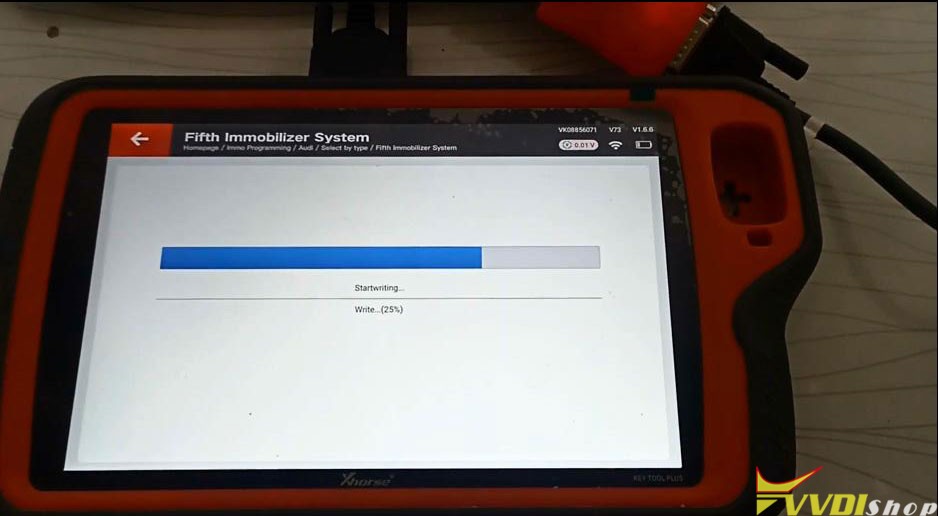

Write completed.
Now you can make dealer key and learn key with the immo data.
Restore BCM2 module and install vehicle, check whether the vehicle status is normal.
After it is normal, go to the 5th generation immo system interface to load the immo datae to generate the dealer key with vvdi key tool plus.