ابزار Xhorse VVDI
Xhose VVDI نرم افزار برنامه نویس اصلی و سخت افزارابزار Xhorse VVDI
Xhose VVDI نرم افزار برنامه نویس اصلی و سخت افزارProgram Benz Sprinter Key with VVDI Prog and VVDI MB
How to: Program key for Benz Sprinter W906 using Xhorse VVDI prog and VVDI MB Tool key programmer.
Step 1: Read EZS data with VVDI Prog
Open VVDI-Prog software
Select 4-Immobilizer->Benz->EIS W906 (ST12)
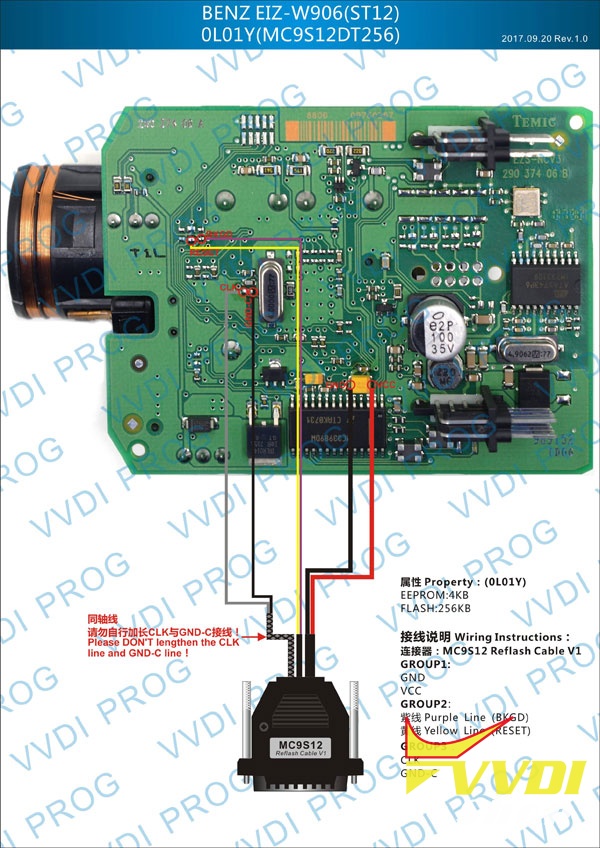
Check connection wiring
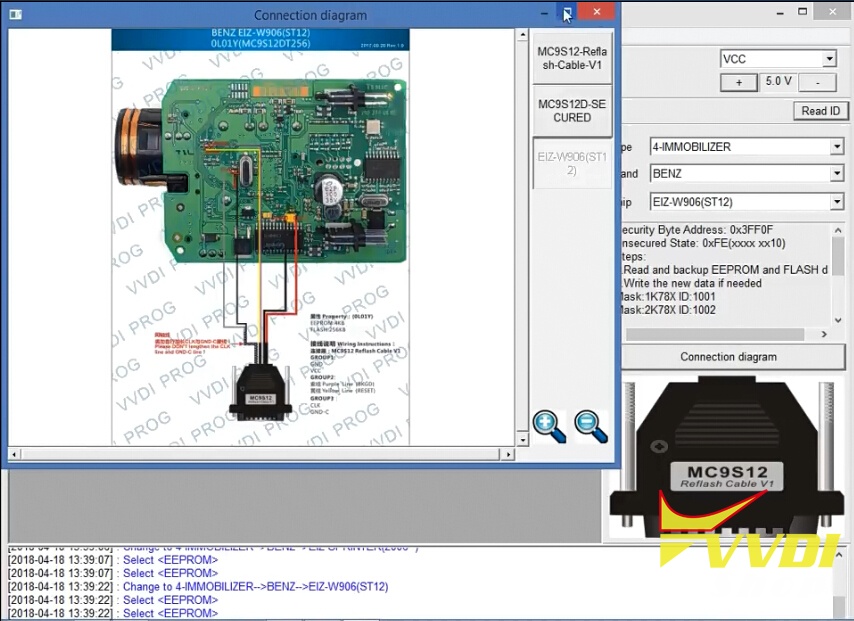
Follow Benz EIZ W906 ST12 0L01Y wiring diagram to connect EIS with vvdi prog
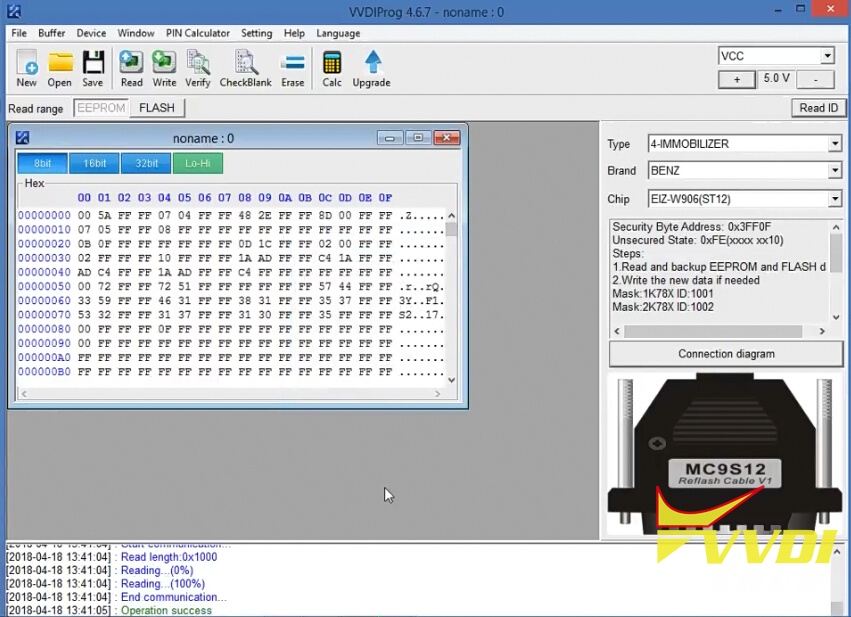
Read eis data

Save data
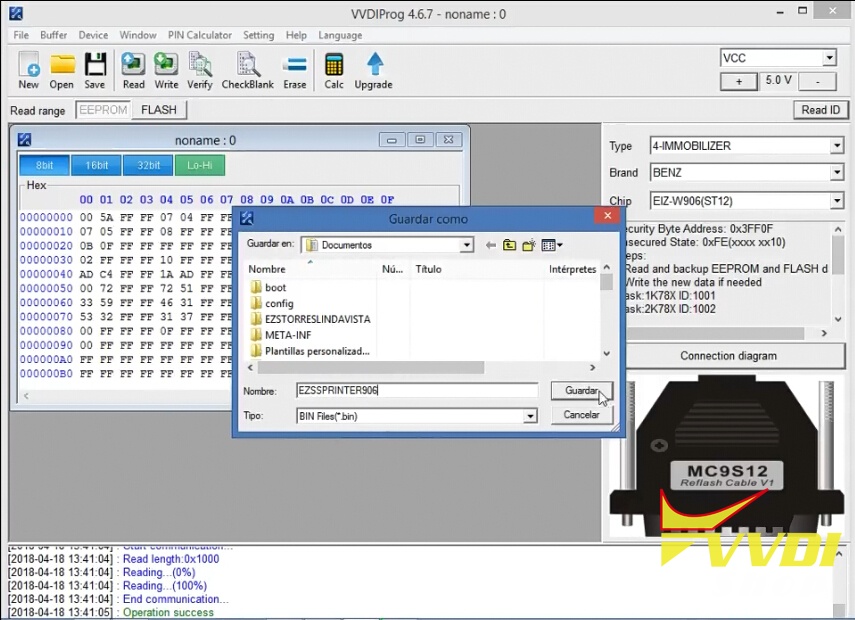
Step 2: Program key with VVDI MB
Open VVDI MB software
Select Prepare Key File->Load EIS file
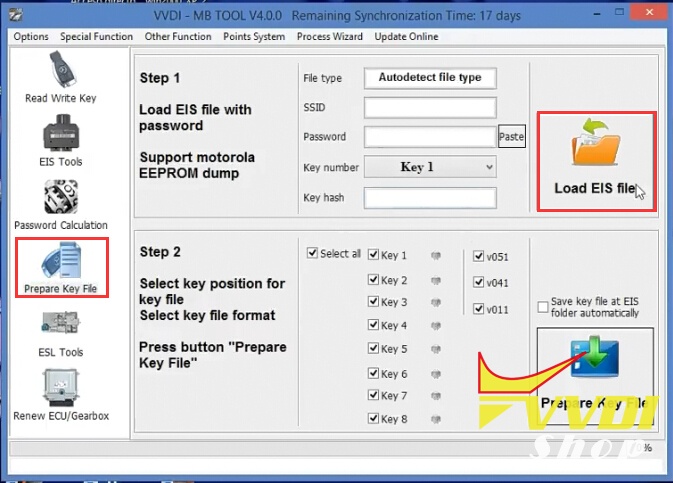
Upload EIS data read by vvdiprog

Display key information, select key version v51, then press Prepare Key File
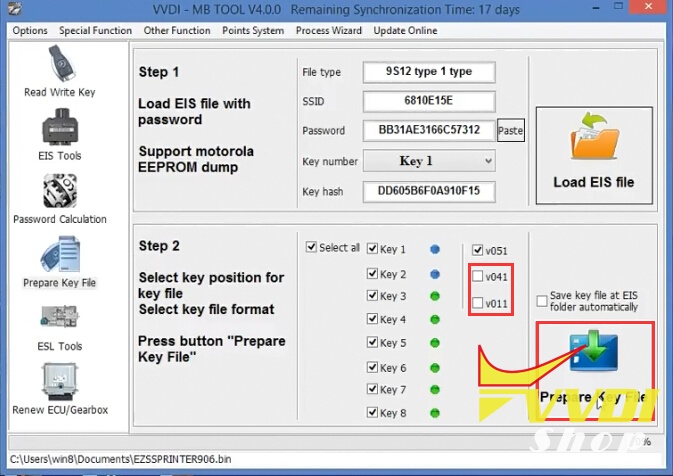
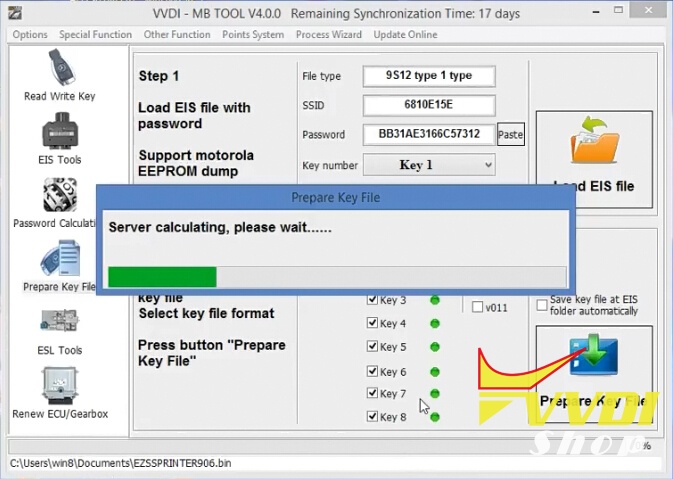
Save new key data
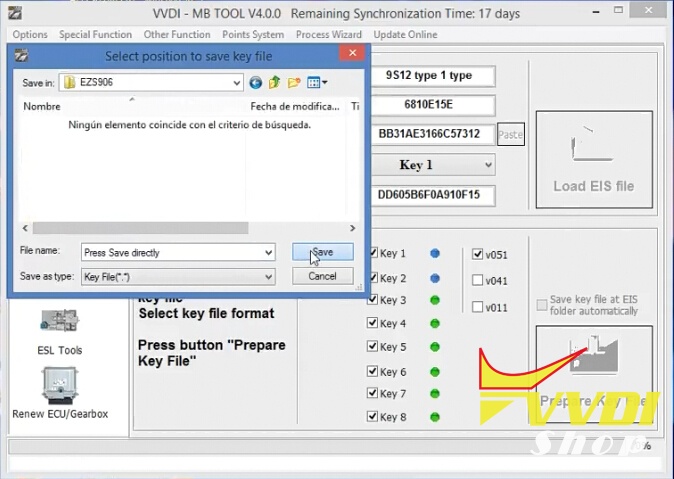

Go to Read and Write Key->Identification key
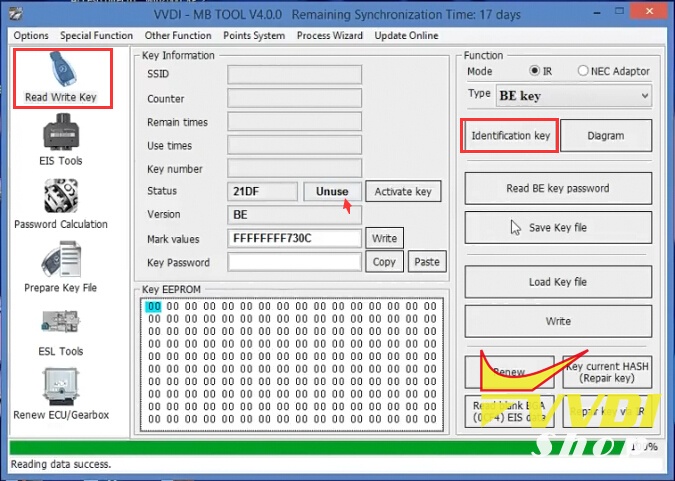
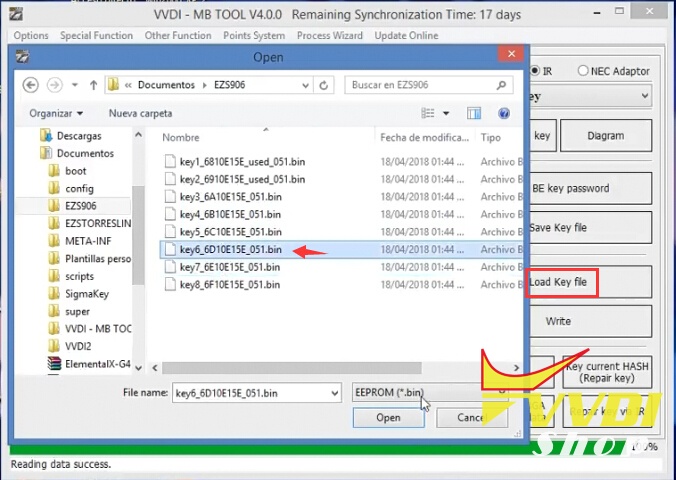
Press Load key file to upload new key data
Press Write button to write key
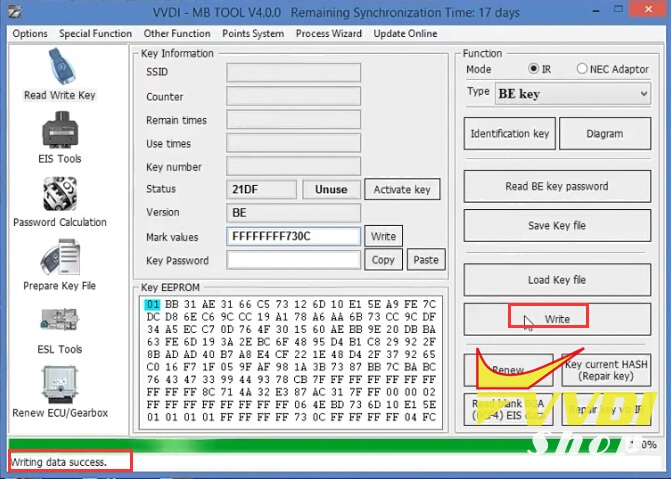
Program Sprinter key success
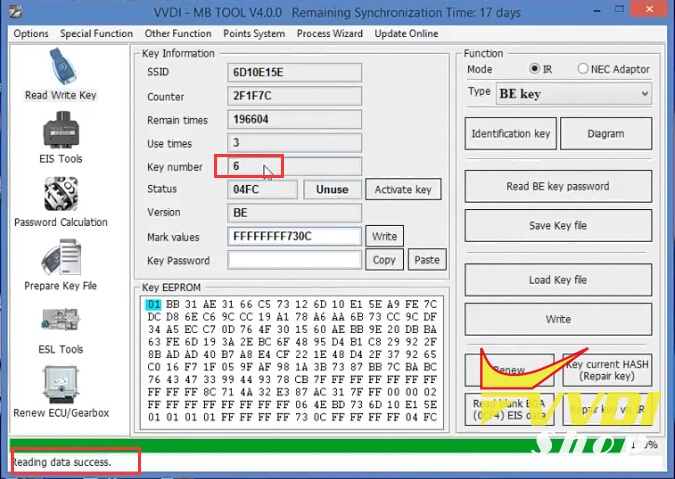
Done.
Make Citroen C4 Wireless Remote Key with VVDI Key Tool
How to: generate Citroen C4 Picasso Wireless Remote Key with Xhorse VVDI key tool remote maker.
Step 1: Generate Remote with VVDI Key tool
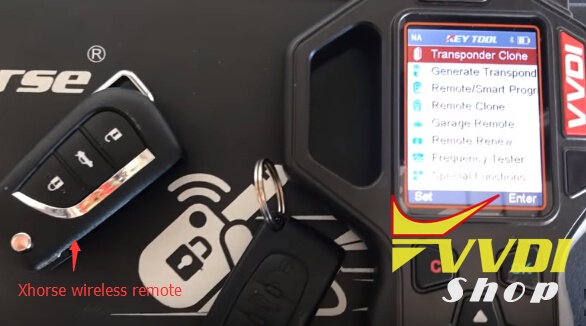
Original remote and xhorse vvdi wireless remote are required.
Insert original key into coil, select Transponder Clone->Automatic detection clone
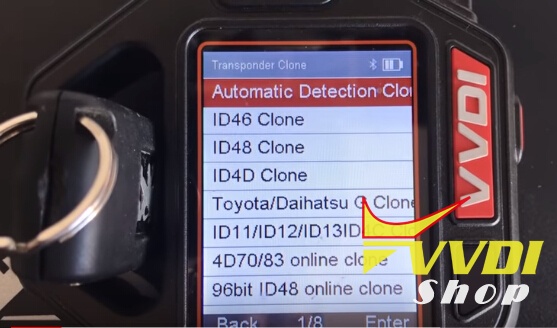
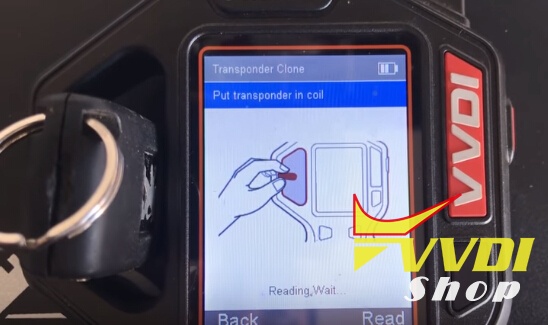
Read original remote ID46, locked 7941 transponder
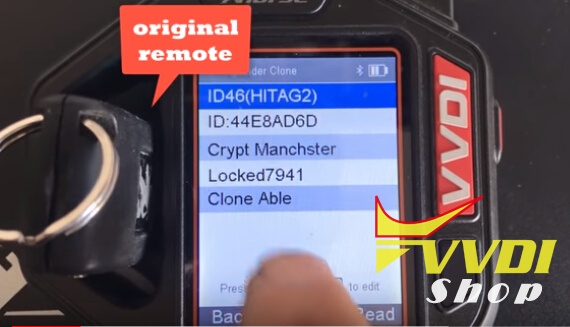
Insert vvdi remote into coil
Identify remote ID46, Unlocked 7941
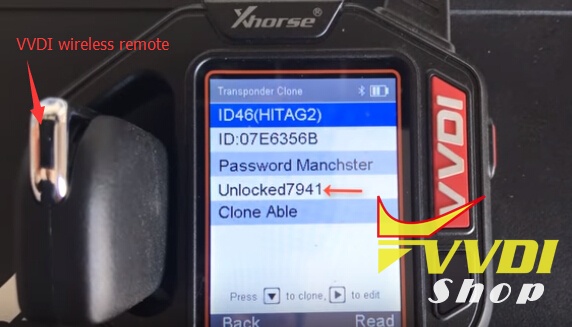
Disassemble the vvdi remote, insert PCB into coil
Select Remote/Smart Program->Remote key->Europe->Citroen-> we enter from C3 (268 c3 434MHz)

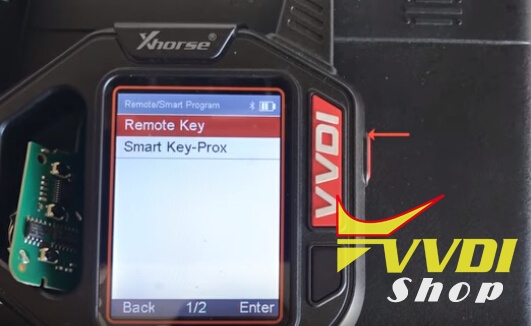
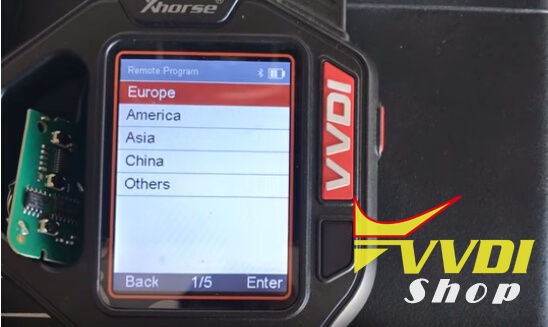
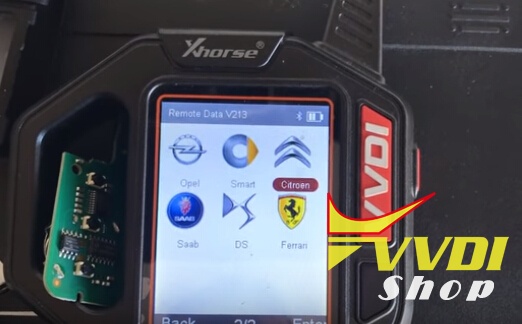
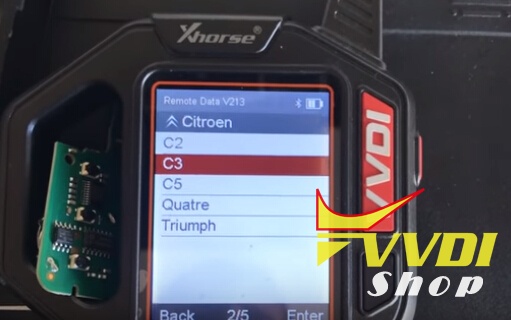
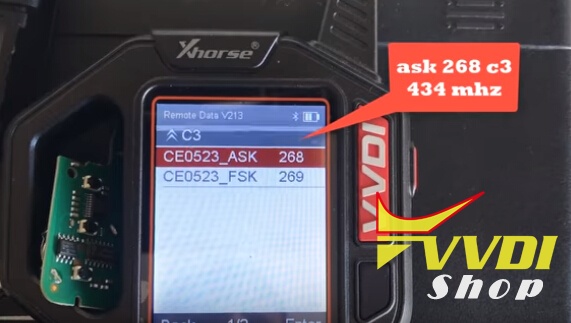
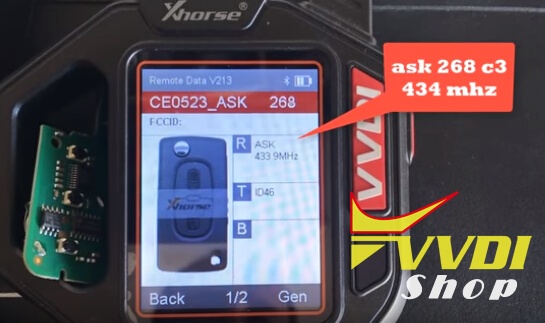
Press Gen button to write key data
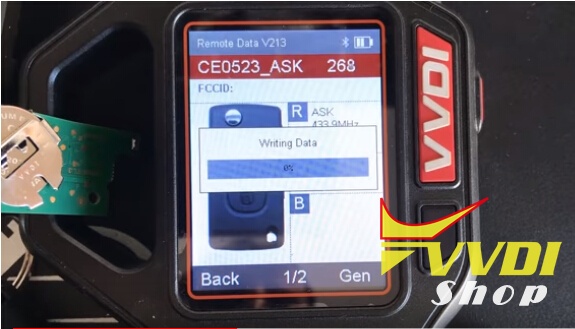
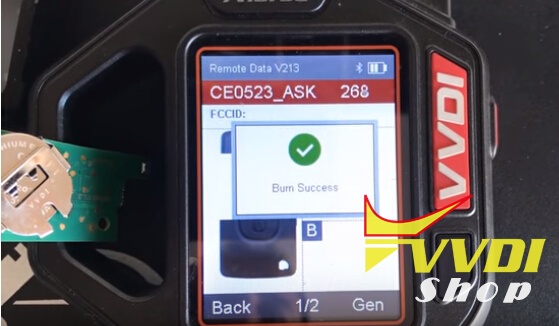
Generate remote key success
Step 2: Program remote key with Lonsdor K518ISE
Connect K518 host with vehicle via OBD socket
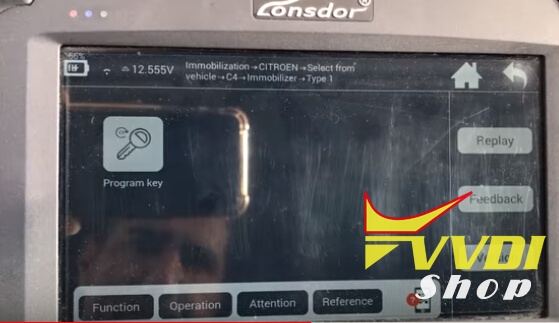
Select Immobilizer->Citroen->Select from vehicle->C4->Immobilizer->Type 1->Program key
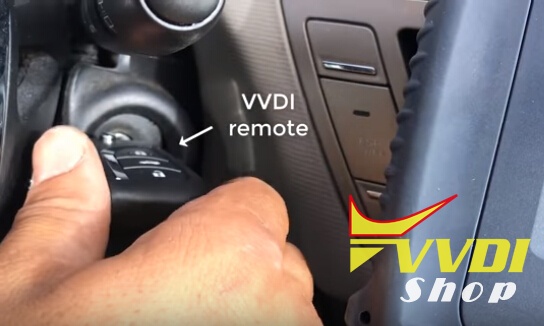
Turn on ignition switch with vvdi key
Lonsdor 518 read vehicle information
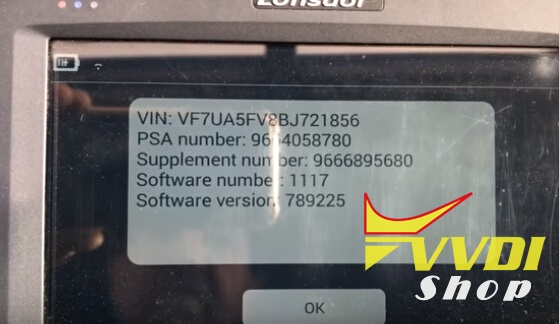
K518 ask to enter 4-digit pin to access (you should read PIN first, then it will auto fill in the blank)
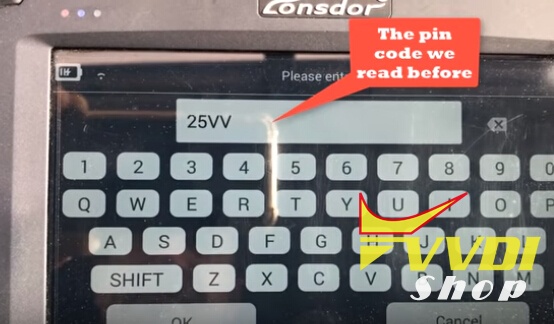
Verifying PIN
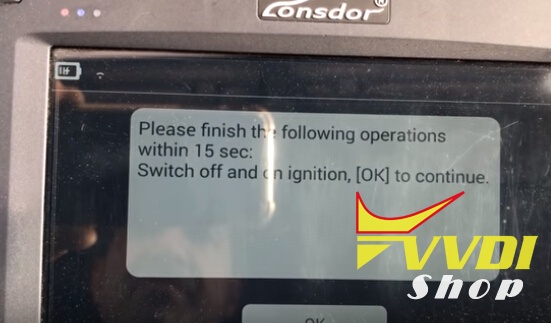
Turn ignition off and on within 15 sec
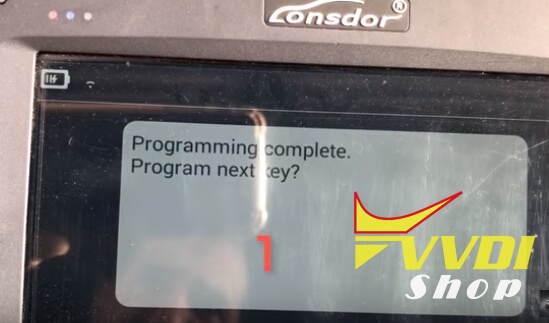
1st key programming complete
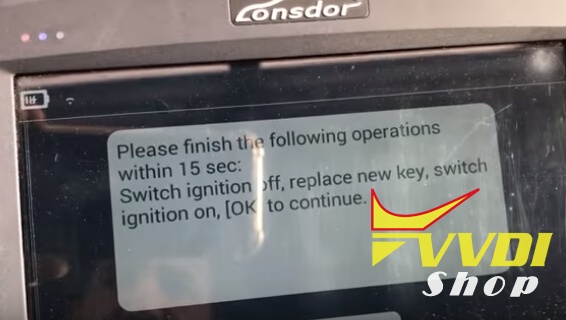
Turn ignition off, replace a new key, turn on ignition within 15 sec
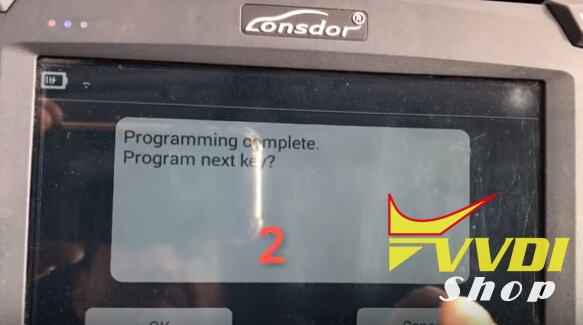
Program completed
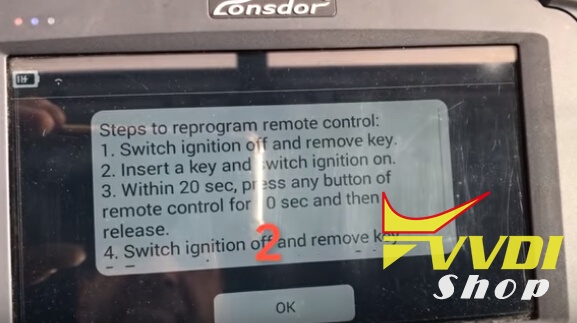
Manually reprogram remote control:
1.Switch ignition off and remove key
2.Insert a key and switch ignition on
3.Press any button of the remote key for 10 sec then release within 20 sec
4. Switch ignition off and remove key
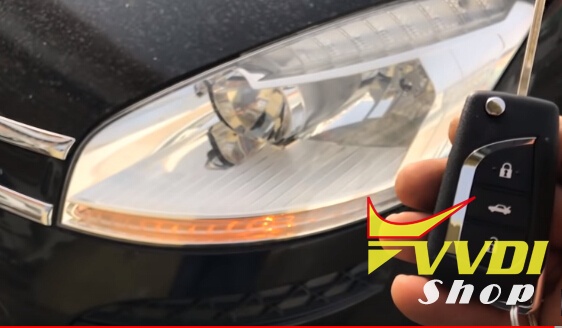
Test the remote key
Done.
Make Citroen C4 Wireless Remote Key with VVDI Key Tool
How to: generate Citroen C4 Picasso Wireless Remote Key with Xhorse VVDI key tool remote maker.
Step 1: Generate Remote with VVDI Key tool
Original remote and xhorse vvdi wireless remote are required.
Insert original key into coil, select Transponder Clone->Automatic detection clone
Read original remote ID46, locked 7941 transponder
Insert vvdi remote into coil
Identify remote ID46, Unlocked 7941
Disassemble the vvdi remote, insert PCB into coil
Select Remote/Smart Program->Remote key->Europe->Citroen-> we enter from C3 (268 c3 434MHz)
Press Gen button to write key data
Generate remote key success
Step 2: Program remote key with Lonsdor K518ISE
Connect K518 host with vehicle via OBD socket
Select Immobilizer->Citroen->Select from vehicle->C4->Immobilizer->Type 1->Program key
Turn on ignition switch with vvdi key
Lonsdor 518 read vehicle information
K518 ask to enter 4-digit pin to access (you should read PIN first, then it will auto fill in the blank)
Verifying PIN
Turn ignition off and on within 15 sec
1st key programming complete
Turn ignition off, replace a new key, turn on ignition within 15 sec
Program completed
Manually reprogram remote control:
1.Switch ignition off and remove key
2.Insert a key and switch ignition on
3.Press any button of the remote key for 10 sec then release within 20 sec
4. Switch ignition off and remove key
Test the remote key
Done.
VVDI Adds Land Rover Discovery 3 2007 Transponder Key
New test report: I’ve successfully added a PCF7936 transponder key to a Land Rover Discovery 3 BCM using Xhorse VVDI Prog and VVDI2 programmer.
Step 1: Read CEM Dump with VVDI Prog
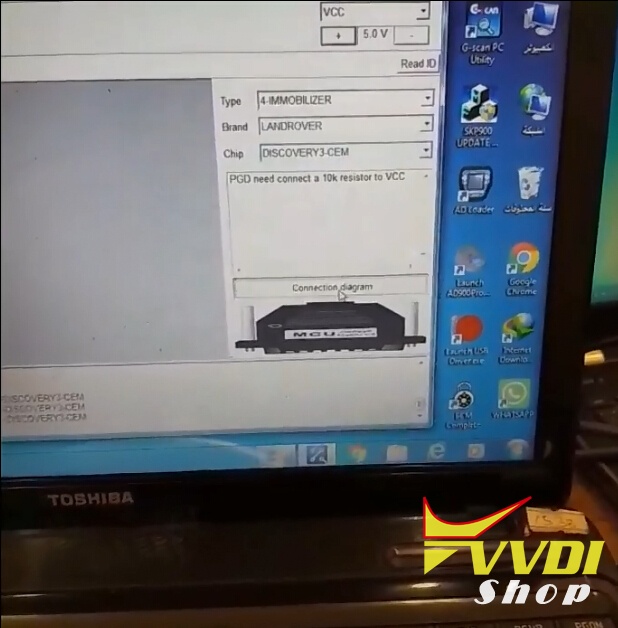
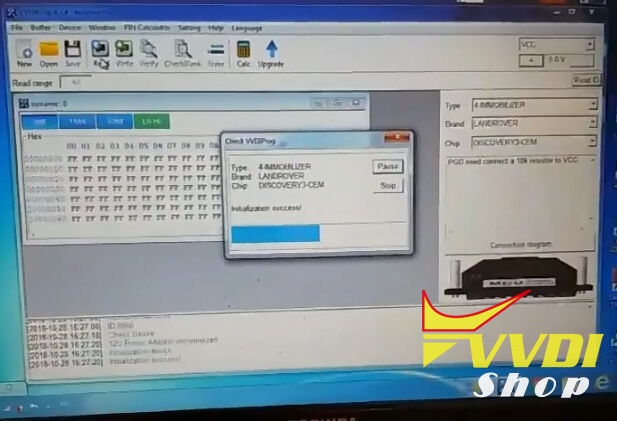
Open VVDIprog software, select Type: 4 Immobilizer->Land Rover->Discovery3-CEM
Press Connection Diagram
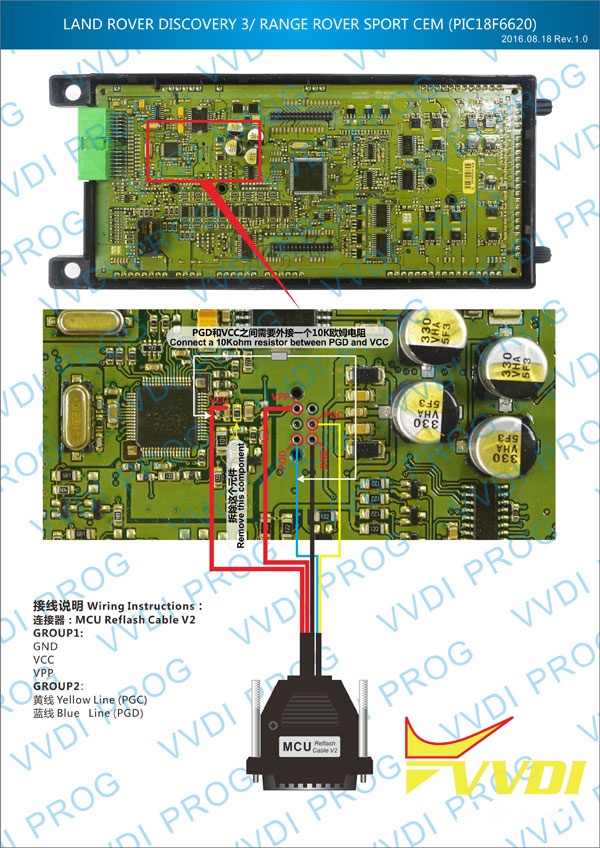
PGD need connect a 10k resistor to VCC
Connect VVDI Prog with BCM module following the wiring diagram
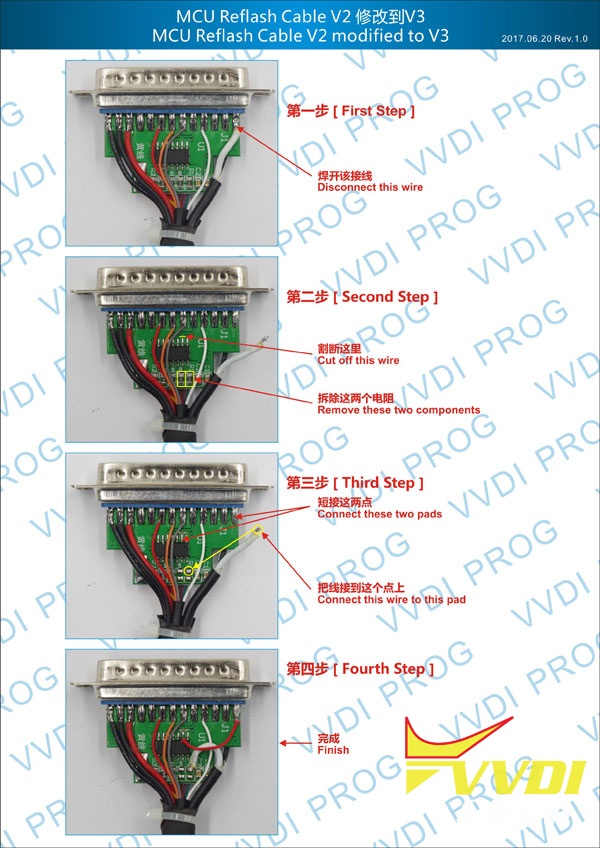
You need also modify MCU reflash cable from V2 to V3 following the picture operation guide below
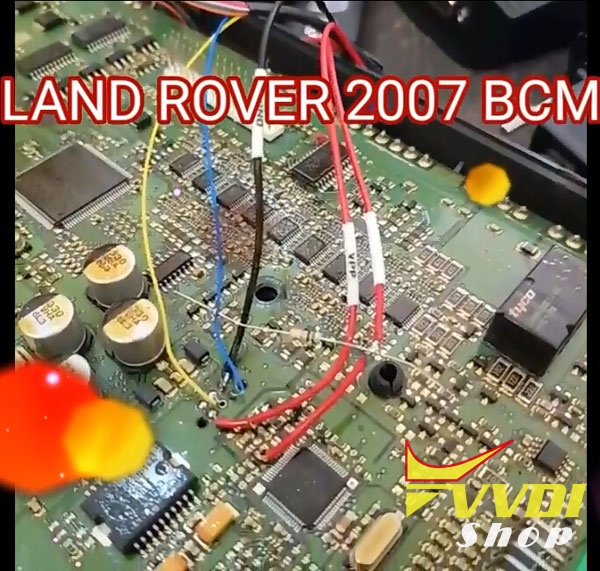
Then back to vvdi software
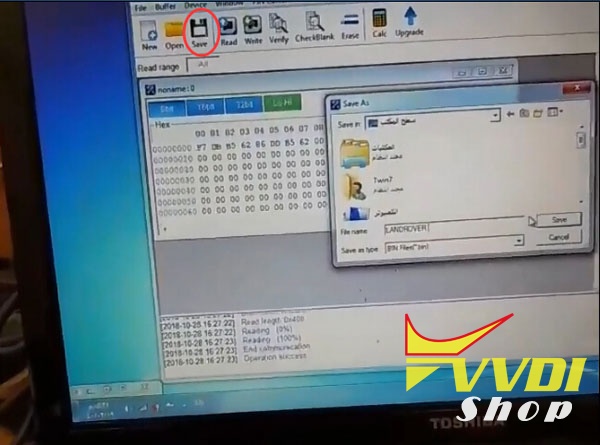
Read and then save BCM eeprom dump data, i.e: LANDROVER.bin
Step 2: Make dealer key with VVDI2
Open VVDI2 software->Immobilizer Data Tool
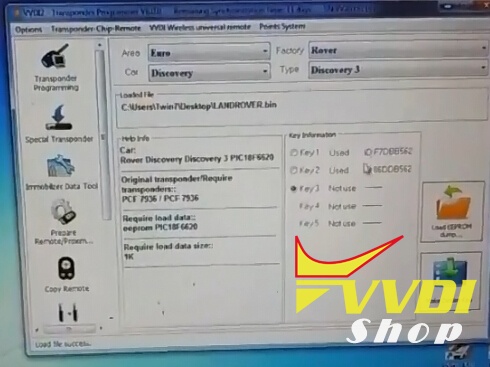
Select Area: Europe->Land rover-> Discovery 3
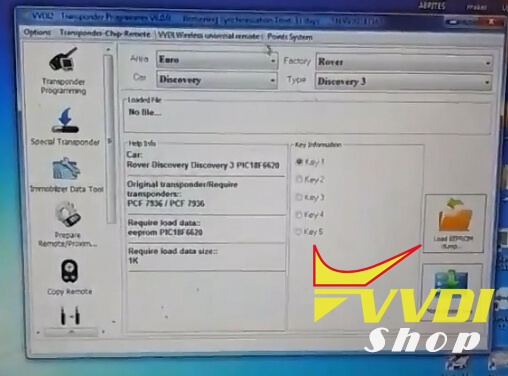
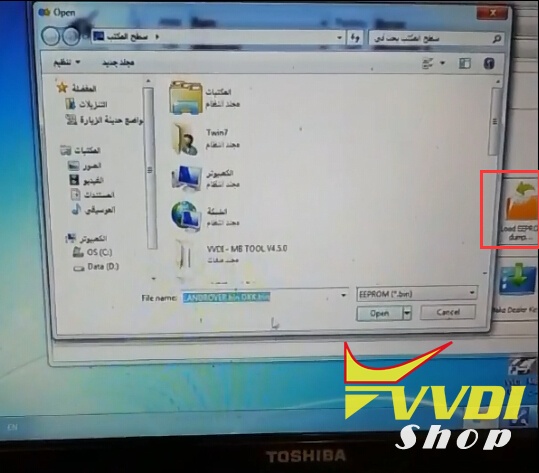
Load EEPROM dump (LANDROVER.bin) read by vvdiprog
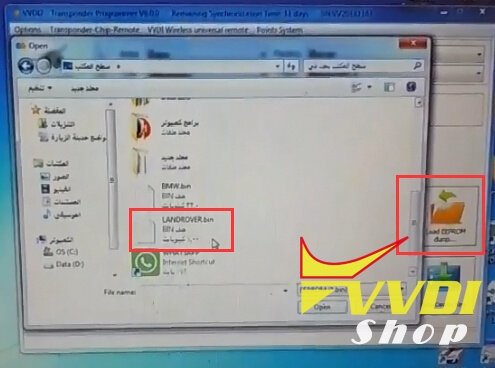
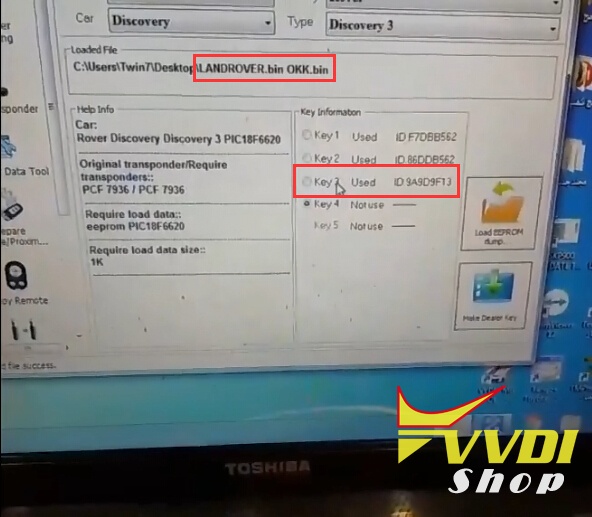
VVDI2 detects key information, 2 keys have been programmed. Select valid key position Key3 and press Make Dealer Key
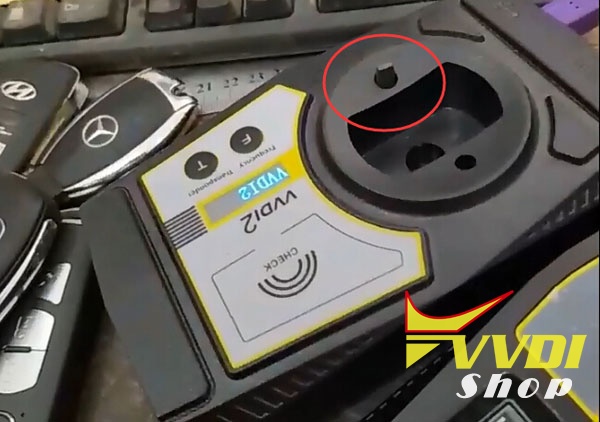
Insert a PCF7936 chip into VVDI2’s detection coil
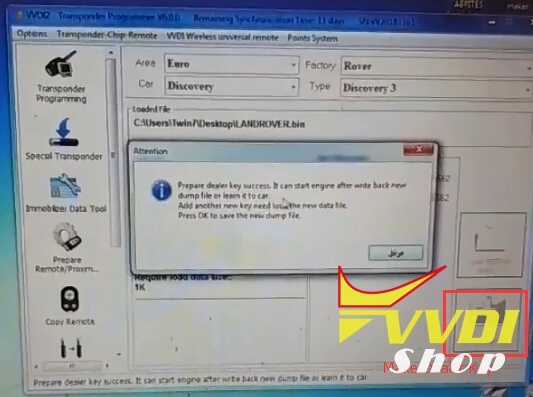
Prepare dealer key success. It start engine after write back new dump file or learn it to car.
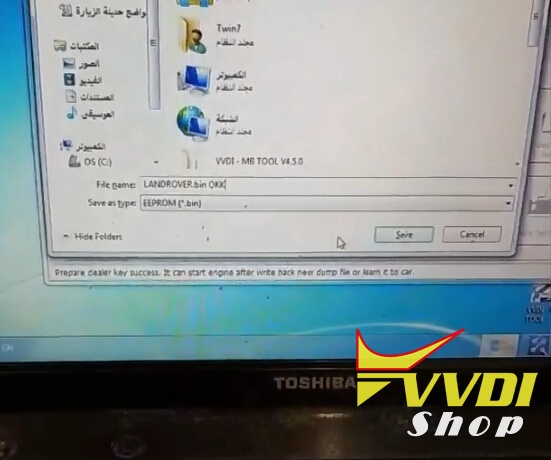
Save new dump key file,i.e LANDROVER OKK.bin
Load new key dump file, you’ll see Key 3 was programmed successfully
Step 3: Write new key dump back to BCM with VVDI-Prog
Go back to vvdi prog software
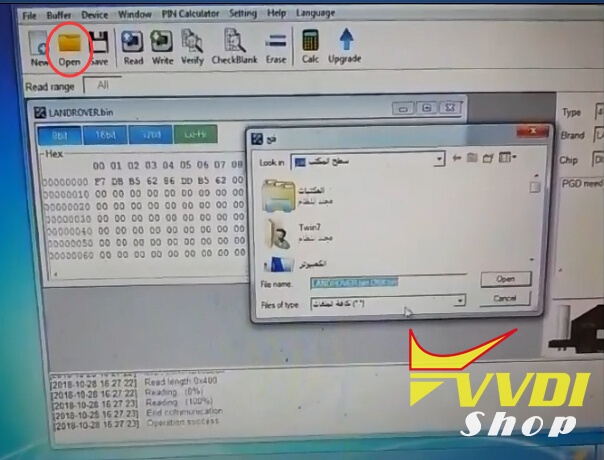
Open new key dump LANDROVER OKK.bin
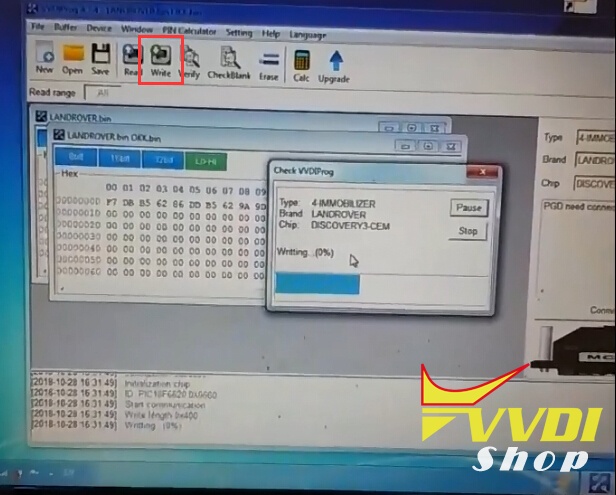
Press Write button
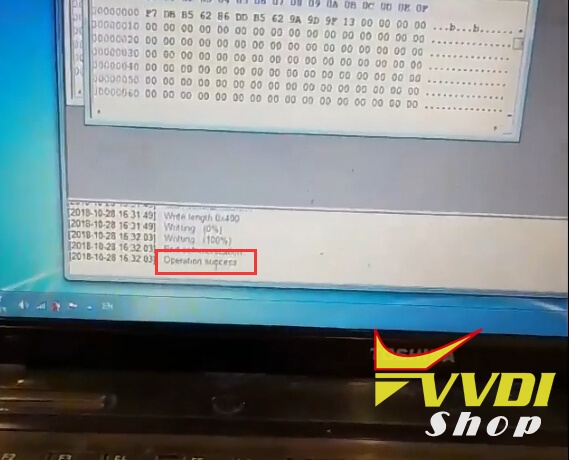
Operation success.
Reinstall BCM unit back to vehicle
Test the new transponder key.
Done.
How to download VVDI Points from MB keys
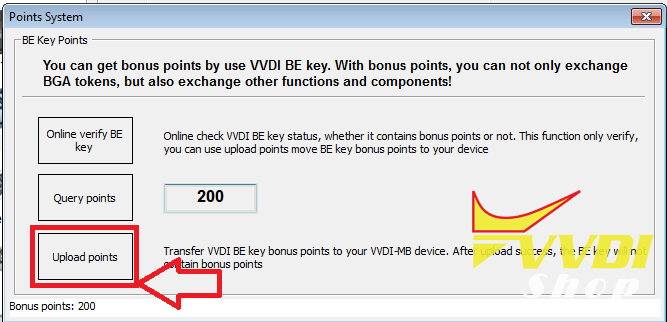
Every Xhorse VVDI BE key pro MB key has 200 points. Points can be download before you program key or after.
200 points can be exchange to 1 token for online calculation.
200 points can be exchange to 1 token for online calculation.
1) Open VVDI MB Tool
2) click on POINTS SYSTEM
2) click on POINTS SYSTEM
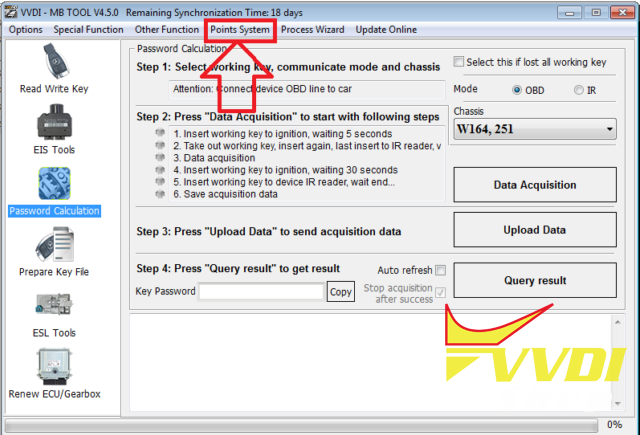
3) in new window click ONLINE VERIFY BE KEY
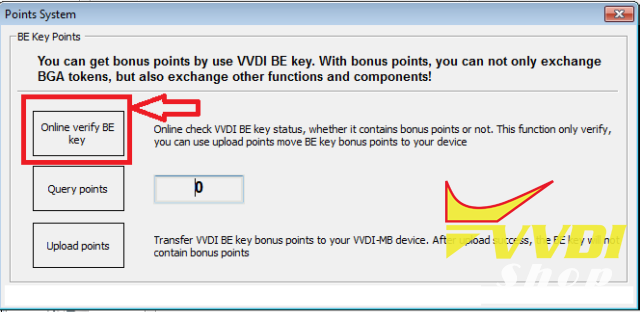
4) You will see message
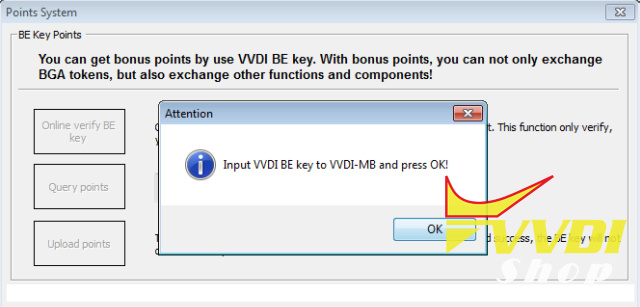
5) Insert VVDI BE key PCB into VVDI MB and click OK
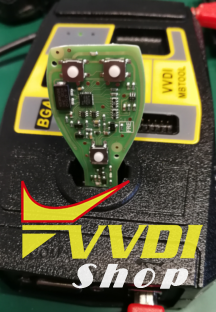
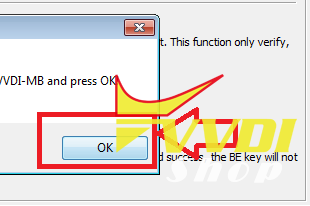
6) If Key have points you will see message: “This BE key has bonus points.”
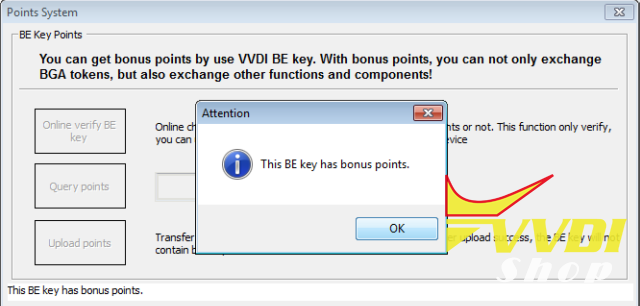
If POINTS already used you will see message: “This BE key doesn’t have bonus points, its points was already used.”

7) Click UPLOAD POINTS to upload it to your VVDI MB BGA tool