ابزار Xhorse VVDI
Xhose VVDI نرم افزار برنامه نویس اصلی و سخت افزارابزار Xhorse VVDI
Xhose VVDI نرم افزار برنامه نویس اصلی و سخت افزارVVDI Prog 4.8.8 read CAS4 5m48h no remove components
One user (DK Veteran) tested new Xhorse VVDI Prog software 4.8.8 update CAS4 5m48h:
without removing any component – read backup FAIL to crack
with removing only 1 resistor – read backup SUCCESSThat’s very good job by xhorse
without removing any component – read backup FAIL to crack
with removing only 1 resistor – read backup SUCCESSThat’s very good job by xhorse
And attach two images:
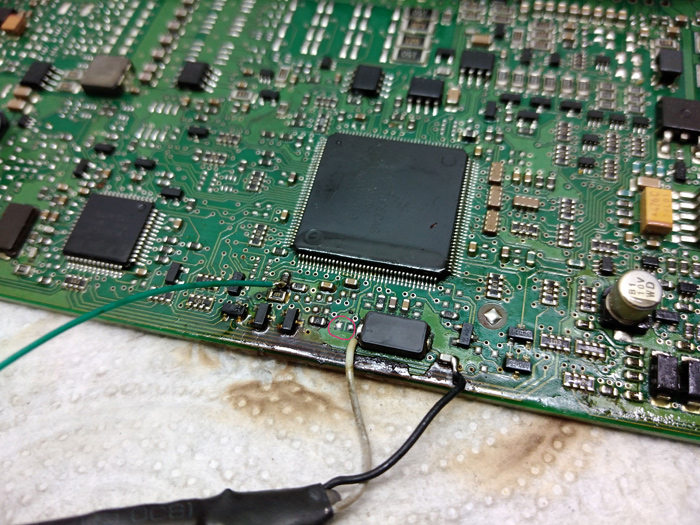

However, one user said “green soldered wrongly”, saying the green wire need connect to other side of resistor (check from vvdi prog diagram).
OS:
I’ve it on win7 and win10…
On both running without issues after adding it to antivirus…
On both running without issues after adding it to antivirus…
VVDI-Prog 4.8.8 update on CAS4 5m48h all details:
+ Add CAS4-5M48H-CERAMICS-NO-NEED-
REMOVE-COMPONENTS,
CAS4-5M48H-METAL-NO-NEED-REMOVE-
COMPONENTS PICTURE in
<4-IMMOBILIZER>-><BMW>->
<CAS4-5M48H-R/W/UNLOCK>
+ Add CAS4-5M48H-CERAMICS-NO-NEED-
REMOVE-COMPONENTS,
CAS4-5M48H-METAL-NO-NEED-REMOVE-
COMPONENTS PICTURE in
<4-IMMOBILIZER>-><BMW>->
<CAS4-5M48H-FORCE-UNLOCK>
+ Add CAS4-5M48H-CERAMICS-NO-NEED-
REMOVE-COMPONENTS,
CAS4-5M48H-METAL-NO-NEED-REMOVE-
COMPONENTS PICTURE in
<4-IMMOBILIZER>-><BMW>->
<CAS4-1N35H-BACKUP>
+ Add CAS4-5M48H-CERAMICS-NO-NEED-
REMOVE-COMPONENTS,
CAS4-5M48H-METAL-NO-NEED-REMOVE-
COMPONENTS PICTURE in
<4-IMMOBILIZER>-><BMW>->
<CAS4-1N35H-R/W/UNLOCK>
+ Add CAS4-5M48H-CERAMICS-NO-NEED-
REMOVE-COMPONENTS,
CAS4-5M48H-METAL-NO-NEED-REMOVE-
COMPONENTS PICTURE in
<4-IMMOBILIZER>-><BMW>->
<CAS4-1N35H-FORCE-UNLOCK>
REMOVE-COMPONENTS,
CAS4-5M48H-METAL-NO-NEED-REMOVE-
COMPONENTS PICTURE in
<4-IMMOBILIZER>-><BMW>->
<CAS4-5M48H-R/W/UNLOCK>
+ Add CAS4-5M48H-CERAMICS-NO-NEED-
REMOVE-COMPONENTS,
CAS4-5M48H-METAL-NO-NEED-REMOVE-
COMPONENTS PICTURE in
<4-IMMOBILIZER>-><BMW>->
<CAS4-5M48H-FORCE-UNLOCK>
+ Add CAS4-5M48H-CERAMICS-NO-NEED-
REMOVE-COMPONENTS,
CAS4-5M48H-METAL-NO-NEED-REMOVE-
COMPONENTS PICTURE in
<4-IMMOBILIZER>-><BMW>->
<CAS4-1N35H-BACKUP>
+ Add CAS4-5M48H-CERAMICS-NO-NEED-
REMOVE-COMPONENTS,
CAS4-5M48H-METAL-NO-NEED-REMOVE-
COMPONENTS PICTURE in
<4-IMMOBILIZER>-><BMW>->
<CAS4-1N35H-R/W/UNLOCK>
+ Add CAS4-5M48H-CERAMICS-NO-NEED-
REMOVE-COMPONENTS,
CAS4-5M48H-METAL-NO-NEED-REMOVE-
COMPONENTS PICTURE in
<4-IMMOBILIZER>-><BMW>->
<CAS4-1N35H-FORCE-UNLOCK>
Now update your VVDI Pro 4.8.8 by clicking on the mega link:
Check VVDI Mini Key Tool List
If you are interested in VVDI Mini Key tool, but have no idea if it can generate your key, please go to APP Store, search “Xhorse” to download, then all options will be available to view.
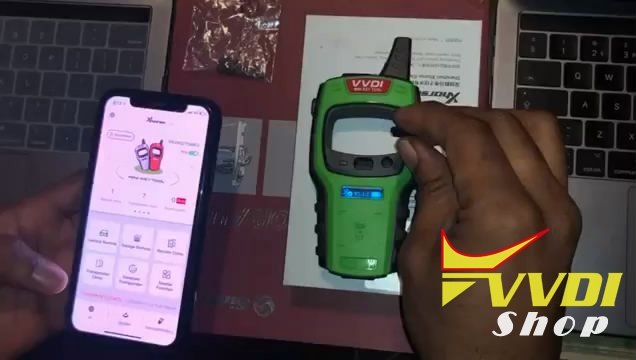
For example, today one user asked “Can Xhorse VVDI Mini Key tool generate ID46 rolling code PCF79xx Phillips?”
The answer is yes, ID46 is usually called transponder rolling code, which is remote type.
This article is on how to generate id46 transponder using vvdi mini key tool and VVDI super chip:
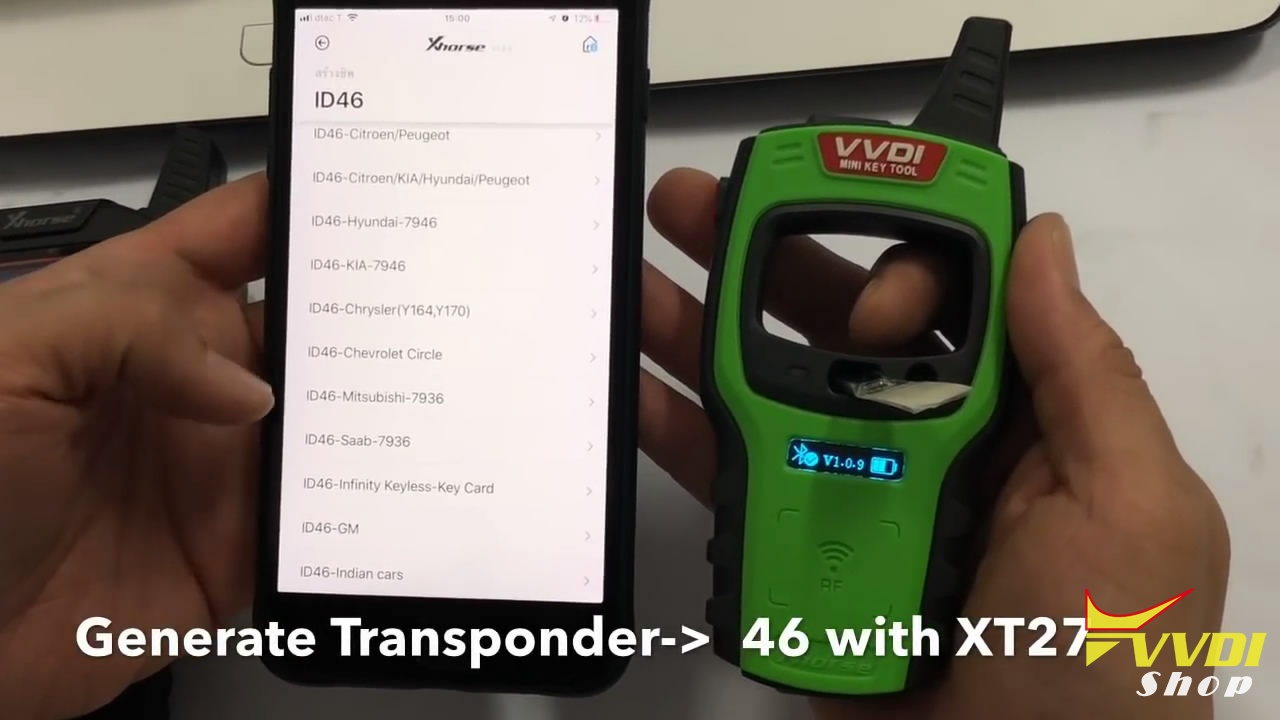

And more articles on how to use VVDI Mini Key tool to generate keys, please search in this blog. or search “mini key tool” on Youtube https://www.youtube.com/user/vvdifactory/
Thanks
VVDI Mini Key Tool released Remote Renew Function
Good News!!! Xhorse adds the remote renew function to the VVDI Mini Key Tool in November 2019.
Update your Mini Key Tool software to V1.7.4 and firmware v1.6.1.
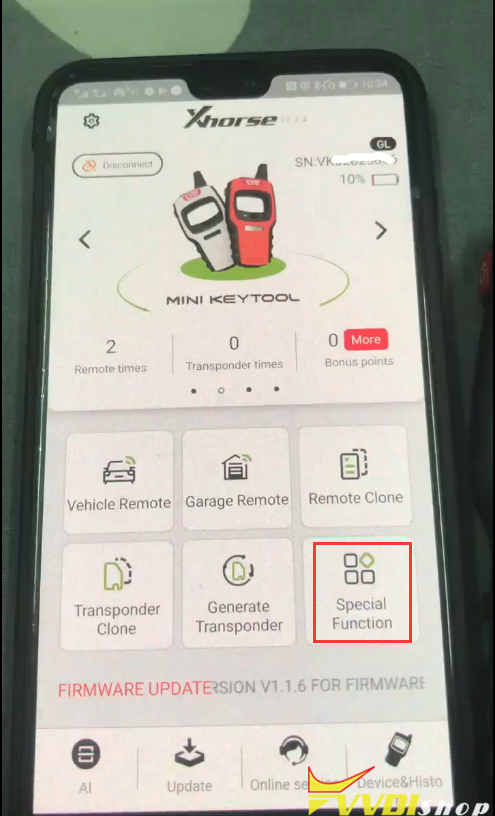
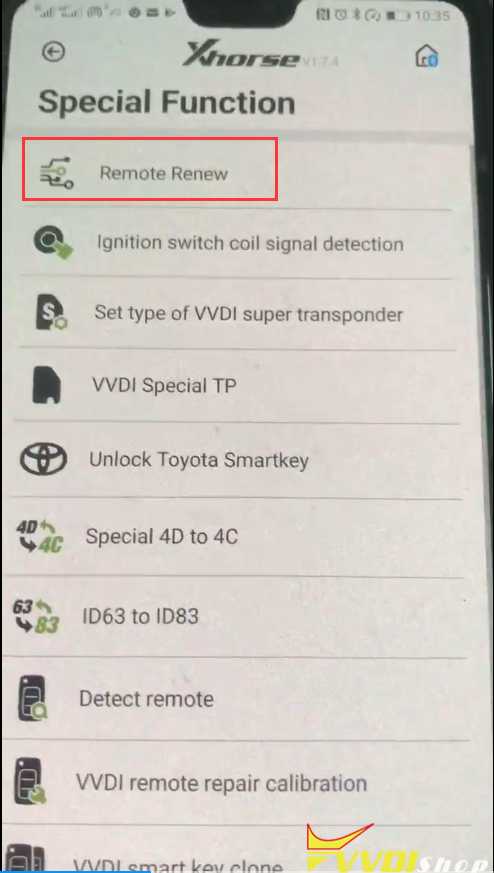
Note: Mini key tool does not comes with renew cable. You need to purchase renew adapters separately.
An example:
Unlock Hyundai 4-button remote
Select Remote Renew->Hyundai & Kia-> SVI_HMFNA04
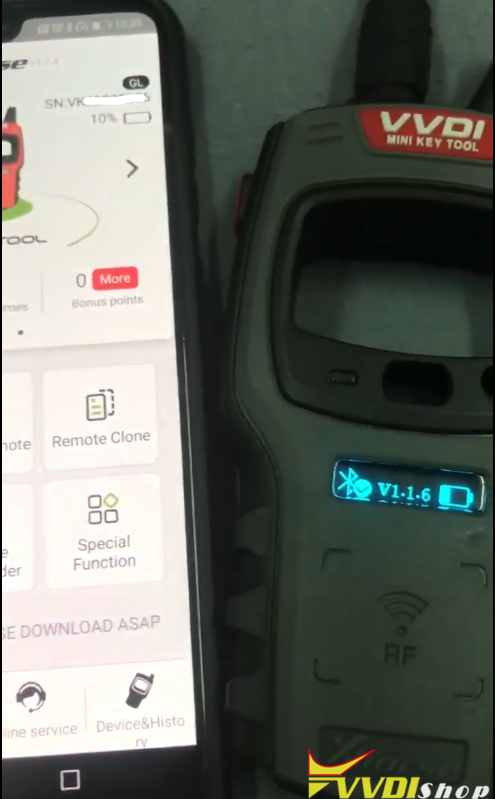
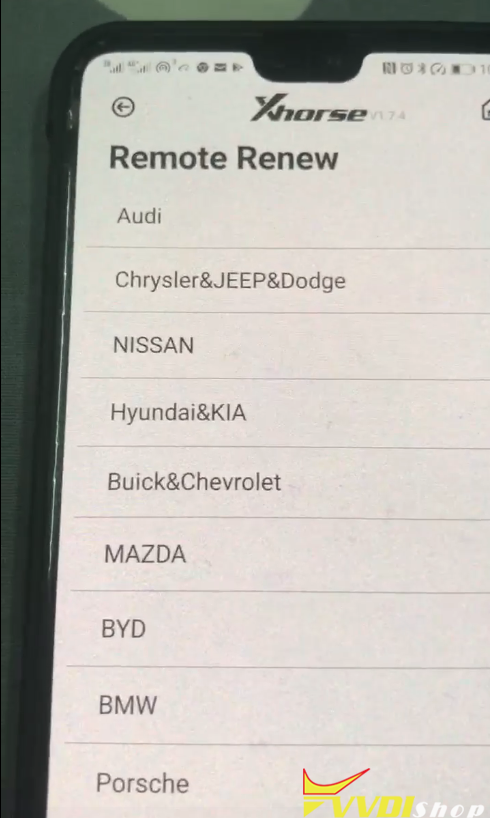
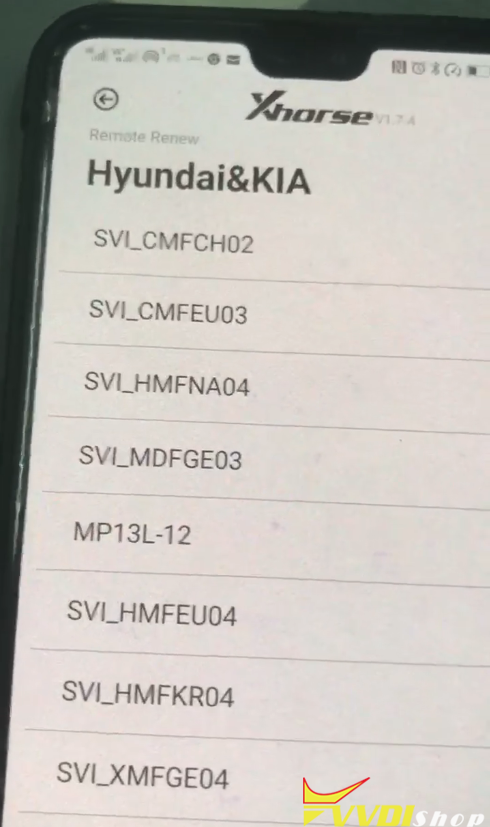
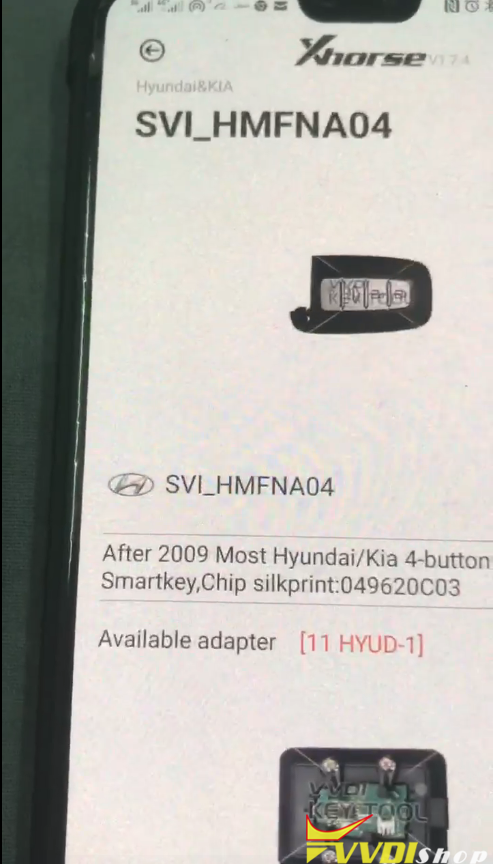
Check wiring diagram and connect remote with vvdi mini key tool
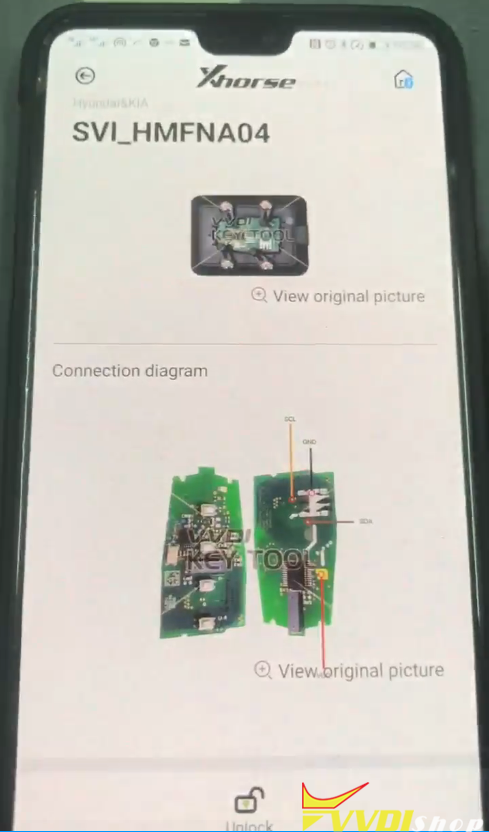
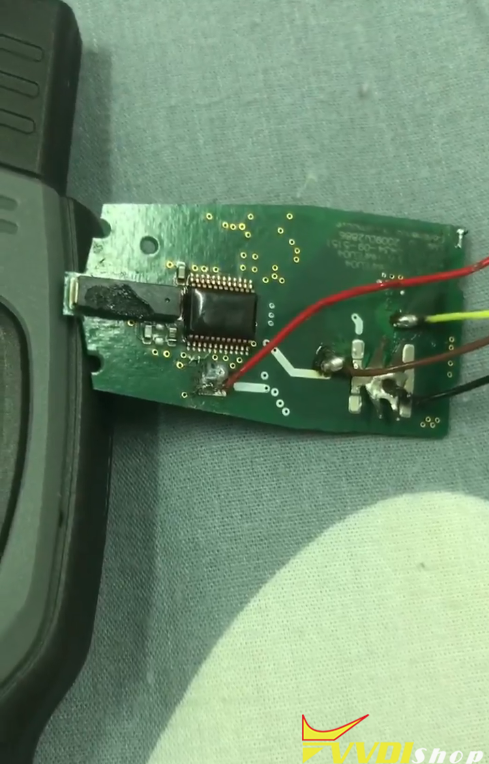
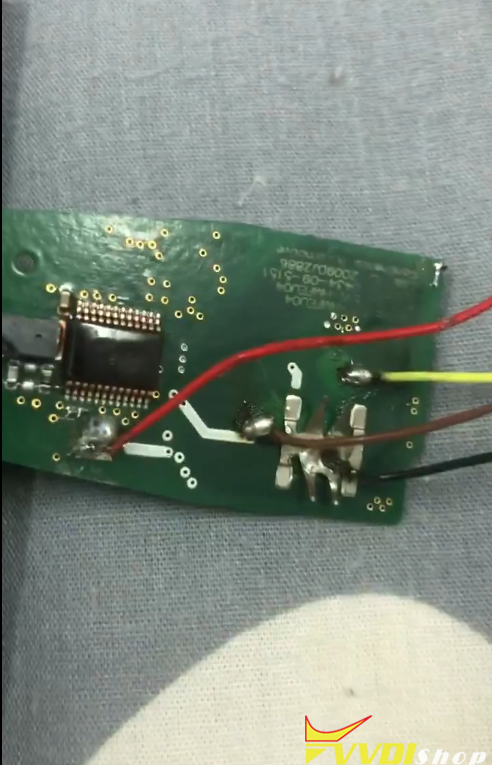
Press Unlock button
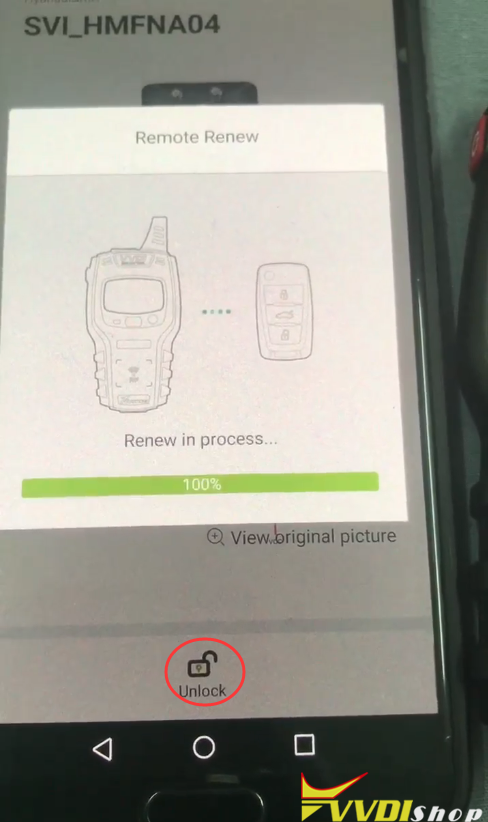
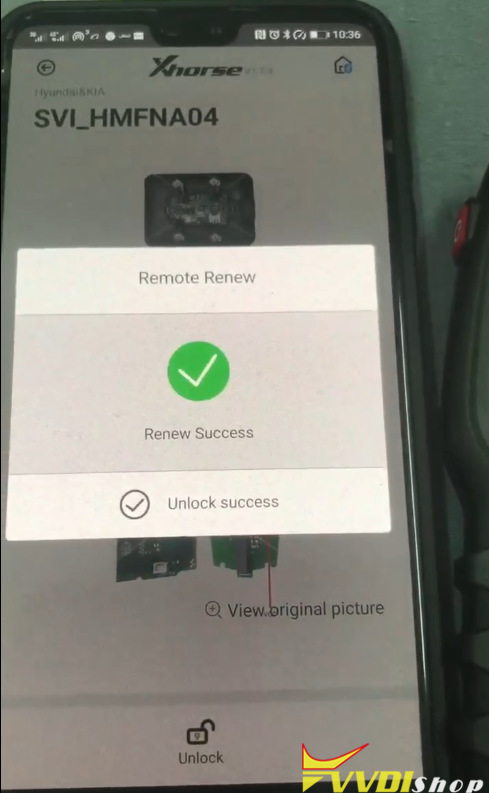
Renew remote success
VVDI Prog Read BMW N55 MEVD17.2.4 ECU
Question:
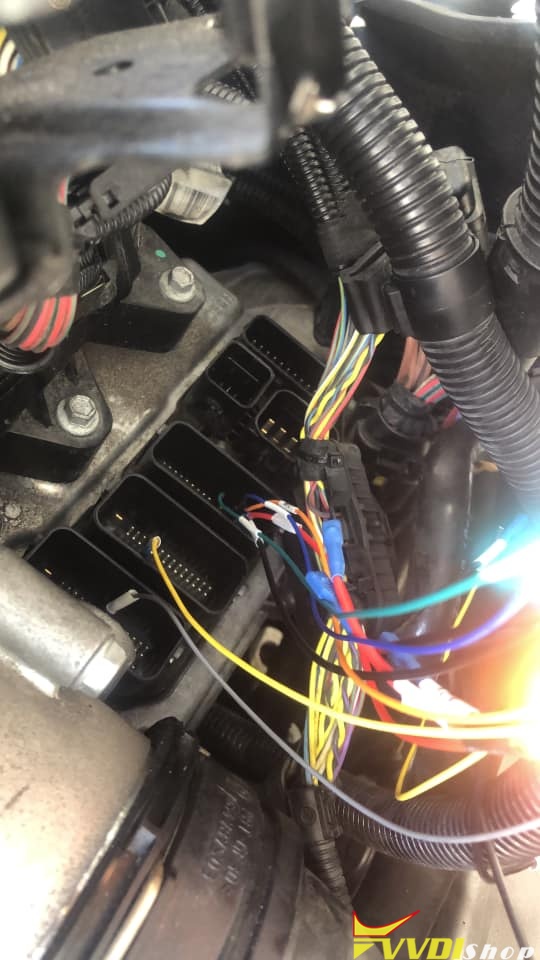
Xhorse VVDI Prog failed to read ECU N55 MEVD17.2.4 from a BMW 5 series 2014. I am using the new Bosch ECU adapter. Is the server down or am I doing something wrong?

Solution:
With vvdi prog need boot pin like picture below
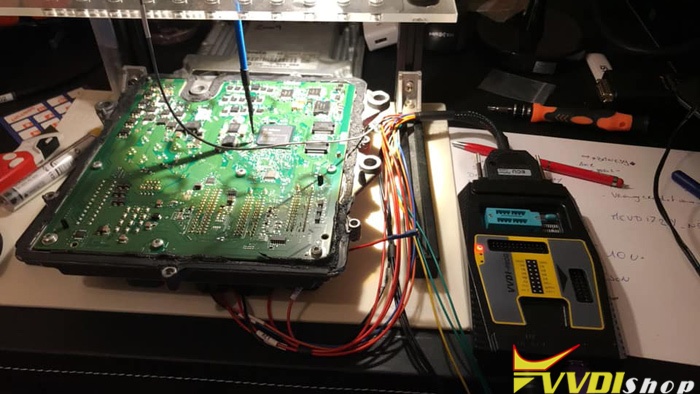
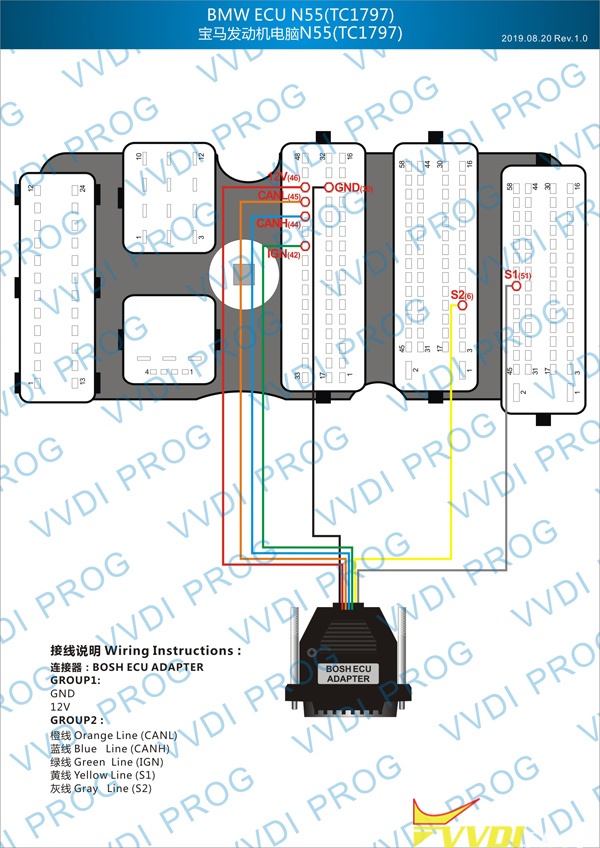
With Autohex or Yanhua Mini ACDP can do with adapter without boot pin (N55).
http://www.vvdishop.com/service/vvdi-prog-read-bmw-n55-ecu.html
BMW E90 CAS3 Bricked Solution with VVDI2
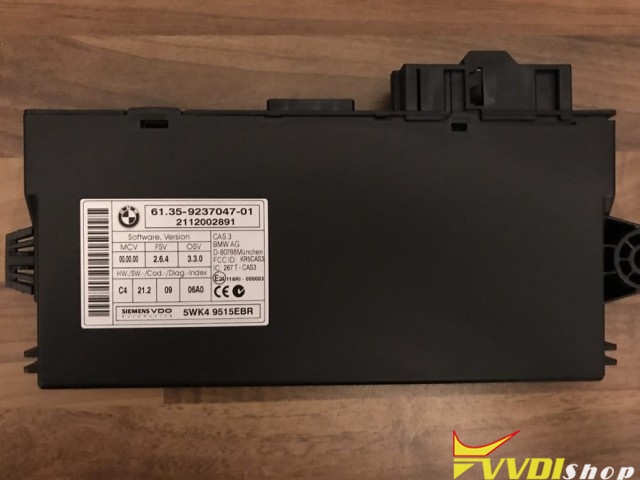
I dumped and modified the OL15Y chip in my CAS3 which seemed to go well, until I tried to start the car. The mileage was reading the same on the Dash and CAS readouts in INPA, but whenever I went to start the car, it would spin the starter motor but no start.
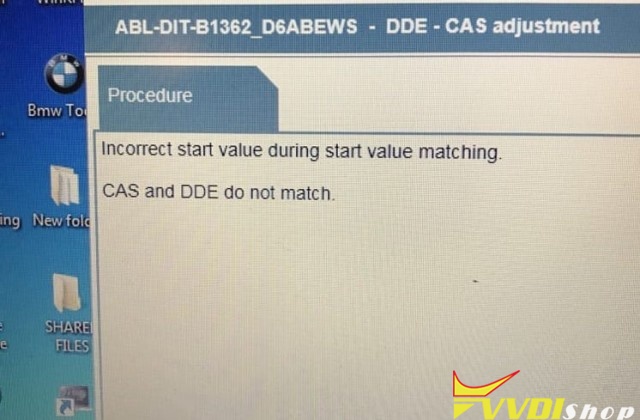
I tried to run the CAS>>DME sync in Inpa and also ISTAd to clear the fault for my CAS and DME to communicate, but it failed every time saying “incorrect start value during start value matching”. The fault codes are 4A62 and 4A63 (EWS tampering).
I purchased a spare CAS with the same hardware number and wrote my dump to it, but the car would not communicate with it
Tonight I’ve dumped from my original CAS that would not start the car to check the readout, all looked ok to me, [s]but now I’ve messed up with the soldering iron and damaged the CAS so it won’t respond.
Senior professional advice 1:
You have Xhorse VVDI2, it’s simple. RESTORE original dump to CQS. Choose “file make key” option and tick the box 16 or 64 attempts to start.
Program the key with programmer and try starting. When it doesn’t , put key in programmer and click the window where it says “not start”. After a few attempts it’ll fire up. Done.
If you try doing the same with OBD the tool will mess up your CAS eeprom which happened to me. Car will start once but then you’ll have a A0AA code in CAS.
Thanks