ابزار Xhorse VVDI
Xhose VVDI نرم افزار برنامه نویس اصلی و سخت افزارابزار Xhorse VVDI
Xhose VVDI نرم افزار برنامه نویس اصلی و سخت افزارHow to use VVDI Prog and BMW CAS4 No Soldering Cable?
VVDIShop.com rolls out a new cable for Xhorse vvdi prog programmer to read BMW CAS4 1N45H 5M48H immobilizer data without removing components.
Advantages of the BMW CAS4 cable:
- No remove components. No welding.
- Prevent data loss
- Easy to use.
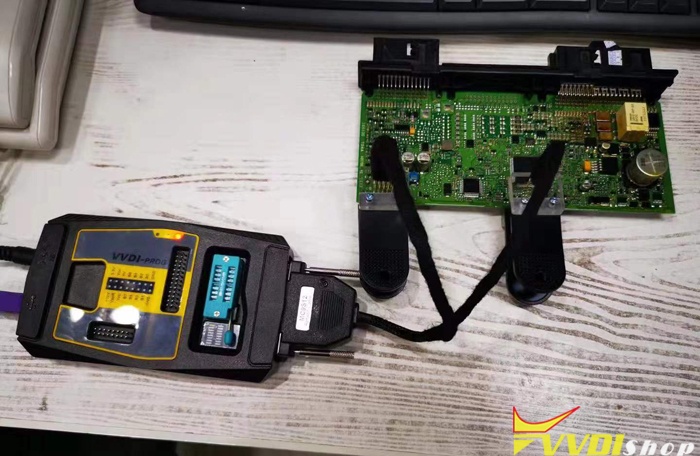

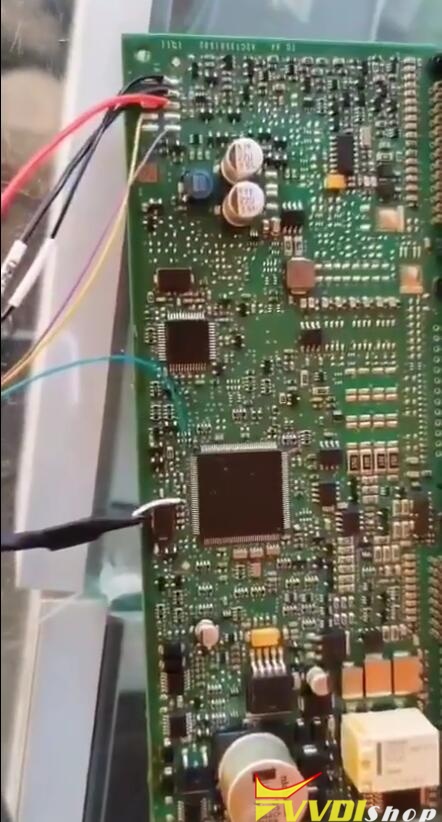
How to use the BMW CAS4 adapter?
This auxiliary clip is divided into: adapter cable (for VVDI PROG) , A clip, B clip
A clip and B clip (Before using the auxiliary clip, you need to use a blade to remove the glue on the contact surface to prevent poor contact between the probe and the circuit board.)
A clip and B clip (Before using the auxiliary clip, you need to use a blade to remove the glue on the contact surface to prevent poor contact between the probe and the circuit board.)
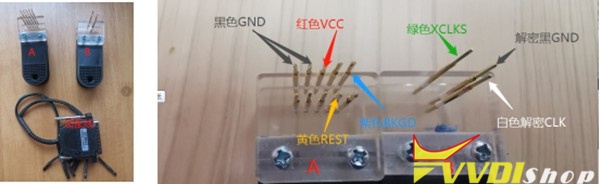
Operation Diagram:

Note: This auxiliary clip reads CAS4 data without welding, but lengthens the length of the wiring harness. Some types of CAS require multiple attempts to read out.
It is recommended to try 3-5 times (the data will not be lost). If you can’t read the data repeatedly, please use the traditional wiring method.
It is recommended to try 3-5 times (the data will not be lost). If you can’t read the data repeatedly, please use the traditional wiring method.
VVDI Prog Failed to Read Benz Sprinter W906 EIZ Solution
Problem:
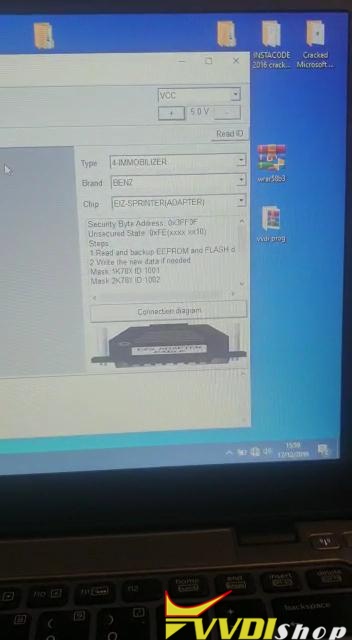
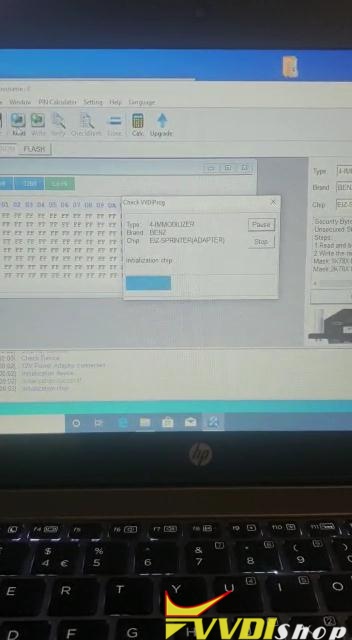
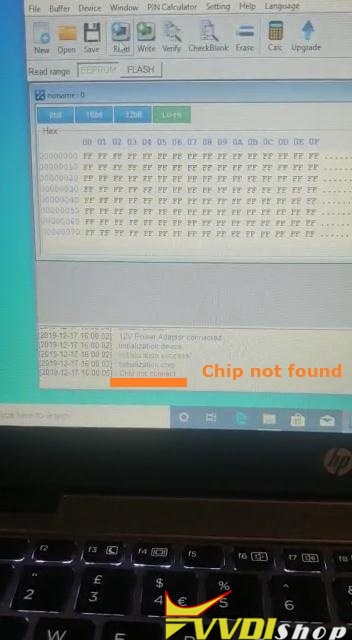
Used Xhorse VVDI PROG and Sprinter(ST12) Benz EIS /EZS adapter to read chip data for sprinter 2006 W906 model, got error ” chip not found”.
Last time I red 2013 Sprinter fbs3, it failed neither.
I’ve tried Vito model perfect and W211 perfect.


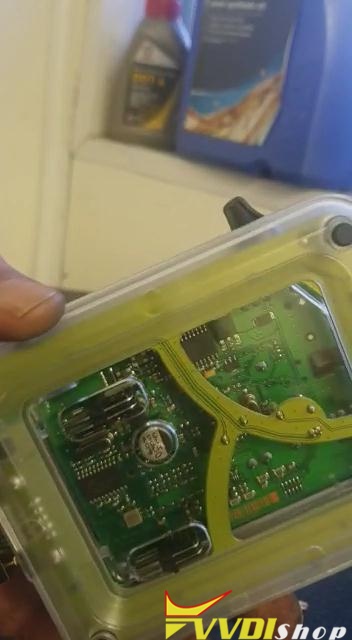
vvdishop.com engineer solution:
If you have qualified welding skill, please try to weld instead of using the Sprinter(ST12) adapter.
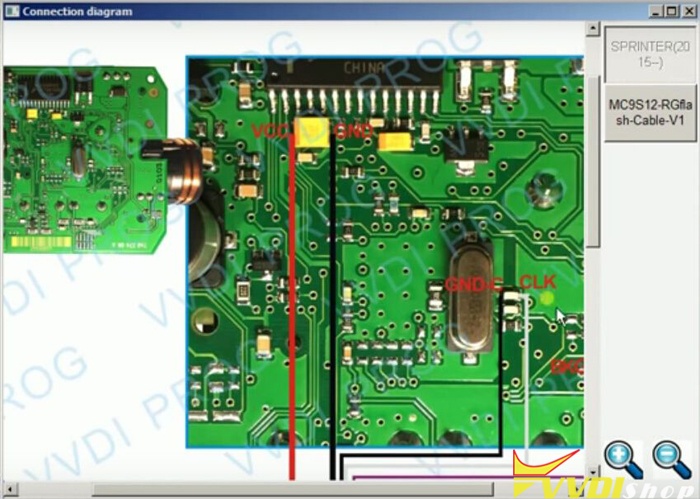
Step1. Open VVDI PROG software. Choose “Type: 4-immobilizer”, “Brand: Benz” and “Chip: EIZ Sprinter (2015-)” then click on “Connection diagram”.

You can see the wiring diagram of EIS 0L01Y:
Step2. Click on “Read ID” then “Read”. VVDI-PROG read Mercedes W906 EIS 0L01Y OK!

Click on “Save” and name the file “ee”.

Step3. Click on “Flash” then “New” then “Read”.
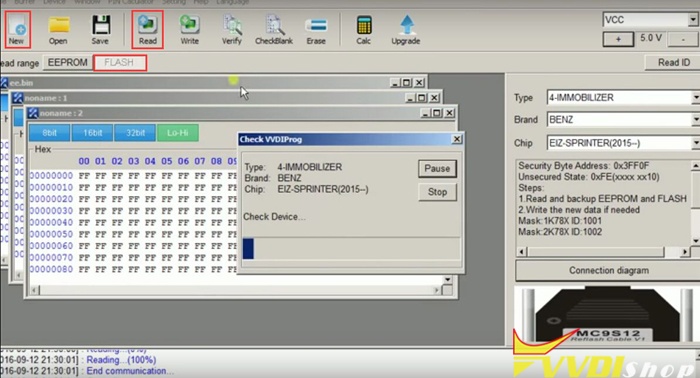
Click on “Save” and name the file “flash”.

Step4. Click on “Erase” and “Yes” to confirm that.
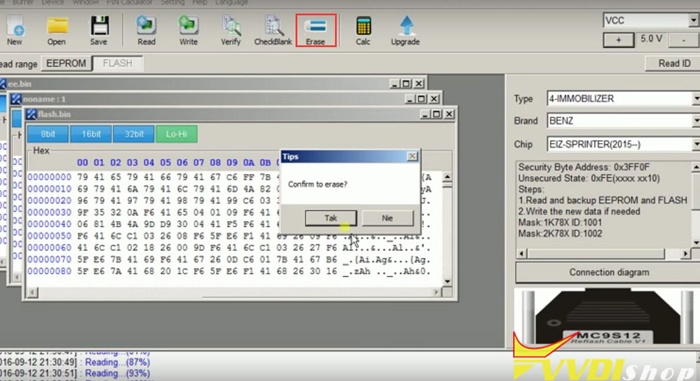
After that, click on “Check Blank”.

Step5. Click on “Write” and “Yes” to confirm that.
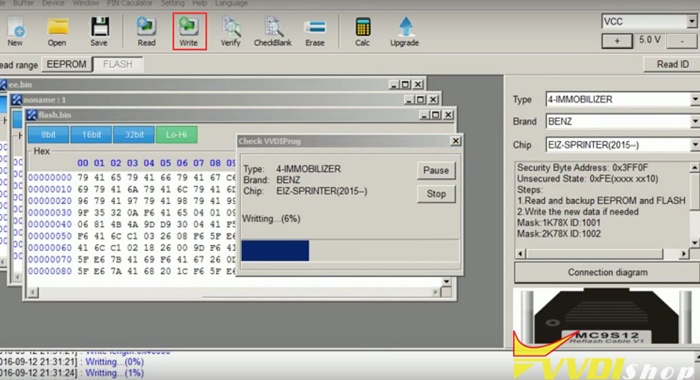
Now you just need to wait about 3 minutes and Xhorse VVDIPROG write Mercedes W906 Sprinter EIS 0L01Y successfully!
Click “Verify” as the last step to check and things done!
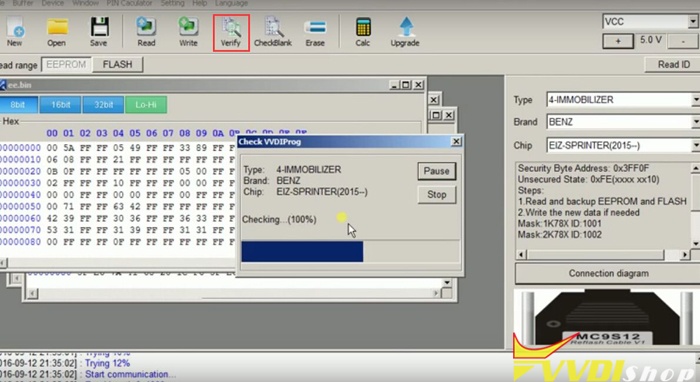
Good luck.
Update VVDI Key Tool to Solve 4D64 CHip Generation Issue
Can i generate Dodge 4D64 using vvdi super chip? I have checked the super chip available list that 4D is supported. But I failed to generate 4D64 chip using the old VVDI Key Tool.
Check error images below:


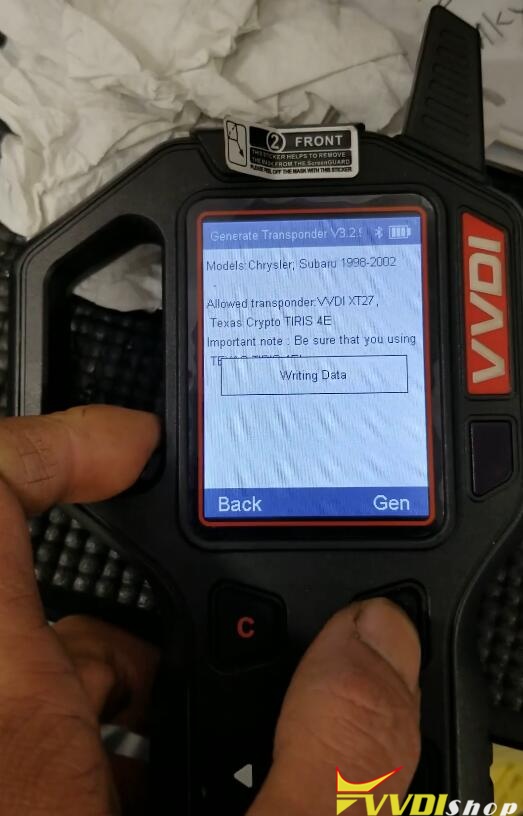
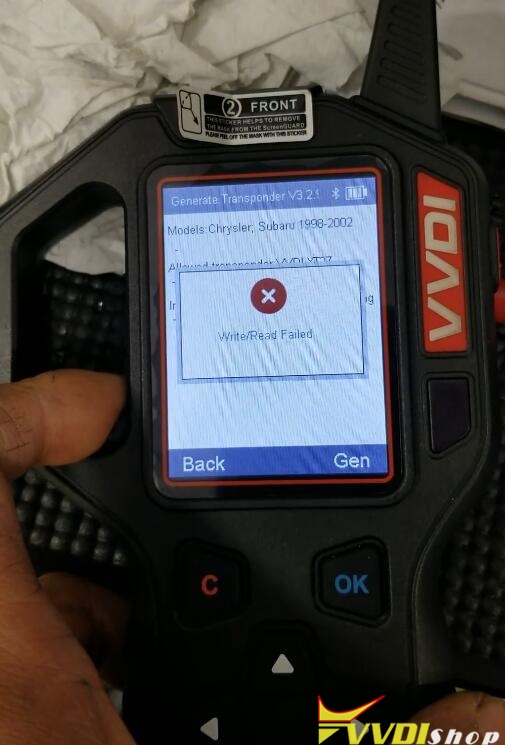
VVDISHOP solution:
You should update your VVDI Key Tool firmware to latest V3.3.1 using Xhorse Upgrade Kit.
Your version 3.2.9 has some bugs.

Update your firmware and try again. It works no problem.
VVDI Mini Key Tool works good on 4D64 using XT27 chip as well.
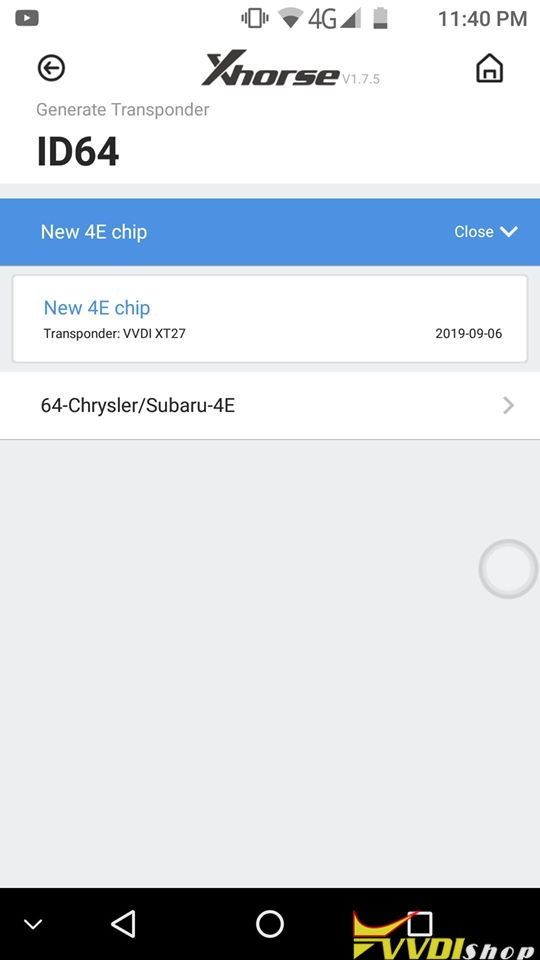
Hope it helps.
http://www.vvdishop.com/service/generate-4d64-using-vvdi-super-chip.html
VVDI MB Renew SIMK2 SIMDE ECUs for Mercedes
With one extra renew cable, Xhorse VVDI MB tool is able to renew Mercedes SIM271DE2.0 or SIM271K22.0 ECU on Bench. Which will easy the job and save time.
Renew SIMDE2.0 ECU:
This is Mercedes SIM271DE2.0 renew cable:

And this is how it connect with vvdi mb tool:
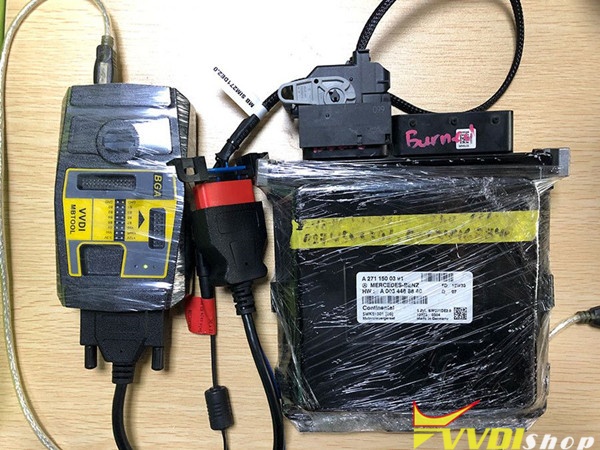
It is simple to use Mercedes SIM271DE2.0 renew cable and vvdi mb tool.
Use the OBD2 cable to connect vvdi mb tool and SIM271DE2.0 renew cable, then to the ECU box, then to one computer.
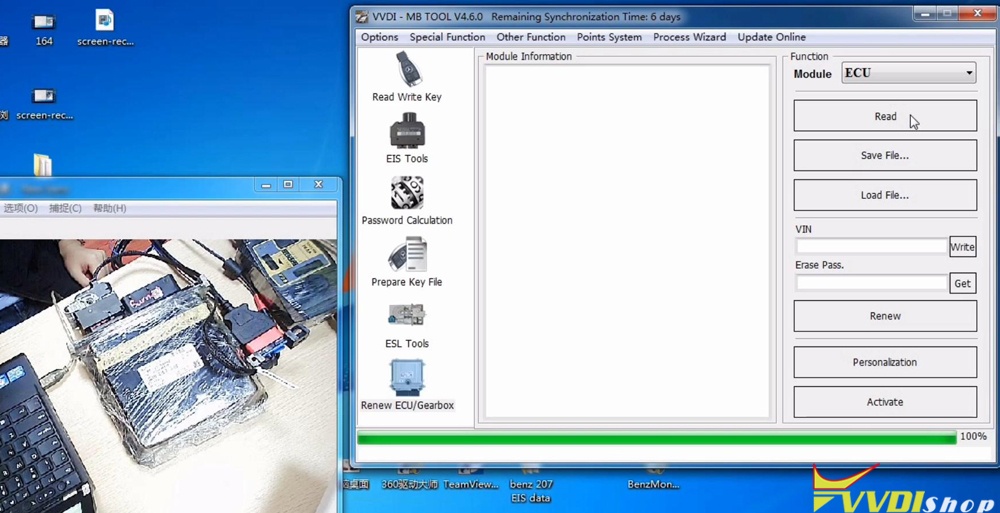
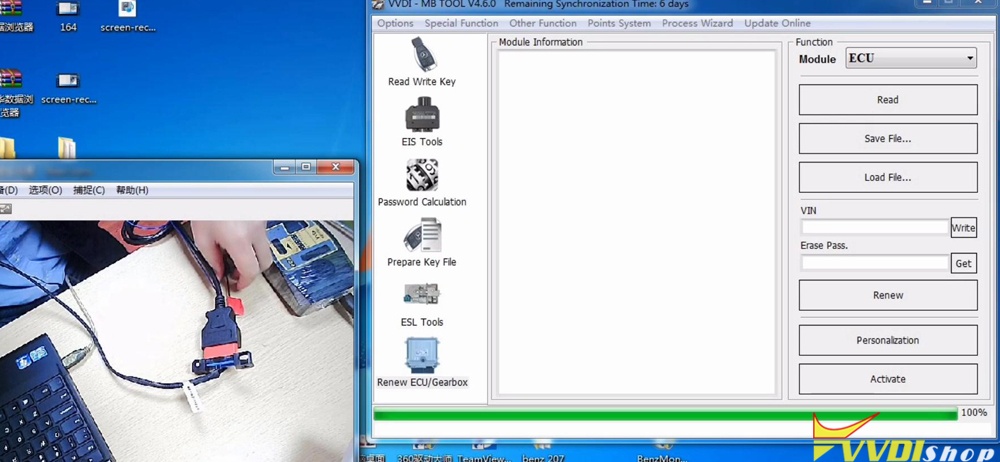
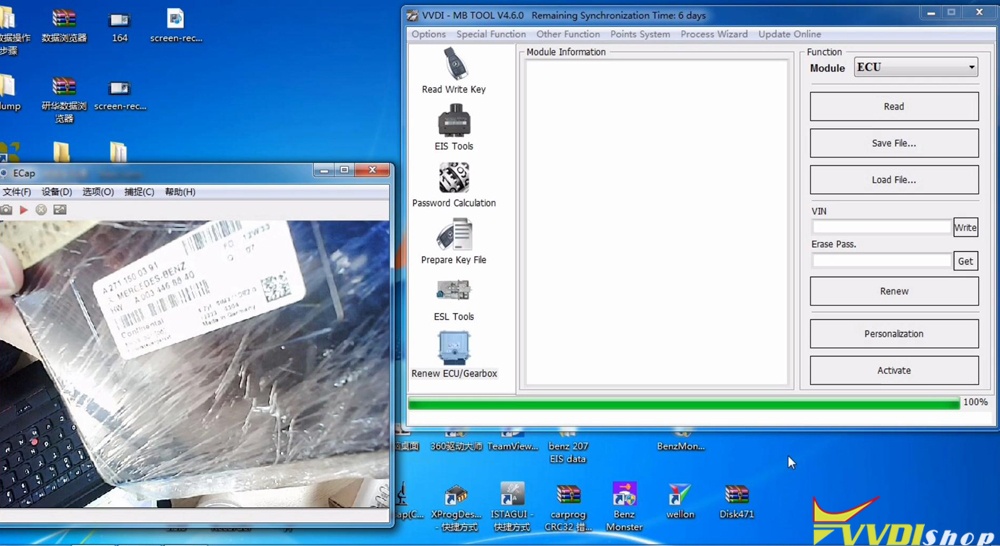
Install vvdi mb tool software in one computer (win 7 8 10)
Click on “Renew ECU /Gearbox”.
Click on “Read”.
Connecting to unit…
Reading data, please wait…
Soon, reading data success.


Renew SIMKE2.0 ECU:
This is Mercedes SIM271DE2.0 renew cable:
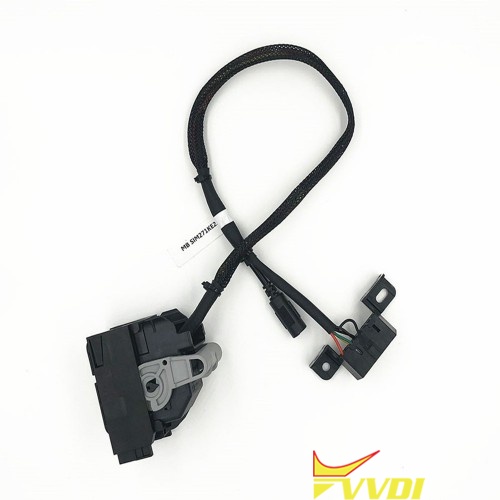
And this is how it connect with vvdi mb tool:

The renew process is similar to SIMDE2.0.
You can also check the operation video here
Thanks.
VVDI MB Supported ECU Renew List
Need one best and cheap MB ECU renew tool mainly for sim271de/ke20, Sim4se, me9.7, Cr3.xx , cr4 etc, Xhorse VVDI MB tool is the top choice for many renewal work. I am sure u will be happy. For token point, yes it has a token system but there is an unlimited token option too. It can do many brands, make keys, renew keys and many more options.
In details:
- vvdi mb tool renew Sim4se ECU
- vvdi mb tool renew X164 cr4 ecu
- Vvdi MB renew Mercedes ecu Cr3.xx
How to use vvdi mb tool to renew Mecedes W211 ECU Cr3.xx.
Step-by-step procedure with images here:
- vvdi mb tool renew ECU ME9.7
– connect to VVDI with adapter and power through OBD
– read data
– get erase pass
– Save data(backup)
– Renew – success
Now you can initial startup in DAS/Xentry, have there 2 possibility…with data from old ECU or without… then online
FOR get erase pass ONLINE WITH DEVICE VVDI MB , After reading data ECU (with vvdi mb)

pin connection for ME9.7 MB
Mercedes-Benz ME9.7 connected to data read from ECU, did not try to reset. Check the scheme of connection.
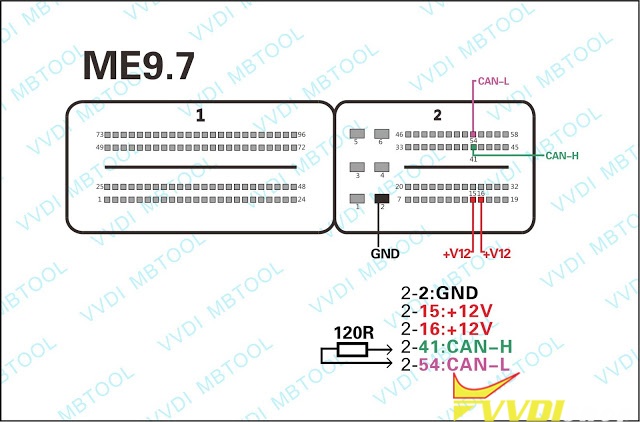
Connect the cables from VVDI MB tool OBD to ECU directly and give power supply. Every function is fine. If you using Benz ECU test adapter cable, please check did the can high and can low of the plug is short circuit. Sometimes there will have short circuit on the serial port of the ECU adapter.
In my case I’m not using resistance.
In my case I’m not using resistance.
OBD2 side:
| Pin Number | Pin Name | Description |
| 1 | K-Line | Ignition control (EZS), air-conditioner (KLA), PTS, safety systems (Airbag, SRS, AB) and some other |
| 3 | TNA | TD engine rotation speed |
| 4,5 | GND | Ground |
| 6 | CAN-high | CAN-High (including AirBag system in W203, W209, W220, W240, R230, ?215 after 2004y) |
| 7 | K-Line | Engine control diagnostic (ME/MSM/CDI) |
| 8 | Ignition,… | |
| 9 | K-Line | ABS, ASR, ESP, ETS, BAS diagnostic |
| 11 | K-Line | Gearbox and other transmission components (EGS, ETC, FTC) |
| 12 | K-Line | All activity module (AAM), Radio (RD), ICS, … |
| 13 | K-Line | AB diagnostic – safety systems |
| 14 | CAN-Low | CAN |
| 15 | K-Line | IC, KI), TAU, LWR diagnostic |
| 16 | +12V | Power |
ECU Side:
2: Ground
15 & 16: 12 Volts
41: CAN High
54: CAN Low
2: Ground
15 & 16: 12 Volts
41: CAN High
54: CAN Low
- vvdi mb tool renew ECU 722.9 ETC board (7-gearbox module) version VGS_73
Successfully renewed 10 pcs of used 722.9 ETC board (7-gearbox module) version VGS_73 or like as “3” with VVDI MB tool
and ONE pcs today assigned to the car using MB-SCN online access.


Finally, what is Benz ECU test adapter cable used for?
Look at these ECU adapters full set (add one extra sim4le sim4se cable):
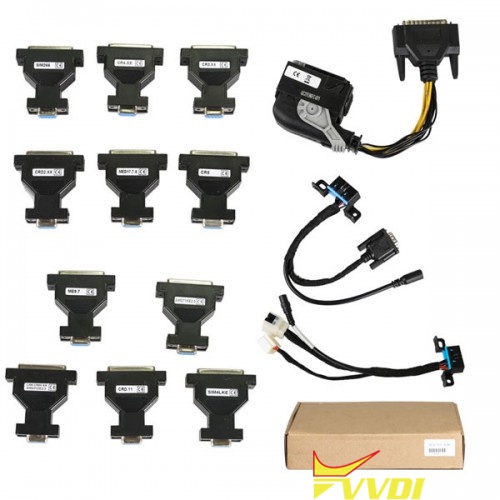
Used for: renew ECU
Works together with: VVDI MB tool and other devices As long as the ECU flashing tool supports CAN protocol and meanwhile supports these ECU types.
Workable ECU types:
CR3.XX
CR4.XX
CR5
CR6
CR60.XX
SIM271DE2.0
SIM4LKE
SIM271KE2.0
CRD.11
CRD2.XX
ME9.7
MED17.7.X
SIM266
sim4le sim4se
Enjoy.