ابزار Xhorse VVDI
Xhose VVDI نرم افزار برنامه نویس اصلی و سخت افزارابزار Xhorse VVDI
Xhose VVDI نرم افزار برنامه نویس اصلی و سخت افزارHow to actitve Free OBD48 Cloning for VVDI2?
Xhorse released new year promotion- Free OBD48 cloning activation for Xhorse VVDI2 key programmer.
From Jan. 1st, 2020.
It is for VVDI2. VVDI Key Tool does not have OBD48 copy function.
Providing your VVDI2 serial number to us to activate.
Contact us to activate the license for free.
Skype: VVDIfactory.com
Whatsapp: +86 13559259147
Email: sales@vvdishop.com
Skype: VVDIfactory.com
Whatsapp: +86 13559259147
Email: sales@vvdishop.com
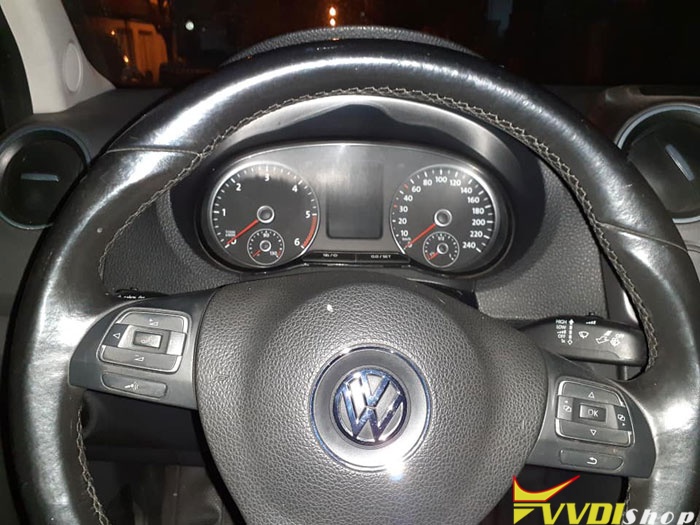
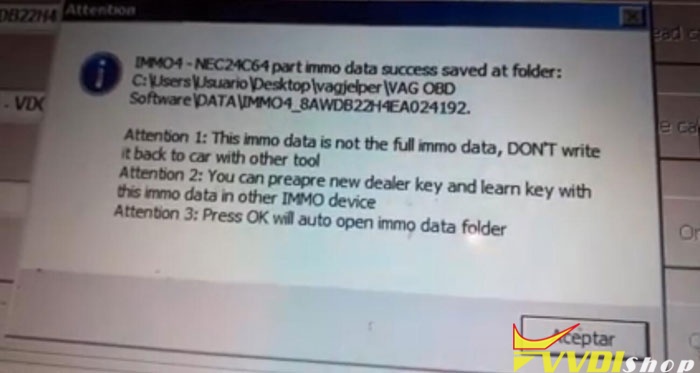
VW Amarok 2016 Lost Keys with vag obd helper
VW Amarok 2016 keys of 0
Lost keys or copy only with vag obd helper
If you only have vag helper anything else?
Now you can make these vehicles.
I asked for your calculation
TP ready to start
Now you can make these vehicles.
I asked for your calculation
TP ready to start
Clone of one of the existing keys
Generation of dealer key
Key possible
Key possible

Thanks.
VVDI BMW Supported Mileage Reset Type List
Here vvdishop.com lists Xhorse VVDI BMW tool supported File Change KM BMW type list:
by uploading File to change KM (odometer), not OBD
Type List:
EWS1
EWS2
EWS3
EWS4
CAS1(0K50E)
CAS2(2K79X)
CAS3(0L01Y)
CAS3+(0L15Y,0M23S)
CAS4(1L15Y)
CAS4(5M48H)
M35080(E-series instrument)
35160,35128 (F-series instrument)
EWS2
EWS3
EWS4
CAS1(0K50E)
CAS2(2K79X)
CAS3(0L01Y)
CAS3+(0L15Y,0M23S)
CAS4(1L15Y)
CAS4(5M48H)
M35080(E-series instrument)
35160,35128 (F-series instrument)


VVDI BMW adds CAS EEPROM Fix Function
When you BMW CAS+ downgrade failed, no more sweating and pain. VVDI BMW Tool released a “Fixed CAS EEPROM” function.
Use VVDI BMW function to Fix eeprom boot mode of CAS BMW.


Q: Is this function all through obd2?
A: Need to load eeprom and then write back to the unit.
Q: No hooking up to the eprom?
A: need, you fix the problem anyways
Q:Does this function will come also for cas4+ in the future?
A: CAS4 will be added in the feature.
VVDI2 remaining 30 days synchronization how to solve
Question: I got my vvdi2 today I download and installed software and the working perfect
the massage I don’t understand is remaining 30 days synchronization please I need explanation.

Answer:
Actually, you don’t need to care it. This is for users to have a new version so that they can receive the update information timely.
In details:
-The number of days is from 30 to 0, display in a circle.
-It means that the VVDI2 unit is synchronized with the Xhorse factory once per month (30 days)
– When it turns to be “0 days”, the VVDI2 will automatically synchronized with the Xhorse.
– Network connection is required to synchronization.
– Once synchronized, vvdi2 would get update information from the Xhorse server. And “remaining synchronization time” will back to “30 days”.
– The days are none business of the authorization service.