ابزار Xhorse VVDI
Xhose VVDI نرم افزار برنامه نویس اصلی و سخت افزارابزار Xhorse VVDI
Xhose VVDI نرم افزار برنامه نویس اصلی و سخت افزارImportant tip on clone smart key chip
Used VVDI MINI key tool to clone smart key chip Kia Sorento, get the following error message ” Error, is original key? If its aftermarket chip, please use aftermarket chip to clone”.
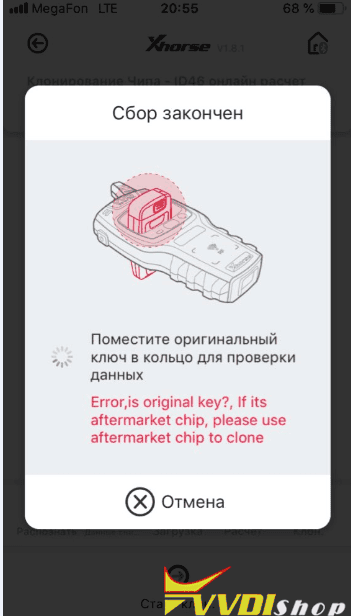
Xhorse chief engineer replied:
For smart key, please use vvdi mini key tool to generate remote first, then directly program the key. Don’t copy, otherwise you only copy the immobilizer chip and it can be only used for emergency start.
For example:
Step 1: generate smart key with vvdi mini key tool
Step 2: program remote with obdstar x100 pro.
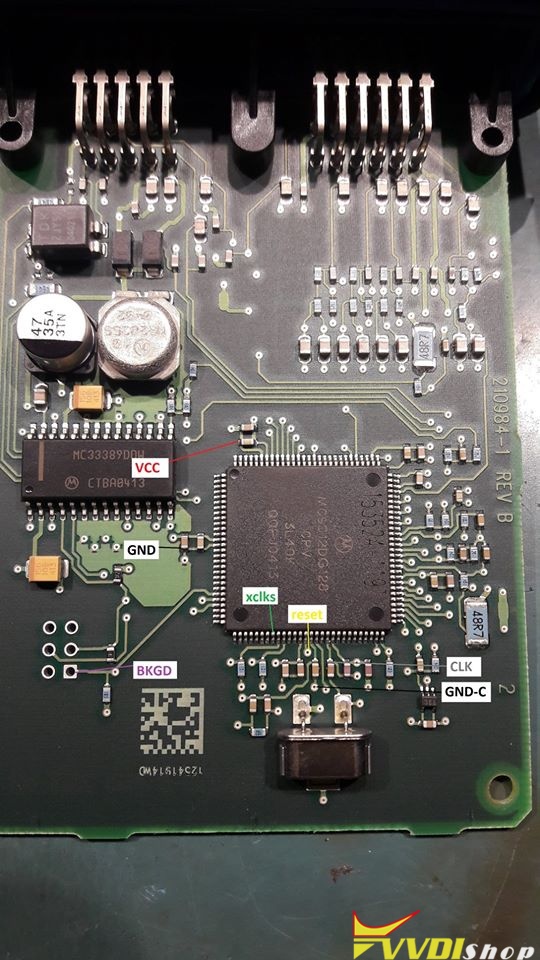
Chrysler OCM 56043195AT mcu 3L40K pinout to VVDI Prog
Here’s the wiring pinout to Xhorse VVDI PROG programmer.
Chrysler Occupant Classification Module connection
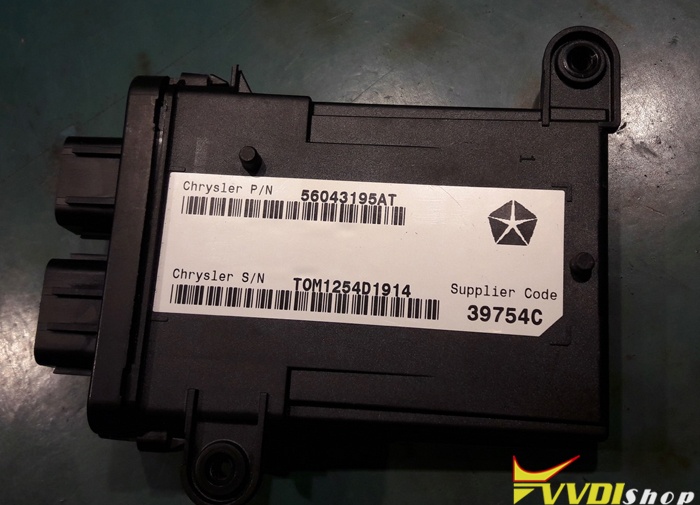
MC9S12DG128_Secured
3L40K
Pic 2: Chrysler OCM 56043195AT mcu 3L40K
www.vvdishop.com
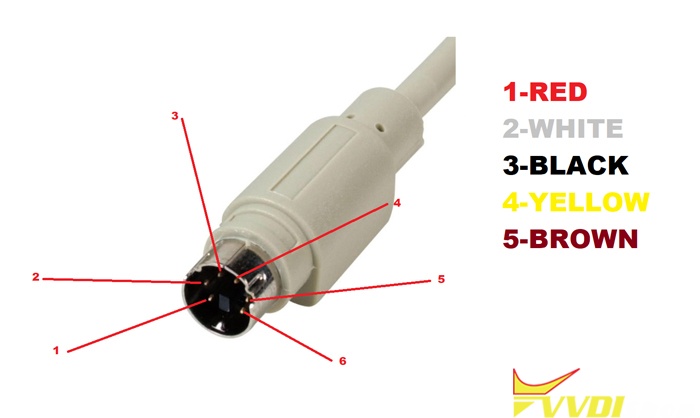
How to make Remote Renew Cable for VVDI Mini Key Tool?
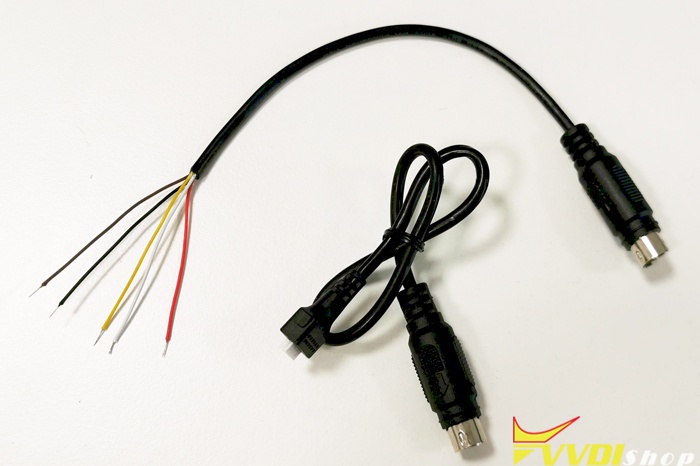
Which vvdi device is compatible with remote renew function? How to make your own remote renew cable?
1.The old VVDI Key Tool has remote renew function and renew cable.
VVDI Mini Key Tool and VVDI Key Tool Max can renew remotes, but don’t have remote renew cable.
2.Here’s the wiring pinout to vvdi remote renew cable (You are at your risk.)
How to Tell Xhorse Wired, Wireless, Super and Smart Remote?
How to tell the differences among the Xhorse wired remote, wireless remote, keyless go remote, super remote in 4 methods.
All vvdi remotes are available here: http://www.vvdishop.com/producttags/vvdi-remote.html
Method 1: Xhorse remote differences in outlook
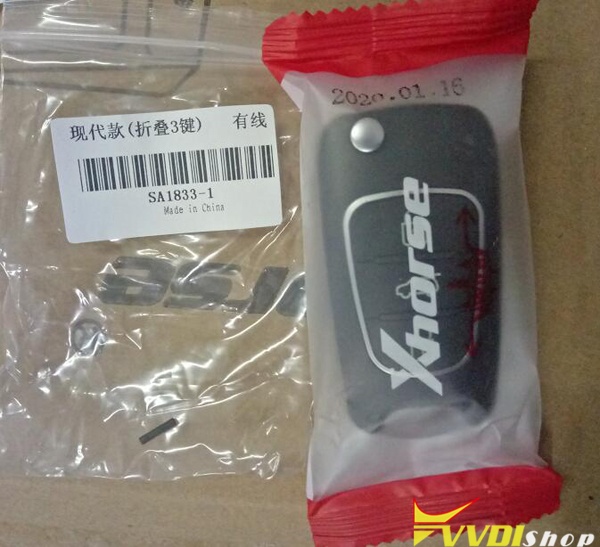
Xhorse wired remote: packed in red color, XK series

Xhorse wireless remote: packed in blue color, XN series
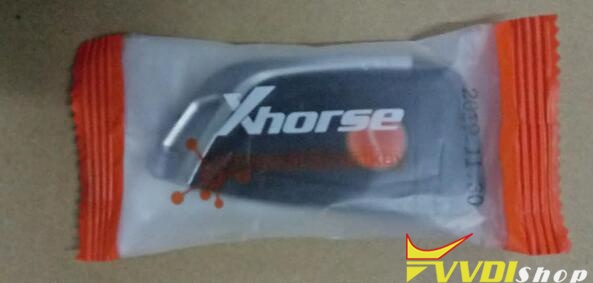
Xhorse smart remote: packed in orange color, XS series
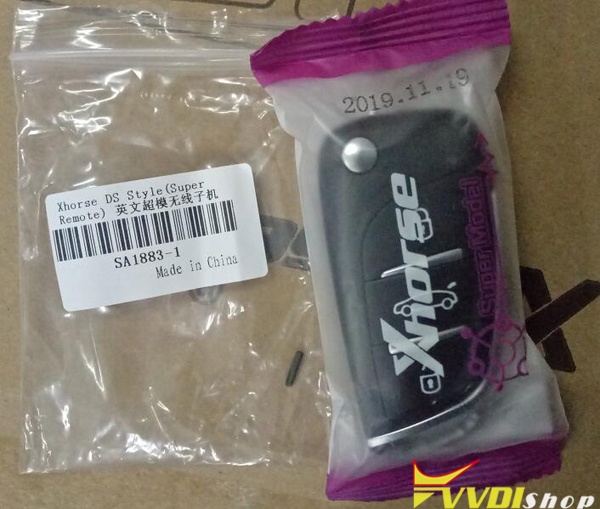
Xhorse super remote: in packed purple color, XE series.
Method 2: Xhorse remote differences in PCB
After tearing the pcb board, you will find they are the same in the shell, one question:
How to tell the difference among Xhorse wired remote, wireless remote, keyless go remote, super remote, the method is to use a screwdriver to open the shell and plwe know their differences.
Note: It is easy to have static electricity in winter. You need to find a metal to discharge the static electricity on your hand before opening.
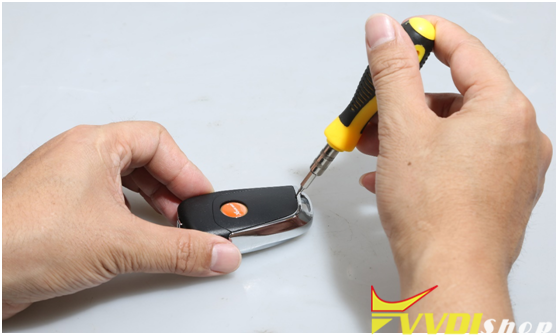
1). Wired remote PCB
Comes with socket for cable connection programming remote. No Chip.
You need to add a immo chip (like 46 chip) into the wired key before starting the car normally.

2). Wireless remote PCB
No socket (support generation or cloning directly without cables, no need to disassemble remote shell).
With NXP chip (supports the Hitag series, i.e ID46 and ID47), it generates chip in the method of wireless induction.
Wireless remote comes with nxp immo chip and can generate new key directly.
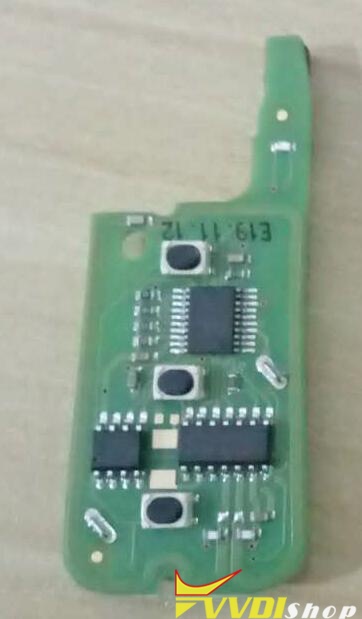
3). Super remote PCB
Built-in with Super Chip XT27A66, support more chip types the wired & wireless remote.
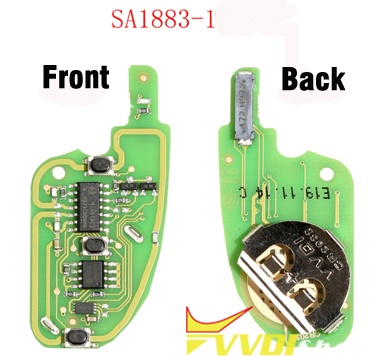
This image is from http://www.vvdishop.com/wholesale/xhorse-super-remote-key.html
4). Smart/keyless go remote PCB
With 3 inductances.
Folding key.
Support newest cars.
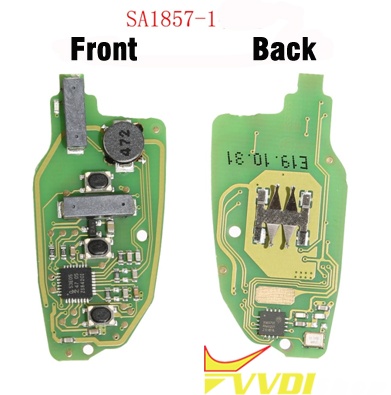
FYI, the buttons of wireless / keyless go / super remote is much better.
Method 3: Xhorse remote differences in price
Single Wired remote price: less than 5 dollars
Single Wireless/Super remote price: 5 dollars to 7 dollars
Single smart remote price: 9 dollars to 10 dollars.
All Xhorse remote price list here: http://www.vvdishop.com/producttags/vvdi-remote.html
Method 4: obtain different bonus points
When generate Xhorse remote for the first time, you will get bonus points.
Wired remote = 25 bonus points
Xhorse wireless remote =40 bonus points
Xhorse super remote =30 bonus points
Xhorse smart remote =60 bonus points
With the bonus points, you can exchange some free Xhorse products i.e mini key tool, tokens, vvdi mb adapters etc.
On the first page of Xhorse APP, click on “Shop”, then “Bonus points”, then “Function”, scroll down and select what you want with your bonus points.

To be upgrading…
http://www.vvdishop.com/service/vvdi-wired-vs-wireless-vs-smart-vs-super-remote.html
VVDI MB Program Benz W221 All Keys Lost?
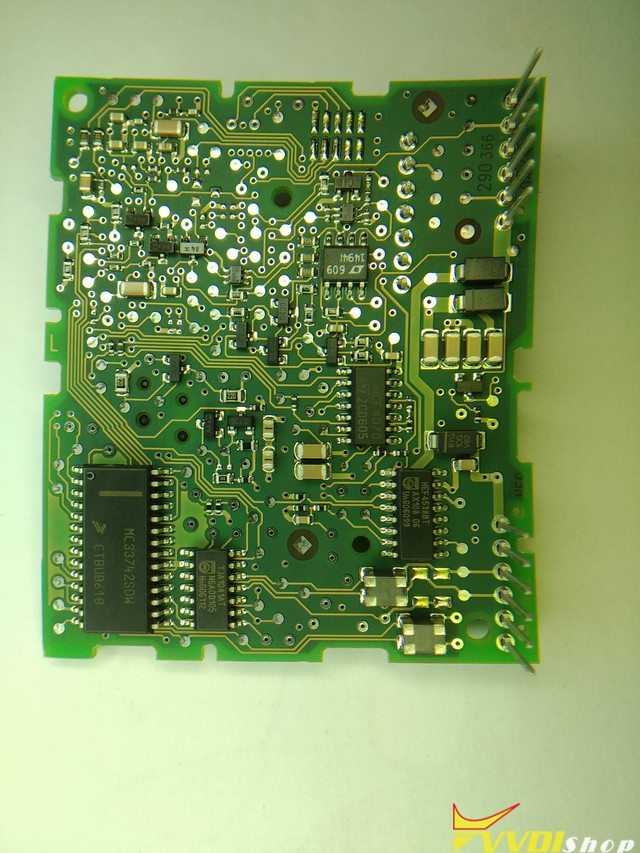
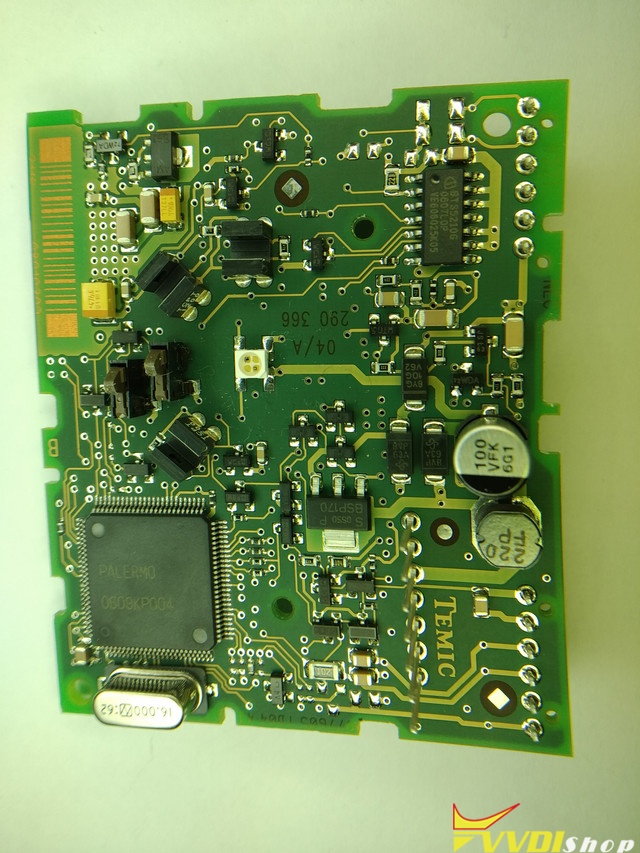
Question: I have Mercedes Benz W221 without keys. I tried to read data with VVDI MB Tool, no success with or without power adapter. I have cable for W221. With that cable I can read EIS with IR, but not with OBD. VVDI MB cannot connect. I also have VVDI prog, but I cannot find how connect to this unit. It is almost like W164, but it is little bit different.
According to Xhorse support this unit is not readable by any VVDI device. For reference I uploaded images.
Answer:
Confirmed , W221 ALK is supported by VVDI MB tool V4.7.0 & above. but some ignitions are after Dealer status and is impossible to do them with VVDI.
Type in google “W221 all key lost” and you will see many videos / manual how to.
This article shows how to use VVDI MB to program Mercedes S500 2008 W221 all keys lost.
Good luck.