ابزار Xhorse VVDI
Xhose VVDI نرم افزار برنامه نویس اصلی و سخت افزارابزار Xhorse VVDI
Xhose VVDI نرم افزار برنامه نویس اصلی و سخت افزارHowo to generate Peugeot 5008 remote with VVDI Key Tool
Here’s the guide generate a new remote using the Xhorse universal wireless remotes.
Turn on VVDI Key Tool
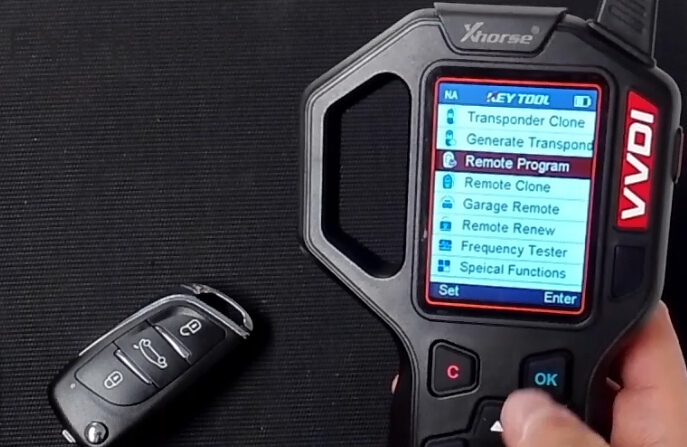
Select Remote Program from the main menu
Search for the region, make, model and part number of the remote you want to generate
i.e: European->Peugeot->5008

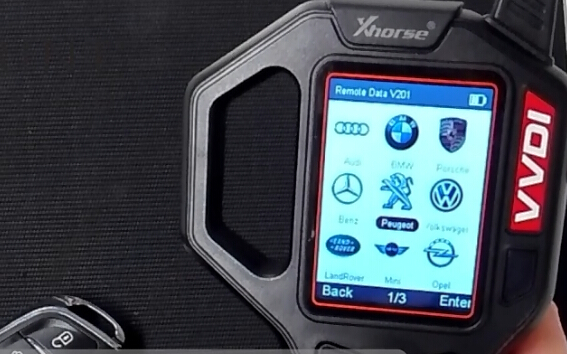
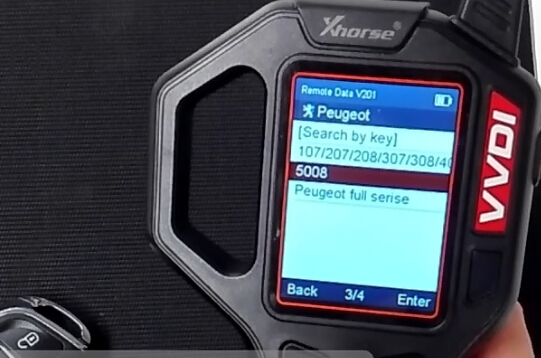

Insert the wireless remote into the antenna with the battery inside and the press ok
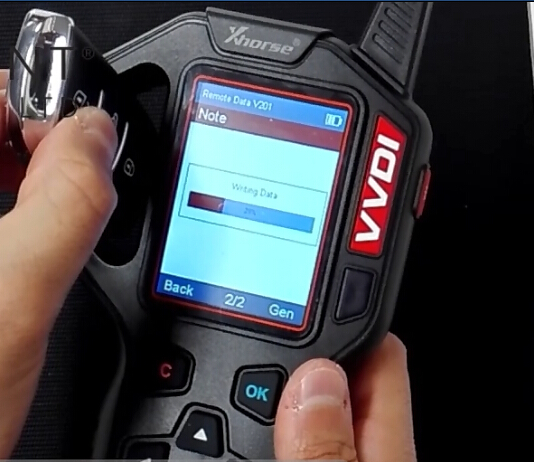
Reading data
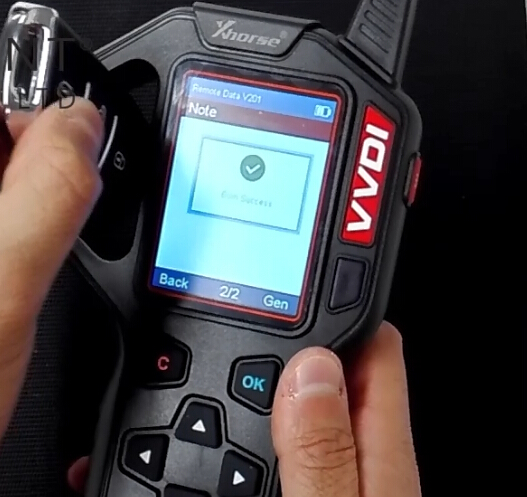
Generate remote success.
http://blog.vvdishop.com/generate-a-new-remote-using-xhorse-wireless-remotes/
VVDI2 Adds Smart Key on a BMW X1 CAS3++ 2013
Here’s step-by-step guide on programming smart remote key BMW X1 CAS3++ 2013 with Xhorse VVDI2 BMW key programmer.
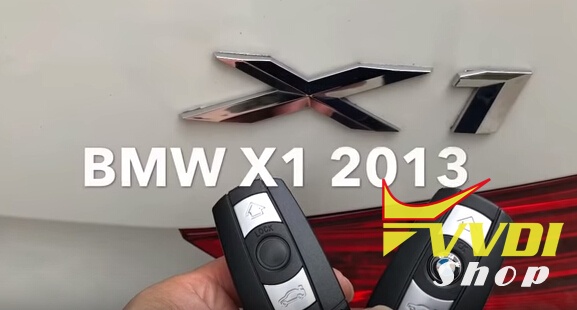
Connect VVDI2 with vehicle and computer
Choose VVDI2 BMW menu
Select Auto Detect> Connect
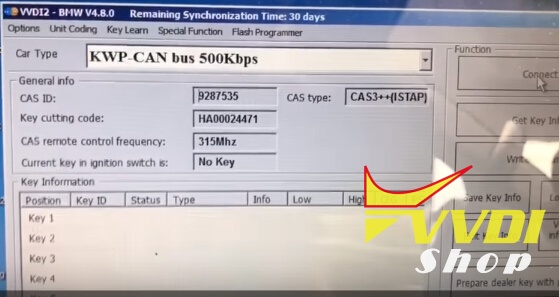
VVDI2 read information: CAS ID, Key cutting code, frequency 315MHz etc

Click on Get Key Info:
Add key: You should insert a working key into ignition and connect device with car before continue.
If you want to program all keys lost, you should insert a new key into ignition and connect device with car before continue (You need backup CAS EEPROM for CAS3 encrypt version and ISTA P4 version)
Add key: You should insert a working key into ignition and connect device with car before continue.
If you want to program all keys lost, you should insert a new key into ignition and connect device with car before continue (You need backup CAS EEPROM for CAS3 encrypt version and ISTA P4 version)
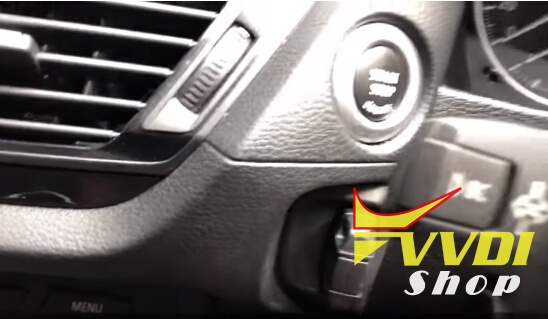

VVDI2 will ask to flash CAS firmware
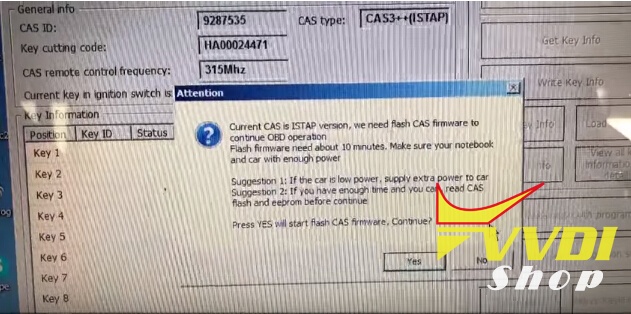
Need to flash CAS firmware 10 minutes to continue
Current CAS is ISTAP version, we need flash CAS firmware to continue OBD opeartion
Press YES to flash CAS firmware
Press YES to flash CAS firmware

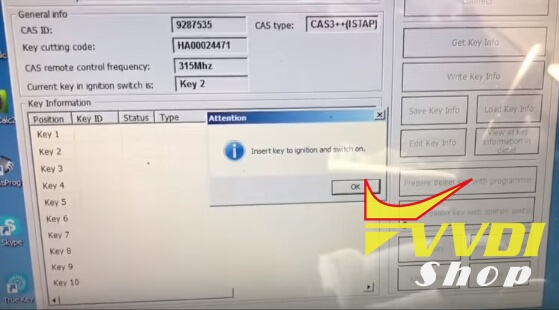
Flash success. Insert working key to ignition and turn on
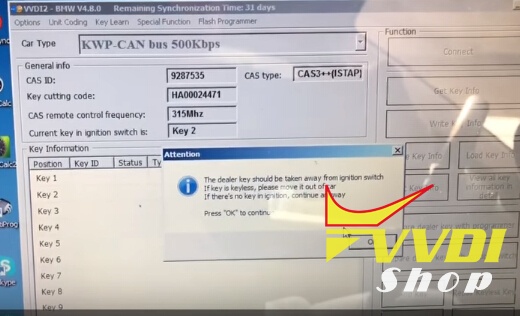
The dealer key should be taken away from ignition switch
If key is keyless, please move it out of car
If there’s no key in ignition, continue anyway
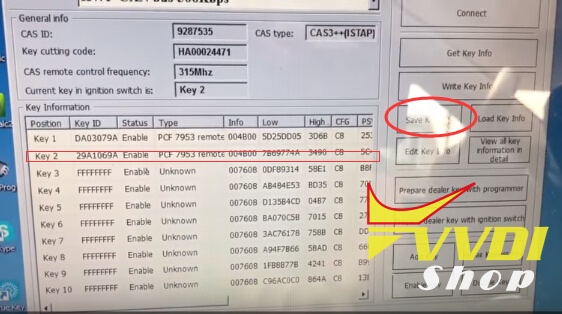
USE “Save Key Info” to save the original key information
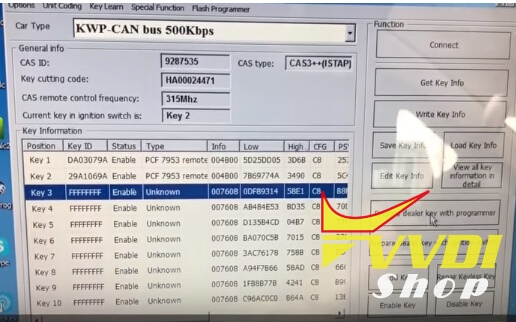
Add new key to key number 3
Select Prepare dealer key with programmer
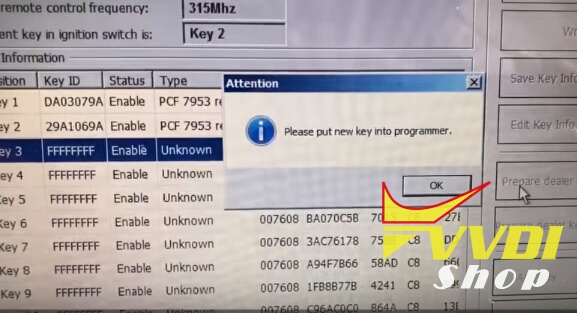
Put new key into VVDI2 key programmer
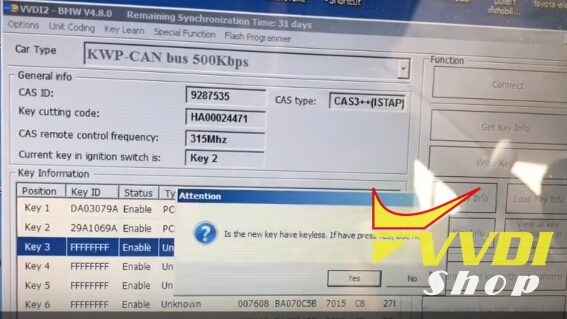
New key is not keyless, press NO
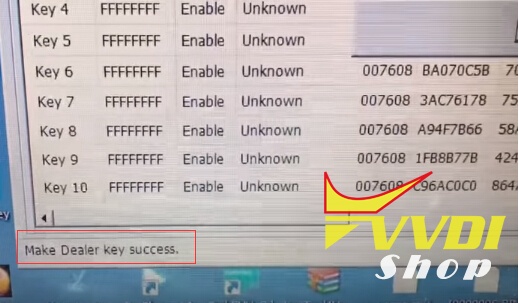
VVDI2 makes BMW X1 2013 dealer key success
Try to start, synchronize then can start
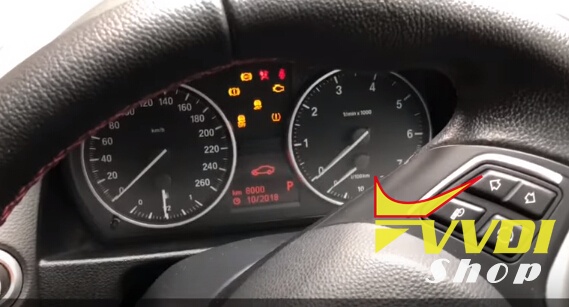
Success.
Done!
How to solve VVDI2 V4.8.0 update communication error
Problem:
I would like to update my xhorse vvdi2 in last version 4.8.0/4.8.1 but impossible by update tool.
I would like to update my xhorse vvdi2 in last version 4.8.0/4.8.1 but impossible by update tool.
My remaining synchronization Time is 0 days !
I download in the support the last version, now i have error vvdi2 can’t find.
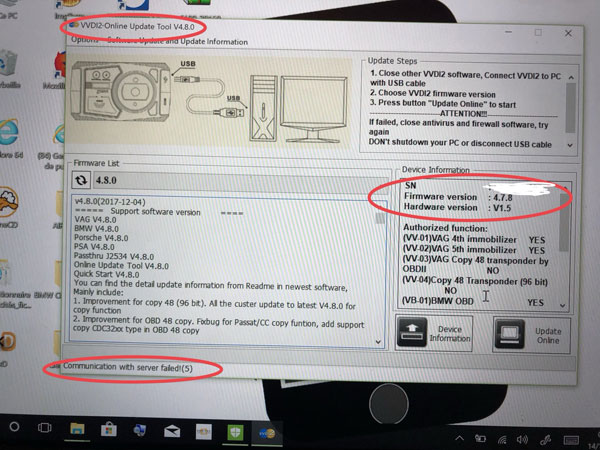
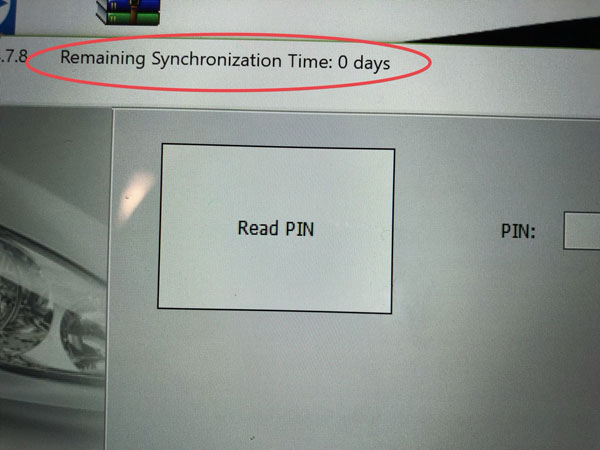
Solution:
Maybe it’s server issue. You cannot reach Xhorse engineers these days because they are all on vocation and will be back in next Monday (Dec. 18th, 2017).
Maybe it’s server issue. You cannot reach Xhorse engineers these days because they are all on vocation and will be back in next Monday (Dec. 18th, 2017).
If you need to solve the problem urgently, try following:
If your VVDI2 has error “communication fault with server(5) “, try to switch to 3G mobile and try again, don’t use wifi or landline network.
If your VVDI2 has error “communication fault with server(5) “, try to switch to 3G mobile and try again, don’t use wifi or landline network.
If still doesn’t work, need absolutely use update tool in first before synchronize with the server if your remaining synchronization time is 0 days !
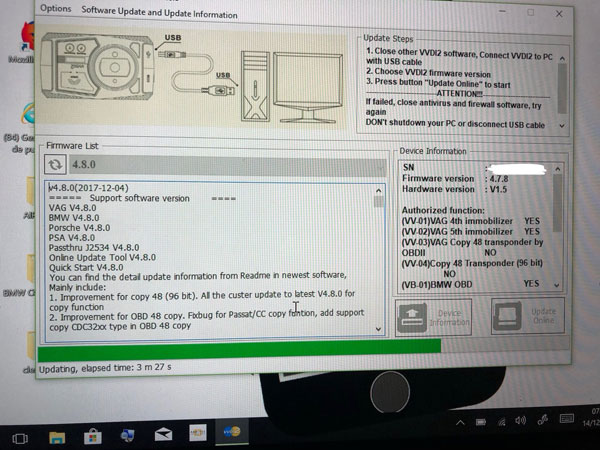
http://blog.vvdishop.com/vvdi2-4-8-0-communication-with-server-failed/
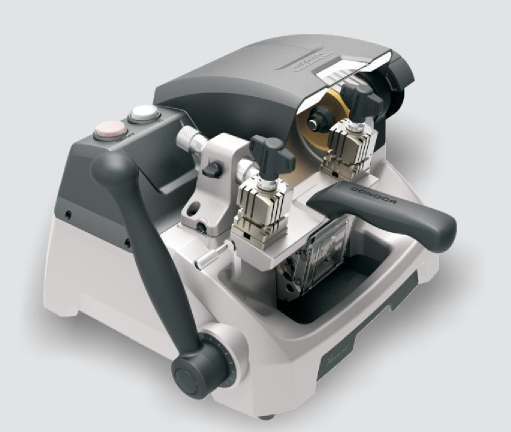
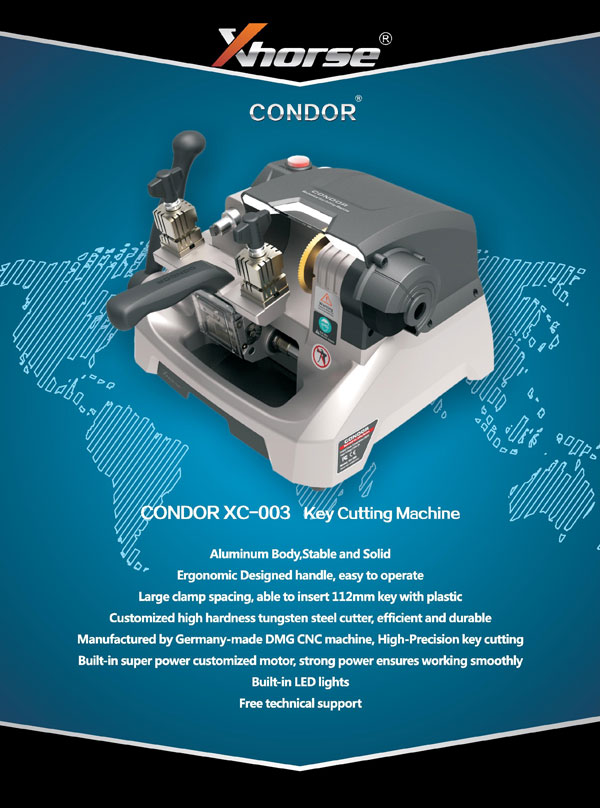
What's new in Condor XC-003 key cutting machine
Xhorse Condor XC-003 key cutting machine will soon be available in vvdishop.com.

Top Advantages of Condor XC-003
1.Aluminum Body, Stable and Solid
2.Ergonomic Designed handle, easy to operate
3.Large clamp spacing, able to insert 112mm key with plastic
4.Customized high hardness tungsten steel cutter, efficient and durable
5.Manufactured by German DMG CNC machine, high-precision key cutting
6.Built-in-super power customized motor, strong power ensures working smoothly
7.Built-in LED lights
8.Free technical support
1.Aluminum Body, Stable and Solid
2.Ergonomic Designed handle, easy to operate
3.Large clamp spacing, able to insert 112mm key with plastic
4.Customized high hardness tungsten steel cutter, efficient and durable
5.Manufactured by German DMG CNC machine, high-precision key cutting
6.Built-in-super power customized motor, strong power ensures working smoothly
7.Built-in LED lights
8.Free technical support

Condor XC-003 Mechanical Key Cutting Machine Overview:
Humanized design, comfortable operation:
Combined ergonomics design with modern aesthetic design, provides strong feeling of control;
Streamlined drive handle, able to adjust the operation angle, ensure comfort of operation; Self-resetting for self-locking working table design,continuously press down the handle to lock and reset the working table, easy to operate; Special structure with 4 sides rotating clamp, able to switch working side easily by one hand, high efficient and time-saving; 112mm wide clamp spacing for cutting plastic key directly; High-brightness LED lighting, convenient to working in ow light environment; Removable free splashing brush, used to polish and other micro-processing, ensure the surface finish of keys.
Combined ergonomics design with modern aesthetic design, provides strong feeling of control;
Streamlined drive handle, able to adjust the operation angle, ensure comfort of operation; Self-resetting for self-locking working table design,continuously press down the handle to lock and reset the working table, easy to operate; Special structure with 4 sides rotating clamp, able to switch working side easily by one hand, high efficient and time-saving; 112mm wide clamp spacing for cutting plastic key directly; High-brightness LED lighting, convenient to working in ow light environment; Removable free splashing brush, used to polish and other micro-processing, ensure the surface finish of keys.

Multiple Protection measures, ensure safety:
Power switch protection for both power cable port and machine body, effectively avoid accident causing by touching power; The working table will be locked when positioning clap attaches onto the clamp, avoid error operation; Users can press down self-reset for self-locking working table handle under unexpected situation for motor emergency stop,ensure safety. Factory equipped with safety, prevent cutting debris from spattering to hurt people and affect the environment.
Power switch protection for both power cable port and machine body, effectively avoid accident causing by touching power; The working table will be locked when positioning clap attaches onto the clamp, avoid error operation; Users can press down self-reset for self-locking working table handle under unexpected situation for motor emergency stop,ensure safety. Factory equipped with safety, prevent cutting debris from spattering to hurt people and affect the environment.

Precision manufacturing, stable and efficient:
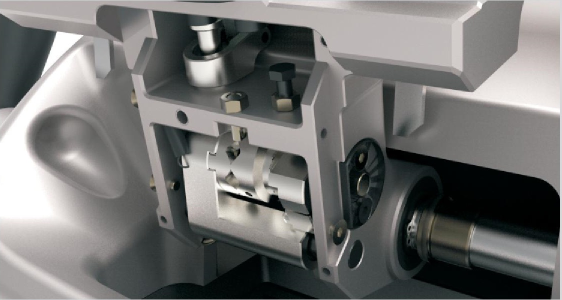
Condor XC-003 is aluminum body, manufactured by German DMG CNC machine. Ensure the machine precision and firmness, with light weight, easy to carry; Built-in a super power low cutter, able to cut various of side-open metal keys efficiently; Precision fine guide pin, able to make adjustment according to key and cutter wear condition,achieve precision clone at the level of 0.01mm.
Condor XC-003 is aluminum body, manufactured by German DMG CNC machine. Ensure the machine precision and firmness, with light weight, easy to carry; Built-in a super power low cutter, able to cut various of side-open metal keys efficiently; Precision fine guide pin, able to make adjustment according to key and cutter wear condition,achieve precision clone at the level of 0.01mm.
Professional technical support team:
Professional technical support team guarantee users benefits maximally.
Professional technical support team guarantee users benefits maximally.